
Official statement
Other statements from this video 9 ▾
- 0:38 Comment Google Search Console peut-il réellement booster votre trafic organique ?
- 0:56 Search Console et Analytics : deux outils pour quelles données SEO distinctes ?
- 2:05 Combien de temps vos données Search Console restent-elles vraiment accessibles ?
- 2:05 Faut-il vraiment aligner les requêtes Search Console avec vos mots-clés cibles ?
- 2:05 Pourquoi Google recommande-t-il de séparer l'analyse de la recherche d'images et de la recherche web ?
- 6:00 Comment vérifier que vos pages sont réellement indexées par Google ?
- 8:54 Les rich results augmentent-ils vraiment la visibilité dans les résultats de recherche ?
- 8:54 L'expérience de page joue-t-elle vraiment un rôle déterminant dans le classement Google ?
- 9:20 Pourquoi Google recommande-t-il de vérifier le rapport de couverture d'index en priorité ?
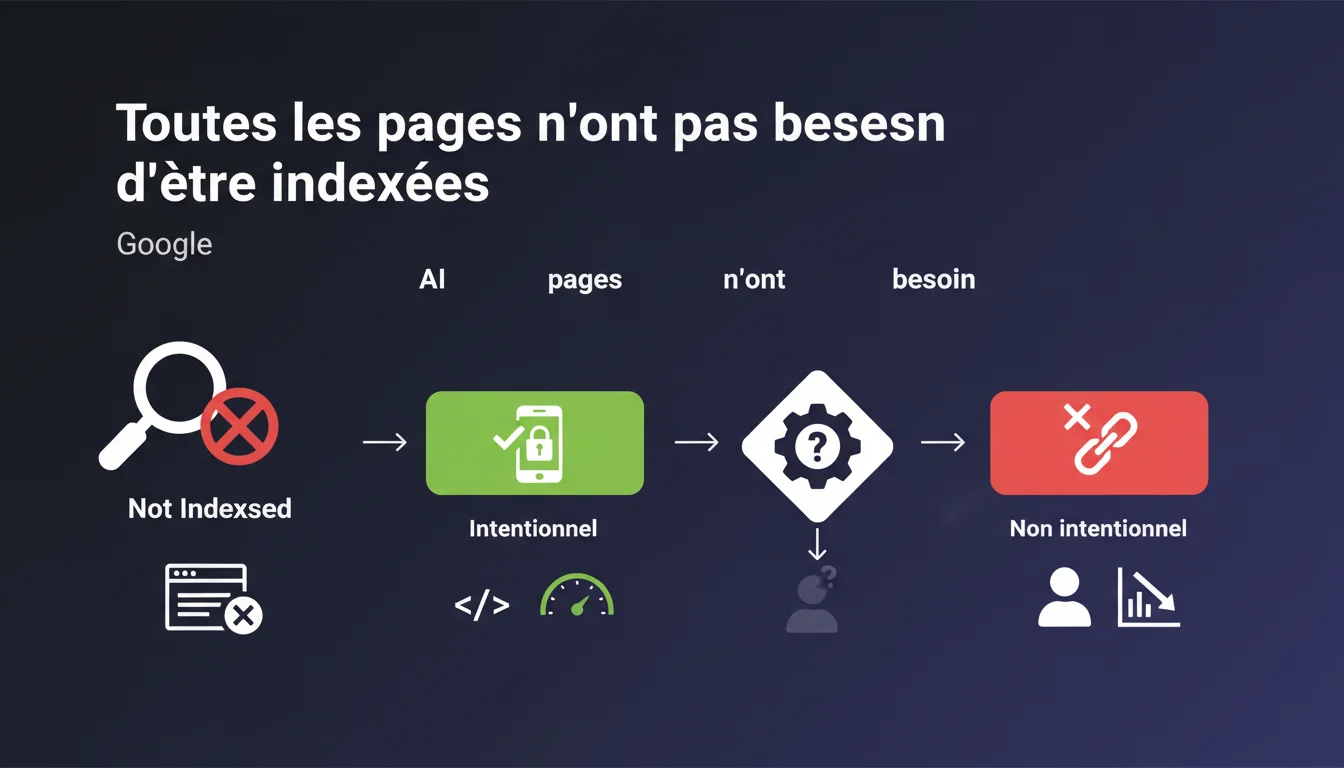
Google reminds us that not all pages are meant to be indexed, but emphasizes one point: site managers must understand their indexing status. The goal is not to index at all costs, but to know exactly which pages are indexed or not, and why. A conscious control rather than a laissez-faire approach.
What you need to understand
Why does Google emphasize that not all pages need to be indexed? <\/h3>
Google manages billions of pages. Each crawled and indexed URL consumes resources — both for the engine and for your crawl budget<\/strong>. Indexing low-value pages (filter facets, internal search results pages, duplicate content) dilutes the overall relevance of your site.<\/p> The message is clear: is not a problem, it's a strategy. But it must be controlled, not suffered.<\/p> An intentional non-indexed<\/strong> state is when you deliberately block a page via robots.txt, noindex, canonical to another URL, or authentication. You are in control.<\/p> An accidental non-indexed<\/strong> state is when Google decides not to index a page on its own — often indicated by "Discovered, currently not indexed" or "Crawled, currently not indexed" in Search Console. Here, it's unclear: is it a quality issue, crawl budget problem, or duplication? Google doesn’t always make it clear.<\/p> If you don't know which pages are indexed, you lose control of your SEO strategy<\/strong>. Strategic pages can remain invisible for months. Unnecessary pages can clutter the index and consume crawl budget at the expense of your priority content.<\/p> Worse: you can't optimize what you don't monitor. A regular indexing audit becomes essential.<\/p>What is the difference between intentional and accidental non-indexed states? <\/h3>
What are the risks of uncontrolled indexing? <\/h3>
SEO Expert opinion
Is this statement consistent with observed practices in the field? <\/h3>
Yes, but with a significant nuance: Google simplifies. In practice, the line between "intentional non-indexed" and "accidental non-indexed" can be blurry. Search Console categorizes certain pages as "Discovered, currently not indexed" without a clear explanation. [To be verified]<\/strong>: is it a quality issue, crawl budget, duplicate content, or simply an algorithmic priority issue? <\/p> On sites with thousands of pages, we regularly observe strategically important pages<\/strong> that remain out of the index for weeks without any obvious technical reason. Google doesn't always provide actionable feedback.<\/p> On a small editorial site (blog, showcase site), indexing all pages may make sense — as long as each page provides a unique value<\/strong>. But once we transition to an e-commerce site, a classifieds site, or a dense information portal, total indexing becomes counterproductive.<\/p> The problem: many CMS generate unnecessary URLs (tag pages, date archives, multiple filters). If you don't actively block them, you dilute your relevance and waste crawl budget. The first mistake: letting Google decide alone. Some sites allow thousands of orphaned or duplicated pages to be crawled without any guidelines. Result: wasted crawl budgets<\/strong>, strategic content under-crawled.<\/p> The second mistake: over-optimizing in the opposite direction. Some SEOs block everything out of fear of dilution, including pages that could capture long-tail traffic. Finding the balance is tricky.<\/p>When does total indexing still make sense? <\/h3>
What common mistakes arise from poor indexing management? <\/h3>
Practical impact and recommendations
What should you do to effectively control your indexing? <\/h3>
The first action: audit the current state<\/strong>. Export the list of indexed URLs via Search Console (Coverage section), compare it with your sitemap and actual site structure. Identify indexed pages that shouldn't be, and vice versa.<\/p> The second action: define a clear indexing strategy<\/strong>. Which sections of the site should be indexed? Which should be blocked (facets, archives, sort pages)? Document your choices in an indexing matrix.<\/p> Never block an entire section via robots.txt without considering the consequences. The robots.txt prevents crawling, but does not guarantee deindexing if external backlinks point to those URLs. Instead, use noindex<\/strong> for pages to be permanently excluded.<\/p> Also, avoid leaving orphan pages<\/strong> accessible only via sitemap. If Google does not find an internal link to a page, it may deem it unimportant and leave it out of the index, even if it appears in your sitemap.<\/p> Use Search Console<\/strong> to regularly monitor the statuses "Discovered, currently not indexed" and "Crawled, currently not indexed". If these statuses involve strategic pages, investigate: quality issue? duplication? internal linking issue? <\/p> Supplement this with a crawling tool like Screaming Frog or Oncrawl to cross-check the data: which pages are crawlable but not indexed? Which indexed pages have generated zero traffic in the last 6 months? <\/p>What mistakes should you absolutely avoid? <\/h3>
How can I check if my site aligns with this logic? <\/h3>
❓ Frequently Asked Questions
Comment savoir si une page non indexée l'est volontairement ou par décision de Google ?
Une page en "Découverte, actuellement non indexée" peut-elle être indexée plus tard ?
Faut-il soumettre toutes les pages importantes via un sitemap ?
Peut-on forcer l'indexation d'une page via la Search Console ?
Bloquer une page via robots.txt empêche-t-il son indexation ?
🎥 From the same video 9
Other SEO insights extracted from this same Google Search Central video · published on 12/01/2022
🎥 Watch the full video on YouTube →Related statements
Get real-time analysis of the latest Google SEO declarations
Be the first to know every time a new official Google statement drops — with full expert analysis.
💬 Comments (0)
Be the first to comment.