
Official statement
Other statements from this video 9 ▾
- 0:38 Comment Google Search Console peut-il réellement booster votre trafic organique ?
- 0:56 Search Console et Analytics : deux outils pour quelles données SEO distinctes ?
- 2:05 Combien de temps vos données Search Console restent-elles vraiment accessibles ?
- 2:05 Faut-il vraiment aligner les requêtes Search Console avec vos mots-clés cibles ?
- 2:05 Pourquoi Google recommande-t-il de séparer l'analyse de la recherche d'images et de la recherche web ?
- 6:00 Comment vérifier que vos pages sont réellement indexées par Google ?
- 6:18 Faut-il vraiment indexer toutes les pages de son site ?
- 8:54 Les rich results augmentent-ils vraiment la visibilité dans les résultats de recherche ?
- 8:54 L'expérience de page joue-t-elle vraiment un rôle déterminant dans le classement Google ?
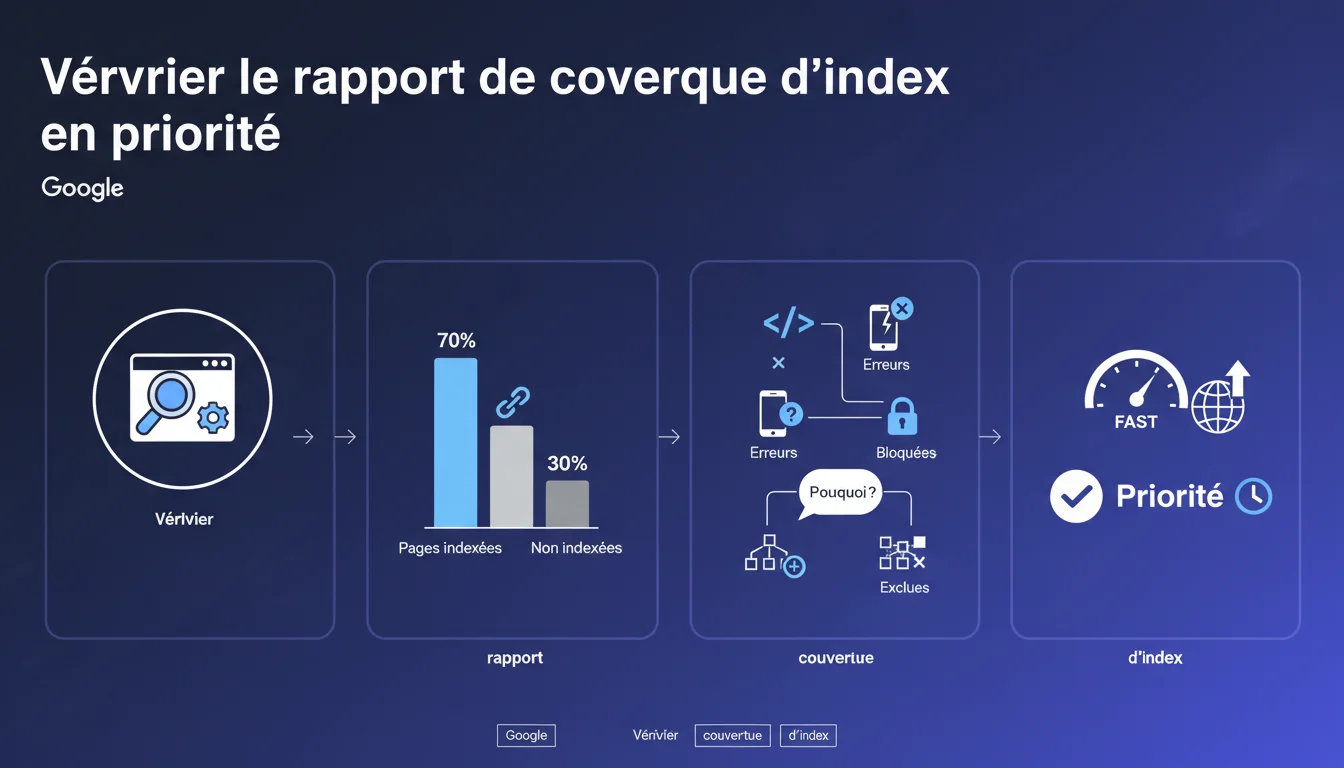
Google insists: the index coverage report is the first tool to consult for diagnosing the indexing status of your site. It reveals how many pages are indexed, which are excluded, and most importantly, why. It is the starting point of any serious SEO audit.
What you need to understand
What exactly is the index coverage report? <\/h3>\n\n
The index coverage report<\/strong> in Search Console displays the indexing status of each URL that Google has discovered on your site. It classifies the pages into four categories: error, valid with warnings, valid, and excluded.<\/p>\n\n This report details the reasons why certain pages are not indexed — noindex tag, redirection, duplicate content, server errors, exceeded crawl budget, etc. It provides a near real-time diagnosis of your site’s technical health.<\/p>\n\n Because indexing is a prerequisite for any organic visibility. If your pages are not indexed, no matter how high quality your content or your backlinks are — you won’t exist in the SERPs.<\/p>\n\n Google centralizes in this report signals that relate to several dimensions: technical accessibility<\/strong>, indexing directives, content quality, site architecture. It is the dashboard that reconciles crawling, indexing, and technical errors.<\/p>\n\n The report can display thousands of pages as “Excluded,” which often panics beginners. However, not all exclusions are problematic — a page intentionally blocked by robots.txt, or a non-essential dynamic URL parameter, is normal.<\/p>\n\n The classic error: focusing on the total number of indexed pages without checking which ones<\/strong> are actually indexed. Sometimes, Google indexes facets, unnecessary tag pages while excluding your strategic product listings.<\/p>\n\nWhy does Google emphasize this report in particular? <\/h3>\n\n
What pitfalls should be avoided when analyzing? <\/h3>\n\n
\n
SEO Expert opinion
Is this recommendation consistent with observed practices in the field? <\/h3>\n\n
Absolutely. In 80% of SEO audits, the first gains come from fixing indexing issues — strategic pages accidentally blocked, massive duplications, misconfigured canonicals. The coverage report detects these anomalies in just a few clicks.<\/p>\n\n
The problem is that Google presents this report as an entry-level tool, while it requires real expertise to be interpreted correctly. The error messages can sometimes be cryptic, and some justified exclusions may look like bugs to an untrained eye.<\/p>\n\n
What nuances should be added to this directive? <\/h3>\n\n
The coverage report remains a partial view<\/strong>. It says nothing about the quality of the ranking of indexed pages, nor their performance in terms of CTR or conversions. An indexed page buried on page 12 has no business value.<\/p>\n\n Another point: Google does not always communicate the true reasons for an exclusion. A page marked “Explored, currently not indexed” may stem from an issue of perceived quality<\/strong> by the algorithm — but the report never explicitly mentions this. [To be verified]<\/strong> systematically with a server log analysis to cross-check data.<\/p>\n\n On large sites (e-commerce, media), the Search Console report quickly reaches its limits — delays in data retrieval, approximate aggregation, and the inability to filter finely by page type. It then becomes necessary to switch to third-party tools or log analysis.<\/p>\n\n For international sites with multiple language versions, the report sometimes mixes hreflang and makes interpretation confusing. And for sites with high crawl budgets (millions of pages), Google only crawls a sample — the report then reflects only a fraction of reality.<\/p>\n\nIn what situations does this report become insufficient? <\/h3>\n\n
Practical impact and recommendations
What concrete actions should be taken with this report? <\/h3>\n\n
Start by exporting the data and segmenting it by type of URL — categories, product sheets, articles, technical pages. Identify high business value pages that are not indexed, and troubleshoot each cause one by one.<\/p>\n\n
Then, cross-check with your XML sitemap: any submitted URL that is absent from the report or marked as “Not found (404)” signals a consistency problem between your vision of the site and Google’s. Correct redirections, verify canonicals, and unblock erroneous robots.txt rules.<\/p>\n\n
What errors should be avoided during optimization? <\/h3>\n\n
Do not blindly delete all excluded pages. Some exclusions are intentional and healthy<\/strong> — thank you pages, internal search results, URLs with session parameters. The objective is not to index 100% of the site, but to ensure that the right pages are indexed.<\/p>\n\n Another trap: correcting a technical error without monitoring the reindexing. Google can take weeks to revisit a page after correction. Use the “Request indexing” tool sparingly — overusing it can trigger throttlings.<\/p>\n\n Implement weekly monitoring of the coverage report. Create alerts for critical errors (server errors 5xx, soft 404) and watch for sudden variations in the number of indexed pages. A good indicator: the index page / submitted pages in the sitemap<\/strong> ratio should remain stable over time.<\/p>\n\n Regularly test the indexability of your new pages with the “URL Inspection” tool. If Google indicates “URL not present on Google,” check the meta robots tags, the robots.txt file, and the URL depth in the hierarchy.<\/p>\n\nHow can I check if my site meets Google’s expectations? <\/h3>\n\n
\n
❓ Frequently Asked Questions
Quelle différence entre « Exclue » et « Explorée, actuellement non indexée » ?
Combien de temps Google met-il à réindexer une page après correction ?
Le rapport de couverture remplace-t-il l'analyse de logs serveur ?
Faut-il viser 100% de pages indexées dans le rapport ?
Pourquoi certaines pages indexées n'apparaissent-elles pas dans le rapport ?
🎥 From the same video 9
Other SEO insights extracted from this same Google Search Central video · published on 12/01/2022
🎥 Watch the full video on YouTube →Related statements
Get real-time analysis of the latest Google SEO declarations
Be the first to know every time a new official Google statement drops — with full expert analysis.
💬 Comments (0)
Be the first to comment.