
Official statement
Other statements from this video 9 ▾
- 0:38 Comment Google Search Console peut-il réellement booster votre trafic organique ?
- 2:05 Combien de temps vos données Search Console restent-elles vraiment accessibles ?
- 2:05 Faut-il vraiment aligner les requêtes Search Console avec vos mots-clés cibles ?
- 2:05 Pourquoi Google recommande-t-il de séparer l'analyse de la recherche d'images et de la recherche web ?
- 6:00 Comment vérifier que vos pages sont réellement indexées par Google ?
- 6:18 Faut-il vraiment indexer toutes les pages de son site ?
- 8:54 Les rich results augmentent-ils vraiment la visibilité dans les résultats de recherche ?
- 8:54 L'expérience de page joue-t-elle vraiment un rôle déterminant dans le classement Google ?
- 9:20 Pourquoi Google recommande-t-il de vérifier le rapport de couverture d'index en priorité ?
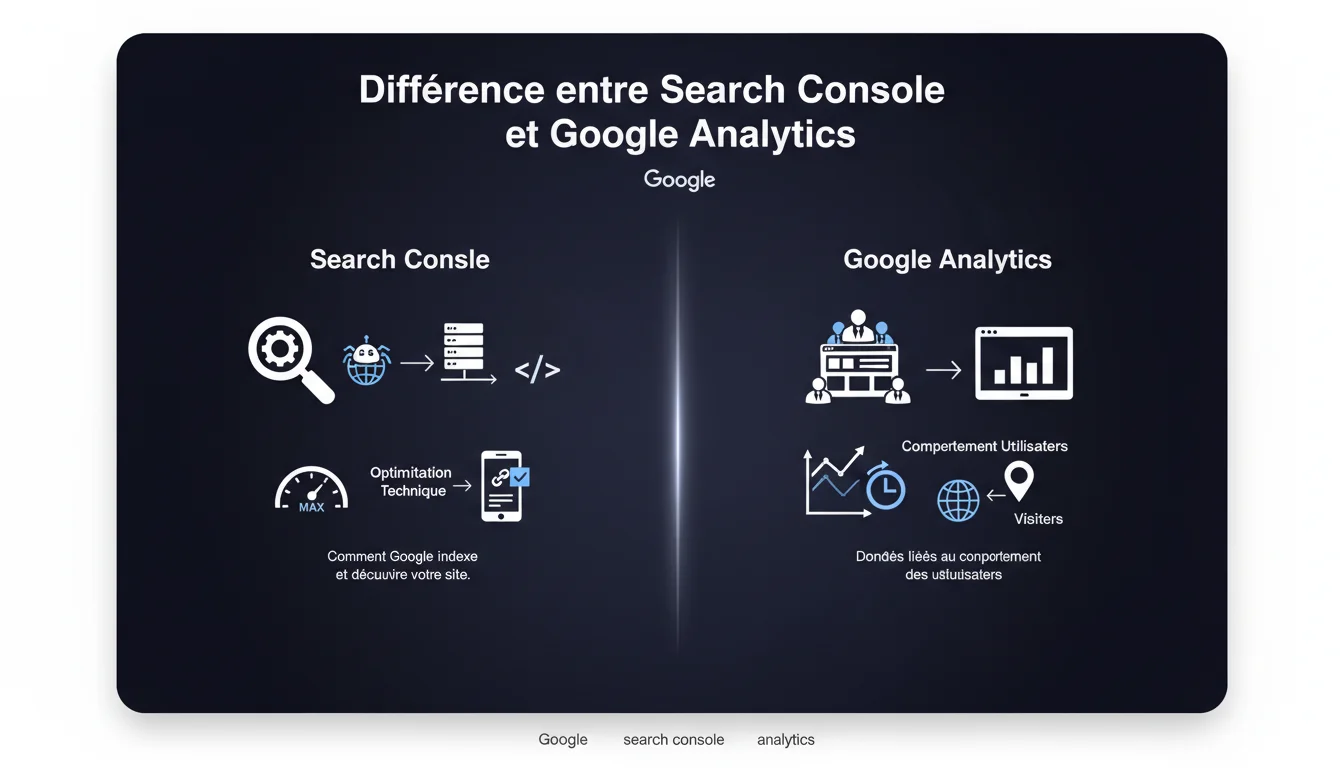
Google clearly distinguishes between Search Console and Analytics based on when they come into play: Search Console analyzes how the engine discovers and indexes your site (before the visit), while Analytics measures user behavior once on the site. Each tool addresses different and complementary SEO concerns.
What you need to understand
Why Does Google Clearly Separate These Two Tools? <\/h3>
The distinction is based on the lifecycle of a web page <\/strong> within the Google ecosystem. Search Console comes into play early on: it shows you how Googlebot crawls your URLs, which pages are indexed, which technical issues block indexing, and how your content appears in search results.<\/p> Analytics takes over once the user arrives on your site. Bounce rate, session duration, user journey—all aspects related to the post-click experience <\/strong> fall under Analytics. The two tools cover distinct phases of the SEO funnel.<\/p> Search Console focuses on organic acquisition data <\/strong>: impressions, CTR, average position, index coverage, crawling errors, server Core Web Vitals. Everything that helps diagnose why a page does not appear or is not clicked in the SERPs.<\/p> Google Analytics, on the other hand, analyzes what happens after the click <\/strong>: which content engages, which pages convert, where users actually come from (not just Google), how long they stay. It provides a comprehensive view of user behavior, not just SEO.<\/p> Yes, particularly regarding organic traffic volumes <\/strong>. But the figures never align perfectly. Search Console counts clicks in Google results, while Analytics records sessions using JavaScript tracking that can be blocked by ad blockers or privacy settings.<\/p> Discrepancies are normal and expected. Some GSC clicks never appear in Analytics (bots, users leaving before full load). Conversely, Analytics may capture organic traffic from search engines other than Google.<\/p>What Exactly Does Each Tool Measure? <\/h3>
Do the Data Sometimes Overlap Between the Two? <\/h3>
SEO Expert opinion
Does This Separation Really Reflect the Reality of SEO Work? <\/h3>
Yes and no. On paper, the distinction is clear. In practice, a competent SEO constantly navigates between the two <\/strong>. Do you detect a drop in traffic in Analytics? The first instinct: check Search Console to see if it's an indexing, position, or CTR issue.<\/p> This Google statement oversimplifies greatly. User behavior <\/strong> (measured by Analytics) directly impacts SEO—time on page, bounce rate, engagement are indirect quality signals. Conceptually separating the two phases is clean, but operationally artificial.<\/p> Absolutely. This binary distinction “before/after visit” <\/strong> masks the fact that Google collects user behavior data well beyond <\/strong> what Search Console exposes. Chrome, Android, click data in the SERPs—all of this feeds the algorithm without being visible in GSC.<\/p> Similarly, Analytics captures only a fraction of actual behavior: users who accept cookies, who do not block JavaScript, who do not browse in private mode. [To be verified] <\/strong>: what percentage of actual organic traffic completely escapes Analytics due to tracking restrictions? If you manage a site without Analytics (for privacy choices or legal reasons), Search Console remains your only official Google source <\/strong>. But you lose all visibility on actual engagement.<\/p> Conversely, some highly technical sites (like SaaS B2B) have a complex SEO where technical optimization (GSC) takes precedence over generic behavioral analysis. The bounce rate of an API documentation page holds no value without business context.Is Google Deliberately Omitting Certain Nuances? <\/h3>
When Does This Rule Not Apply? <\/h3>
Practical impact and recommendations
What Should You Audit in Each Tool for a Complete SEO Diagnosis? <\/h3>
In Search Console <\/strong>, start with index coverage: excluded pages, 404 errors, misconfigured canonicals. Then analyze performance: queries generating impressions without clicks (low CTR = title/meta problem), stagnant or declining average positions.<\/p> On the Analytics <\/strong> side, scrutinize organic landing pages with high bounce rates and low session duration. This reveals a gap between SERP promise and actual content <\/strong>—your page may rank well but disappoints the user.<\/p> Never directly compare GSC click figures <\/strong> and Analytics sessions—the methodologies differ. GSC counts clicks on your URL in Google, Analytics counts complete sessions with loaded JavaScript.<\/p> Another trap: attributing a drop in Analytics traffic to an SEO problem without checking GSC. Sometimes, it's just a broken Analytics tag <\/strong> or a bot filter mistakenly activated. Always cross-check before panicking.<\/p> Start with Search Console to identify technical issues <\/strong> and visibility opportunities. Once URLs are indexed and performing well in the SERPs, switch to Analytics to optimize user experience <\/strong> and conversions.<\/p> Ideally, cross-reference both: export your top Analytics pages, check their average position and CTR in GSC. If a page converts well but receives few organic clicks, it’s an obvious SEO lever.What Mistakes Should You Avoid When Cross-Interpreting Data? <\/h3>
How to Structure an Effective SEO Analysis Workflow? <\/h3>
❓ Frequently Asked Questions
Pourquoi les chiffres de trafic diffèrent-ils entre Search Console et Analytics ?
Peut-on se passer de Google Analytics et ne garder que Search Console ?
Search Console remonte-t-il des données de comportement utilisateur ?
Quel outil prioriser pour diagnostiquer une chute de trafic organique ?
Les Core Web Vitals apparaissent-ils dans Analytics ?
🎥 From the same video 9
Other SEO insights extracted from this same Google Search Central video · published on 12/01/2022
🎥 Watch the full video on YouTube →Related statements
Get real-time analysis of the latest Google SEO declarations
Be the first to know every time a new official Google statement drops — with full expert analysis.
💬 Comments (0)
Be the first to comment.