
Official statement
Other statements from this video 6 ▾
- □ Does Google's cached view really store all your content?
- □ Is your cached content being blocked by browser security policies, and how is Google affected?
- □ Is an empty Google cache for your JavaScript site actually a sign of indexation problems?
- □ Does Google really index what users see, or what's captured in the cache?
- □ Does Google really index your dynamic JavaScript content? What SEO experts don't tell you
- □ Does an empty cache really mean your JavaScript site has indexing issues?
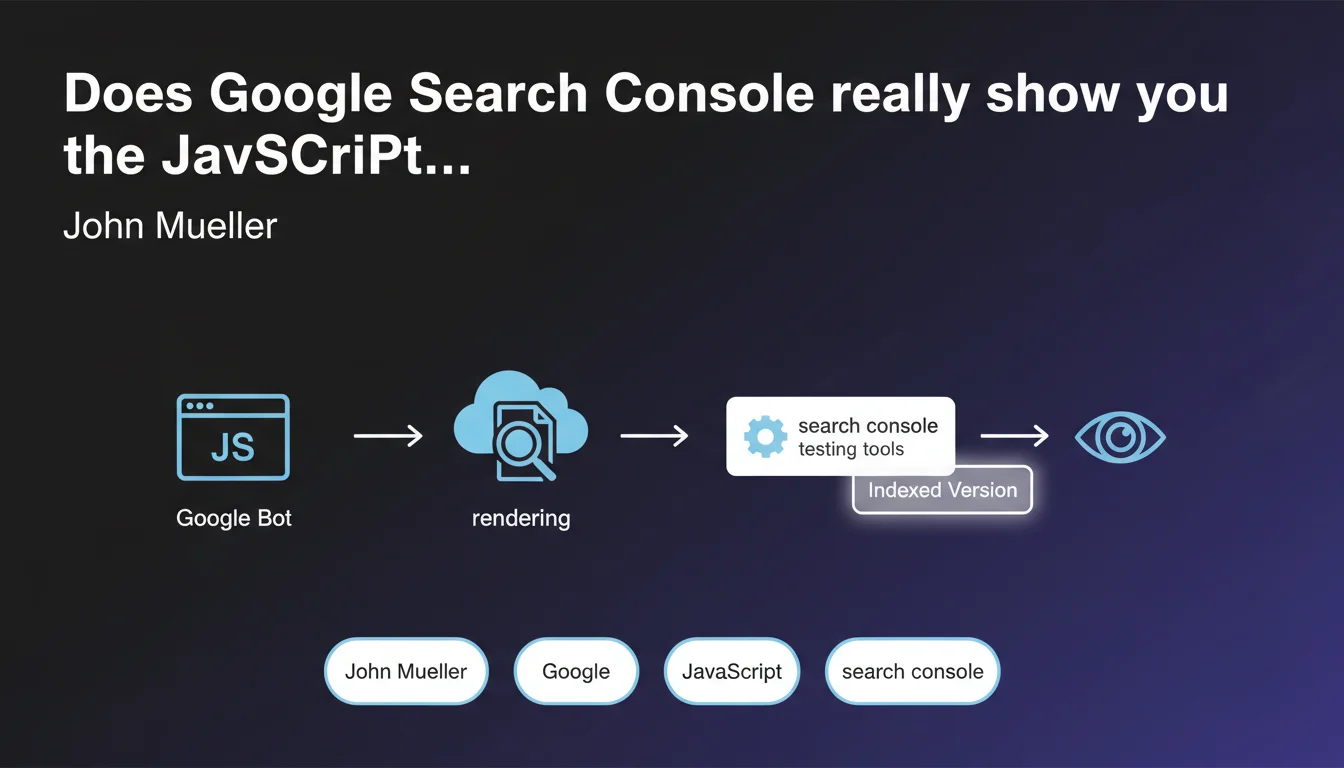
Google Search Console lets you visualize the rendered version of a JavaScript page using its testing tools, revealing exactly what the engine indexes. This feature is crucial for diagnosing indexing issues on client-side rendered sites. But the real question is: does what you see always match what actually gets crawled in production?
What you need to understand
What does the "rendered version" of a page really mean in practical terms?
When a site generates its content through JavaScript (React, Vue, Angular…), Googlebot needs to perform two distinct steps: fetch the raw HTML, then execute the JavaScript to get the final DOM. This final version — the one containing the content actually displayed to users — that's the rendered version.
Search Console's testing tools (particularly the URL inspection tool) simulate this process and display the final result. In theory, that's what Google sees and indexes. In theory, only.
Why is this distinction between raw HTML and rendered version so critical?
Because if your strategic content — titles, descriptions, internal links — only appears after JavaScript execution, it might never get indexed if the rendering fails. There are multiple causes of failure: timeouts, JS errors, resources blocked by robots.txt, oversized files.
E-commerce sites and single-page applications (SPAs) are particularly exposed. A product page that doesn't load its SEO metadata in the initial HTML takes a significant risk.
Which Search Console tools reveal this rendering?
The URL inspection tool is the main one. It displays three tabs: the crawled version (raw HTML), the rendered version (after JS execution), and a screenshot. You can also check loaded resources, identify blocked ones, and spot JavaScript errors.
- Crawled version: the initial HTML fetched by Googlebot
- Rendered version: the final DOM after JavaScript execution
- Screenshot: what the engine "sees" visually
- Loaded resources: list of JS/CSS files and their status (blocked, error, timeout)
SEO Expert opinion
Is this really reassuring for JavaScript-heavy sites?
Not really. Mueller confirms the tool exists, but says nothing about the reliability of that rendering or how it matches actual production crawling. We know Search Console tests on demand, potentially with more resources allocated than a typical crawl. [To verify]: does what you see in the tool always reflect what Google actually indexes during massive crawl operations?
In the field, we observe inconsistencies. Pages that pass the inspection test but whose content never appears in the index. Production timeouts the tool doesn't detect. The rendering visible in Search Console is an indicator, not a guarantee.
What are the known limitations of this testing tool?
First, the JavaScript execution timeout. Google allocates a limited budget — often around 5 seconds — to render a page. If your JS takes longer, content can be truncated. The inspection tool doesn't always faithfully simulate this constraint.
Next, third-party resources. If your site loads external scripts (analytics, ads, social widgets), they can slow down or block rendering. The tool tests in a controlled environment that doesn't necessarily reproduce real-world network latency conditions.
When should you be suspicious of what the tool shows?
First situation: sites with dynamically generated content based on IP, location, or user-agent. The tool tests from Google's servers, with a specific context. If your site serves different content based on these parameters, you won't see the same thing as the production Googlebot crawl.
Second situation: sites with conditional rendering (bot detection to serve pre-rendered HTML). If you use dynamic rendering or SSR, the tool might display the optimized version while production Googlebot receives something else — especially if your bot detection is imperfect.
Practical impact and recommendations
How do you concretely use this tool to diagnose an indexing problem?
Start by comparing all three views: raw HTML, rendered version, and screenshot. If strategic content (titles, text, links) only appears in the rendered version, you have a JavaScript dependency problem. If the screenshot is empty or incomplete, it's worse.
Next, analyze blocked resources. An essential JS file blocked by robots.txt prevents complete rendering. Also check for timeouts and 404 errors on scripts. A single missing file can break the entire rendering chain.
Test several representative URLs from each template — don't rely on a single test of your homepage. Product pages, category pages, blog articles can behave differently.
What actions should you take if the rendered version differs from your expectations?
If content is missing from the rendered version, two main approaches: reduce JavaScript dependency by moving to SSR (Server-Side Rendering) or static generation, or optimize JS execution time to fit within Google's rendering budget.
Move critical content into the initial HTML. The <title>, <meta description>, <h1> tags, and priority internal links must be present before any JavaScript executes. Everything else can load progressively.
- Test each key template with Search Console's URL inspection tool
- Systematically compare raw HTML and rendered version to identify gaps
- Check the resource list and unblock essential JS/CSS files in robots.txt
- Measure actual rendering time with Lighthouse and WebPageTest
- Implement SSR or static rendering for strategic content
- Regularly monitor actual indexation through targeted
site:queries
The URL inspection tool in Search Console is a first diagnosis, not absolute truth. Use it to spot obvious gaps between raw HTML and rendered version, but always follow up with manual verification of actual indexation. Migration to server-side rendering remains the most reliable solution to guarantee Google indexes your content.
These technical optimizations — JavaScript rendering diagnosis, SSR implementation, fine-tuned robots.txt configuration — require specialized expertise and considerable time. If you manage a complex site or indexation stakes are critical for your business, working with an SEO agency specialized in JavaScript architecture can significantly accelerate problem resolution and secure your organic visibility.
❓ Frequently Asked Questions
L'outil d'inspection d'URL de Search Console montre-t-il exactement ce que Google indexe ?
Pourquoi ma page apparaît correctement dans l'outil mais n'est pas indexée ?
Combien de temps Google alloue-t-il pour rendre une page JavaScript ?
Faut-il toujours utiliser du Server-Side Rendering pour être indexé par Google ?
Les ressources bloquées dans le robots.txt empêchent-elles vraiment le rendu ?
🎥 From the same video 6
Other SEO insights extracted from this same Google Search Central video · published on 06/04/2022
🎥 Watch the full video on YouTube →
💬 Comments (0)
Be the first to comment.