
Official statement
Other statements from this video 11 ▾
- □ Comment exploiter l'export massif de données Search Console vers BigQuery pour optimiser votre stratégie SEO ?
- □ Google récompense-t-il vraiment la qualité du contenu indépendamment de sa méthode de production ?
- □ L'automatisation du contenu est-elle vraiment considérée comme du spam par Google ?
- □ L'IA pour générer du contenu SEO : spam ou opportunité légitime ?
- □ L'IA générative impose-t-elle de nouvelles règles d'évaluation du contenu selon Google ?
- □ Faut-il vraiment se soucier du qui, comment et pourquoi dans la création de contenu ?
- □ Pourquoi Google ajoute-t-il l'Expérience aux critères EAT pour évaluer la qualité des contenus ?
- □ Rel=canonical : pourquoi Google a-t-il mis à jour sa documentation officielle ?
- □ Pourquoi Google publie-t-il une galerie officielle des éléments visuels de la recherche ?
- □ Pourquoi Google publie-t-il un guide spécifique sur les liens destiné aux designers web ?
- □ Le système d'avis produits de Google s'étend : quelles langues sont concernées et qu'est-ce que ça change pour vous ?
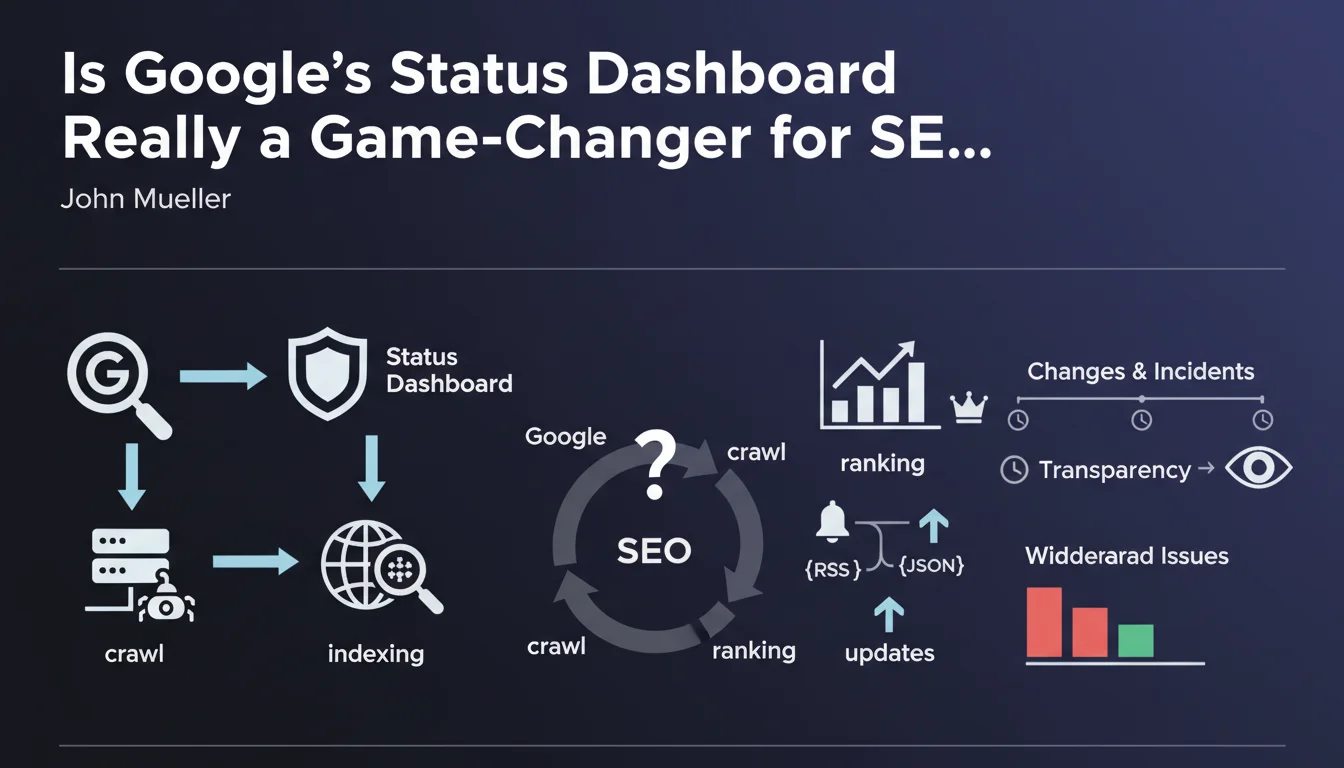
Google has launched an official dashboard displaying widespread crawling, indexing, and search result display incidents, along with major ranking system changes. It's accessible via RSS and JSON feeds to facilitate monitoring. In essence, it's a transparency tool designed to shed light on technical issues on Google's side.
What you need to understand
Why Is Google Launching This Dashboard Now?
The question of transparency comes up regularly in discussions between Google and the SEO community. Until now, when a crawling or indexing problem occurred, professionals found themselves scouring Twitter for unofficial confirmations or waiting for scattered announcements.
This dashboard centralizes information about widespread incidents — not site-specific problems, but those affecting the entire ecosystem. It covers three critical areas: crawling, indexing, and search result display. Google is also adding tracking of major ranking system changes, which likely includes core updates and other significant deployments.
What Does This Tool Concretely Offer to SEO Practitioners?
Access to an RSS and JSON feed changes the game for automated monitoring. Instead of manually watching multiple channels, you can integrate this feed into your monitoring tools and receive alerts as soon as an incident is reported.
Let's be honest: it doesn't solve everything. The dashboard won't tell you why your specific site lost traffic or why certain pages are no longer indexed. It only signals systemic issues that affect a large portion of the web.
What Are the Limitations of This System?
Google itself defines what constitutes a "widespread problem." Transparency has its boundaries — the dashboard won't detail the exact nature of bugs or their precise impact on algorithms.
Additionally, it doesn't cover normal ranking fluctuations or the continuous adjustments Google makes daily. If you observe a drop in positions without any incident being reported, you're still in the dark.
- Centralization of information about Google's system incidents
- RSS and JSON feeds to automate SEO monitoring
- Tracking of major changes to ranking systems
- No details on issues specific to individual sites
- Google retains control over what is considered "widespread"
SEO Expert opinion
Does This Initiative Really Improve Google's Transparency?
Yes and no. It's a step in the right direction, but let's be realistic: Google controls the narrative. The search engine decides when an issue deserves to be reported, how it's described, and what details are shared.
In practice, we regularly observe massive ranking fluctuations that are never officially confirmed as "updates." This dashboard is likely to follow the same logic: only incidents that Google deems worthy of communication will appear. [To verify]: how does Google determine the severity threshold for displaying an incident?
Will the Data Provided Be Sufficiently Actionable?
That's where it gets tricky. If the dashboard only provides generic messages like "we're investigating an indexing issue," its usefulness remains limited. SEO professionals need granularity: which types of sites are affected? Which regions? Which content types?
Without these details, we remain in a gray zone where we must cross-reference multiple sources to understand the real scope of an incident. The JSON feed is convenient, but if the data it contains is sparse, automation merely serves to monitor vague alerts.
Does This Dashboard Replace Traditional Communication Channels?
Probably not. Google will continue to use Twitter, the Search Central blog, and public statements to communicate. The dashboard will be a complement, not a replacement.
The question that arises: will information be published simultaneously across all channels, or will there be a delay? If an incident is confirmed on Twitter before appearing on the dashboard, the tool loses some of its value.
Practical impact and recommendations
How to Integrate This Dashboard Into Your SEO Workflow?
The first step is to automate monitoring. Integrate the RSS or JSON feed into your monitoring tools — whether Slack, a custom dashboard, or an alert system. The goal: be notified in real-time as soon as an incident is reported.
Systematically cross-reference the dashboard information with your own Analytics and Search Console data. If Google reports an indexing problem and you observe a sudden drop in indexed pages at the same time, you have a useful correlation. If nothing changes on your end, the incident doesn't directly affect you.
What Mistakes Should You Avoid With This Tool?
Don't fall into the trap of blaming everything on Google. Because an official dashboard exists, the temptation will be strong to seek an external excuse for every traffic fluctuation. Let's be clear: the majority of SEO problems remain related to on-site factors or changes in user behavior.
Also avoid over-investing in interpreting vague messages. If Google indicates "we're investigating an issue," it doesn't mean your site is affected. Focus on corrective actions only if you observe a measurable impact on your KPIs.
What Should You Actually Do When the Dashboard Reports an Incident?
First, check your metrics: organic traffic, indexation rate, positions on your strategic keywords. If everything is stable, you can continue your usual work. If you observe an anomaly, document it precisely (screenshots, data exports).
Next, wait for resolution before panicking. System incidents are usually resolved quickly by Google. No need to massively modify your site if the problem originates from the search engine itself. However, if the incident lasts several days without resolution, it may be wise to explore workarounds (for example, verify that your sitemaps are up to date, re-submit a crawl via the Indexing API if applicable).
- Set up an automatic alert via the dashboard's RSS or JSON feed
- Cross-reference reported incidents with your Search Console and Analytics data
- Don't systematically attribute traffic drops to Google incidents
- Document observed anomalies with timestamps and screenshots
- Wait for official resolution before making major site modifications
- Regularly verify that your sitemaps and robots.txt files are compliant
❓ Frequently Asked Questions
Le tableau de bord affiche-t-il les problèmes spécifiques à mon site ?
Les core updates apparaîtront-elles sur ce tableau de bord ?
Puis-je automatiser des actions SEO en fonction des alertes du tableau de bord ?
Ce tableau de bord remplace-t-il le suivi des annonces sur Twitter ou le blog Google ?
Comment savoir si un incident signalé affecte mon site ?
🎥 From the same video 11
Other SEO insights extracted from this same Google Search Central video · published on 18/04/2023
🎥 Watch the full video on YouTube →
💬 Comments (0)
Be the first to comment.