
Official statement
Other statements from this video 7 ▾
- □ Should you really be excluding non-canonical URLs from your XML sitemap?
- □ Does an XML sitemap really accelerate Googlebot's crawling of your website?
- □ Do you really need a sitemap to get indexed by Google?
- □ Should you really limit lastmod updates in your XML sitemaps?
- □ What are the real technical limits of XML sitemap files that can kill your SEO visibility?
- □ Should you really submit every single URL from your sitemap to Google?
- □ What content types should you really include in your sitemaps?
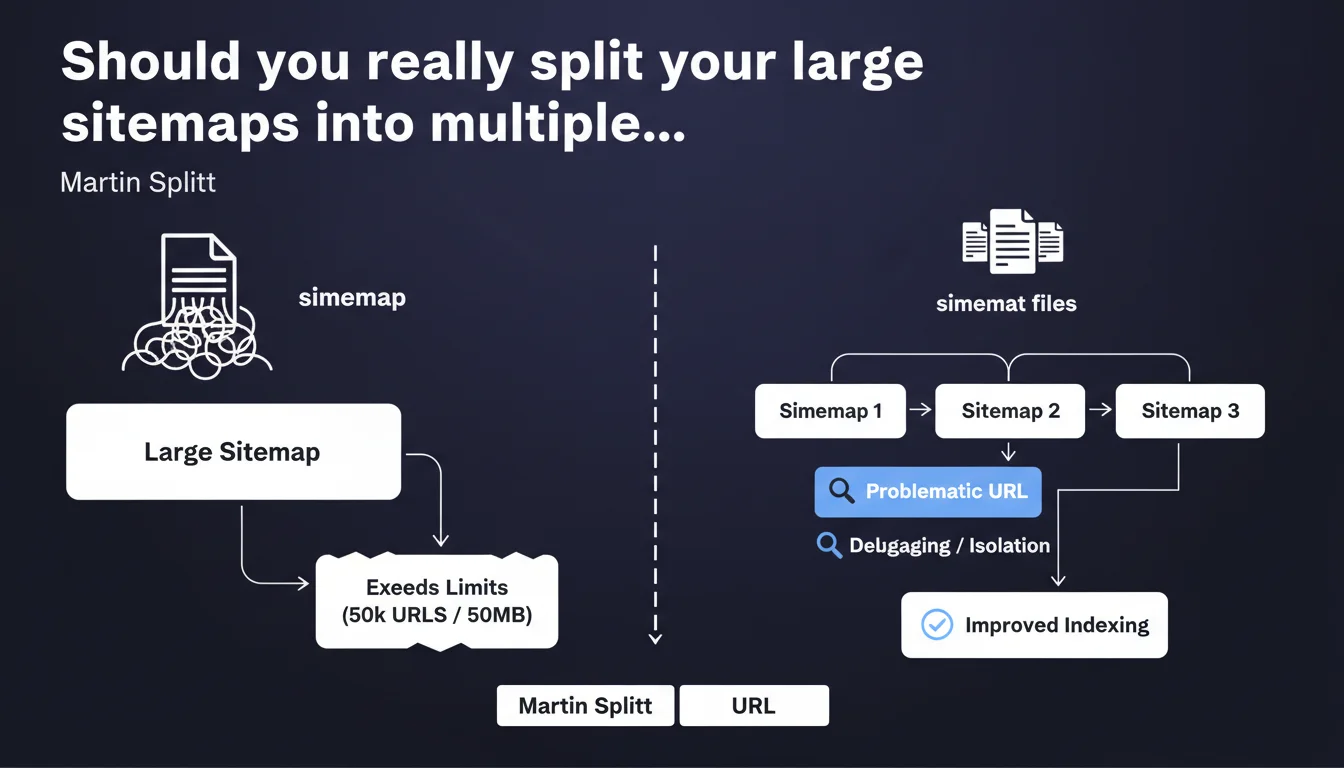
Google recommends fragmenting sitemaps that exceed technical limits into multiple distinct files. Beyond the normative aspect, this approach facilitates diagnosis by isolating problematic URLs in dedicated files — an advantage underestimated by many practitioners.
What you need to understand
Martin Splitt's statement recalls a fundamental technical constraint: a single sitemap cannot exceed 50,000 URLs or 50 MB uncompressed. Beyond this threshold, Google risks truncating the file or partially ignoring it.
But the interest goes further than mere compliance. Splitting sitemaps offers a lever of granular control over indexation and crawling.
What are the exact technical limits of a sitemap?
A sitemap file cannot contain more than 50,000 URLs nor weigh more than 50 MB uncompressed. In practice, if you use <image:image> or <video:video> tags, you will often reach the weight limit before the URL count limit.
Google accepts gzip-compressed files, which significantly reduces file size. A 50 MB sitemap can drop to 5-8 MB compressed — but the limit remains calculated on the uncompressed weight.
Why does splitting sitemaps make debugging easier?
By isolating URL segments in separate files, you identify indexing issues more quickly. If a page type (product sheets, articles, categories) encounters 404 errors or redirections, you immediately spot the affected file in the Search Console.
Concretely? Rather than a monolithic sitemap of 48,000 URLs, you create four thematic files: products, categories, blog, institutional pages. A sudden surge in errors on one file signals a targeted problem.
How do you structure multiple sitemaps effectively?
The standard approach is to create a sitemap index file (sitemap_index.xml) that references all your child sitemaps. This file can list up to 50,000 sitemaps, each containing 50,000 URLs — approximately 2.5 billion theoretical URLs.
The segmentation logic matters. Breaking down by content type (products, articles) or by update frequency (static vs. dynamic pages) allows you to finely control crawl frequency via <lastmod> dates.
- Technical limit: 50,000 URLs and 50 MB uncompressed per sitemap file
- Index file: groups up to 50,000 child sitemaps, submitted once to Google
- Strategic segmentation: by content type, language, update frequency, or business criticality
- Debugging: errors isolated by file, rapid detection of anomalies on a URL segment
- Gzip compression: reduces weight but the limit remains calculated on the uncompressed file
SEO Expert opinion
Is this approach really adopted in the field?
Yes, but not always for the right reasons. Many sites split their sitemaps solely to respect the 50,000 URL limit, without leveraging segmentation to control indexation. Result: files cut arbitrarily (by chunks of 10,000 URLs, in alphabetical order) that provide no operational benefit.
Sites that intelligently exploit this fragmentation — by page typology, by language, by business priority — gain diagnostic agility. When the Search Console signals an indexation drop, they immediately identify the affected segment.
What are the limitations of this recommendation?
Google does not specify whether fragmentation impacts crawl frequency. Some observe that voluminous sitemaps (close to 50,000 URLs) are crawled less frequently than smaller files — but no official data confirms this. [To verify]
Another gray area: the impact of the <priority> tag in a multi-sitemap context. If you assign a 1.0 priority to all URLs in a products file, does this truly influence Googlebot? Official documentation remains evasive, and field tests yield contradictory results.
In what cases does this division become counterproductive?
On small sites (fewer than 10,000 URLs), fragmenting into five sitemaps of 2,000 URLs each brings nothing. Worse: it complicates maintenance with no measurable gain. A single file remains simpler to manage and audit.
Also be careful with overly granular sitemaps. Creating 50 files of 1,000 URLs each multiplies HTTP requests during crawling and dilutes freshness signals. Google must fetch 50 files instead of one — a cost that can slow down the discovery of new URLs.
Practical impact and recommendations
What should you concretely do to split your sitemaps?
Start by auditing your current sitemap structure: number of URLs per file, uncompressed weight, error rates reported by the Search Console. If you exceed 40,000 URLs or 40 MB, splitting becomes relevant.
Then create a sitemap index file that lists all your child sitemaps. Submit only this file in the Search Console — Google will automatically discover the referenced files. Example structure:
sitemap_index.xml → sitemap_products.xml, sitemap_blog.xml, sitemap_categories.xml
What errors should you avoid when segmenting?
Never duplicate a URL across multiple sitemaps. Google may crawl it multiple times unnecessarily, consuming crawl budget without benefit. One URL = one sitemap.
Avoid empty or nearly empty sitemaps (fewer than 100 URLs). They clutter the index and slow down crawls. Group low-volume segments in a "miscellaneous" file rather than multiplying anecdotal files.
Last common error: forgetting to update the index file when you add a new child sitemap. Result: URLs never discovered by Google, even though they appear in a file... that no one declared.
How do you verify that the configuration is correct?
In the Search Console, Sitemaps section, verify that all your child files appear and that none display a critical error (404, timeout, invalid format). An undiscovered file = a broken configuration.
Manually test each URL from child sitemaps in a browser. The file should display correctly in XML, without a 500 error or redirection. If your CDN or server returns an error, Google abandons the crawl.
- Audit the weight and number of URLs in your current sitemaps
- Create a
sitemap_index.xmlfile referencing all child sitemaps - Segment by content type, language, or update frequency — not arbitrarily
- Submit only the index file in the Search Console
- Verify that no URL appears in multiple sitemaps (duplication)
- Avoid empty sitemaps or those with fewer than 100 URLs
- Manually test each child sitemap URL to detect 404 or 500 errors
- Monitor errors by file in the Search Console for rapid debugging
Splitting your sitemaps improves maintainability and diagnosis, provided you do so in a structured and strategic manner. Segmentation by content type or business priority allows you to quickly isolate indexation issues.
This optimization may seem simple on paper, but its correct implementation requires fine understanding of site architecture and interactions with crawling tools. If your technical infrastructure is complex or you manage a significant volume of URLs, support from a specialized SEO agency can prove valuable to avoid costly errors and effectively control indexation.
❓ Frequently Asked Questions
Combien d'URL maximum peut contenir un fichier sitemap ?
Peut-on soumettre plusieurs sitemaps directement dans la Search Console ?
Une URL peut-elle apparaître dans plusieurs sitemaps différents ?
La balise priority influence-t-elle vraiment le crawl de Google ?
Faut-il diviser ses sitemaps même sur un petit site de 5000 URL ?
🎥 From the same video 7
Other SEO insights extracted from this same Google Search Central video · published on 16/11/2023
🎥 Watch the full video on YouTube →
💬 Comments (0)
Be the first to comment.