
Official statement
Other statements from this video 7 ▾
- □ Is robots.txt silently blocking your critical resources without you knowing?
- □ Is Google's robots.txt version history the game-changer your SEO audits have been waiting for?
- □ Can hosting robots.txt across multiple CDNs silently sabotage your crawl budget?
- □ Can a single failed AJAX request destroy the indexability of your entire page?
- □ Can Chrome DevTools reveal the rendering problems that Googlebot encounters on your pages?
- □ Does poor JavaScript error handling really tank your Google rankings?
- □ Does manually resubmitting corrected URLs in Search Console really speed up reindexing?
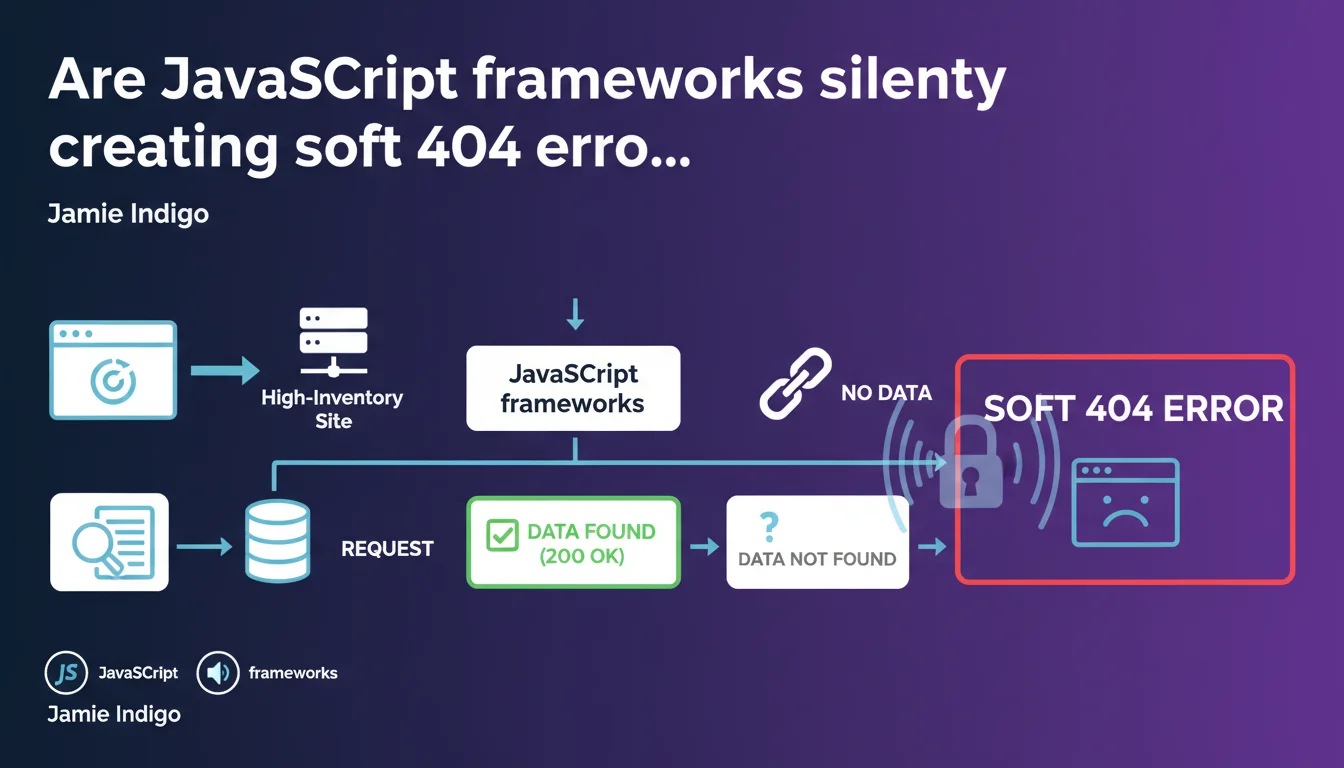
Websites using JavaScript frameworks, particularly those managing large dynamic catalogs, can trigger soft 404s when each page request queries the inventory system. Google identifies these pages as empty or lacking exploitable content, even though they return a 200 status code. The problem intensifies with catalog size and inventory update frequency.
What you need to understand
How can a JavaScript framework trigger a soft 404?
A soft 404 happens when a page returns an HTTP 200 status code (success) but Google considers it empty or lacking relevant content. On a JavaScript site, the initial HTML sent to the crawler is often minimal: the actual content loads later on the client side.
If server-side rendering (SSR) or pre-rendering is absent or misconfigured, Googlebot may receive an empty shell. When a product page queries inventory and the item is out of stock, the framework might display a generic message without structured content — Google interprets this as a worthless page.
Why are dynamic inventory systems particularly vulnerable?
E-commerce sites with thousands of SKUs generate product pages on-the-fly. Each URL calls an API or database to check availability. If the product no longer exists or is temporarily unavailable, the page may return only a lightweight error message.
The problem: this message displays in a JavaScript interface without structured markup or a 404 HTTP code. Google crawls the URL, detects little to no exploitable text, and classifies the page as a soft 404. On a catalog of 50,000 SKUs with rapid rotation, this can affect thousands of URLs.
What signals does Google use to detect a soft 404?
Google analyzes the rendered content (what it sees after JavaScript execution, if its crawl budget allows), text density, presence of structured markup, and compares against known empty page patterns. A generic title like "Product not found" without description or alternatives triggers the alert.
JavaScript sites amplify the risk because the initial render can be identical across all empty pages, creating an easily detectable pattern. Google doesn't need to execute JS to spot these recurring empty shells.
- Soft 404 = page returning 200 but judged empty by Google
- JavaScript frameworks often send minimal HTML before client-side execution
- Dynamic inventory systems multiply temporarily empty pages
- Google detects patterns of generic or absent content
- The problem worsens with catalog size and inventory rotation
SEO Expert opinion
Does this statement truly reflect real-world reality?
Absolutely. Audits of JavaScript sites regularly uncover hundreds, even thousands of URLs classified as soft 404s in Search Console. The correlation with out-of-stock product pages or inventory variants is clear — but Google remains vague about detection thresholds.
Jamie Indigo highlights a genuine problem, but fails to specify at what content volume Google switches to soft 404 classification. Does an "Out of stock" message with 200 words of alternative text pose an issue? [Requires verification] based on observations, everything depends on the ratio of useful content to generic content.
What nuances should be applied to this claim?
Not all JavaScript frameworks are created equal. A Next.js site with properly configured SSR sends complete HTML to Googlebot on the first request — soft 404 risk drops drastically. Conversely, an Angular or Vue.js SPA without pre-rendering exposes every page to risk.
The statement implies the problem stems from the framework, but it's often the implementation that falls short. A skilled developer can mitigate these risks through SSR, progressive hydration, or HTML fallbacks. The real culprit? Lack of coordination between the development team and SEO team.
In what cases might this rule not necessarily apply?
If your JavaScript site manages a stable catalog with minimal inventory rotation, the risk decreases. Content-driven JavaScript sites (blogs, media outlets) are less exposed — unless they generate empty pages for tags or categories without articles.
Additionally, some e-commerce patterns deliberately accept soft 404s: keeping a URL indexed temporarily with a "Coming soon" message can make sense. That said, Google may still regard these pages as low-quality content damaging your site's overall perception.
Practical impact and recommendations
What concrete steps should you take to avoid soft 404s in JavaScript?
First step: audit Search Console. Navigate to "Excluded pages" → "Soft 404". Export the list, identify patterns (out-of-stock product URLs, empty categories, inventory variants). Cross-reference with your inventory data to confirm correlation.
Next, implement server-side rendering (SSR) or pre-rendering via solutions like Prerender.io, Rendertron, or integrate native SSR if you're using Next.js, Nuxt.js, or Angular Universal. The goal: ensure Googlebot receives complete HTML on the first request, without depending on JavaScript execution.
What mistakes should you avoid when handling out-of-stock pages?
Never let an out-of-stock product page return a 200 status with empty content. You have three strategies: return a true 404 if the product won't return, a 301 redirect to a category or similar product, or maintain the page with rich alternative content (similar products, back-in-stock alert).
Common mistake: the "Product unavailable" message inside a JavaScript div without structured HTML markup or proper HTTP codes. Google crawls, sees generic title and 50 words of filler, classifies as soft 404. Add at least 300 words of contextual content (category description, alternatives, FAQ) if you want to maintain indexation.
How can you verify your JavaScript site is being crawled correctly?
Use the URL inspection tool in Search Console. Compare raw HTML ("View page source") with rendered HTML ("Test live URL" → "View tested page"). If main content appears only in the render, Googlebot depends on JavaScript execution — high risk.
Also check rendering time: if your page takes 3+ seconds to load content via JS, Google may abandon before completion. Test with slow network throttling to simulate crawl conditions. Monitoring Core Web Vitals under crawl load can reveal slowdowns invisible during normal browsing.
- Audit soft 404s in Search Console and identify patterns
- Implement SSR or pre-rendering for critical pages
- Return a true 404 or 301 for permanently out-of-stock products
- Enrich temporarily empty pages with 300+ words of alternative content
- Compare raw HTML vs rendered HTML in the URL inspection tool
- Test JavaScript rendering time with network throttling
- Monitor soft 404 volume evolution after each optimization
❓ Frequently Asked Questions
Un soft 404 est-il pénalisé par Google comme un vrai problème de qualité ?
Faut-il absolument utiliser du SSR pour éviter les soft 404 en JavaScript ?
Peut-on garder une page produit épuisé indexée sans risquer un soft 404 ?
Combien de temps Google met-il pour recrawler et reclasser une page soft 404 corrigée ?
Les frameworks modernes comme Next.js règlent-ils automatiquement le problème des soft 404 ?
🎥 From the same video 7
Other SEO insights extracted from this same Google Search Central video · published on 02/03/2023
🎥 Watch the full video on YouTube →
💬 Comments (0)
Be the first to comment.