
Official statement
Other statements from this video 8 ▾
- □ What Really Happens to Your Site When Google Hits You with a Manual Action?
- □ Can a website outage really destroy your traffic from every single source—not just Google?
- □ Does an unintentional noindex tag really cause gradual traffic loss instead of an immediate crash?
- □ Do Core Updates really cause gradual ranking shifts instead of sudden traffic crashes?
- □ Why should you analyze 16 months of Search Console data when your traffic drops?
- □ How can you accurately analyze an SEO traffic drop without misdiagnosing the real cause?
- □ Should you really analyze every Search Console tab to diagnose a traffic drop?
- □ Why does Google add annotations to Search Console and how should you interpret them?
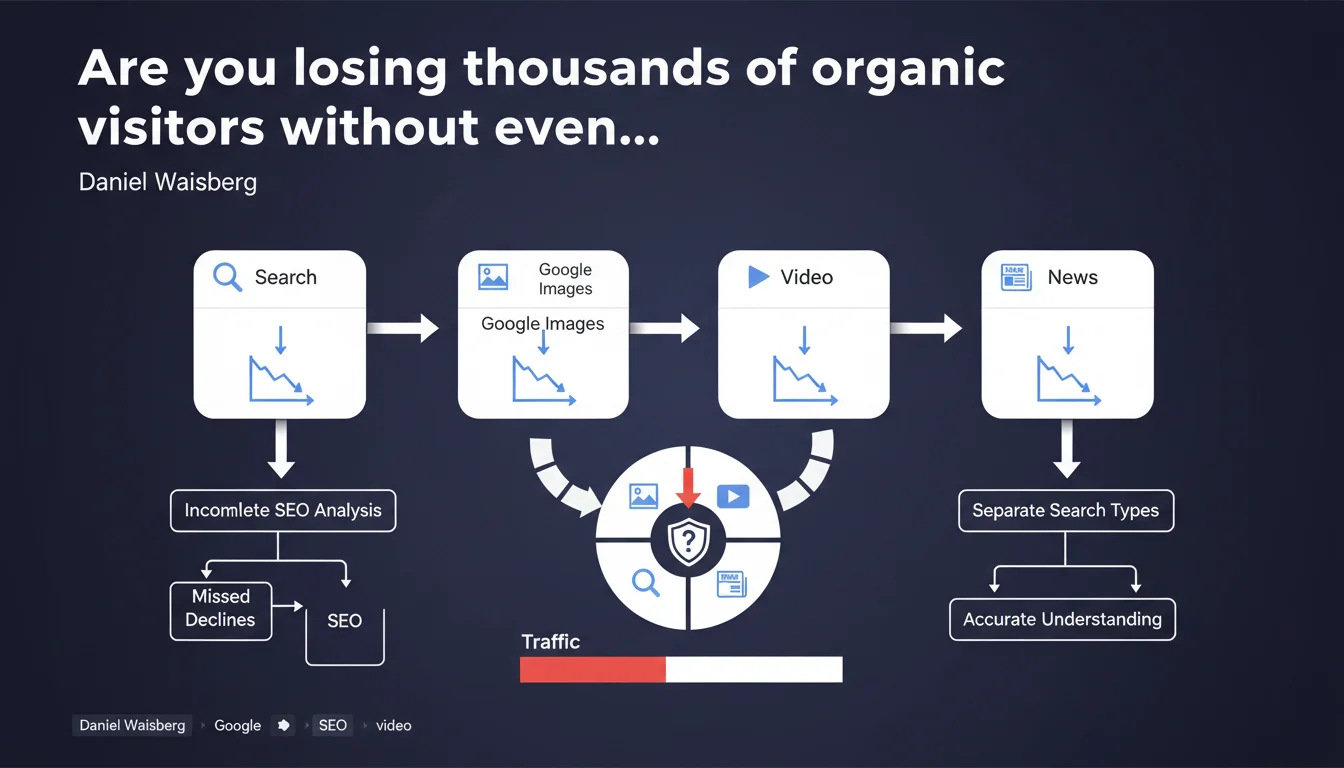
Google recommends analyzing each search type separately (Classic Search, Images, Video, News) to pinpoint exactly where traffic drops are coming from. A global approach masks specific issues within a single vertical — and wastes your time investigating the wrong places.
What you need to understand
Why does Google insist on this segmentation by search type?
Search Console has always offered a global traffic view, but this aggregation creates a critical analytical blind spot. A 30% traffic drop might come exclusively from Google Images while your text rankings remain stable.
Here's the issue: each vertical has its own ranking criteria, its own result formats, and experiences distinct algorithm updates. Looking for a single cause behind a global traffic decline is like diagnosing an engine problem by staring at the odometer.
Which search types do you need to monitor specifically?
Google identifies four main verticals in Search Console: Search (standard web results), Images, Video, and News. Each has its own dedicated tab in the interface.
Most sites focus solely on "Search" traffic, but — if you publish visual or video content — ignoring the other verticals means flying blind. A single image can drive more qualified traffic than an entire article, especially for commercially-intent queries.
When does this separate analysis become absolutely critical?
Three typical scenarios: after a Core Update (which can impact each vertical differently), during a technical migration (og:image tags or VideoObject schema can break without affecting text crawling), or when you diversify your content formats.
In practice? An e-commerce site might see Image traffic collapse due to a misconfigured CDN change, while its product pages remain strong. Without segmentation, you're hunting for a non-existent global SEO problem.
- Each vertical (Search, Images, Video, News) has its own algorithms and ranking criteria
- A global traffic drop can hide an isolated problem affecting only one search type
- Search Console allows you to filter by search type in the "Performance" tab
- Algorithm updates don't impact all verticals uniformly
- Separate analysis reveals vertical-specific optimization opportunities (ex: schema markup, alt attributes, video sitemaps)
SEO Expert opinion
Does this recommendation actually match real-world practices?
Absolutely — and it's even underestimated. Most SEO audits I conduct focus on global "Search" traffic, yet 20-40% of organic traffic can come from Images or Video depending on the industry. Google doesn't cite figures here, but field experience confirms it.
The real problem? Search Console doesn't make this segmentation intuitive. You have to actively filter by search type, and many teams miss it entirely. Result: traffic drops get attributed to Penguin or HCU when it's really just a misconfigured image sitemap.
What nuances should you apply to this statement?
Google stays vague on one critical point: how to prioritize analysis when multiple verticals decline simultaneously? [To verify] The statement assumes only one search type is impacted, but that's not always the case.
Another limitation — the tool doesn't allow easy data cross-referencing. You can't, for example, identify which pages drive traffic via both Search AND Images to prioritize optimizations. You have to export and manipulate data externally, which slows analysis down.
In what cases is this separate analysis insufficient?
When the problem stems from cross-vertical cannibalization. Classic example: an image ranking in position zero on the standard SERP that "steals" clicks from your featured snippet. Search Console shows stable Image traffic but declining Search traffic — without explaining the cause-and-effect link.
Let's be honest: Google's recommendation is useful for diagnosis, but it doesn't replace a holistic SERP analysis. Verticals interact within results, and Search Console doesn't capture these dynamics.
Practical impact and recommendations
How do you implement this segmented analysis concretely?
In Search Console, go to the "Performance" tab and use the "Search type" filter at the top of the interface. Compare traffic curves for Search, Images, Video, and News over the same period.
Build custom segments for each vertical and export data into a spreadsheet. Calculate week-by-week variations — an isolated drop on one vertical signals a specific technical or algorithmic issue, not a global penalty.
What mistakes should you avoid during this analysis?
Never compare absolute volumes between verticals — Google Images typically generates more impressions but fewer clicks than Search. Focus on relative trends and CTR shifts.
Another trap: automatically attributing Image traffic decline to visual optimization problems. Sometimes Google just enriched the SERP with competing video content, relegating your images. Always manually check the SERP before drawing conclusions.
What checklist should you apply to optimize each vertical?
- Verify that your image sitemap is properly declared and crawlable (robots.txt, meta tags)
- Audit alt attributes and file names for Image traffic
- Implement schema VideoObject markup for video content (duration, thumbnail, uploadDate)
- Ensure canonical URLs aren't blocking visual resource indexing
- Analyze queries specific to each vertical (ex: "video tutorial" vs "infographic")
- Test your content's presence in each vertical through manual search (ex: site:yourdomain.com on Google Images)
- Monitor crawl errors by resource type in Search Console (images, videos)
- Compare performance of mixed-format pages (text + images + video) vs single-format pages
❓ Frequently Asked Questions
Search Console permet-il de comparer plusieurs types de recherche simultanément ?
Une baisse de trafic Images impacte-t-elle le ranking dans les résultats Search classiques ?
Faut-il créer un sitemap séparé pour chaque type de contenu ?
Les mises à jour Core Update affectent-elles tous les verticaux de la même manière ?
Comment savoir si mon site génère du trafic depuis Google Discover ou autre surface ?
🎥 From the same video 8
Other SEO insights extracted from this same Google Search Central video · published on 29/03/2023
🎥 Watch the full video on YouTube →
💬 Comments (0)
Be the first to comment.