
Official statement
Other statements from this video 8 ▾
- □ Que se passe-t-il réellement quand Google vous inflige une action manuelle ?
- □ Un site hors ligne peut-il vraiment détruire votre trafic de toutes les sources (et pas seulement Google) ?
- □ Pourquoi une balise noindex provoque-t-elle une baisse de trafic progressive et non brutale ?
- □ Les Core Updates provoquent-elles vraiment des changements progressifs plutôt que des chutes brutales ?
- □ Pourquoi analyser 16 mois de données Search Console lors d'une chute de trafic ?
- □ Comment analyser correctement une baisse de trafic SEO sans se tromper de diagnostic ?
- □ Faut-il vraiment analyser tous les onglets de Search Console pour diagnostiquer une baisse de trafic ?
- □ Pourquoi devriez-vous arrêter d'analyser votre trafic SEO de manière globale ?
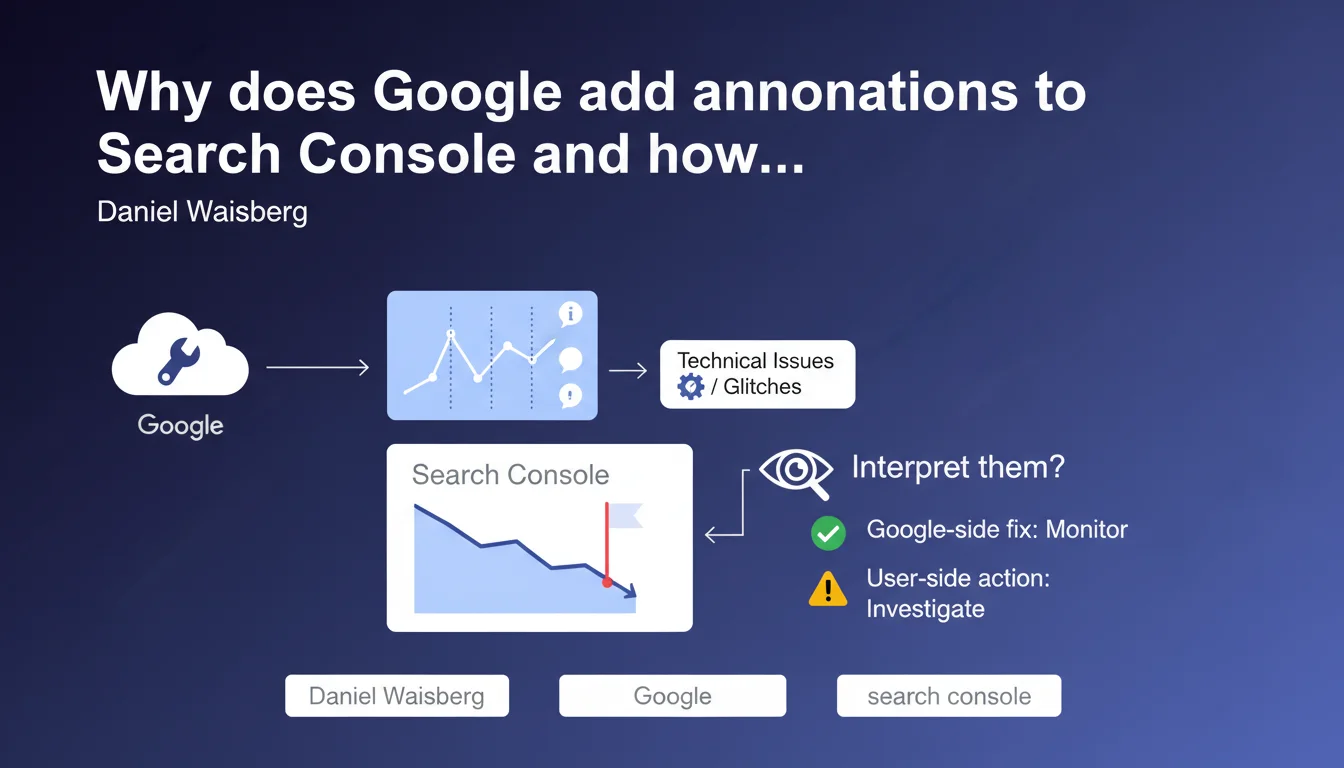
Google adds annotations to Search Console graphs to alert users when technical issues and glitches occur that can affect your data. These markers help distinguish real traffic variations from anomalies on Google's end. Ignoring these annotations can lead to SEO decisions based on falsified data.
What you need to understand
What does this annotation feature actually mean in concrete terms?
Google inserts visual markers directly into Search Console graphs when a technical incident occurs on their end. This could be an indexing bug, a crawl slowdown, or an anomaly in data collection.
The objective? To prevent you from panicking over a sudden drop in clicks that has nothing to do with your site. These annotations function like flags — they warn you that you need to take the displayed data with a grain of salt during that period.
Why does Google need to report its own problems?
Because Search Console displays raw performance data without filters. If Google encounters a server-side processing issue, your graphs can show dramatic dips that have no connection to your SEO work.
Without annotation, you could launch an in-depth analysis, modify your strategy, or even panic your client — when the issue is actually on their end. It's a matter of operational transparency.
Are all technical issues reported?
No, and that's where things get tricky. Google adds annotations for incidents they identify and deem significant. But not all glitches are documented, especially micro-anomalies or issues affecting specific site segments.
In other words: the absence of an annotation doesn't guarantee your data is 100% reliable. You need to cross-reference with other sources — Analytics, server logs, third-party tools.
- Annotations signal technical issues on Google's side, not errors on your site
- They allow you to contextualize abnormal traffic variations
- Not all incidents are systematically annotated
- Annotations appear in performance and indexation graphs
- They're a signal not to overreact to a temporary anomaly
SEO Expert opinion
Is this statement consistent with what's observed in the field?
Yes, broadly speaking. Annotations have existed for a while and do trigger during documented incidents — crawl outages, massive indexing bugs, structured data processing problems. You see them appear in client accounts after major Google incidents.
But — and this is critical — their deployment is not systematic. I've seen 40% traffic drops over 48 hours without annotation, while colleagues reported the same phenomenon on other sites. Google only flags what they consider "official" incidents affecting a large portion of users.
What nuances should be added to this statement?
First point: an annotation doesn't tell you exactly what the problem is. You see "Technical issue detected" but rarely the details. Is it a crawl bug? A JavaScript rendering issue? A server-side data collection failure? You'll need to cross-reference with Google's status dashboard and SEO communities to understand.
Second nuance: annotations don't excuse everything. If you see a traffic drop without annotation, don't conclude too quickly that it's your fault. [To verify] Regional or sector-specific micro-incidents aren't always tagged. Check your crawl logs, compare with competitor sites, manually analyze the SERPs.
In what cases could this feature be misleading?
When the annotation appears late. I've seen cases where the marker displayed 72 hours after the incident began. By then, you've already launched analyses, alerted the client, perhaps even modified site elements. Timing matters.
Another trap: some annotations remain vague. "Partial data availability" — OK, but partial to what extent? 10% missing or 80%? This imprecision makes it difficult to interpret the actual impact on your metrics.
Practical impact and recommendations
What should you do concretely when an annotation appears?
First, don't panic. The annotation means Google acknowledges a problem on their end. Note the date and nature of the message — it will help with client reports and your tracking history.
Next, check if other Search Console sections are affected. A bug might only impact click data but not indexation, or vice versa. Cross-reference with your server logs: if Googlebot continued crawling normally, it's probably just a reporting issue.
How do you distinguish a real SEO problem from a Google glitch?
Compare multiple data sources. If Search Console shows a drop but Google Analytics displays stable traffic (after filtering organic traffic), it's probably a collection issue on GSC's end.
Check your SERP positions with a third-party tool like SEMrush or Ahrefs. If your rankings haven't moved but GSC shows fewer clicks, that's suspicious. Also check SEO forums and Twitter — if it's a widespread incident, the community discusses it quickly.
What errors should you avoid when interpreting annotations?
Don't use annotations as an automatic excuse with clients. Yes, Google has bugs, but a prolonged drop always requires proper investigation. The annotation might explain 48 hours of weird data, not three weeks of decline.
Another classic mistake: ignoring variations without annotation. Just because Google hasn't flagged something doesn't mean the data is reliable. Undocumented problems exist — especially on niche sites or specific geolocalizations.
- Systematically note the date and content of each annotation in your reports
- Cross-reference Search Console data with Analytics and server logs
- Verify rankings via independent third-party tools
- Check SEO community channels to confirm a widespread incident
- Don't modify your site hastily in reaction to temporary anomalies
- Wait 3-5 days before drawing final conclusions about suspicious variation
- Document annotated incidents to identify potential recurring patterns
❓ Frequently Asked Questions
Les annotations dans Search Console s'affichent-elles en temps réel ?
Une annotation signifie-t-elle que mes données sont totalement inutilisables ?
Dois-je informer mon client quand une annotation apparaît ?
Toutes les versions de Search Console affichent-elles les annotations ?
Peut-on consulter l'historique complet des annotations passées ?
🎥 From the same video 8
Other SEO insights extracted from this same Google Search Central video · published on 29/03/2023
🎥 Watch the full video on YouTube →
💬 Comments (0)
Be the first to comment.