
Official statement
Other statements from this video 7 ▾
- □ Does Page Experience on desktop really deserve your attention as a ranking factor?
- □ Is Google really rewarding in-depth product reviews over surface-level content?
- □ Is Google finally opening up URL inspection through API automation?
- □ Should you really migrate to Google Analytics 4 to avoid losing your traffic data?
- □ Should you really leverage Search Console with Data Studio to optimize your SEO tracking?
- □ Will Google's 'indexifembedded' tag revolutionize how you control content indexation?
- □ Is Google finally bridging the gap between SEO and development teams with a new video series?
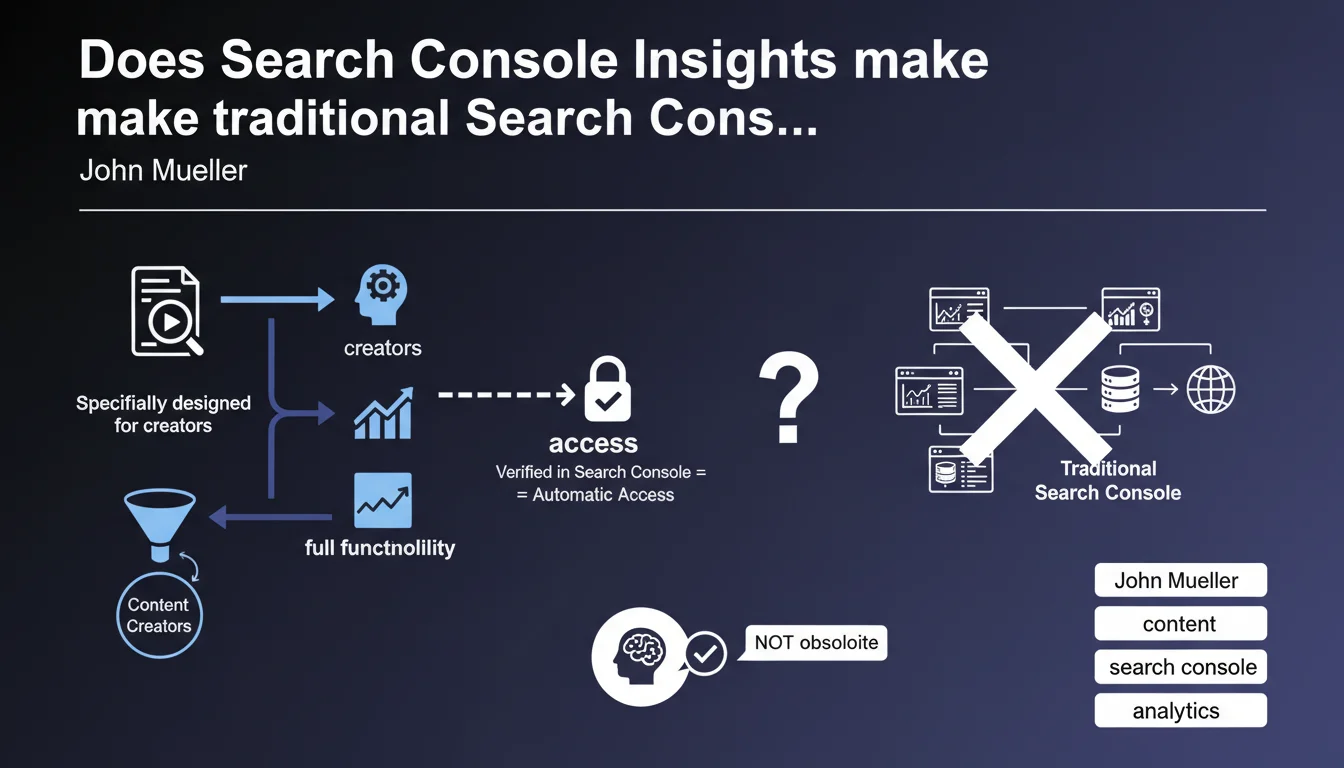
Google is launching Search Console Insights, a streamlined version of Search Console designed for content creators who don't need all the advanced features. Access is automatic for anyone verified in Search Console. The tool simplifies performance analysis without overwhelming users with complex data.
What you need to understand
Why is Google launching a simplified version of Search Console?
Search Console remains a daunting tool for anyone without technical training. Between index coverage reports, structured data, and Core Web Vitals, many content creators find themselves lost. Search Console Insights aims to bridge this gap by offering a digestible view of performance, centered on what really matters to writers: which articles are working, where traffic is coming from, which searches bring visitors.
The tool is explicitly aimed at those who publish content regularly without being SEO experts. Bloggers, journalists, YouTube creators — all can now access actionable insights without weeks of training.
What data does Search Console Insights actually display?
The interface focuses on three main areas: your best-performing content, new publications and how they're getting started, and how users discover your pages. You see which articles generate the most impressions, clicks, and from which sources (Google search, social media, external referrers).
Unlike classic Search Console, which sometimes buries users under hundreds of low-volume queries, Insights highlights what matters most. It's an 80/20 view: the 20% of articles generating 80% of your organic traffic, without the clutter.
Do you need to be verified in Search Console to access it?
Yes, that's the only requirement. If you've already verified ownership of your site in Search Console — via HTML tag, DNS, or any other method — access to Search Console Insights is automatic. No additional signup, no complex configuration.
Google Analytics can enrich the displayed data, but it's not required. The tool works perfectly standalone for anyone who simply wants to understand what's working without diving into GA4's complexities.
- Search Console Insights is a lightweight version automatically available to creators verified in Search Console.
- The tool centralizes content performance data: popular articles, new publications, traffic sources.
- No need to master classic Search Console or Google Analytics to benefit from it.
- The goal is to make SEO insights accessible to non-specialists while remaining actionable.
SEO Expert opinion
Is this simplification really good news for SEO?
On paper, yes. Making search data more accessible to creators allows more people to optimize their content without hiring a consultant. But — and this is a significant caveat — simplifying often means hiding critical nuances. A creator relying solely on Insights might miss important warning signs: drop in indexation, coverage errors, structured markup problems.
If you're an SEO professional, you know that content performance doesn't come down to clicks alone. Index depth, crawl speed, broken redirects — all of this escapes Insights. It's a surface-level tool, useful for guiding editorial strategy, but insufficient for driving a complete SEO strategy.
Does Search Console Insights really replace classic Search Console?
No, and Google doesn't claim it does. This is a content-focused complement, not a substitute. For a creator publishing three articles a week who wants to know which one performs best, it's perfect. For an e-commerce site with 10,000 product pages, faceted filters, and canonicalization issues, Insights won't help you.
What concerns me: Google is increasingly pushing simplified tools (automated Looker Studio, pre-configured GA4 reports, now Insights). Is this to make data more accessible, or to distract from metrics Google prefers to keep opaque? [To verify] — but this trend deserves consideration.
What limitations should you anticipate with this tool?
First limitation: data freshness. Classic Search Console already displays data with a 24-48 hour delay. Insights likely follows the same pattern. If you publish an article that explodes in popularity within hours, you won't see it immediately reflected.
Second limitation: lack of granularity. You probably won't be able to segment by device type, by country, or isolate specific queries. This is macro-level analysis, not micro-level piloting. If your mobile traffic drops sharply while desktop remains stable, Insights won't alert you.
Practical impact and recommendations
What should you do concretely if you create content regularly?
Activate Search Console Insights right now if you're verified in Search Console. No configuration needed: the tool is directly accessible from the interface or via mobile app. Start by identifying your three best-performing articles from the last month — these are your immediate growth levers.
Then look at where your traffic comes from. If an article performs mainly through Google search, optimize it further: add visuals, update data, strengthen internal linking. If another depends mostly on social media, that signals its on-page SEO deserves more attention.
What mistakes should you avoid with Search Console Insights?
Don't replace classic Search Console with Insights if you manage a site with technical SEO challenges. The two tools are complementary, not interchangeable. Insights tells you what performs, Search Console tells you why and how to fix what's not working.
Also avoid over-optimizing your popular articles at the expense of everything else. An article generating lots of traffic today can lose relevance tomorrow if Google updates its algorithm or competition intensifies. Diversify your topics, don't bet everything on three top performers.
How should you integrate Insights into your editorial workflow?
Check the tool once a week to spot new articles taking off and ones that are stagnating. If recent content attracts no traffic after 15 days, ask yourself the right questions: is the title optimized? Does the topic address a real search intent? Does internal linking point to this page?
Incorporate these insights into your editorial meetings. If one article format outperforms another (e.g., lists vs. long guides), adjust your production calendar accordingly. Data is useless if it doesn't change your decisions.
- Activate Search Console Insights as soon as you're verified in Search Console.
- Identify your three best-performing pieces of content and optimize them further.
- Never replace classic Search Console with Insights for a site with technical challenges.
- Review the tool weekly to adjust your editorial strategy.
- Diversify your topics instead of over-optimizing only your top performers.
- Cross-reference Insights data with classic Search Console to detect blind spots.
❓ Frequently Asked Questions
Search Console Insights est-il payant ?
Peut-on utiliser Search Console Insights sans Google Analytics ?
Search Console Insights affiche-t-il des données en temps réel ?
Dois-je abandonner Search Console classique si j'utilise Insights ?
Search Console Insights est-il adapté aux sites e-commerce ?
🎥 From the same video 7
Other SEO insights extracted from this same Google Search Central video · published on 31/03/2022
🎥 Watch the full video on YouTube →
💬 Comments (0)
Be the first to comment.