
Official statement
Other statements from this video 7 ▾
- □ Is Google really rewarding in-depth product reviews over surface-level content?
- □ Is Google finally opening up URL inspection through API automation?
- □ Should you really migrate to Google Analytics 4 to avoid losing your traffic data?
- □ Should you really leverage Search Console with Data Studio to optimize your SEO tracking?
- □ Will Google's 'indexifembedded' tag revolutionize how you control content indexation?
- □ Does Search Console Insights make traditional Search Console obsolete for content creators?
- □ Is Google finally bridging the gap between SEO and development teams with a new video series?
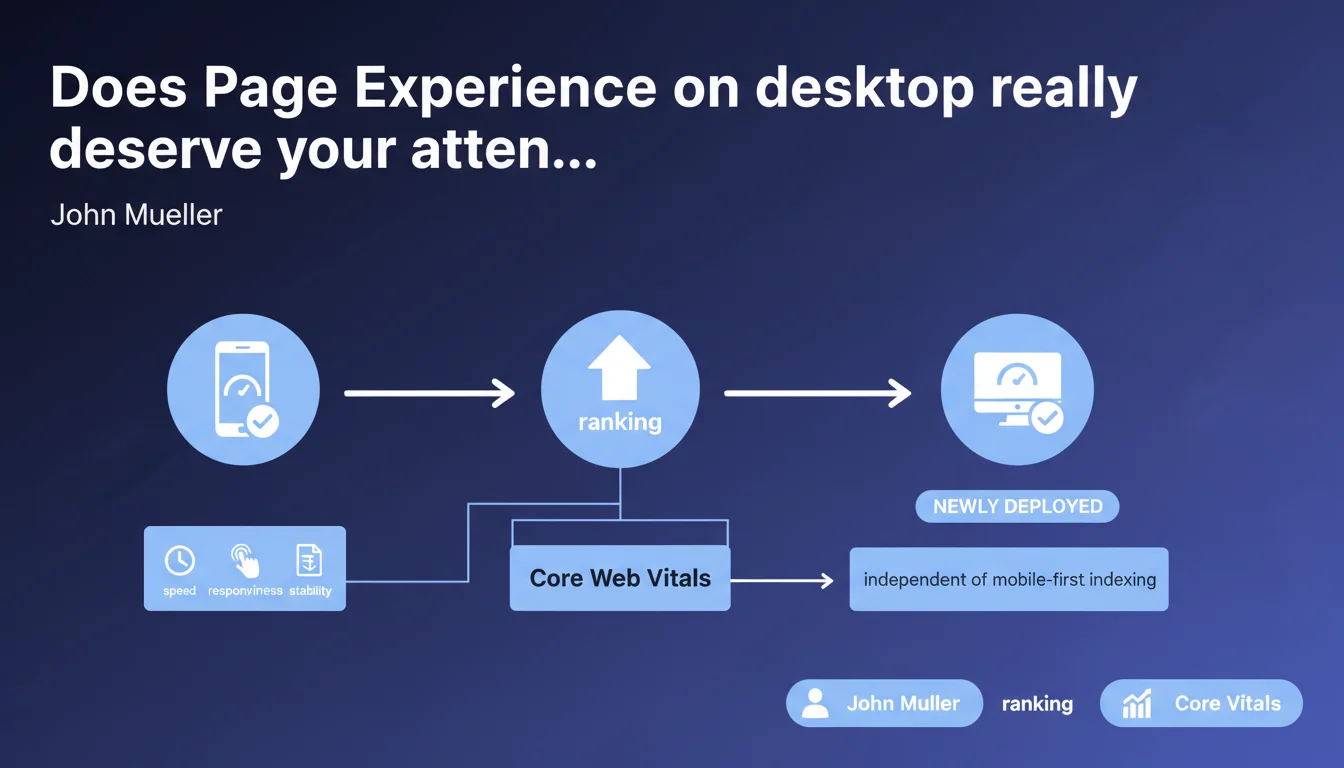
Page Experience, including Core Web Vitals, now applies to desktop rankings after being limited to mobile. This rollout is separate from mobile-first indexing and expands the impact of speed, responsiveness, and visual stability across all search results.
What you need to understand
What exactly is Page Experience?
Page Experience is a composite ranking signal introduced by Google that aggregates multiple user experience metrics. Its core component: the Core Web Vitals (LCP, FID/INP, CLS) which measure respectively perceived loading speed, responsiveness to interactions, and visual stability.
Until this announcement, this factor only influenced mobile search results. The shift to desktop means Google now applies the same evaluation logic across all devices, without distinction.
Why was this expansion anticipated?
Mobile-first indexing pushed Google to prioritize mobile performance — logical when most traffic comes from smartphones. But completely abandoning desktop performance created a blind spot: sites could afford catastrophic desktop experiences without SERP impact.
This expansion corrects that asymmetry. It also sends a clear signal: user experience becomes a cross-device criterion, regardless of the device.
Is this rollout linked to mobile-first indexing?
No, and this is crucial. John Mueller emphasizes: the two are independent. Mobile-first indexing determines which version of your site Google crawls and indexes (spoiler: the mobile version). Desktop Page Experience determines how your ranking can be adjusted based on detected desktop performance.
Concretely: even if Google indexes your mobile version, it evaluates both experiences separately to adjust ranking based on search context.
- Desktop Page Experience active as a ranking factor
- Includes LCP (Largest Contentful Paint), FID/INP (interactivity), CLS (stability)
- Rollout independent of mobile-first indexing
- Google evaluates both mobile and desktop to adjust ranking based on user device
- Ranking signal among others — not an absolute criterion
SEO Expert opinion
Does this announcement fundamentally change the game?
Let's be honest: real impact depends on your industry and current performance levels. If your desktop Core Web Vitals are already solid, you'll probably see no notable change. If you've neglected desktop while focusing exclusively on mobile, you may see fluctuations.
The problem is Google never communicates the relative weight of Page Experience against other signals (content, backlinks, semantic relevance). Field observations suggest it's a tie-breaker: decisive at equal quality, marginal if your content is weak. [To verify]: no official data precisely quantifies its influence.
Do desktop Core Web Vitals behave the same as on mobile?
Not exactly. The thresholds are identical (LCP < 2.5s, CLS < 0.1, etc.), but measurement conditions differ radically. Desktop = faster connections, larger screens, greater CPU power. Result: a site can pass desktop CWV with flying colors and fail on mobile.
Also watch out for INP (Interaction to Next Paint) which is gradually replacing FID. On desktop, interactions are different (hover, multiple clicks, keyboard navigation). Don't mechanically transpose your mobile optimizations.
Should you prioritize desktop or mobile now?
Mobile remains the priority — it's the indexed version and the majority of traffic for most sites. But ignoring desktop is no longer viable if you're targeting ultra-competitive positions, especially on queries where B2B and desktop still dominate.
The real question: do you have the resources to optimize both simultaneously? If not, mobile first. If yes, treat them in parallel but with differentiated strategies — what works on one won't necessarily work on the other.
Practical impact and recommendations
What should you audit as a priority on desktop?
Start with PageSpeed Insights in desktop mode to identify gaps. Look specifically at LCP: oversized hero images, heavy custom fonts, and render-blocking scripts are the usual suspects. On desktop, users expect total immediacy — 3s LCP will be judged catastrophic.
CLS is often worse on desktop due to complex layouts: sidebars loading late, ads pushing content down, third-party embeds (YouTube, Twitter) without fixed dimensions. Hunt layout shifts with DevTools Performance timeline.
INP requires special attention: test keyboard interactions (tabbing, Escape), complex dropdowns, multi-step forms. E-commerce sites with product configurators are particularly exposed.
How to optimize without breaking everything?
Never optimize blindly. Deploy your changes in A/B tests if your volume allows, or at minimum on a staging environment with realistic load tests. CWV optimizations can have side effects: overly aggressive lazy loading that degrades UX, inlined CSS that explodes initial HTML size.
Prioritize quick wins: image compression (WebP/AVIF), CDN for static assets, preload critical resources, defer non-essential scripts. Then tackle the code: JS cleanup, Critical CSS, elimination of render-blocking resources.
What mistakes should you absolutely avoid?
Never sacrifice functionality to gain a few PageSpeed points. A slow but functional product configurator beats a fast but buggy one. Google also measures real engagement — a spike in bounce rate will erase any CWV gains.
Avoid obsessing over 100/100 scores. The thresholds that matter: green on CWV (not the overall score). An 85/100 site with all CWV green will outperform a 98/100 site with orange CLS.
Last trap: neglecting continuous monitoring. CWV fluctuates with CMS updates, new plugins, traffic variations. One-time audits aren't enough — integrate Search Console and CrUX into your monthly dashboard.
- Audit PageSpeed Insights desktop and mobile separately
- Check desktop CrUX dataset in Search Console (Core Web Vitals report)
- Identify render-blocking resources (scripts, fonts, CSS)
- Fix image, iframe, and ad dimensions to prevent CLS
- Test INP on keyboard interactions and complex forms
- Deploy continuous monitoring (Search Console, RUM if possible)
- Prioritize strategic pages (landing pages, product sheets, conversion funnels)
- Test changes on staging before production
❓ Frequently Asked Questions
Les Core Web Vitals desktop utilisent-ils les mêmes seuils que mobile ?
Page Experience desktop peut-il faire chuter mon classement actuel ?
Dois-je optimiser mobile ou desktop en priorité maintenant ?
Comment mesurer mes Core Web Vitals desktop de manière fiable ?
L'indexation mobile-first est-elle impactée par ce changement ?
🎥 From the same video 7
Other SEO insights extracted from this same Google Search Central video · published on 31/03/2022
🎥 Watch the full video on YouTube →
💬 Comments (0)
Be the first to comment.