
Official statement
Other statements from this video 7 ▾
- □ Page Experience sur desktop : faut-il vraiment s'inquiéter de ce nouveau facteur de classement ?
- □ Comment Google évalue-t-il vraiment la qualité de vos avis produits ?
- □ Faut-il vraiment migrer vers Google Analytics 4 pour ne pas perdre ses données de trafic ?
- □ Faut-il vraiment exploiter Search Console avec Data Studio pour optimiser son suivi SEO ?
- □ La balise 'indexifembedded' de Google va-t-elle changer votre stratégie d'indexation ?
- □ Search Console Insights : l'outil qui rend Search Console inutile pour les créateurs de contenu ?
- □ Pourquoi Google lance une série vidéo pour rapprocher SEO et développeurs ?
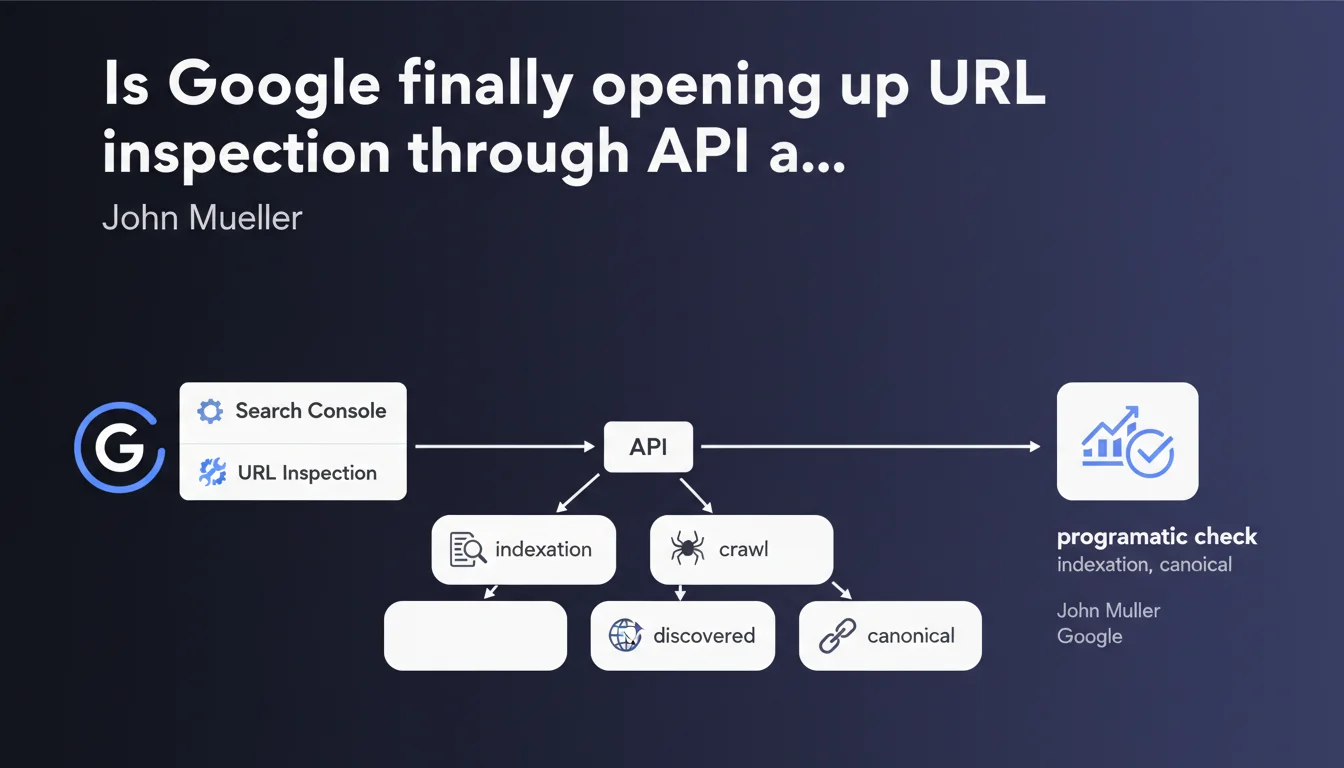
Google has launched an API for the URL inspection feature that enables you to automate the verification of indexation status. In practical terms, you can now check programmatically whether a page is discovered, crawled, indexed, and which canonical URL has been selected. A massive time-saver for high-volume websites.
What you need to understand
What does this API change for SEOs managing large-scale websites?
Until now, URL inspection in Search Console was a manual process — practical for checking a handful of pages, tedious once you go beyond ten. This API lets you query Google at scale: indexation status, crawl errors, selected canonical URL, all retrievable via scripts.
For an e-commerce site with thousands of product pages, or a media platform publishing hundreds of articles per month, this is an automated monitoring lever that changes the game.
What specific data does this API expose?
The API returns the information you already find in the inspection tool: whether the page has been discovered, whether it has been crawled, whether it is indexed, and which canonical URL Google has selected. It also indicates any potential crawl errors or structured markup validation issues.
Unlike the standard Search Console API which relies on aggregated historical data, this one allows you to check the current state of a specific URL — exactly as if you typed the URL into the manual tool.
Why is Google releasing this tool now?
Google has always been hesitant about automating indexation checks — probably to limit server load. But the demand from SEOs has been there for years, especially for migrations, bulk audits, or post-publication monitoring.
By opening this API, Google implicitly acknowledges that modern SEO workflows require automation. It's also a way to push users toward more structured monitoring practices rather than random manual checking.
- The API enables automation of indexation status verification on large volumes
- It exposes the same data as the manual tool: discovery, crawl, indexation, canonical
- It signals that Google encourages programmatic and structured SEO workflows
- Watch out for usage quotas — Google limits the number of requests to prevent abuse
SEO Expert opinion
Is this API truly a game changer or just a convenience?
Let's be honest: for a 50-page website, it changes nothing. But for anything over 500 URLs — and especially for sites with thousands of pages — it's a massive time-saver. No more manual page-by-page checking; you can script a weekly monitoring process and catch indexation issues before they impact traffic.
The real benefit is post-migration or post-deployment monitoring. You push a new batch of pages to production? A script runs the next day to verify everything is properly indexed and canonicals are correct. It limits nasty surprises.
What limitations should you anticipate?
Google doesn't grant unlimited access — there are request quotas per day. For a large site, this can quickly become a bottleneck if you want to check your entire product catalog every week. You'll need to prioritize critical URLs.
Another point: the API returns the current state as seen by Google at that moment in time. This doesn't guarantee that the page will remain indexed 48 hours later, nor that Google doesn't have other versions cached. [To verify]: what is the actual latency between an on-site modification and the API state update? Google doesn't provide a precise SLA.
In what cases does this API fall short?
If you're trying to understand why a page isn't indexed, the API will tell you "not indexed" but won't necessarily give you all the details of the rejection — some diagnostics remain clearer in the manual interface. Similarly, for crawl budget issues or exploration prioritization, the API doesn't replace detailed server log analysis.
Finally, it remains a Google-centric view. If you want to cross-reference with Bing or other search engines, you'll need to juggle multiple tools.
Practical impact and recommendations
How do you integrate this API into your existing SEO workflows?
First step: identify your priority use cases. Migration in progress? Critical content publication? Weekly monitoring of strategic pages? Define where automation adds the most value before scripting everything.
Next, set up a script that queries the API on your target URLs and stores the results in a dashboard — Google Sheets, Data Studio, or an internal BI tool. The idea is to track changes over time: a page shifting from "indexed" to "discovered but not indexed" should trigger an alert.
What errors should you avoid when using this API?
Don't bombard the API with thousands of daily requests without thinking about quotas. Google limits the number of calls — exceed them and you'll be temporarily blocked. Prioritize high-business-value URLs or those with a history of indexation issues.
Another classic trap: relying solely on the API without checking server logs. If Google says "not crawled," that's useful, but you still need to know whether Googlebot attempted to crawl and hit a 500 error, or never tried at all. The API gives you the state, not always the root cause.
What should you actually do right now?
If you manage a site of significant size, start by testing the API on a sample of pages — for example your 100 most strategic URLs. Create a simple script that retrieves the indexation status and selected canonical, then compare with what you observe in the manual Search Console tool.
Document cases where the API returns unexpected information or contradicts your logs. This will give you a sense of data reliability and latency. Once you understand the API's behavior, gradually expand your monitoring scope.
- Identify your priority use cases: migration, post-publication, recurring monitoring
- Test the API on a restricted sample before scaling up
- Set up an automated dashboard to track indexation status evolution
- Cross-reference API data with your server logs to identify root causes
- Respect request quotas and prioritize strategic URLs
- Document cases of inconsistency between the API and your on-the-ground observations
❓ Frequently Asked Questions
Cette API remplace-t-elle l'outil d'inspection manuelle dans Search Console ?
Y a-t-il des limites de quota sur le nombre de requêtes par jour ?
L'API donne-t-elle des infos en temps réel ou avec un délai ?
Peut-on utiliser cette API pour forcer une réindexation ?
Quels langages de programmation sont supportés pour utiliser cette API ?
🎥 From the same video 7
Other SEO insights extracted from this same Google Search Central video · published on 31/03/2022
🎥 Watch the full video on YouTube →
💬 Comments (0)
Be the first to comment.