
Official statement
Other statements from this video 7 ▾
- □ Page Experience sur desktop : faut-il vraiment s'inquiéter de ce nouveau facteur de classement ?
- □ Comment Google évalue-t-il vraiment la qualité de vos avis produits ?
- □ Pourquoi Google ouvre-t-il enfin l'inspection d'URL en API ?
- □ Faut-il vraiment migrer vers Google Analytics 4 pour ne pas perdre ses données de trafic ?
- □ La balise 'indexifembedded' de Google va-t-elle changer votre stratégie d'indexation ?
- □ Search Console Insights : l'outil qui rend Search Console inutile pour les créateurs de contenu ?
- □ Pourquoi Google lance une série vidéo pour rapprocher SEO et développeurs ?
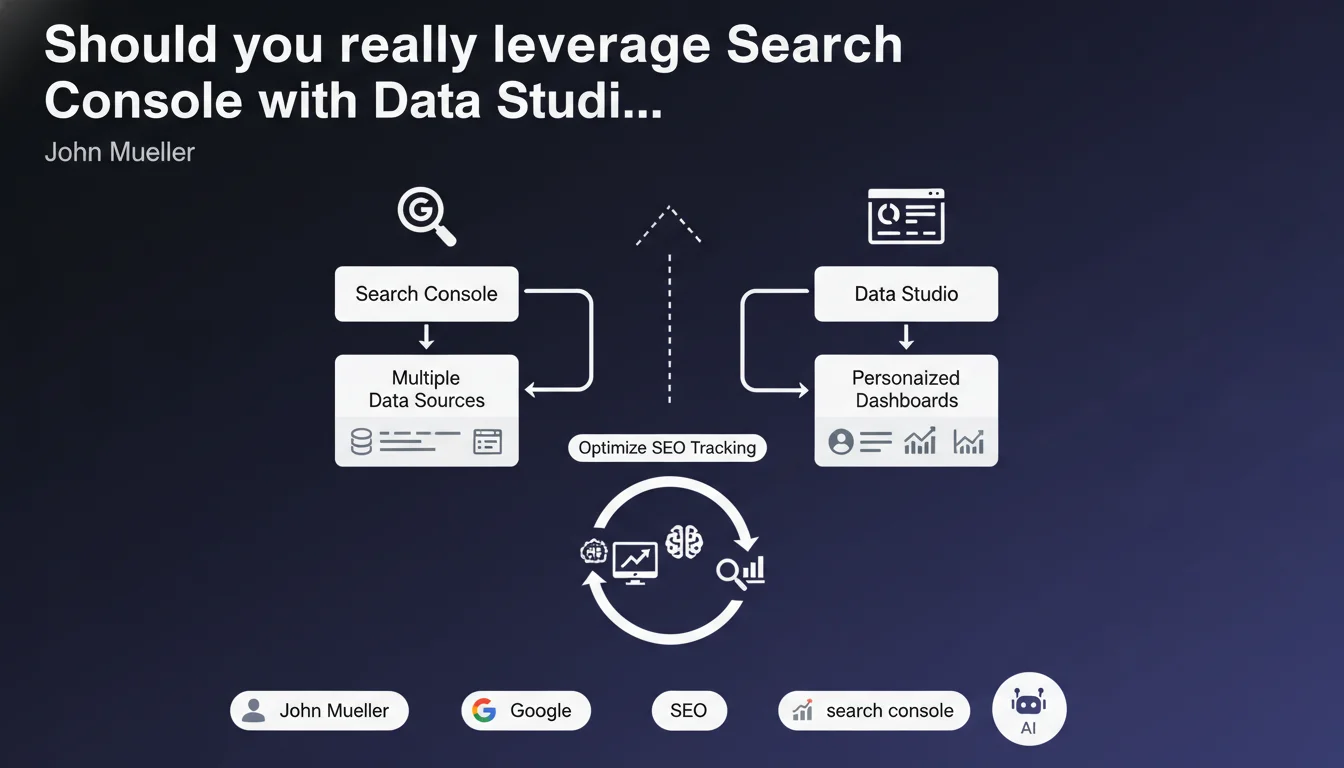
Google is launching a series of articles to combine Search Console and Data Studio. The objective: create personalized dashboards by connecting multiple data sources. An initiative aimed at pushing SEO professionals toward more advanced and cross-platform analysis.
What you need to understand
Why is Google pushing this Search Console + Data Studio integration?
The answer comes down to one word: centralization. Search Console provides valuable data on organic performance, but in isolation, it lacks context. Data Studio (rebranded as Looker Studio since) allows you to cross these SEO metrics with other sources — Analytics, Google Ads, third-party databases.
The idea? Create a unified reporting ecosystem where SEO is no longer siloed data. Google is encouraging practitioners to think in terms of synergies: understanding how organic traffic interacts with other acquisition channels, identifying correlations invisible in Search Console alone.
What data can you realistically combine with Search Console?
Concretely, the connection allows you to leverage all search performance metrics: impressions, clicks, CTR, average position, queries, pages, countries, devices. You can then merge these with Analytics data (bounce rate, session duration, conversions), advertising costs, or even CRM data.
The real value lies in comparative visualization. A dashboard can display organic and paid traffic evolution side by side, segment by query type, or identify pages that perform well in SEO but convert poorly — diagnostics impossible in native Search Console.
Does this approach require specific technical skills?
Yes, and that's where the challenge lies. Data Studio remains accessible to beginners for simple dashboards, but fully leveraging the Search Console connector requires solid mastery of dimensions, metrics, filters, and segments. API limitations (1,000 rows max per query) sometimes require workarounds via BigQuery.
Creating relevant dashboards also requires prior strategic thinking: which KPIs to track, for what objectives, with what time granularity. A poorly designed dashboard quickly becomes a vanity metrics trap.
- Search Console alone limits analysis to Google Search data
- Data Studio allows you to cross this data with other sources (Analytics, Ads, CRM)
- The native connector provides all dimensions and metrics from Search Console
- Custom dashboards facilitate client reporting and performance tracking
- Technical proficiency remains a prerequisite to avoid interpretation errors
SEO Expert opinion
Is this statement consistent with practices observed in the field?
Absolutely. The Search Console + Data Studio (Looker Studio) integration has become a industry standard for SEO agencies and consultants. Third-party tools (SEMrush, Ahrefs) offer their own dashboards, but Data Studio has the advantage of being free, flexible, and directly connected to Google's primary data.
What's less visible in this announcement is that Google is gradually orienting users toward BigQuery to work around native connector limitations. Automatic daily exports enable unlimited history and more complex analysis — but you're then stepping outside the "accessible to everyone" framework initially sold.
What nuances should be applied to this approach?
First nuance: dashboard quality depends entirely on the quality of the questions asked. Many SEO professionals create dashboards that simply reproduce the Search Console interface with more graphs — with no real added value. The issue isn't visualization, it's analysis.
Second nuance: Search Console data has structural limitations that are well documented. Sampling on large sites, aggregation of similar URLs by default, absence of individual user data. An elaborate dashboard doesn't correct these biases — it can even amplify them if you don't understand them. [To verify]: the real impact of sampling on strategic decisions remains underestimated by many practitioners.
In what cases is this integration insufficient?
The Search Console + Data Studio integration reaches its limits on high-volume sites. Beyond a few million monthly impressions, the native connector becomes slow, queries timeout, data gets truncated. You then need to switch to BigQuery — which radically changes the complexity level.
Another edge case: long-tail analysis. Search Console aggregates low-frequency queries under "(other)," making sometimes crucial opportunities invisible. Third-party tools with their own databases partially fill this gap, but at the cost of less reliable estimates than direct Google data.
Practical impact and recommendations
What concrete steps should you take to leverage this integration?
Start by defining your tracking objectives. Do you want to monitor overall organic traffic evolution? Identify underperforming pages? Compare mobile vs desktop performance? Each objective requires a different dashboard structure.
Next, connect Search Console to Data Studio via the native connector. Select the desired Search Console property, choose relevant dimensions and metrics (URL, query, country, device, impressions, clicks, CTR, position). Create time segments to compare periods.
Finally, enrich with other sources if relevant: Analytics for behavioral metrics, a Google Sheets file to categorize your URLs (product pages, blog, landing pages), your conversion data. The power comes from intelligent cross-referencing, not accumulating widgets.
What common mistakes should you avoid when creating SEO dashboards?
First classic mistake: multiplying metrics without hierarchy. An overcrowded dashboard becomes unreadable. Prioritize 3 to 5 main KPIs at the top, then detail by thematic sections (overall performance, top queries, top pages, temporal trends).
Second mistake: neglecting date filters and comparisons. An absolute number means nothing without context. Always display evolution compared to a previous period (month N-1, year N-1) to detect trends.
Third mistake: forgetting that Search Console applies default filters ("Web" discovery, exclusion of Discover and Google News results in certain views). Ensure your dashboard reflects the scope you actually want to analyze.
How can you verify that your dashboard is truly useful?
Ask yourself this simple question: does this dashboard allow me to make a decision I couldn't make before? If the answer is no, you've created a reporting tool, not an analysis tool. A good dashboard should surface actionable insights.
Test your dashboard over a known crisis period (traffic drop, penalty, algorithm update). Do the displayed metrics allow you to quickly identify the cause? If you need to find the information elsewhere, the dashboard lacks relevance.
- Define priority KPIs before creating the dashboard
- Connect Search Console via the native Data Studio connector
- Segment by period, device, country to refine analysis
- Cross-reference with Analytics to correlate traffic and user behavior
- Avoid overcrowded dashboards — fewer metrics, more clarity
- Add systematic time comparisons (previous month, previous year)
- Verify that the dashboard produces actionable insights, not just numbers
- Anticipate the move to BigQuery for high-volume sites
❓ Frequently Asked Questions
Data Studio (Looker Studio) est-il gratuit ?
Peut-on exporter les données Search Console vers BigQuery ?
Quelles sont les principales limites du connecteur Search Console natif ?
Peut-on partager un dashboard Data Studio avec des clients ?
Faut-il des compétences techniques pour créer un dashboard Search Console ?
🎥 From the same video 7
Other SEO insights extracted from this same Google Search Central video · published on 31/03/2022
🎥 Watch the full video on YouTube →
💬 Comments (0)
Be the first to comment.