
Official statement
Other statements from this video 8 ▾
- □ Une impression dans Search Console, c'est vraiment à chaque fois qu'on voit un lien ?
- □ Qu'est-ce qui compte vraiment comme un clic dans Search Console ?
- □ Qu'est-ce qu'une requête exactement dans Search Console et pourquoi Google précise-t-il sa définition maintenant ?
- □ Faut-il vraiment analyser ses performances SEO sur 28 jours dans Search Console ?
- □ Comment Search Console regroupe-t-elle désormais vos requêtes par clusters thématiques ?
- □ Comment Google définit-il vraiment une requête de marque dans Search Console ?
- □ Pourquoi traquer les requêtes de marque change-t-il radicalement votre stratégie SEO ?
- □ Comment exploiter réellement les données de trafic décomposées dans Search Console ?
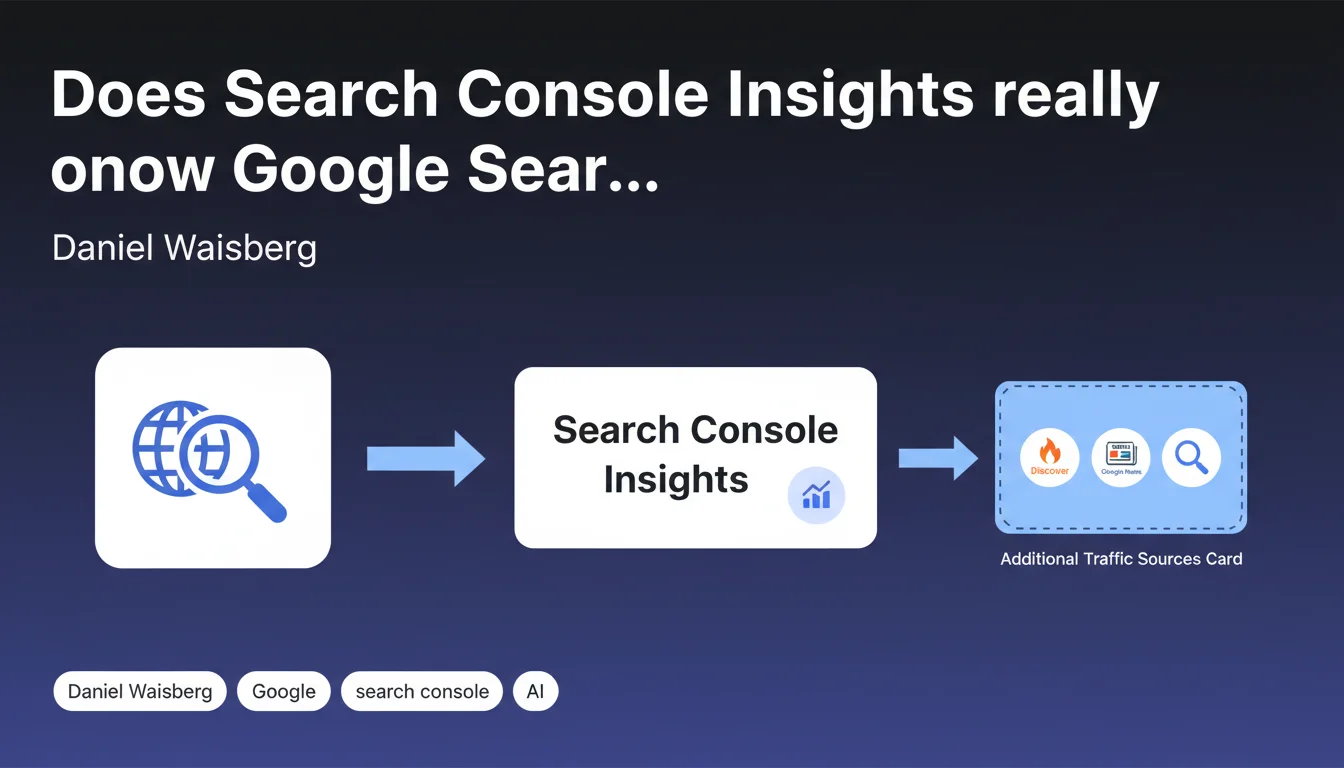
Search Console Insights primarily displays traffic from the main Google Search tab, but not from Discover or Google News — except in the additional traffic sources card, which does include these channels. In other words: your performance reports are underestimating your actual visibility if you're performing well on Discover or News.
What you need to understand
Why this emphasis on Search Console Insights?
Search Console Insights is a simplified report designed for content creators. It focuses on user behavior rather than technical data completeness.
Google's choice: isolate traffic from the main Search tab to avoid drowning insights in overly disparate metrics. Discover and News have different consumption patterns — shorter sessions, fragmented page views — which would skew editorial performance interpretation.
What exactly does the additional sources card show?
It's the only exception in the report. This card aggregates Discover, News, and a few other Google channels to provide a panoramic view of entry points.
But be careful: it doesn't offer the granularity of standard Search Console reports. No queries, no CTR, no average position for Discover or News in this context.
What's the difference compared to standard Search Console reports?
"Classic" Search Console properly separates tabs: Search, Discover, News each have their own dedicated report with detailed metrics.
Search Console Insights, meanwhile, is a content-oriented digest. It sacrifices granularity for readability — even if it means hiding part of Google traffic in default views.
- Search Console Insights = simplified view, primarily Search
- Additional sources card = only multi-channel view in Insights
- For complete analysis: use dedicated Performance reports in standard Search Console
- Discover and News don't appear in Insights' main metrics
SEO Expert opinion
Does this segmentation reflect the reality of Google traffic?
Yes, but it creates a blind spot for anyone relying solely on Search Console Insights. I've seen media sites lose 30% of perceived visibility because they weren't looking at Discover reports.
The problem? Discover sometimes generates more traffic than Search — especially for breaking news or well-illustrated evergreen content. Ignoring this source in a performance analysis means making decisions based on truncated data.
Is the additional sources card enough to guide your strategy?
No. It gives you a snapshot, not a compass.
No fine-grained time segmentation, no correlation with editorial changes, no page-level detail. To truly optimize Discover or News, you need to switch to dedicated Search Console reports and cross-reference with Analytics.
Why does Google maintain this separation?
Because Discover and News have distinct algorithms, different relevance signals, and specific user behaviors. Mixing them in a unified report obscures interpretation.
Google prefers compartmentalization — even if it complicates analysis for practitioners who must juggle between interfaces. This aligns with their product approach: simple tools for the general public, granular tools for professionals.
Practical impact and recommendations
How to properly audit your Google traffic?
Never settle for Search Console Insights if you have content eligible for Discover or News. Open the dedicated Performance reports in standard Search Console.
Cross-reference this data with Google Analytics 4 by segmenting by source/medium. You'll often spot discrepancies — notably because Analytics also captures AMP traffic or sessions via Google App.
- Check Discover and News reports in Search Console monthly
- Compare traffic trends across Search, Discover, and News to detect shifts
- Segment sessions by Google channel in GA4 to avoid blind spots
- Never base an editorial decision on Insights alone if you publish news or visual content
- Document Discover traffic spikes to identify high-performing content patterns
What interpretation mistakes should you avoid?
Classic mistake: spotting a decline in Insights and panicking, when Discover actually compensated — or even outperformed. I've seen clients completely reorient their editorial strategy based on a false signal.
Another trap: optimizing for Search while neglecting Discover. The signals aren't the same. Discover values high-quality images, emotional headlines, and freshness. Search favors semantic relevance and authority.
Should you adjust your reporting processes?
Absolutely. If you produce performance reports for clients or your leadership, explicitly include Discover and News in your dashboards.
Create separate views: one for Search, one for Discover, one for News. Only aggregate them for high-level strategic views — never for operational analysis.
This type of multi-source audit and granular reporting setup requires specialized technical expertise. If you manage multiple sites or your organization lacks internal resources, partnering with a specialized SEO agency can accelerate implementation and prevent months of approximate analysis.
🎥 From the same video 8
Other SEO insights extracted from this same Google Search Central video · published on 02/12/2025
🎥 Watch the full video on YouTube →
💬 Comments (0)
Be the first to comment.