
Official statement
Other statements from this video 10 ▾
- □ Does Google really reduce SEO to just two main areas?
- □ Are there really any secrets to ranking first on Google?
- □ Does Google's SEO Starter Guide really contain all the essential techniques you need to rank higher?
- □ Do you really need to chase every emerging trend to rank higher in Google?
- □ Is Google Trends really effective for identifying the right keywords?
- □ Can Google Trends really uncover your hidden SEO opportunities?
- □ Should you really publish your content before seasonal search peaks hit?
- □ Is geographic optimization the missing piece that's holding back your SEO results?
- □ Can Google Trends really accelerate your YouTube video strategy?
- □ Why do YouTube search trends differ so dramatically from traditional Google web search?
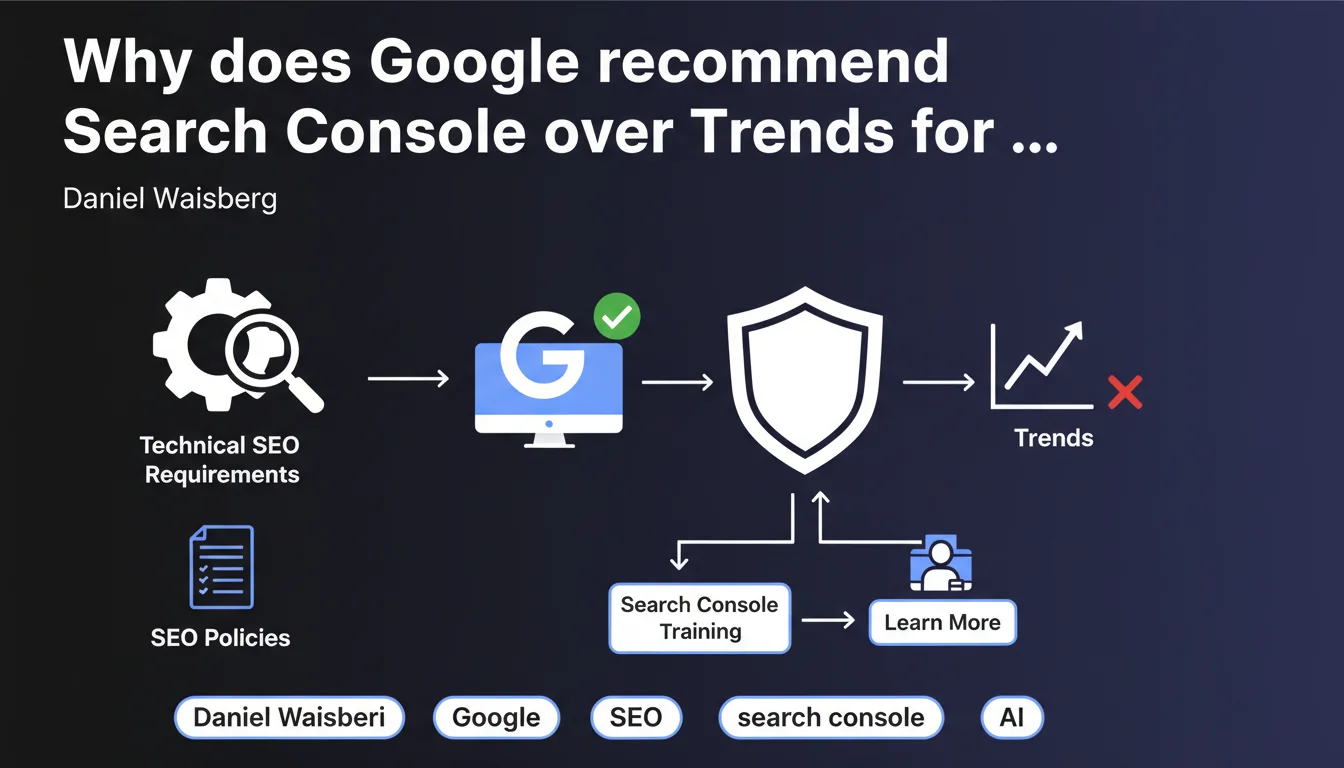
Google clarifies that Search Console, not Google Trends, is the appropriate tool for tracking technical requirements and SEO policies. Trends measures public search interest, not a site's technical performance. Waisberg reminds users of dedicated training resources to master this strategic tool.
What you need to understand
This statement may seem trivial, yet it reveals a recurring confusion among some professionals who use inappropriate tools to diagnose technical problems.
What is the fundamental difference between Search Console and Trends?
Google Trends maps the evolution of search interest for given terms or topics. It shows what users are searching for, not how your site performs in the index.
Search Console, conversely, exposes raw data on crawling, indexing, performance, and compliance. It's your technical dashboard on Google's server side — the one that reveals 404 errors, coverage issues, manual penalties, Core Web Vitals.
Why is Google clarifying this now?
Two plausible hypotheses: either Google observes incorrect use of Trends by some SEO professionals, or this statement is part of an educational campaign aimed at promoting official Search Console training.
In any case, it's a reminder: use the right tool for the right diagnosis. Analyzing a traffic drop with Trends without consulting Search Console is like examining a patient without a stethoscope.
What technical and policy requirements are involved?
Technical requirements include crawling (crawl budget, robots.txt, server errors), indexing (canonicals, duplicates, hreflang), structure (sitemaps, site architecture), Core Web Vitals, mobile compatibility, HTTPS.
Policies group Google's quality guidelines: spam, automatically generated content, cloaking, deceptive redirects, manipulative practices. Search Console notifies manual actions and security issues.
- Search Console = crawling data, indexation, technical performance
- Trends = search volume and evolution of user searches
- Never substitute one for the other when diagnosing an SEO problem
- Google training exists to master Search Console in depth
SEO Expert opinion
Does this recommendation reveal a usage problem among practitioners?
Honestly? Yes, but in a marginal way. Most experienced SEO professionals know perfectly well how to distinguish the two tools. However, some beginners or generalist marketing profiles may confuse declining interest (visible in Trends) with technical problems (detectable in Search Console).
Waisberg doesn't specify whether this confusion is widespread or anecdotal. [To verify]: Does Google have statistics on inappropriate use of Trends for technical diagnostics? No public data attests to this to date.
Why insist on Search Console training?
Google regularly promotes its own educational resources — this is consistent with its strategy of standardizing best practices. But let's be honest: these trainings remain generic and don't replace hands-on experience.
Search Console provides a wealth of raw data, but their interpretation requires perspective. A spike in 404 errors may indicate a serious problem… or simply a cleanup of obsolete URLs. A drop in impressions may result from a penalty… or a natural semantic market evolution.
What limitations of Search Console does this statement pass over in silence?
Search Console doesn't do everything. It only exposes a sample of crawl data (Google doesn't display the entire crawl), provides no visibility on ranking signals (weighted backlinks, thematic authority, freshness), and doesn't detect fine semantic cannibalization issues.
For a complete diagnosis, you must cross-reference Search Console with third-party tools (Screaming Frog, Ahrefs, Semrush), server logs, and manual content analysis. Limiting your SEO audit to Search Console alone is like flying a plane with a single gauge.
Practical impact and recommendations
What should you do concretely to exploit Search Console effectively?
First step: properly configure all property profiles (http, https, www, non-www, subdomains, mobile versions). Google recommends domain property (via DNS) to centralize data.
Second step: daily monitor key reports — Coverage (excluded pages, indexing errors), Core Web Vitals (LCP, FID, CLS), Mobile usability, Manual actions, Security issues. Configure email alerts for critical errors.
Third step: cross-reference Search Console with server logs to detect crawled but non-indexed pages and identify crawl budget waste. This is where Search Console alone shows its limits — you need to complete it with in-depth technical analysis.
What errors should you avoid when interpreting data?
Never draw hasty conclusions from a one-off fluctuation. Search Console displays aggregated data with sometimes time lags. A drop in impressions over 2-3 days may be a statistical artifact, not a disaster.
Avoid confusing discovered pages and indexed pages. Google may have crawled a URL without indexing it — and Search Console doesn't always say why. Possible reasons: duplicate content, insufficient quality, canonical misconfigured, noindex directive forgotten.
Never ignore excluded pages without auditing them. Some exclusions are legitimate (paginated pages, faceted filters), others reveal a structural problem (poorly designed architecture, failing internal linking).
How do you verify that your site meets technical and policy requirements?
- Verify the absence of manual actions in the Security and manual actions tab
- Fix all coverage errors (404, soft 404, redirects, server errors)
- Ensure that Core Web Vitals pass the "Good" thresholds on mobile and desktop
- Validate mobile compatibility (no overly close clickable elements, readable text)
- Control the XML sitemap (no URLs blocked by robots.txt, no redirects, no non-indexable pages)
- Monitor structured data (schema.org markup errors)
- Audit toxic backlinks and use the disavow tool if necessary
- Regularly test the URL inspection tool to validate indexability of strategic pages
❓ Frequently Asked Questions
Google Trends peut-il servir à identifier une baisse de trafic organique ?
Quelles formations Search Console Google propose-t-il ?
Search Console suffit-il pour un audit SEO complet ?
Pourquoi certaines pages explorées n'apparaissent-elles pas dans Search Console ?
Comment réagir à une action manuelle signalée dans Search Console ?
🎥 From the same video 10
Other SEO insights extracted from this same Google Search Central video · published on 25/09/2024
🎥 Watch the full video on YouTube →
💬 Comments (0)
Be the first to comment.