
Official statement
Other statements from this video 8 ▾
- □ Faut-il optimiser son site différemment pour AI Overviews et AI Mode ?
- □ Faut-il adapter sa stratégie SEO pour les fonctionnalités IA de Google ?
- □ Les clics depuis AI Overviews convertissent-ils vraiment mieux ?
- □ Les AI Overviews favorisent-elles vraiment une plus grande diversité de sites ?
- □ Pourquoi Google insiste-t-il autant sur la « valeur unique » du contenu ?
- □ Le fichier robots.txt reste-t-il vraiment utile pour contrôler le crawl des IA ?
- □ L'analyse des logs est-elle vraiment la compétence SEO qui survivra à tout ?
- □ Faut-il arrêter de parler de SEO et adopter les nouveaux termes AIO, GEO ou optimisation pour LLM ?
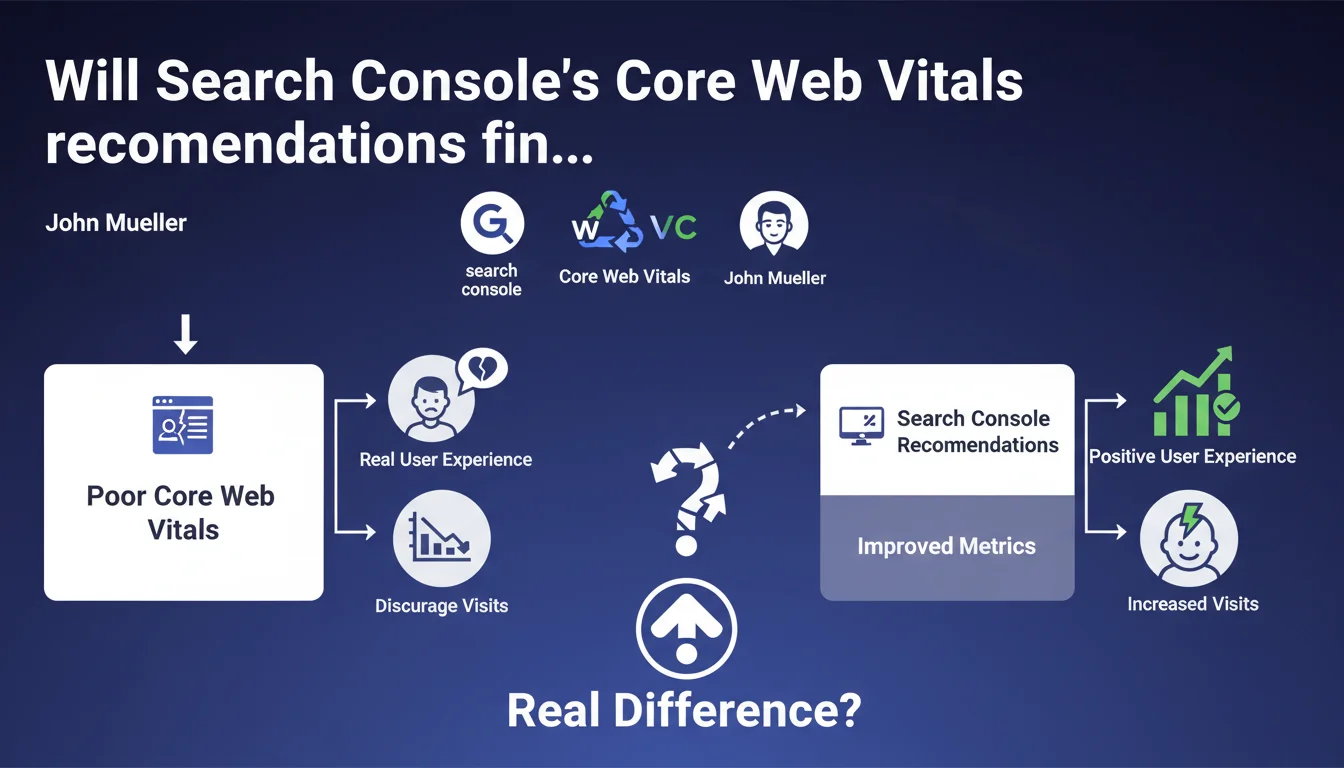
Search Console now displays targeted recommendations when a specific CWV metric is particularly degraded. Google clarifies that these measurements reflect real user experience and that poor values discourage visits — suggesting an indirect impact on organic traffic.
What you need to understand
What exactly does this Search Console update change in practice?
Until now, Search Console flagged Core Web Vitals issues in a fairly broad manner. Now, the interface precisely identifies which metric is problematic — LCP, FID, or CLS — and offers recommendations specific to that failing metric.
The approach becomes more granular. If your LCP is catastrophic but FID and CLS are solid, the recommendations will focus on LCP. No more generic diagnostics, we're moving into targeted troubleshooting.
Why does Google keep emphasizing "real user experience"?
Because Core Web Vitals are calculated from CrUX (Chrome User Experience Report), meaning real user sessions. It's not synthetic lab data.
Google notes that poor values "can discourage visits." That's careful wording, but it implies that the impact is measured first in user behavior — bounce rate, engagement, conversions — before being a direct ranking signal.
How is this different from existing tools like PageSpeed Insights?
PageSpeed Insights and Lighthouse provide lab data and technical suggestions. Search Console relies on real-world conditions: what your actual visitors experience on their real devices, their real connections.
They're complementary. Lab data for diagnosing, CrUX for validating real impact. Search Console recommendations therefore arrive after confirming an actual problem, not just a hypothetical one.
- Granular recommendations by failing CWV metric, no more generic diagnostics
- Based on real CrUX data, not lab tests
- Google implicitly acknowledges a link between degraded CWV and traffic ("discourage visits")
- Complements existing tools (PageSpeed, Lighthouse) by providing real-world insight
SEO Expert opinion
Is this statement consistent with what we observe in the field?
Yes and no. Since the Page Experience Update, the direct impact of CWV on ranking remains marginal. We've all seen it: sites with mediocre CWV continue to dominate SERPs if their content and authority hold up.
But John Mueller says "can discourage visits," not "impact rankings." Important distinction. The indirect effect — degraded UX → bounce → lost conversions → traffic erosion — is real. Especially on mobile, where 6-second LCP kills engagement.
The problem is Google doesn't quantify anything. [To verify]: at what precise threshold are "visits discouraged"? What are the measured correlations between CWV and user behavior in e-commerce vs editorial verticals?
Are Search Console recommendations really actionable?
Let's be honest: it depends on your tech stack. If you're on WordPress with 40 poorly optimized plugins, GSC recommendations will point to symptoms (render-blocking JS, slow LCP) without giving you the magic recipe to fix them.
It's useful for prioritization, but it doesn't replace a thorough technical audit. The recommendations tell you "your LCP is poor," not "here's how to refactor your hero lazy-load and rethink your critical CSS."
Should you treat CWV as an absolute priority in 2025?
No. Not "absolute." Contextual priority, rather. If your site converts poorly and your CWV is in the red, yes, it's a priority — poor UX is killing your revenue.
If your organic traffic is stagnant because you have zero topical authority and your internal linking is nonexistent, focusing on CWV before fixing that would be a strategic mistake. CWV optimizes the experience of existing traffic, it doesn't create traffic from nothing.
Practical impact and recommendations
What should you concretely do with these new recommendations?
First, log into Search Console regularly and check the Core Web Vitals section. If a specific metric is marked "Poor," open the associated recommendations.
Next, cross-reference with PageSpeed Insights to identify the specific resources that are dragging (unoptimized images, third-party scripts, fonts). GSC recommendations point you in the right direction, PSI identifies the culprits.
Don't just fix an isolated URL. Look for patterns: if all your product pages have poor LCP because of a poorly implemented carousel script, fix it at the root — template-level, not page by page.
What mistakes should you avoid when addressing CWV?
Mistake #1: optimizing only in lab. Lighthouse can show green while CrUX stays red. Why? Because your real users are on 3G with budget devices. Always validate with real-world data.
Mistake #2: sacrificing functionality for milliseconds. If your e-commerce site needs an interactive product configurator, don't cripple it just to improve your CLS by 0.05. The tradeoff between functional UX and technical UX is constant.
Mistake #3: ignoring mobile-first. CWV is calculated primarily on mobile. If you optimize for desktop and mobile stays catastrophic, you're missing the essentials.
How do you verify that fixes are working?
Be patient. CrUX data has a 28-day lag. You deploy a fix today, you won't see the effect in Search Console for at least 3-4 weeks.
In the meantime, monitor your RUM (Real User Monitoring) metrics if you have them. Google Analytics 4 can track CWV through custom events, or you can use tools like SpeedCurve, Calibre, or even Google's web-vitals.js.
Track the evolution of your bounce rates, engagement time, conversions. If CWV improves but business doesn't follow, your problem is elsewhere — content, offer, trust, user journey.
- Check the Core Web Vitals section in Search Console regularly
- Cross-reference GSC recommendations with PageSpeed Insights and Lighthouse
- Identify recurring patterns (templates, components) rather than fixing URL by URL
- Validate fixes with real CrUX data, not just lab data
- Implement Real User Monitoring to track progress without lag
- Balance functional UX and performance optimization based on business context
- Measure impact on business metrics (conversions, engagement) in parallel
❓ Frequently Asked Questions
Les recommandations Search Console remplacent-elles PageSpeed Insights ?
Combien de temps faut-il pour voir l'impact d'une correction CWV dans Search Console ?
Faut-il corriger toutes les URLs signalées ou prioriser certaines pages ?
Des CWV parfaits garantissent-ils un meilleur classement Google ?
Pourquoi mes CWV sont bons en Lighthouse mais mauvais dans Search Console ?
🎥 From the same video 8
Other SEO insights extracted from this same Google Search Central video · published on 01/07/2025
🎥 Watch the full video on YouTube →
💬 Comments (0)
Be the first to comment.