
Official statement
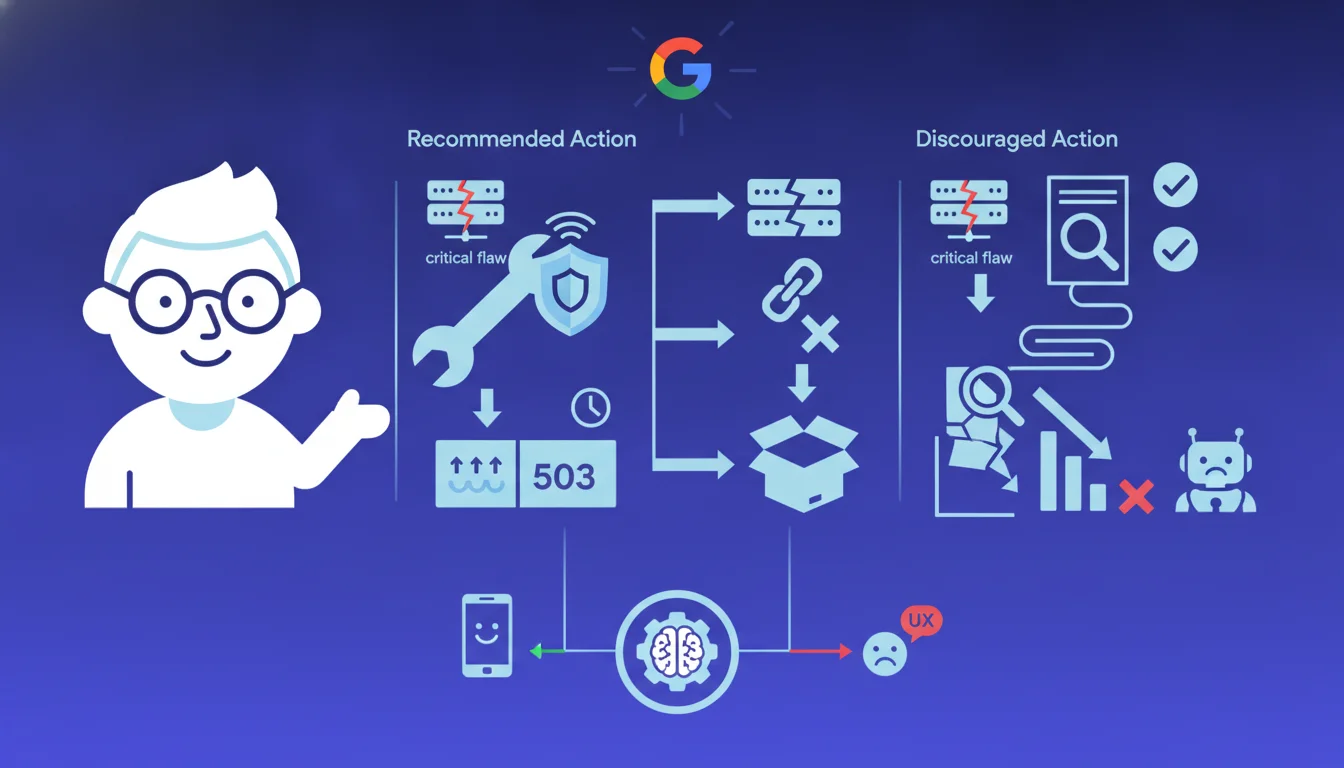
John Mueller recommends returning an HTTP 503 status during a site downtime for critical security maintenance, like the PHP2Shell vulnerability. This status signals to Google that the unavailability is temporary, helping maintain rankings. Avoid timeouts, 404s, or 500s that can trigger quick deindexing.
What you need to understand
Why does Mueller emphasize the 503 instead of another error code?
The distinction between HTTP codes is crucial for crawlers. A 503 code explicitly indicates a temporary service interruption, which Googlebot interprets as a signal to be patient. The bot will return later without penalizing the site.
In contrast, a timeout or a 500 creates uncertainty: is it a lasting server issue? A configuration error? Googlebot will attempt several times, but if the error persists, it may start deindexing pages. A 404, even worse, signals that the resource no longer exists permanently.
Does the recommendation to bypass PHP make technical sense?
Mueller suggests serving the 503 outside of PHP: via DNS, CDN, or direct server configuration. This is consistent as the vulnerability specifically affects the PHP interpreter. If you need to neutralize PHP for security, you cannot rely on a PHP script to handle your errors.
In practical terms, this means configuring your web server (Apache, Nginx) or your CDN (Cloudflare, Fastly) to intercept all requests and return a 503 with a Retry-After header. Some hosting providers offer native maintenance pages that do exactly that.
How long can a 503 be maintained without risk?
The official documentation remains vague. Field observations show that Google tolerates a 503 for a few hours without impact. Beyond 24-48 hours, the crawl budget gradually decreases. After several days, some pages may begin to disappear from the index.
The Retry-After header plays a role: it tells Googlebot when to return. Without this header, the bot sets its own retry strategy. With a Retry-After of a few hours, you maximize your chances of preserving visibility during the intervention.
- The 503 signals a temporary interruption and preserves ranking in the short term
- Timeouts and 500s create uncertainty and can trigger deindexing
- Serving the 503 outside of PHP avoids using the vulnerability vector itself
- The Retry-After header helps Googlebot schedule its next visit
- After 48 hours of 503, the risk of impact on indexing increases
SEO Expert opinion
Is this recommendation consistent with observed practices on the ground?
Yes, totally. Empirical tests confirm that the 503 preserves rankings better than a classic server error during short maintenance. I have observed sites maintaining a 503 for 6-8 hours without measurable position loss. Beyond that, it becomes more random depending on the domain authority.
On the other hand, timeouts are disastrous. A site that does not respond for several hours sees its crawl budget plummet and pages disappear from the index in 24-48 hours. Google hates technical uncertainty. A clean 503 is clear communication.
What nuances should be added to this advice?
The first nuance: duration. Mueller does not provide any specific numbers. [To be verified] the actual tolerance limit of Google varies based on the site's history. A reliable site with good crawl may afford 24 hours. A small recent site is at greater risk after 12 hours.
The second point: the content of the 503 page. Some webmasters return a 503 with an HTML page detailing the reason. This is useful for users but Googlebot does not care. What matters is the HTTP code and the Retry-After header. The HTML content has no impact on preserving ranking.
In what cases does this rule not apply perfectly?
If your site is undergoing an active attack during the downtime, some hosting providers recommend completely shutting down the DNS rather than returning a 503. In this case, you accept a temporary SEO impact to avoid a more severe compromise. It's a security vs. SEO trade-off.
Another edge case: sites with massive international traffic. Maintaining a global 503 while only certain regional servers are affected is counterproductive. It is better to isolate compromised servers and route traffic to healthy areas, even if it temporarily degrades performance.
Practical impact and recommendations
What steps should be taken to implement a maintenance 503?
The most robust method is to configure your web server directly. On Nginx, a simple directive in the server block suffices: 'return 503' with a 'add_header Retry-After 3600'. On Apache, a .htaccess file with a RewriteRule can do the job, but it requires the rewrite module to be active.
If your infrastructure relies on a CDN, leverage its maintenance page capabilities. Cloudflare offers a native feature that returns a 503 for all requests without affecting your origin server. Fastly and KeyCDN offer similar options. This is the safest solution if PHP is compromised.
What errors should be absolutely avoided during a security downtime?
Error number one: leaving the site in timeout. Some admins shut down PHP without configuring a fallback, resulting in successive timeouts. Googlebot hates that and reacts more harshly than with a clean 503. You waste crawl budget for nothing.
The second trap: returning a 200 page with an error message. I've seen sites display 'Site under maintenance' with a 200 code. Google indexes this maintenance page as normal content, which pollutes the index and degrades user experience in the SERPs. Always force the correct HTTP code.
How to check if the 503 configuration is working correctly?
Test with curl in the command line: 'curl -I yoursite.com'. You should see 'HTTP/1.1 503 Service Temporarily Unavailable' and ideally a 'Retry-After' header. If you see a 200, a 500, or worse, a timeout after 30 seconds, your config is not working.
Check the behavior from multiple geographic locations. If you're using a multi-region CDN, ensure that the 503 is served everywhere. A configuration oversight on an edge server can create inconsistencies that Googlebot will not appreciate.
- Configure the 503 at the web server or CDN level, never in PHP if PHP is compromised
- Add a Retry-After header with a value in seconds (3600 for 1 hour is reasonable)
- Test with curl or an HTTP checking tool from multiple IPs
- Document the expected duration of maintenance and monitor Googlebot logs
- Prepare a return-to-normal plan with progressive tests by sections
- Never exceed 48-72 hours of global 503 without specific communication to Google
💬 Comments (0)
Be the first to comment.