
Official statement
Other statements from this video 11 ▾
- □ Pourquoi un photographe devrait-il investir dans un site web plutôt que miser uniquement sur Instagram ?
- □ Faut-il vraiment éviter les noms de marque génériques pour son SEO ?
- □ Search Console est-elle vraiment indispensable pour un site de photographie ?
- □ Pourquoi Google indexe-t-il mieux les galeries photo avec du texte descriptif qu'une image isolée ?
- □ Les réseaux sociaux peuvent-ils vraiment coexister avec votre site dans les résultats Google Images ?
- □ Faut-il vraiment arrêter de filigraner vos images pour le SEO ?
- □ Faut-il vraiment créer une page dédiée pour chaque image de votre site ?
- □ Pourquoi les fragments d'URL (#) tuent-ils la visibilité de vos images dans Google ?
- □ Les images responsives suffisent-elles vraiment à améliorer votre ranking sur Google ?
- □ JPEG, WebP, AVIF : quel format d'image choisir pour le SEO en 2025 ?
- □ Pourquoi vos vidéos n'apparaissent-elles pas dans les résultats de recherche vidéo ?
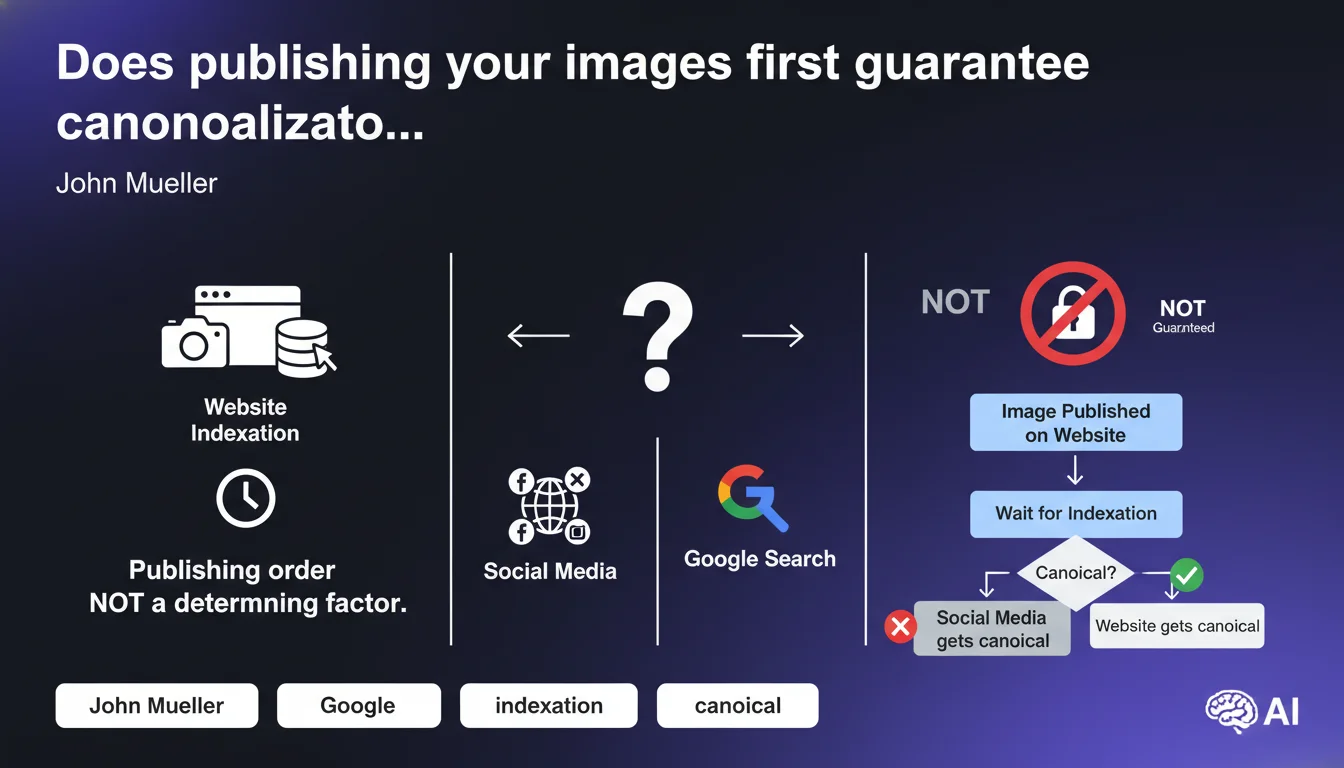
Google does not automatically favor your site as the canonical source of an image simply because you published it first. Publication order is not a determining factor in the image canonicalization process. Other signals — authority, context, relevance — carry far more weight in the balance.
What you need to understand
Why does this belief persist among SEO professionals?
The idea that simply publishing an image first ensures you own the canonical version comes from straightforward logic: first come, first served. This intuition is reinforced by analogy with textual content, where seniority can play a role in duplicate detection.
Except for images, Google operates differently. The search engine doesn't merely timestamp files. It evaluates a constellation of signals: domain authority, editorial context, metadata, user engagement, backlinks to the image.
What exactly is image canonicalization?
When multiple versions of the same image circulate on the web, Google chooses which one to display in Google Images. This decision is called canonicalization. The selected URL becomes the reference version, the one that appears in search results and captures traffic.
If you publish an original photo on your blog, then a major media outlet retrieves and republishes it, nothing guarantees that your URL will be favored — even if you were chronologically first.
What signals does Google actually use to choose the canonical version?
Google doesn't communicate a magic formula, but we observe that several factors come into play:
- The authority of the domain hosting the image — a recognized site will carry more weight than a recent blog
- The semantic context surrounding the image: alt text, caption, surrounding content, page structure
- EXIF and IPTC metadata (copyright, photographer credit) if present and consistent
- Backlinks pointing to the image or the page containing it
- User engagement signals (clicks, time spent, social shares)
- Technical quality: resolution, format, loading time, structured markup (ImageObject schema)
SEO Expert opinion
Is this statement consistent with what we observe in the field?
Absolutely. I've seen dozens of cases where a mainstream media outlet retrieves an image from a third-party site and instantly becomes the canonical version in Google's eyes. Even if the original image was published weeks earlier.
The determining factor? The perceived authority of the domain and the richness of the editorial context. A well-structured article, with correct schema tags, on a powerful news site will almost always outrank a simple upload on a personal blog — regardless of who clicked "publish" first.
Should you abandon the idea of protecting your images?
No, but you need to play on multiple fronts simultaneously. Publication order isn't useless — it can serve as a weak signal in certain cases. But relying solely on it amounts to wishful thinking.
The real strategy: strengthen all other signals. Rich metadata, ImageObject schema markup with creator and copyrightHolder, descriptive alt text, solid editorial context, backlinks to your images. And most importantly, build the overall authority of your domain.
In what cases does this rule not apply or barely apply?
There are niches where seniority can carry more weight. For example, in the stock photo world or image banks, where Google can cross-reference databases to identify the legitimate rights holder.
Similarly, if you're the only one publishing an image for several weeks and you benefit from fast indexing, you could become the canonical version by default. But as soon as a more powerful player claims it, the balance shifts.
Practical impact and recommendations
What should you do concretely to maximize your chances of canonicalization?
Forget the race to timestamp. Focus on the quality of the overall signal you send to Google around each image.
First: properly markup your images with schema.org ImageObject. Fill in creator, copyrightHolder, contentUrl, license if applicable. This is a strong signal of legitimate ownership.
Second: take care of your EXIF and IPTC metadata before upload. Copyright, photographer credit, description — everything that can formally identify the image's origin.
Third: enrich the editorial context. Alt text alone isn't enough. Add an HTML caption, a paragraph describing the image, integrate it into a well-structured article with relevant headings and subheadings.
What mistakes should you absolutely avoid?
Don't publish your images in isolation, without context. A typical "photo gallery" page with just clickable thumbnails and zero descriptive text is a waste. Google needs to understand what the image represents and why it's on your site.
Also avoid publishing simultaneously on your site and social media. If you want to share on Instagram or Pinterest, wait at least until Google has crawled and indexed your page. Check in Search Console or via site:yourdomain.com/page-url.
Finally, don't overlook technical quality: a blurry, heavy, outdated-format image will hurt your canonicalization chances. Prioritize WebP or AVIF, compress intelligently, use srcset for responsive design.
How do you verify that your images are properly canonicalized on your domain?
Search for your images in Google Images using reverse image search (upload or URL). Check which URL appears as the primary source. If it's not yours despite being the legitimate author, there's a problem.
Also check Search Console, "Performance" tab filtered for "Images". You'll see which images generate impressions and clicks. If certain important images are missing, that's a sign they may not be indexed or another version is canonicalized elsewhere.
- Implement schema.org ImageObject with creator and copyrightHolder on all your strategic images
- Inject EXIF/IPTC metadata (copyright, credit) before upload and verify preservation post-publication
- Write descriptive alt text + HTML captions for each important image
- Integrate images into rich editorial context (structured article, explanatory paragraphs)
- Optimize formats (WebP/AVIF), file size, responsive design (srcset) to maximize technical quality
- Wait for complete indexation before republishing on social media
- Regularly verify in Google Images and Search Console that your URLs are the canonical versions
- Build backlinks to your pages containing the images (not just to raw image files)
🎥 From the same video 11
Other SEO insights extracted from this same Google Search Central video · published on 07/08/2025
🎥 Watch the full video on YouTube →
💬 Comments (0)
Be the first to comment.