
Official statement
Other statements from this video 11 ▾
- □ Pourquoi un photographe devrait-il investir dans un site web plutôt que miser uniquement sur Instagram ?
- □ Faut-il vraiment éviter les noms de marque génériques pour son SEO ?
- □ Search Console est-elle vraiment indispensable pour un site de photographie ?
- □ Pourquoi Google indexe-t-il mieux les galeries photo avec du texte descriptif qu'une image isolée ?
- □ Les réseaux sociaux peuvent-ils vraiment coexister avec votre site dans les résultats Google Images ?
- □ Publier ses images en premier garantit-il la canonicalisation sur Google ?
- □ Faut-il vraiment arrêter de filigraner vos images pour le SEO ?
- □ Faut-il vraiment créer une page dédiée pour chaque image de votre site ?
- □ Pourquoi les fragments d'URL (#) tuent-ils la visibilité de vos images dans Google ?
- □ Les images responsives suffisent-elles vraiment à améliorer votre ranking sur Google ?
- □ Pourquoi vos vidéos n'apparaissent-elles pas dans les résultats de recherche vidéo ?
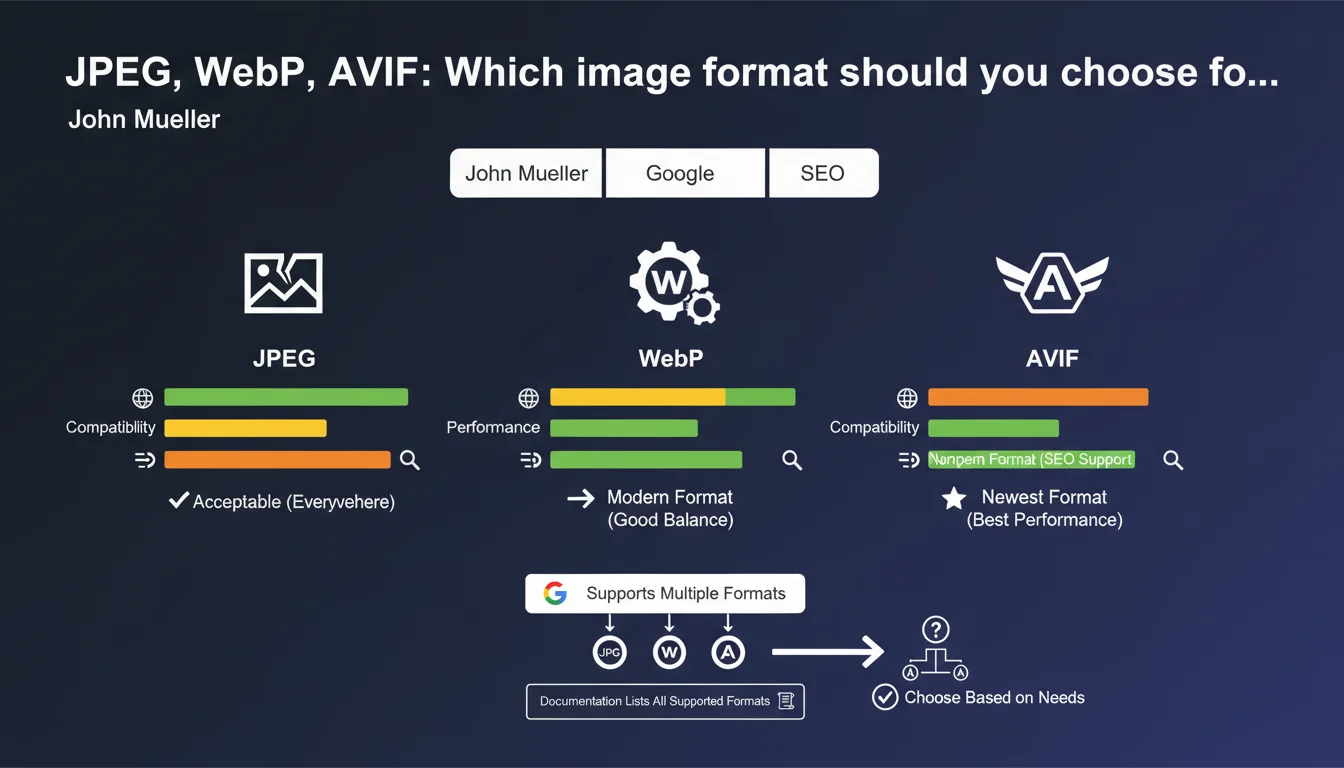
Google officially supports JPEG, AVIF, WebP and BMP for image indexing. JPEGs remain the universal and acceptable format, but modern formats like WebP and AVIF are also recognized. The technical documentation lists all the formats supported by the search engine.
What you need to understand
Which image formats does Google actually index?
Mueller's statement confirms that Google natively accepts multiple formats: JPEG, AVIF, WebP and BMP are among the recognized standards. The search engine is therefore not limited to traditional JPEGs.
This expanded compatibility means concretely that your images in WebP or AVIF will be crawled, indexed and displayed in Google Images without technical issues. No need to systematically convert everything to JPEG out of fear of being blocked.
Why does Mueller specify that JPEGs "work everywhere"?
This nuance is not trivial. While Google supports multiple formats, not all browsers and environments support them uniformly. JPEG remains the universal common denominator.
A JPEG displays on any browser, even obsolete ones. An AVIF or WebP? Not guaranteed on older versions of Safari or exotic browsers. Mueller implicitly emphasizes this client-side compatibility dimension, not just server-side.
Where can you find the complete list of supported formats?
Mueller refers to the official Google Search Central documentation which details all supported image formats. This list also includes PNG, GIF, SVG under certain conditions.
Consulting this documentation allows you to verify the technical specifics of each format: weight limits, exploitable metadata, compatibility with rich snippets. The devil is often in these details.
- Google indexes JPEG, WebP, AVIF, BMP and other formats listed in the official documentation
- JPEGs remain the universal choice to guarantee maximum compatibility across all environments
- Modern formats like WebP and AVIF are fully recognized by the search engine
- Technical documentation specifies the conditions and limitations of each format
SEO Expert opinion
Does this statement change anything about our practices?
Not really. For several years now, we've observed that Google crawls and indexes WebP and AVIF without issues. Mueller's statement simply formalizes what we've been seeing in the field since 2019-2020.
What's interesting is the cautious wording about JPEG. Mueller doesn't say "use JPEG", he says "JPEG works everywhere". Subtle difference. He implies that other formats are legitimate — but that JPEG avoids browser compatibility issues.
Should you systematically migrate to WebP or AVIF?
No, and that's where many people go wrong. A site running on optimized JPEGs has no reason to overhaul everything to migrate to WebP if the weight gain is marginal or if the technical stack complicates management.
WebP provides a compression gain of 25-35% on average compared to JPEG at equivalent visual quality. AVIF goes even further, around 40-50%. But these gains come with constraints: partial browser compatibility, longer encoding time, fallback management.
Does Google favor one format for ranking?
Nothing in the statement suggests a direct SEO advantage related to image format. What matters for ranking is page weight, Core Web Vitals, semantic relevance of the image.
If switching to WebP reduces your LCP by 500ms, then yes, indirectly, it helps. But it's not the format that boosts ranking, it's the performance it enables. A well-compressed JPEG will always beat a poorly optimized WebP.
Practical impact and recommendations
Which format should you choose for a new web project?
WebP with JPEG fallback remains today's best compromise between weight gain and compatibility. AVIF is appealing but still too recent to be deployed without precautions.
For a WordPress site, plugins like ShortPixel or Imagify automatically manage conversion and fallback. On a custom stack, you need to implement browser detection logic or use the <picture> element with multiple sources.
What mistakes should you avoid when managing image formats?
First mistake: serving WebP without fallback and breaking the display for 5-10% of visitors still on older browsers. It's rare, but it happens — and it's deal-breaking for UX.
Second mistake: thinking that changing the format is enough. A poorly compressed or oversized WebP remains heavier than a well-optimized JPEG. Format is just one lever among others: actual dimensions, compression, lazy loading matter just as much.
Third mistake: neglecting EXIF and IPTC metadata. Whether you're using JPEG or WebP, Google exploits this data to understand image context. Systematically removing it to save a few kilobytes can harm semantic indexing.
How can you verify that your images are properly indexed?
Use Google Search Console, "Performance" tab, filter by "Images" to see which image URLs generate impressions. If your WebP or AVIF don't appear, investigate: crawl issue, robots.txt, or data-src tag invisible to Googlebot.
Also test with the URL inspection tool: request indexing of a page containing your modern images, then check under "Coverage" that resources are properly loaded. A 404 error on a WebP image that goes unnoticed can derail your strategy.
- Prioritize WebP with JPEG fallback for current projects
- Preserve relevant EXIF/IPTC metadata for semantic indexing
- Test browser compatibility with tools like caniuse.com
- Verify indexing in Google Search Console > Performance > Images
- Use the <picture> element or server detection to serve the right format
- Compress intelligently: a well-optimized JPEG beats a poorly done WebP
- Monitor LCP and Core Web Vitals after format migration
🎥 From the same video 11
Other SEO insights extracted from this same Google Search Central video · published on 07/08/2025
🎥 Watch the full video on YouTube →
💬 Comments (0)
Be the first to comment.