
Official statement
Other statements from this video 11 ▾
- □ Why should photographers invest in their own website instead of relying solely on Instagram?
- □ Is it really a mistake to use generic keywords as your business name for SEO?
- □ Is Google Search Console really essential for your photography website?
- □ Can social media really coexist with your website in Google Images results?
- □ Does publishing your images first guarantee canonicalization on Google?
- □ Should you really stop watermarking your images for SEO?
- □ Should you really create a dedicated page for every image on your website?
- □ Are URL fragments (#) killing your image visibility in Google search results?
- □ Are responsive images really enough to boost your Google rankings?
- □ JPEG, WebP, AVIF: Which image format should you choose for SEO in 2025?
- □ Why aren't your videos showing up in Google's video search results?
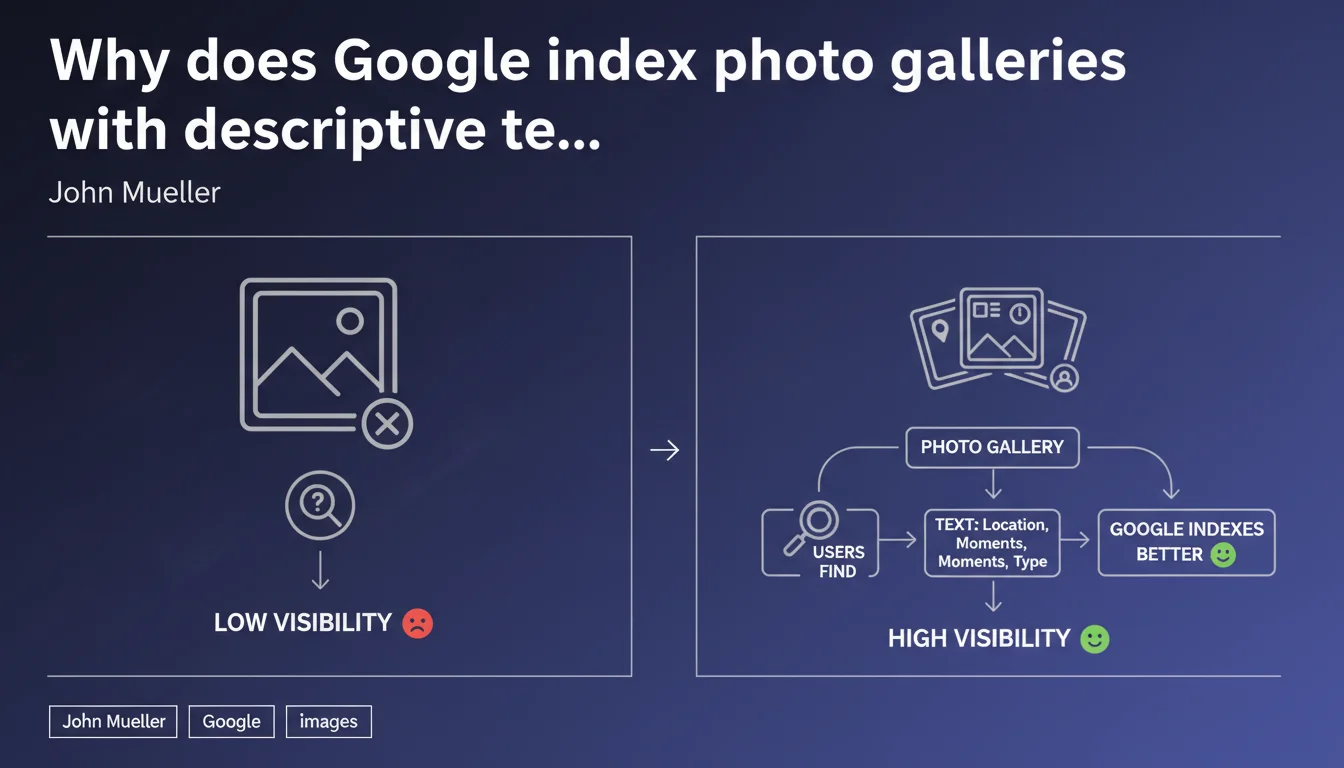
Google prioritizes indexing photo gallery pages that contain descriptive text with titles specifying locations, moments, or types of photos. A well-contextualized gallery has a better chance of being indexed and displayed than a single photo. This is a statement that repositions the value of textual content in visual indexing.
What you need to understand
Does Google really favor text-rich galleries over isolated images?
Mueller's statement is crystal clear: a gallery page with structured descriptive text will be indexed more often than a single photo, even if optimized. This shatters the illusion that optimizing individual images (alt text, filename, EXIF data) is enough to guarantee their visibility.
The engine favors rich semantic contexts. A gallery allows images to be anchored in a textual environment that clarifies their subject — locations, moments, themes. In doing so, Google can better understand the search intent that these visuals address.
What constitutes "descriptive text" sufficient for Google?
Mueller refers to titles mentioning specific information: geolocation, temporality, topic. No generic filler. "Patagonia Gallery Winter 2024" is more actionable than "Our most beautiful photos".
The text should help the user quickly identify whether the gallery matches their need. This utility is what Google seeks to index — not just an accumulation of images in a grid without semantic grounding.
Why is a single isolated photo at a disadvantage?
A lone image, even with good alt text and optimized filename, lacks exploitable textual surface area. Google Images may index it, but without guaranteed display for competitive queries.
A gallery, on the other hand, offers multiple semantic entry points: main title, thematic subtitles, captions. It's a wider mesh to capture organic traffic across varied intents.
- Galleries with descriptive text are prioritized for indexing compared to isolated photos
- Text should mention specific contextual information: locations, moments, types
- Google seeks to index rich semantic environments, not just image files
- A single image lacks textual surface to compete effectively in SERPs
SEO Expert opinion
Is this approach consistent with recent Google Images evolution?
Yes — and it validates an observable trend since 2021-2022. Google Images increasingly displays contextualized landing pages rather than raw images. "Image results" carousels in standard search often point to articles or galleries, not isolated JPG files.
The engine values post-click user experience. A gallery with context offers more value than a standalone visual without explanation. This statement confirms what we observed empirically: textual content remains a critical lever, even for visual indexing.
What nuances should be applied to this recommendation?
Caution — Mueller isn't saying isolated photos never index. He's saying they have lower chances of being displayed. Important distinction: certain highly specific queries (exact product name search, for example) may surface a single optimized image.
Additionally, this logic applies mainly to editorial content (travel, portfolios, photojournalism). For e-commerce, product pages with multiple visuals function differently — Google Shopping and rich snippets create their own context.
In what cases is this strategy counterproductive?
If you generate hollow text just to "fill" a gallery, you risk diluting your relevance. Google detects weak content — better to have 3 ultra-targeted galleries with real content than 20 generic galleries with bland descriptions.
For highly visual sites (art photography, minimalist portfolios), adding too much text can harm the aesthetic experience. You need to find the right balance — short but precise captions, an explicit title, without transforming the page into a blog article.
Practical impact and recommendations
How do you concretely structure a photo gallery to maximize indexation?
Start with a precise H1 title mentioning the subject, location, or event: "Torres del Paine Hiking — January 2024". Next, segment the gallery into subsections with thematic H2 or H3 headings ("Day 1: Ascent to Grey Camp", "Wildlife Encountered").
Add an introduction of 2-3 paragraphs that contextualizes the series: why these photos, in what context, what they show. Each image should have a descriptive alt attribute AND, ideally, a short visible caption that specifies what's shown.
Avoid galleries without pagination or lazy loading — a page of 80 heavy photos that loads slowly will be penalized on Core Web Vitals, which indirectly impacts indexation.
What mistakes should be absolutely avoided when implementing galleries?
Don't duplicate the same generic text across all your galleries. Google detects duplicate content — each gallery must have its own unique context.
Don't forget structured markup. Schema.org offers an ImageGallery type that can enrich SERP display. Combined with Open Graph meta tags for social sharing, it strengthens overall visibility.
Last pitfall: pure JavaScript galleries without server-side rendering. If Googlebot only sees an empty shell on first load, your textual content won't be indexed properly. Check the raw HTML accessible to the crawler.
What should you verify to ensure your galleries are properly indexed?
- Check in Google Search Console for effective indexation of your gallery pages
- Test gallery rendering with the "URL Inspection" tool to confirm text is crawlable
- Analyze your Core Web Vitals on these pages — high LCP penalizes indexation
- Verify each image has a unique alt AND a visible caption if relevant
- Audit your H1/H2/H3 tags to confirm they include precise geographic or temporal terms
- Implement ImageGallery Schema markup to enrich potential SERP display
- Verify your galleries aren't orphaned — link them from your thematic pillar pages
🎥 From the same video 11
Other SEO insights extracted from this same Google Search Central video · published on 07/08/2025
🎥 Watch the full video on YouTube →
💬 Comments (0)
Be the first to comment.