
Official statement
Other statements from this video 11 ▾
- □ Why should photographers invest in their own website instead of relying solely on Instagram?
- □ Is it really a mistake to use generic keywords as your business name for SEO?
- □ Is Google Search Console really essential for your photography website?
- □ Why does Google index photo galleries with descriptive text better than isolated images?
- □ Can social media really coexist with your website in Google Images results?
- □ Does publishing your images first guarantee canonicalization on Google?
- □ Should you really stop watermarking your images for SEO?
- □ Are URL fragments (#) killing your image visibility in Google search results?
- □ Are responsive images really enough to boost your Google rankings?
- □ JPEG, WebP, AVIF: Which image format should you choose for SEO in 2025?
- □ Why aren't your videos showing up in Google's video search results?
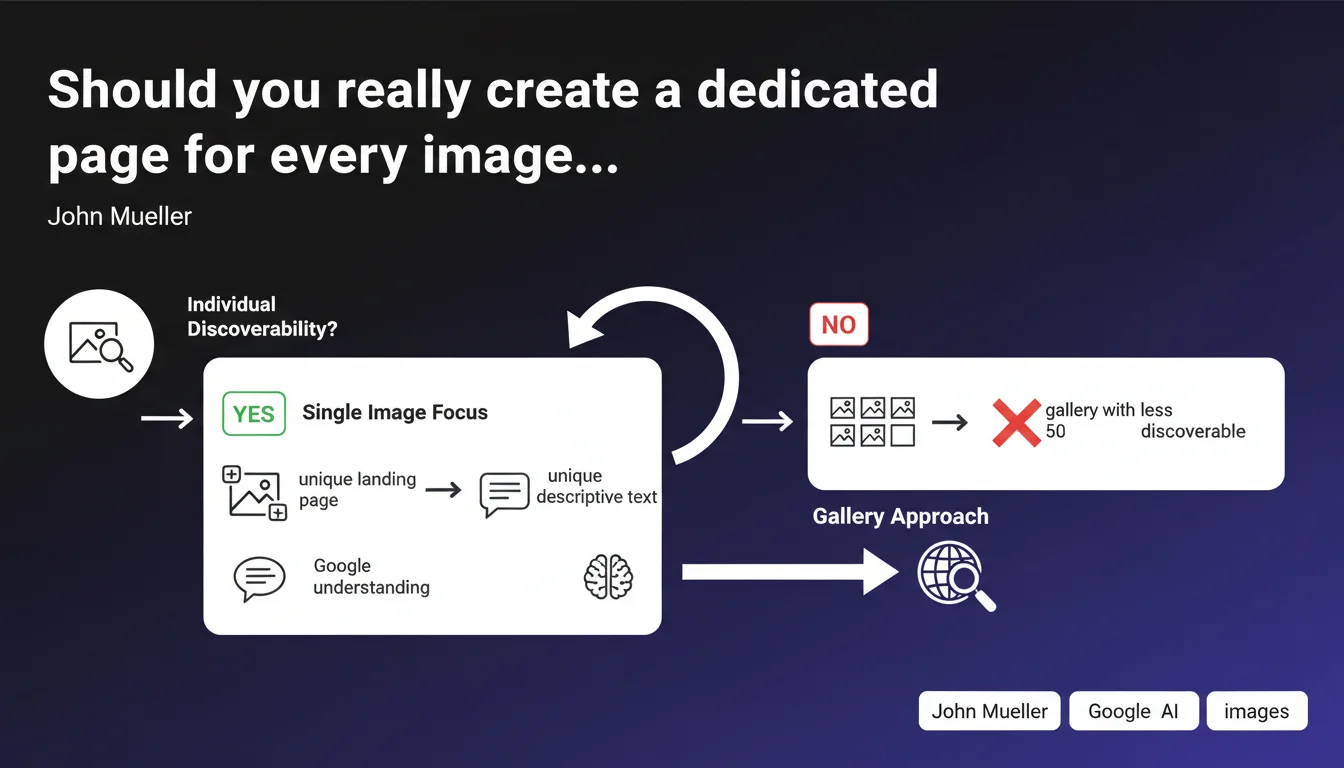
Google recommends creating unique landing pages for each image if you want them to be discoverable individually in image search. Each page should feature the image as the main element accompanied by unique descriptive text, thus avoiding the multi-image gallery format that dilutes the relevance of each visual.
What you need to understand
Why does Google insist on individual pages rather than galleries?
The logic is straightforward: Google needs clear relevance signals to understand that an image is the central element of a page. When you group 50 images in a gallery, the algorithm cannot reliably determine which image corresponds to which context.
A dedicated page with unique descriptive text sends an unambiguous signal: this image is the main subject, not just one element among many. That's exactly what Google is looking for to properly index your visuals in Google Images.
What does Google mean by "unique descriptive text"?
We're not talking about a simple alt attribute or a two-word caption here. Google wants contextualized content that explains the image, its context, its characteristics, and its potential usefulness.
Think of this page as an information sheet for your image: descriptive title, explanation paragraph, relevant metadata, and possibly technical information if relevant (dimensions, license, author).
In which cases is this approach truly necessary?
This recommendation applies if your images have autonomous search value. A stock photography site, an icon library, an illustrator's portfolio, a visual resource library — all of these cases justify dedicated pages.
For a typical blog with illustrative images in articles, this isn't a priority. The image serves the content, not the other way around. The distinction is important.
- A dedicated page per image improves discoverability in Google Images
- Unique descriptive text helps Google understand context and relevance
- Multi-image galleries dilute signals and make indexing less efficient
- This approach is only relevant if your images have autonomous search value
- For illustrative images in textual content, stick with a standard approach
SEO Expert opinion
Is this recommendation consistent with what we observe in practice?
Absolutely. Sites that structure their images as individual entities — Pinterest, Unsplash, Shutterstock — dominate Google Images in their respective niches. This is no coincidence.
The problem is that this approach directly conflicts with standard UX. Users often prefer browsing galleries rather than clicking through 50 separate pages. The technical workaround is to create dedicated URLs while maintaining smooth navigation — but that requires custom development.
What are the limitations of this approach?
The first obvious limitation: editorial workload volume. Creating unique descriptive text for hundreds or thousands of images isn't realistic without an industrialized process. If you automate too much, Google will spot the patterns and it will have been for nothing.
Second limitation: crawl budget cannibalization. If you multiply dedicated pages on a low-authority site, Googlebot will have to make choices. Possible result: important textual pages end up being crawled less frequently in favor of image pages.
In which cases could this strategy backfire?
If you have an e-commerce site with 5,000 products and 8 photos per product, creating 40,000 dedicated image pages would be an architectural disaster. You'd fragment your site without real benefit, since search intent is about the product, not the isolated image.
Same thing for a blog: the header image has no autonomous search value. Creating a dedicated page wouldn't add anything, but would bloat your index and waste resources unnecessarily.
Practical impact and recommendations
What should you concretely do if your images have value?
First, segment your images into two categories: those with autonomous search value and those that are purely illustrative. Only the first category deserves dedicated pages.
For each valuable image, create a clean URL (not /gallery.php?id=1234 but /images/descriptive-name/) with an H1 title, a contextual paragraph of at least 100-200 words, and structured metadata via schema.org ImageObject.
Integrate these pages into your internal linking coherently. An orphaned image page has no chance of ranking. Create links from your categories, related articles, thematic resources.
What technical mistakes must you absolutely avoid?
First mistake: creating dedicated pages but setting them to noindex or blocking them in robots.txt. This happens more often than you'd think, out of fear of duplication or misconfiguration.
Second mistake: duplicating the same descriptive text across multiple similar images. Google detects this immediately. If you can't create unique content, don't apply this strategy.
Third mistake: neglecting performance. A dedicated image page must load quickly. If your image is 5 MB and the page takes 8 seconds to display, you lose the SEO benefit due to poor user experience.
How do you verify that your implementation is working?
First check: use Search Console, Performance → Image Search section. You should see impressions and clicks appearing specifically on your dedicated pages. If nothing changes after 2-3 months, your implementation has issues.
Second check: test your image URLs with the URL Inspection tool. Google must recognize the image as the main element of the page. If not, review your HTML structure.
- Identify images that have real autonomous search value
- Create clean, descriptive URLs for each selected image
- Write unique contextual text of at least 100-200 words minimum per page
- Implement schema.org ImageObject markup on each dedicated page
- Integrate these pages into your internal linking coherently
- Verify that pages are neither in noindex nor blocked in robots.txt
- Optimize image weight and loading performance
- Track results in Search Console's Image Search section
- Test indexation via Google's URL Inspection tool
🎥 From the same video 11
Other SEO insights extracted from this same Google Search Central video · published on 07/08/2025
🎥 Watch the full video on YouTube →
💬 Comments (0)
Be the first to comment.