
Official statement
Other statements from this video 11 ▾
- □ Does Google really reward content quality regardless of how it's produced?
- □ Is automation really considered spam by Google when it's used to boost rankings?
- □ Is using AI to generate SEO content spam or a legitimate opportunity?
- □ Does Google really treat AI-generated content the same as human-written content in rankings?
- □ Does Google really expect you to justify who, how, and why for every piece of content you create?
- □ Is Google's Status Dashboard Really a Game-Changer for SEO Professionals?
- □ Why is Google making Experience a core ranking factor alongside Expertise, Authority, and Trustworthiness?
- □ Does Google's Updated rel=canonical Documentation Change How You Should Handle Duplicate Content?
- □ Why did Google just release an official gallery of search visual elements?
- □ Why is Google publishing a specific guide on links for web designers?
- □ Is Google's product review system expanding globally? Here's what's changing for your website and why it matters
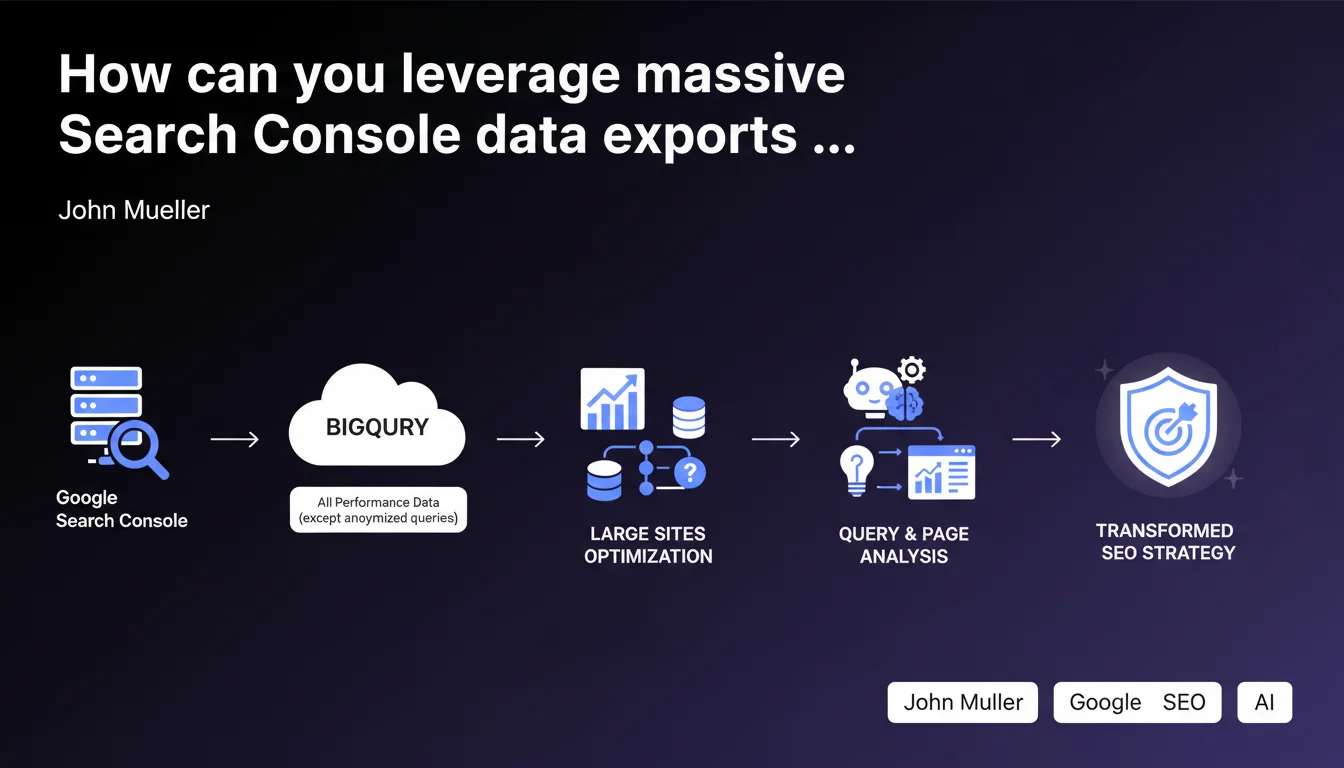
Google Search Console now allows you to export all your performance data directly to BigQuery, bypassing the daily row limits of the standard interface. Only anonymized queries remain inaccessible. This is a game-changer for large websites with substantial page volumes and search queries that have been hitting the standard interface's data caps.
What you need to understand
Why does this massive export change the game for large-scale sites?
The standard Search Console interface enforces a daily limit on queryable rows — typically 1000 rows per report. For a site with tens of thousands of pages or hundreds of thousands of monthly queries, this constraint makes exhaustive analysis nearly impossible.
With BigQuery exports, you retrieve all available performance data: impressions, clicks, CTR, average position for every URL and query. The only exceptions are anonymized queries for privacy reasons, which typically represent a marginal share of total volume.
- Complete access to performance data without daily row limits
- Automated exports with long-term historical data stored in BigQuery
- Anonymized queries excluded, but with limited impact on overall analysis
- Especially suited for high-volume organic traffic sites
What are the technical implications?
BigQuery is the data warehouse service from Google Cloud Platform. You configure the export from Search Console in just a few clicks, but it requires an active GCP project with billing enabled — though your first terabytes of data remain free each month.
Once configured, data arrives daily in a dedicated table. You can then query it with SQL to cross-reference with other sources (Analytics, server logs, CRM) or feed dashboards in Data Studio or Looker.
What concrete use cases exist for SEO practitioners?
The main value: cross-tabulate dimensions that are impossible to visualize in the standard interface. For example, identify high-impression pages with low CTR across specific query categories, or spot URLs losing rankings across thousands of long-tail keywords.
You can also historicize data beyond the 16 months retained by Search Console, build predictive models, or automate alerts on unusual organic traffic variations.
SEO Expert opinion
Does this feature really meet on-the-ground expectations?
Yes, absolutely. SEO practitioners managing e-commerce sites, media properties, or high-volume platforms have been requesting this capability for years. The 1000-row limit was a major obstacle to thorough, exhaustive analysis.
BigQuery export itself isn't new — Google had already offered it in limited forms. What's different here is complete and unlimited access to performance data. In practice, you can finally cross-reference millions of query rows with your business dimensions.
What caveats should we mention?
First caveat: query anonymization. Google filters certain queries deemed « sensitive » or too infrequent. In practice, this often represents less than 5% of total impression volume, but it can climb higher on niche sites or those with heavily ultra-specific long-tail content.
[To verify]: Google remains vague on the precise anonymization criteria. It's impossible to know exactly which queries disappear, which can skew certain semantic distribution analyses.
Second caveat: BigQuery isn't free beyond entry-level quotas. For a site generating several million rows monthly, storage and querying costs can climb quickly if you don't optimize your SQL queries.
In which cases is this feature useless?
If your site generates fewer than 1000 data rows per day in Search Console, massive export adds zero value. The standard interface is more than enough.
Similarly, if you lack SQL expertise or technical resources to leverage BigQuery, you'll end up with raw data you can't exploit. The export simply unlocks data access — it doesn't do the analysis for you.
Practical impact and recommendations
What do you need to do concretely to activate this export?
First step: create a Google Cloud Platform project if you don't already have one. Enable billing, even if you stay within free quotas initially. Then, from Search Console, access your property settings and enable BigQuery export by selecting your GCP project.
Data starts arriving the next day. You'll find one table per day with standard metrics: date, URL, query, country, device, impressions, clicks, CTR, average position.
- Create a GCP project and enable billing
- Enable BigQuery export from Search Console property settings
- Verify data is arriving correctly in the dedicated table
- Set up SQL queries to cross dimensions and metrics
- Automate dashboard feeds via Data Studio or Looker
What mistakes should you absolutely avoid?
Don't underestimate query costs. BigQuery charges based on data scanned. If you run poorly optimized SQL queries that read the entire table without filters, your bill will spike quickly. Always use temporal partitions and limit selected columns.
Another pitfall: exporting without an exploitation strategy. Accumulating raw data in BigQuery serves no purpose if no one knows how to analyze it. Define upfront the KPIs and dimension cross-tabulations you actually need.
How do you integrate this data into your daily SEO workflow?
Ideally, connect BigQuery to a visualization tool like Data Studio to create automated dashboards. You can also cross-reference this data with server logs, Analytics data, or your CRM for richer analysis.
Some practitioners automate alerts: for example, a daily SQL query detecting URLs that lost more than 20% of impressions over the past 7 days. This lets you spot visibility drops quickly without waiting for monthly reports.
❓ Frequently Asked Questions
L'export BigQuery remplace-t-il l'API Search Console ?
Quelles sont les requêtes anonymisées et pourquoi sont-elles exclues ?
Combien coûte l'utilisation de BigQuery pour cet export ?
Peut-on récupérer l'historique complet des données avant l'activation de l'export ?
Faut-il des compétences techniques pour exploiter ces données ?
🎥 From the same video 11
Other SEO insights extracted from this same Google Search Central video · published on 18/04/2023
🎥 Watch the full video on YouTube →
💬 Comments (0)
Be the first to comment.