
Official statement
Other statements from this video 8 ▾
- □ Does Google really index rendered HTML instead of the raw source code?
- □ Does the URL inspection tool really show you how Google discovers your pages?
- □ Does Google really respect your canonical tag, or does it decide on its own?
- □ How can you effectively verify X-Robots directives hidden in your HTTP headers?
- □ Are JavaScript resources blocked by robots.txt really killing your indexation?
- □ Should you really worry about resource errors in Google Search Console?
- □ Are JavaScript console messages becoming a critical SEO signal you need to monitor?
- □ Should you really trust Google's testing tools screenshots for SEO diagnosis?
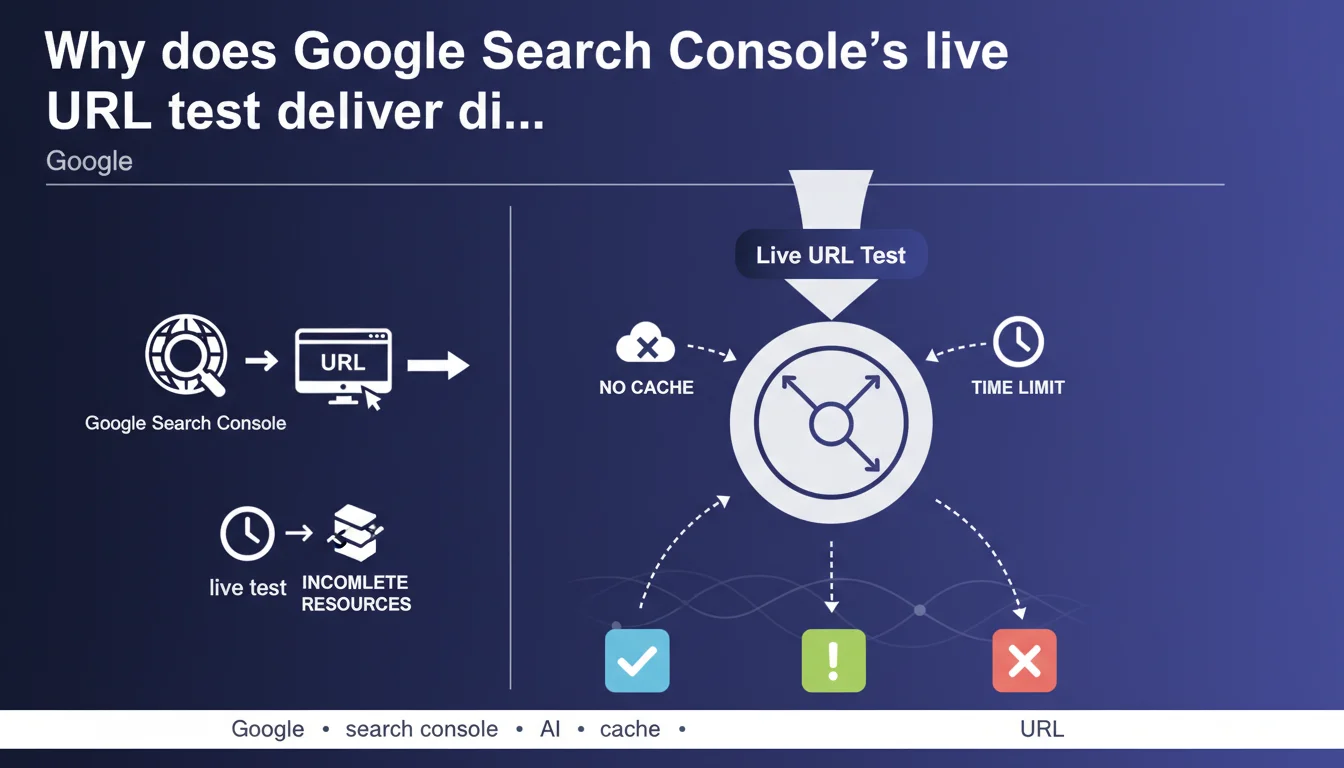
Google Search Console's live URL test relies on no cache and enforces a maximum timeout for loading resources. As a result, some resources may fail to load within the time limit, causing variations between each test run. It's a diagnostic tool, not an exact replica of actual indexing.
What you need to understand
Does the live test work exactly like Googlebot during crawling?
No, and this is crucial to understand. The live URL test in Google Search Console doesn't fully simulate how Googlebot behaves in production. It performs an immediate fetch without using cache, unlike the standard indexation process where Google can rely on resources already cached.
Googlebot under real conditions has more time and multiple attempts to load resources — CSS, JavaScript, images, fonts. The live test, however, enforces a strict time limit. If a resource takes too long to respond, it's simply ignored in the test results.
Why do results vary from one run to another?
Each test launch triggers a fresh fetch with no prior context. Network conditions, server load, CDN latency — all of it fluctuates. A resource hosted on a slow server or geographically distant from Googlebot's location may sometimes respond in time, sometimes not.
This is especially visible on sites using multiple third-party domains: analytics, fonts, social widgets, ad scripts. A variation of just a few milliseconds on a single domain is enough to change the final render perceived by the test.
What are the practical implications of this time limit?
If the live test indicates a page is not indexable or shows a rendering issue, that doesn't necessarily mean Googlebot encounters the same problem consistently. Real indexation benefits from more flexibility — multiple attempts, cached resources, retry logic.
Conversely, a successful test doesn't guarantee everything will be perfect in production. Server availability, real-world response speed under load, geographical variations — all factors the test can't accurately reproduce.
- The live test uses no cache, unlike Googlebot's real crawl.
- Loading timeouts are shorter in the test than during standard production crawling.
- Slow third-party resources (fonts, analytics scripts, CDNs) may fail to load within the timeout.
- Variations between tests reflect normal network fluctuations, not tool bugs.
- A live test failure doesn't necessarily imply a real indexation problem — and vice-versa.
SEO Expert opinion
Is this statement consistent with real-world observations?
Absolutely. We regularly see inconsistencies between the live test and the reality of the indexed render visible in Google's cache. A page can fail the test but index correctly — and the reverse happens too.
The problem is that many SEO professionals use this tool as an oracle. They run the test once, see an error message, and panic. Google is confirming here what we suspected: this tool is a snapshot under constraints, not absolute truth.
What nuances should be added to this announcement?
Google doesn't specify what the exact time tolerance is for the test. How many seconds before a resource is abandoned? No official data. [To verify] based on empirical observations — some mention 5 seconds, others 10, nothing confirmed.
Another gray area: Google says "certain resources don't load quickly enough." Which ones exactly? Third-party scripts? Critical CSS? Web fonts? If a resource crucial for above-the-fold rendering fails, the impact isn't the same as a social widget at the page bottom.
Let's be honest — this statement remains vague on the details that matter most to practitioners. We would have appreciated concrete thresholds, a list of loading priorities, a resource hierarchy. None of that.
In what cases does this variability become problematic?
When you're auditing a site with tens of thousands of pages and relying on the live test to diagnose indexation issues. If the tool produces random results, your audit loses reliability.
This is especially true for e-commerce or media sites heavily dependent on client-side JavaScript. A timing variation can transform a perfectly rendered page into an empty shell. The risk: making optimization decisions based on false positives — or overlooking real problems because a one-off test passed.
cache:URL), cross-check with server logs and crawl data. Convergence across multiple sources is the only reliable way to decide.Practical impact and recommendations
What should you do concretely to limit these variations?
Optimize server response speed. The faster your TTFB (Time To First Byte), the more room the test has to load secondary resources. Aim for a TTFB under 200 ms if possible.
Reduce the number of third-party domains. Each external domain (analytics, fonts, CDN) introduces DNS latency and timeout risk. Host critical resources locally — fonts, essential CSS, rendering scripts.
Enable a high-performance CDN with broad geographic coverage. If Googlebot fetches from a datacenter far from your origin server, latency can skyrocket. A CDN mechanically reduces this risk.
How should you correctly interpret a live test result?
Run the test at least three times before drawing a conclusion. If all three results converge, you likely have a reliable diagnosis. If results vary, it's a sign of a performance or network availability issue — not necessarily an indexability problem.
Consistently compare against the official Google cache (cache:yoururl.com). If the page is indexed and correctly rendered in cache but fails the live test, the problem is probably with the tool, not your site.
Use server logs to trace actual Googlebot requests. If Googlebot crawls and indexes without errors in the logs but the live test fails, trust the logs.
What mistakes should you avoid when interpreting results?
Don't panic over a single test failure. Google makes this clear: results can vary. A single failure doesn't justify a complete overhaul of your rendering architecture.
Don't confuse "resource not loaded in the test" with "resource not loaded by Googlebot in production." The test is stricter, faster, less forgiving. Production Googlebot has retry mechanisms and cache that the test doesn't.
Avoid over-optimizing for the live test at the expense of actual user experience. If you eliminate all third-party resources just to satisfy the tool, you risk degrading the real functionality of your pages.
- Run the live URL test at least three times to detect variations.
- Consistently compare against the official Google cache (
cache:URL). - Cross-check live test results with Googlebot server logs.
- Optimize server TTFB below 200 ms if possible.
- Reduce the number of third-party domains and host critical resources locally.
- Use a high-performance CDN with broad geographic coverage.
- Never diagnose an indexation problem based on a single test result.
- Monitor availability and latency of critical third-party resources (fonts, CSS, rendering JS).
❓ Frequently Asked Questions
Le test en direct utilise-t-il le même cache que Googlebot en production ?
Combien de fois faut-il lancer le test pour avoir un résultat fiable ?
Une page peut-elle s'indexer correctement même si le test en direct échoue ?
Quelles ressources sont les plus susceptibles de ne pas finir de se charger à temps ?
Comment vérifier si une variation de résultat est grave ou anodine ?
🎥 From the same video 8
Other SEO insights extracted from this same Google Search Central video · published on 02/08/2023
🎥 Watch the full video on YouTube →
💬 Comments (0)
Be the first to comment.