
Official statement
Other statements from this video 8 ▾
- □ Does Google really index rendered HTML instead of the raw source code?
- □ Does the URL inspection tool really show you how Google discovers your pages?
- □ How can you effectively verify X-Robots directives hidden in your HTTP headers?
- □ Are JavaScript resources blocked by robots.txt really killing your indexation?
- □ Should you really worry about resource errors in Google Search Console?
- □ Are JavaScript console messages becoming a critical SEO signal you need to monitor?
- □ Why does Google Search Console's live URL test deliver different results every time you run it?
- □ Should you really trust Google's testing tools screenshots for SEO diagnosis?
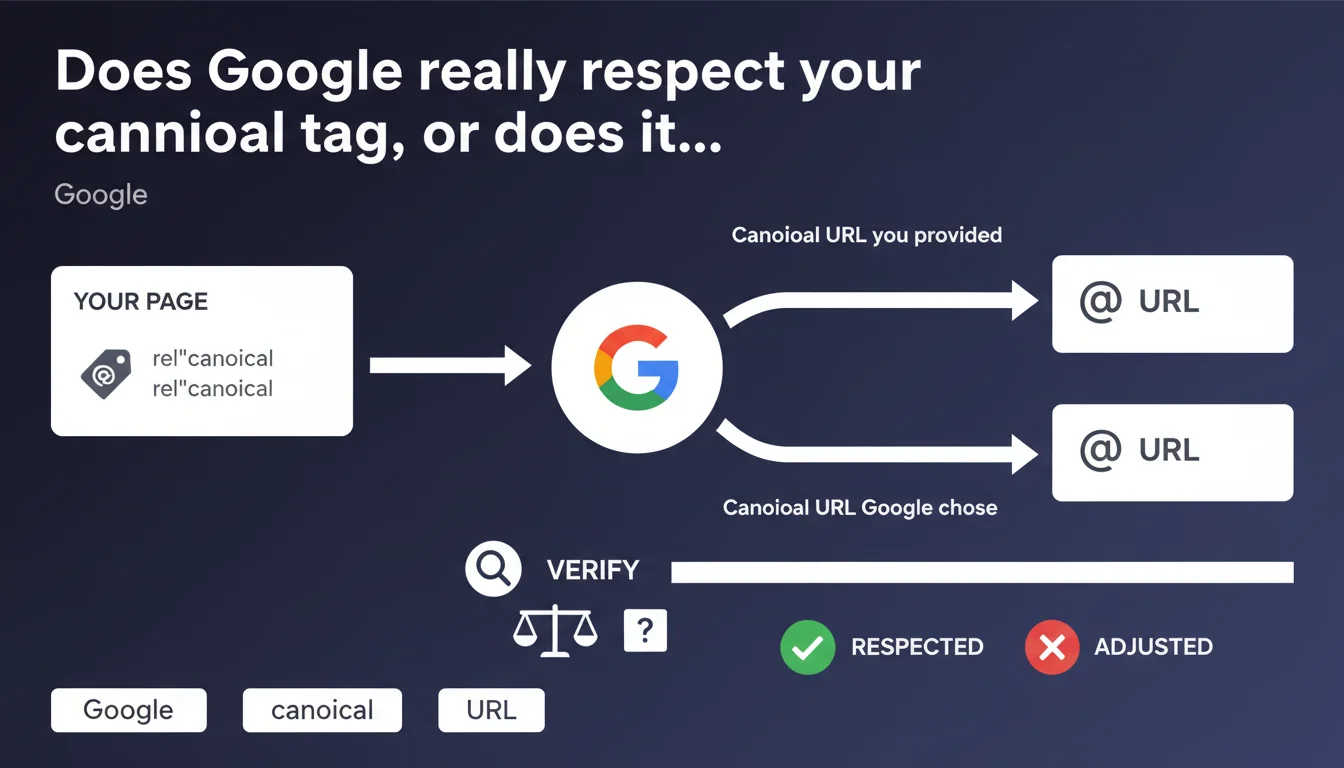
Search Console now displays two distinct pieces of information: the canonical URL you suggest via the link rel='canonical' tag AND the one Google actually chooses to index. This distinction finally allows you to concretely verify whether Google follows or ignores your canonicalization directives — critical visibility for diagnosing indexation issues.
What you need to understand
Why does Google display two different canonical URLs?
Google considers the canonical tag as a suggestion, not an absolute directive. The algorithm analyzes multiple signals — 301 redirects, hreflang tags, internal links, XML sitemaps — and decides which URL to index. Search Console exposes this reality by showing your choice versus Google's.
This transparency allows you to detect cases where Google ignores your canonical. If the two URLs differ, it means other contradictory signals have taken precedence. Essential diagnosis for understanding why a page isn't indexed as expected.
When does Google choose a different URL than the one you suggest?
Google prioritizes its own analysis when signals are contradictory. Example: you canonicalize to URL A, but all your internal links point to URL B with UTM parameters. The algorithm detects the inconsistency and decides.
Frequent cases include: HTTP vs HTTPS versions managed poorly, inconsistent trailing slashes, session or tracking parameters, poorly configured mobile/desktop versions. Google seeks the version most consistent with all signals — not necessarily the one you indicate.
What does this tool really reveal about canonicalization reliability?
This tool confirms what practitioners have observed for years: the canonical is a vote, not an order. Google reserves the final right, especially when it detects manipulation attempts or major technical errors.
- Increased transparency: you finally see why Google ignores your canonical
- Facilitated diagnosis: quickly identify signal inconsistencies
- Behavior confirmation: the canonical remains a suggestion, not a guarantee
- Validation tool: verify that your architecture is coherent in Google's eyes
SEO Expert opinion
Does this transparency really change the game for SEOs?
Honestly? This tool formalizes what we already knew. Experienced SEOs have been testing their canonicals for a long time with site: searches and analyzing server logs to see which version Google actually crawls. The novelty is direct visibility in Search Console — a time-saver, certainly, but not a revelation.
The real value: facilitating diagnosis for complex sites. On a site with thousands of URL variants (e-commerce, filters, facets), manually tracking which version Google indexes is a nightmare. This tool centralizes the information. But it doesn't solve the underlying problem: why Google ignores your canonical.
What are the limitations of this Search Console display?
The tool shows the result, not the reasoning. You see that Google chose a different URL, but Search Console doesn't detail the contradictory signals that motivated this choice. Is it a problem with internal links? Redirects? Misconfigured hreflang? You must investigate elsewhere.
Another limitation: [To verify] — we don't know if the tool displays a history or only the current state. If Google ignored your canonical for 6 months before finally respecting it, is this information visible? Probably not. You lose the temporal view of Google's behavior changes.
Does this distinction between suggested URL and chosen URL validate the current canonicalization strategy?
Not entirely. This tool confirms that the canonical remains a weak signal compared to other more structural factors — redirects, site architecture, link consistency. If your strategy relies solely on canonical tags to manage duplicate content, you're vulnerable.
Concretely: always prioritize robust technical solutions (301 redirects, parameters managed in robots.txt, clean URLs without unnecessary parameters). The canonical should be a safety net, not the backbone of your architecture. This tool reminds you of that bluntly.
Practical impact and recommendations
How do you concretely verify if Google respects your canonicals?
Head to Search Console, Coverage or Page Indexation section. For each inspected URL, compare the canonical URL you provided (your tag) with the canonical URL Google selected. If they differ, analyze why.
Cross-reference this data with your server logs. Which version does Googlebot crawl most? If Googlebot predominantly hits a different URL than your canonical, that's a strong signal that it considers it as the reference version — even if your tag says otherwise.
What mistakes should you absolutely avoid with canonical tags?
Never canonicalize to a URL that returns 404, 301, or 302. Google ignores these canonicals and arbitrarily chooses another version. Verify that the target URL returns a proper 200.
Avoid chains of canonicals (page A canonicalized to B, itself canonicalized to C). Google may follow one step, rarely two. Result: it might choose an unexpected version.
Don't use canonicals in conflict with redirects. If you redirect A to B with 301, don't put a canonical from B to A. Google detects the inconsistency and makes its own choice — often not what you expected.
What should you do if Google systematically ignores your canonicals?
Audit your contradictory signals. Inspect internal links: do they point to the URL you want to canonicalize or to its variants? Check your XML sitemap: does it include only canonical URLs or all versions?
Analyze your hreflang if you manage multilingual content. An hreflang pointing to a different URL than your canonical creates a major contradiction. Google often prioritizes hreflang in this case.
- Verify in Search Console the canonical URL selected by Google for your strategic pages
- Compare with the URL you indicate in your canonical tag
- Identify pages where Google ignores your directive and analyze contradictory signals (internal links, sitemap, redirects)
- Correct inconsistencies: align internal links, sitemap, hreflang, and canonical toward the same target URL
- Avoid canonicals to URLs in error (404, 301, 302) or inaccessible
- Prioritize 301 redirects for definitive duplication cases, reserve the canonical for temporary or necessary duplications
- Regularly monitor evolution: Google can change its mind if your architecture evolves
❓ Frequently Asked Questions
Google est-il obligé de respecter ma balise canonical ?
Comment savoir si Google a ignoré ma canonical ?
Pourquoi Google choisirait-il une autre URL que celle indiquée ?
Faut-il encore utiliser la balise canonical si Google peut l'ignorer ?
Peut-on forcer Google à respecter notre canonical ?
🎥 From the same video 8
Other SEO insights extracted from this same Google Search Central video · published on 02/08/2023
🎥 Watch the full video on YouTube →
💬 Comments (0)
Be the first to comment.