
Official statement
Other statements from this video 8 ▾
- □ Google indexe-t-il vraiment le HTML rendu plutôt que le code source ?
- □ Comment l'outil d'inspection d'URL révèle-t-il la source de découverte de vos pages ?
- □ Google respecte-t-il vraiment votre balise canonical ou décide-t-il seul ?
- □ Comment vérifier efficacement les directives X-Robots dans vos en-têtes HTTP ?
- □ Faut-il vraiment s'inquiéter des erreurs de ressources dans la Search Console ?
- □ Les messages console JavaScript sont-ils devenus un signal SEO à surveiller ?
- □ Pourquoi le test d'URL en direct de Google Search Console donne-t-il des résultats différents à chaque fois ?
- □ Faut-il vraiment ignorer les captures d'écran dans les outils de test de Google ?
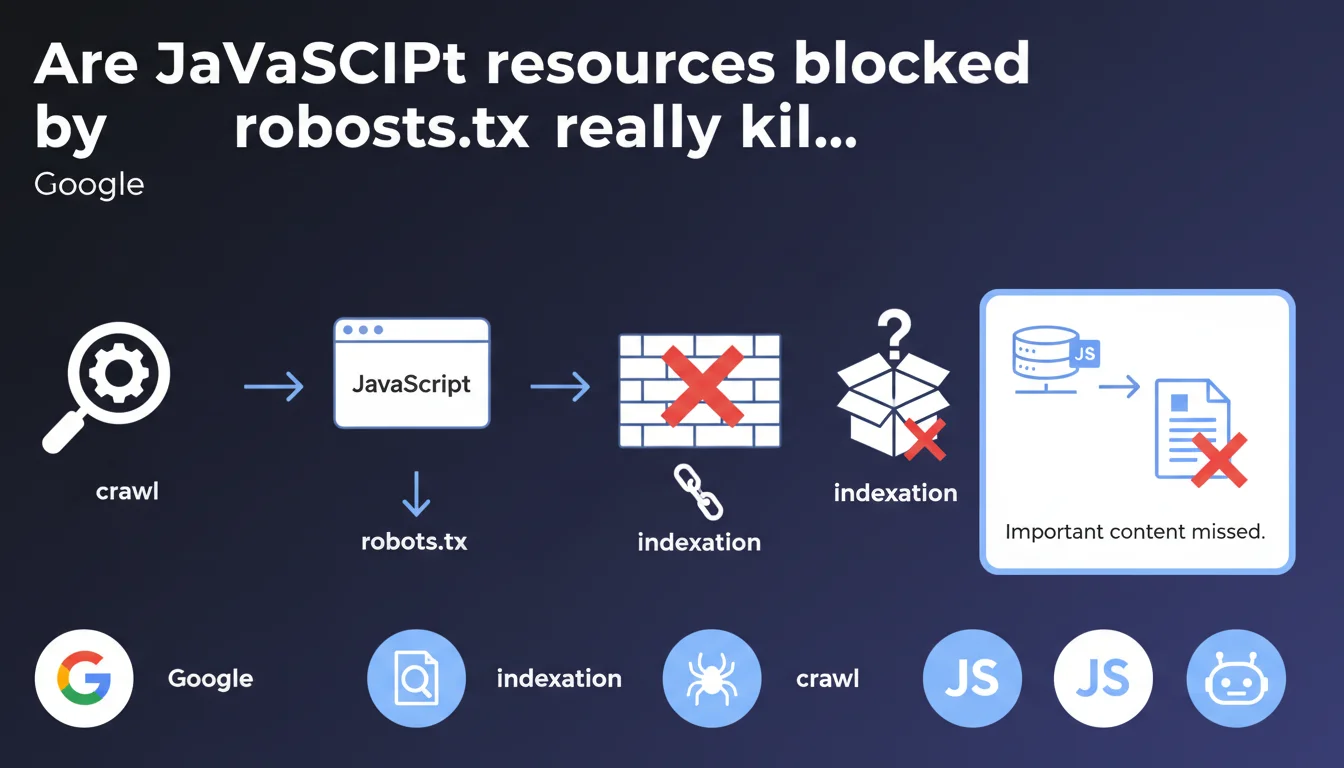
Google confirms that resources loaded via JavaScript and blocked by robots.txt can make content invisible to the search engine. If critical elements transit through these files, they will never be indexed. The URL inspection tool now reveals which requests failed during crawl and rendering.
What you need to understand
Why does Google explicitly mention JavaScript and robots.txt together?
Because the issue sits at the intersection of two distinct processes: the initial crawl and JavaScript rendering. When Googlebot loads a page, it first downloads the HTML, then executes JavaScript to reveal dynamic content.
If JS files, CSS, or other resources necessary for rendering are blocked by robots.txt, the bot cannot reconstruct the page as it appears to users. Result: content simply disappears from the index.
Which tool can detect these blocks?
The URL inspection tool in Google Search Console now displays a detailed report of requests made during crawl and rendering. For each resource, you can see whether it was downloaded, blocked, or failed for another reason.
This visibility didn't exist before — you had to guess where things were breaking. Now Google points directly to problematic resources.
What qualifies as "important content" in this context?
Any element that modifies the structure or meaning of the page: text loaded via Ajax, conditional content blocks, client-side generated navigation menus, dynamic breadcrumbs, JSON-LD schemas injected via JS.
If these elements depend on blocked files, Google will never see them. And contrary to popular belief, the bot doesn't make exceptions for "important content" — blocked is blocked.
- JavaScript resources blocked by robots.txt prevent full page rendering
- The URL inspection tool reveals precisely which requests failed and why
- Content loaded through these resources becomes invisible to the index
- No exceptions are made for content deemed "important" — the robots.txt rule takes precedence
- This applies equally to JS files, CSS, images, and external APIs
SEO Expert opinion
Is this statement consistent with what we observe in practice?
Absolutely. We regularly see sites that block /wp-includes/ or /assets/js/ out of security reflex, without realizing they're sabotaging their indexation. The problem is particularly insidious on SPAs (React, Vue, Angular) where all content transits through JavaScript.
What's new is that Google says it explicitly and provides a tool to diagnose it. Before, SEOs had to use workarounds (Screaming Frog with JS rendering, comparing source HTML vs final DOM). Now Search Console does the job.
What nuances should we add to this rule?
Let's be honest: Google doesn't specify how important a resource needs to be to affect indexation. If a blocked JS file only changes a button's color, no impact. But if it loads the 2000 words of main content? Disaster.
Another gray area: what happens when a blocked resource generates a JS error that breaks the entire rendering? Does Google index the partial version or give up? [To be verified] — the documentation remains vague on graceful degradation scenarios.
In which cases is this problem not an issue?
If your site serves static HTML content with JavaScript used only for interactions (accordions, sliders, animations), you're safe. The content exists in the source, so Google indexes it even if JS is blocked.
Same goes for server-side rendering (SSR) — Next.js, Nuxt, etc. — where the final HTML already contains all the content. JavaScript then serves hydration, not content generation. Blocking these files degrades UX but doesn't affect indexation.
Practical impact and recommendations
How do you verify that your JavaScript resources are accessible to Google?
First step: open Search Console, select a strategic URL, launch the URL inspection, then click "Test live URL". Once the test is complete, check the "More information" tab then "Requested resources".
You'll see three columns: downloaded resources, resources not downloaded, and resources blocked by robots.txt. If critical JS or CSS files appear in the "blocked" column, you have a problem.
What should you do concretely if critical resources are blocked?
Modify your robots.txt to explicitly allow these resources. Avoid overly broad Disallow: /wp-includes/ or Disallow: /assets/ directives — prefer targeted exclusions.
If you're intentionally blocking certain directories for security reasons, move critical files elsewhere. For example, move content-rendering scripts out of /admin/ or /private/.
- Test your main landing pages with the URL inspection tool
- Identify blocked resources in the "Requested resources" tab
- Compare source HTML and rendered DOM to detect missing content
- Modify robots.txt to allow critical JS/CSS files
- Re-test the live URL and verify that resources are now downloaded
- Request reindexing if important content was invisible
- Set up monthly monitoring of blocked resources
JavaScript resource blocking by robots.txt isn't a theoretical problem — it's a real and frequent cause of loss of indexable content. The URL inspection tool finally lifts the veil on what happens on Googlebot's side.
Concretely: audit your robots.txt rules, test your strategic pages, and ensure that everything serving content is accessible. If you're not comfortable with JavaScript rendering or your tech stack is complex (React, Vue, Angular, partial hydration), these diagnostics can quickly become technical. A SEO agency specialized in JavaScript architectures will know how to identify critical resources, optimize your robots.txt without compromising security, and implement appropriate monitoring — which saves hours of debugging invisible indexation problems.
❓ Frequently Asked Questions
Faut-il systématiquement autoriser tous les fichiers JavaScript et CSS dans robots.txt ?
Si Google affiche une erreur de ressource bloquée, est-ce que cela pénalise le classement ?
L'outil d'inspection montre des ressources tierces bloquées (Google Analytics, Facebook Pixel). Est-ce grave ?
Comment savoir si du contenu important manque dans le rendu Googlebot ?
Est-ce que débloquer des ressources dans robots.txt nécessite une nouvelle indexation ?
🎥 From the same video 8
Other SEO insights extracted from this same Google Search Central video · published on 02/08/2023
🎥 Watch the full video on YouTube →
💬 Comments (0)
Be the first to comment.