
Official statement
Other statements from this video 8 ▾
- □ Does Google really index rendered HTML instead of the raw source code?
- □ Does the URL inspection tool really show you how Google discovers your pages?
- □ Does Google really respect your canonical tag, or does it decide on its own?
- □ Are JavaScript resources blocked by robots.txt really killing your indexation?
- □ Should you really worry about resource errors in Google Search Console?
- □ Are JavaScript console messages becoming a critical SEO signal you need to monitor?
- □ Why does Google Search Console's live URL test deliver different results every time you run it?
- □ Should you really trust Google's testing tools screenshots for SEO diagnosis?
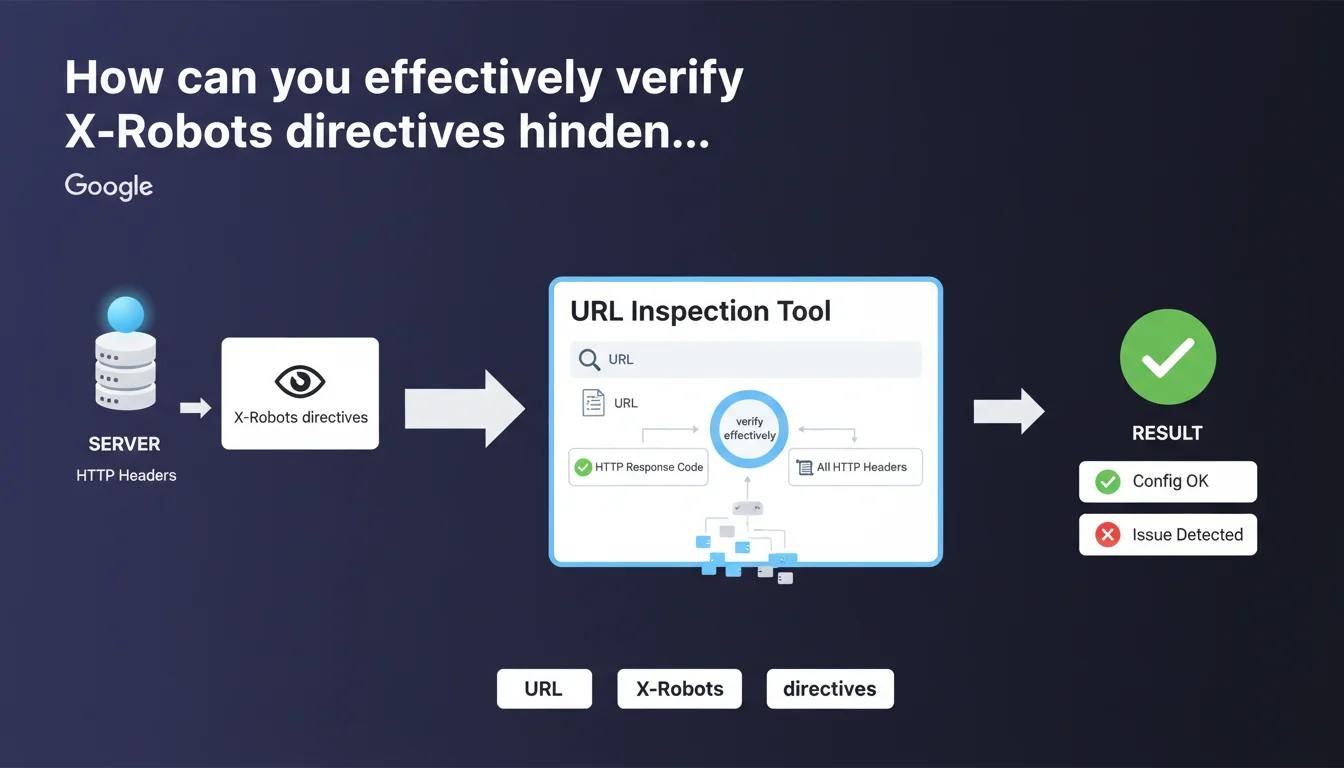
Google confirms that the URL inspection tool displays HTTP response headers, enabling you to diagnose X-Robots directives and other server configuration issues. This feature is essential for quickly identifying indexation blocks caused by headers rather than meta robots tags.
What you need to understand
Why are HTTP headers critical for indexation?
X-Robots directives often fly under the radar, unlike visible meta robots tags in HTML code. Yet they have exactly the same power: block indexation, prevent link following, prohibit snippets.
The difference? They are invisible in the HTML source. A developer can configure an X-Robots-Tag: noindex at the server level (Apache, Nginx, IIS) and no one will see it by inspecting the page. Result: entire sections of a site can disappear from the index without anyone understanding why.
What does the URL inspection tool actually allow you to do?
The tool displays the HTTP response code (200, 301, 404, etc.) and all headers returned by the server. This includes X-Robots-Tag directives, but also cache headers, redirects, CSP, CORS.
Concretely? You enter a URL, Google shows you exactly what Googlebot sees when it crawls that page. No mystery, no interpretation: raw server data.
What are the most common X-Robots directives?
- X-Robots-Tag: noindex — blocks indexation, strict equivalent of meta robots noindex
- X-Robots-Tag: nofollow — prevents following outbound links
- X-Robots-Tag: none — combines noindex and nofollow
- X-Robots-Tag: noarchive — prohibits page caching
- X-Robots-Tag: nosnippet — removes excerpts from SERPs
- X-Robots-Tag: unavailable_after — sets an expiration date for indexation
SEO Expert opinion
Is this statement consistent with observed practices?
Yes, absolutely. The URL inspection tool is the first diagnostic reflex for any non-indexed or oddly crawled page. It shows exactly what Googlebot receives, without filters.
However — and this is where it gets tricky — Google provides no details on how to interpret conflicts between directives. What happens if a page has both an X-Robots-Tag: noindex in headers and a meta robots index in HTML? Which directive takes precedence? [To be verified] on real-world cases, as official documentation remains unclear.
What limitations must you know about this tool?
The URL inspection tool shows headers at the moment of testing. If your server dynamically changes headers based on user-agent, context, or time, you will only see one version.
Another point: the tool doesn't store header history. If an X-Robots-Tag: noindex blocked your site for 3 weeks before being removed, you'll have no trace. You must cross-reference with server logs or third-party monitoring tools.
In what cases is this approach insufficient?
When the problem comes from intermediate layers: CDN, proxy, application firewall. These systems can inject or modify HTTP headers without the origin server being responsible.
Real example: a misconfigured Cloudflare that added an X-Robots-Tag: noindex on all cached pages. The origin server was clean, the inspection tool showed the problem, but the developer was looking for the error in the wrong place. You must always trace back the technical chain to the real source of the header.
Practical impact and recommendations
How to verify X-Robots directives on your site?
First step: use the URL inspection tool in Search Console to test your strategic pages. Enter the URL, click "Test live URL", then check the "More info" section to see HTTP headers.
Second method: use curl from the command line — curl -I https://yoursite.com/page — to see raw headers. Faster for bulk testing, but doesn't guarantee that Googlebot will see exactly the same thing.
What errors should you avoid with X-Robots-Tag?
- Never set a global X-Robots-Tag: noindex on production by copying from staging
- Verify that directives don't apply to CSS/JS files — otherwise Googlebot may have trouble rendering pages
- Don't confuse X-Robots-Tag (HTTP header) and meta robots (HTML tag) in your audits — both coexist and can conflict
- Document all X-Robots directives in a versioned config file — otherwise no one will know why a section is blocked six months later
What strategy should you adopt for a complex site?
For sites with thousands of pages, manual verification is impossible. You must automate crawling with Screaming Frog or Oncrawl by enabling HTTP header extraction.
Then cross-reference this data with server logs to spot inconsistencies: pages crawled but with an X-Robots-Tag: noindex, pages indexed when they should be blocked, etc.
X-Robots directives are powerful but insidious. They require continuous monitoring and perfect coordination between SEO and dev teams. For e-commerce sites or multilingual platforms, where a configuration error can make hundreds of pages disappear from the index, it's often safer to rely on a specialized SEO agency that masters these technical aspects and knows how to audit the entire distribution chain.
❓ Frequently Asked Questions
Quelle différence entre X-Robots-Tag et meta robots ?
Que faire si l'outil d'inspection affiche un X-Robots-Tag inattendu ?
Les X-Robots-Tag peuvent-ils bloquer le crawl en plus de l'indexation ?
Peut-on cibler des robots spécifiques avec X-Robots-Tag ?
Les X-Robots-Tag affectent-ils le référencement des images et PDF ?
🎥 From the same video 8
Other SEO insights extracted from this same Google Search Central video · published on 02/08/2023
🎥 Watch the full video on YouTube →
💬 Comments (0)
Be the first to comment.