
Official statement
Other statements from this video 9 ▾
- □ L'expérience utilisateur impacte-t-elle directement le SEO ou seulement les conversions ?
- □ Pourquoi votre expertise SEO vous aveugle-t-elle face aux vrais besoins de vos utilisateurs ?
- □ Quand faut-il lancer une recherche UX pour améliorer son SEO ?
- □ Les évaluations négatives de vos pages sont-elles un signal SEO à investiguer ?
- □ Faut-il vraiment commencer par une évaluation heuristique avant de tester avec de vrais utilisateurs ?
- □ Le cognitive walkthrough peut-il améliorer le SEO par l'expérience utilisateur ?
- □ Pourquoi cinq utilisateurs suffisent-ils pour une recherche UX efficace en SEO ?
- □ Pourquoi la triangulation qualitative-quantitative transforme-t-elle votre recherche UX en levier SEO ?
- □ Pourquoi 100 utilisateurs ne suffisent jamais pour valider une stratégie d'expérience utilisateur SEO ?
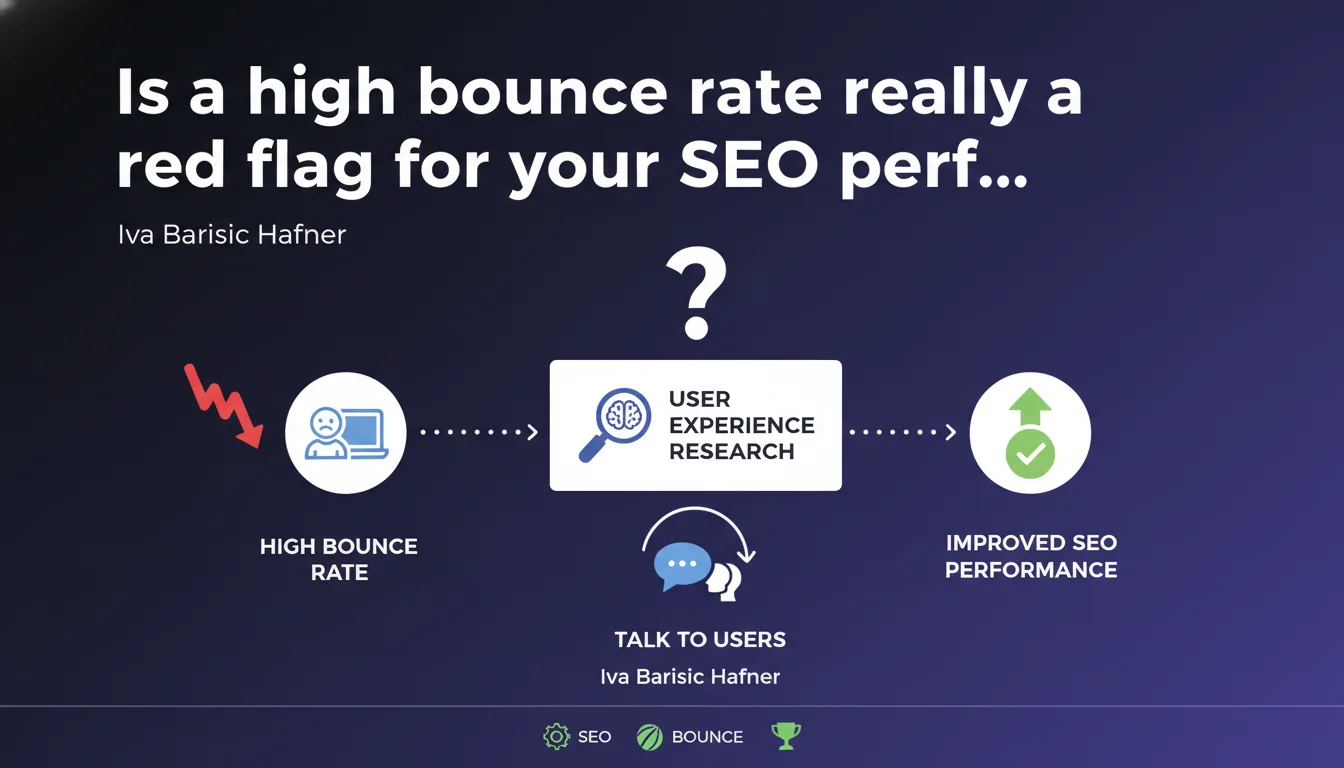
Google confirms that a high bounce rate potentially signals a user experience problem, without making it a direct ranking criterion. The recommendation: engage directly with your users rather than relying solely on Analytics metrics to understand why they're leaving your site quickly.
What you need to understand
What does Google really say about bounce rate?
Google isn't talking about a ranking criterion here, but rather a potential symptom. The distinction matters. A high bounce rate doesn't directly impact your position in the SERPs — at least not as an isolated factor.
What Google suggests is using this metric as an indicator of friction in the user experience. If visitors leave as soon as they arrive, there's a disconnect between their search intent and what they find on your page.
Why does Google insist on direct UX research?
Because quantitative data alone rarely tells the full story. Your Analytics might show a 75% bounce rate, but without qualitative context, you don't know if it's a loading time issue, misaligned content, confusing design, or simply miscalibrated expectations.
Talking to your users — through surveys, user testing, session recordings — gives you the "why" behind the "what." And that's the "why" that leads to meaningful corrective actions.
Is bounce rate always a bad sign?
No, and that's where Google's statement remains deliberately vague. A blog with an exhaustive article might have a high bounce rate simply because the user found their answer and didn't need to navigate elsewhere on the site. That's not a UX failure.
Similarly, a contact page or single-objective landing page might show high bounce without being problematic. It all depends on the context of the page and its role in your funnel.
- Bounce rate is not a confirmed standalone ranking factor according to Google
- It can signal a mismatch between search intent and delivered content
- Qualitative research (surveys, user testing) is more actionable than raw metrics
- A high bounce rate isn't automatically problematic — it depends on page type and objective
SEO Expert opinion
Is this statement consistent with field observations?
Yes, broadly speaking. We regularly see sites with very high bounce rates (80%+) also have low session duration and poor conversions. But be careful: correlation isn't causation.
The problem is that Google provides no specific threshold or indication of what constitutes a "problematic" bounce rate. For a blog, 70% might be normal. For an e-commerce site, it's catastrophic. [To verify] against your own industry and content type.
What nuances should we add?
First point: the bounce rate as defined by Google Analytics 4 is no longer the same as in Universal Analytics. GA4 now considers engaged sessions (10 seconds minimum or interaction). This evolution makes historical comparisons difficult and changes what we're actually measuring.
Second point: a user who finds their answer immediately and leaves may have had a positive experience. Google knows this perfectly well. Hence the importance of cross-referencing this metric with other signals: scroll depth, interactions, time spent before bounce.
In what cases doesn't this rule apply?
On single-subject informational pages, quick FAQs, definition pages — basically any content designed to provide a direct and complete answer without requiring additional navigation. Here, a high bounce rate reflects efficiency, not a problem.
Similarly, if your traffic comes mostly from navigational searches (brand, specific product name), users might find what they're looking for without exploring further. That's normal.
Practical impact and recommendations
What should you concretely do to analyze a high bounce rate?
First step: segment your data. Never look at your site's overall bounce rate. Break it down by page type (product, blog, category), by traffic source (organic, paid, social), by device. Insights will come from these granularities.
Then cross-reference bounce rate with other metrics: average time on page, scroll depth, conversion rate. A high bounce with 3 minutes on-page time and 80% scroll depth tells a different story than a bounce at 5 seconds with no interaction.
What mistakes should you avoid during optimization?
Don't fall into the trap of wanting to reduce bounce rate at all costs. Adding aggressive popups, artificially fragmenting content across multiple pages, inserting auto-play videos — all of this might lower the bounce rate statistically, but at the expense of actual user experience.
Another common mistake: ignoring search context. If a user types "opening hours [your business]" and finds the info immediately, they have no reason to visit other pages. Trying to artificially retain them is counterproductive.
How to conduct effective UX research on this topic?
Start with session recording tools (Hotjar, Clarity, Smartlook). Watch what users who bounce actually do: do they click before leaving? Do they scroll? At what point do they exit?
Then deploy simple exit surveys: "Did you find what you were looking for?" with a free comment field. Raw responses will give you far more actionable insights than any hypothesis based on numbers alone.
- Segment your bounce rate by page type, traffic source, and device
- Cross-reference with time on page, scroll depth, and conversions
- Use session replay tools to observe actual user behavior
- Deploy exit surveys to capture the "why" behind quick departures
- Test your optimization hypotheses through measurable A/B tests
- Don't try to artificially reduce bounce rate — prioritize user satisfaction
❓ Frequently Asked Questions
Le taux de rebond est-il un facteur de classement Google ?
Quel taux de rebond est considéré comme « élevé » ?
Le taux de rebond GA4 est-il comparable à celui de Universal Analytics ?
Comment différencier un rebond problématique d'un rebond normal ?
Quels outils utiliser pour analyser les causes d'un taux de rebond élevé ?
🎥 From the same video 9
Other SEO insights extracted from this same Google Search Central video · published on 31/10/2024
🎥 Watch the full video on YouTube →
💬 Comments (0)
Be the first to comment.