
Official statement
Other statements from this video 10 ▾
- □ Le robots.txt a-t-il toujours été respecté par Google depuis sa création ?
- □ Pourquoi tous les crawlers Google utilisent-ils la même infrastructure de crawl ?
- □ Google ralentit-il vraiment son crawl pour protéger vos serveurs ?
- □ Pourquoi Google a-t-il multiplié ses crawlers depuis l'arrivée de Mediapartners-Google ?
- □ L'outil de test en direct de Search Console crawle-t-il vraiment votre site ?
- □ Googlebot supporte-t-il HTTP/3 pour crawler votre site ?
- □ Pourquoi Google réduit-il drastiquement son empreinte de crawl sur le web ?
- □ Le crawl de Google consomme-t-il vraiment le plus de ressources serveur ?
- □ Faut-il vraiment s'inquiéter du crawl budget avant 1 million de pages ?
- □ Pourquoi la charge serveur de Googlebot varie-t-elle autant selon votre architecture technique ?
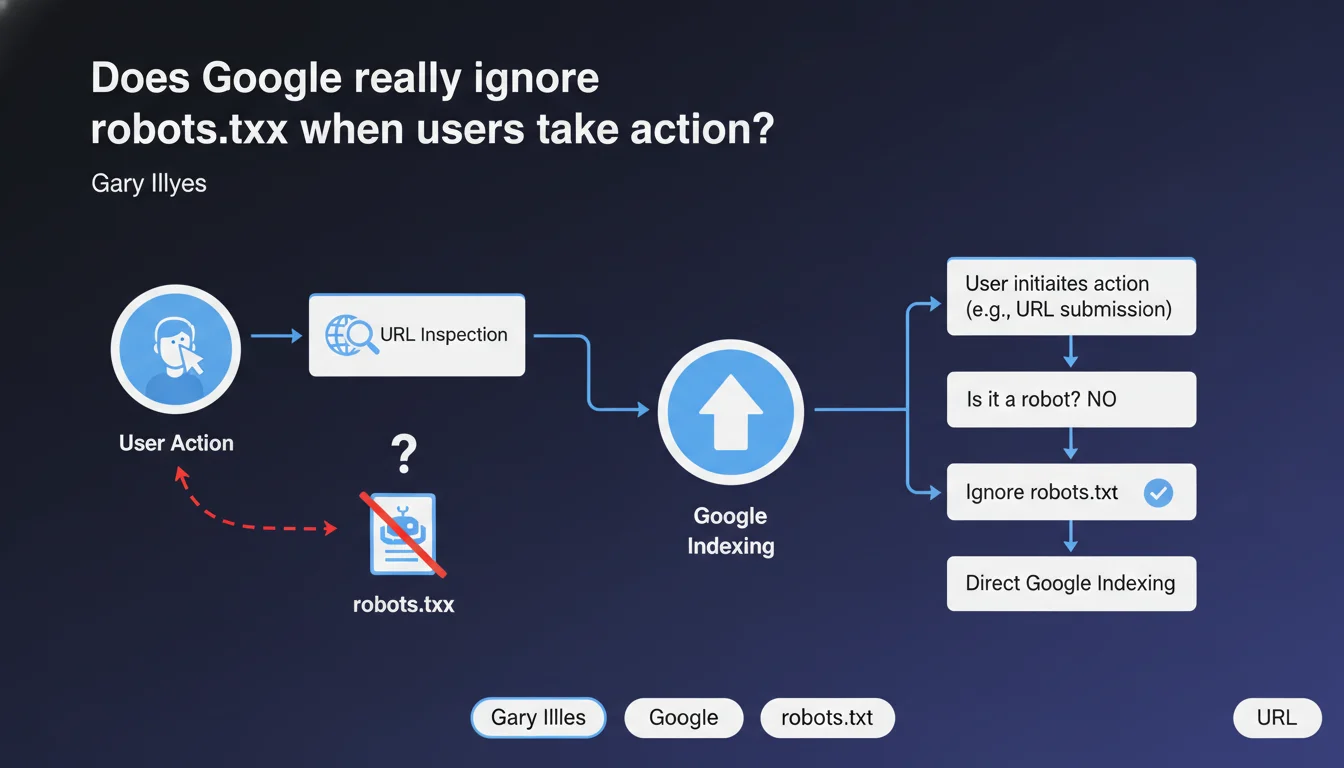
Google makes a clear distinction between actions initiated by a user (such as URL inspection via Search Console) and automated crawls. In these specific cases, robots.txt may be ignored because it's not actually a robot making the request, but an explicit human action. This nuance has direct implications for how we interpret robots.txt blocking.
What you need to understand
What distinction does Google make between a crawl and a user action?
When an SEO manually submits a URL for inspection in Search Console, they initiate a voluntary action. Google does not consider this request as an automated crawl subject to robots.txt rules.
The robots.txt file was designed to control autonomous robots, not explicit requests from a human. This distinction allows Google to respond to your inspections even if the URL is technically blocked by robots.txt.
In which specific cases is robots.txt ignored?
The most obvious example: the URL inspection tool in Search Console. You're asking to see how Googlebot would render a page — this is your direct initiative, not a scheduled crawl.
Other Google tools may apply this logic: structured data testing, rich results testing, or the mobile optimization testing tool. In all these cases, you're triggering the action.
What happens with regular crawling?
Automated crawls — those that make up 99% of Googlebot's activity — strictly respect robots.txt. If you block /admin/ in your file, Googlebot won't visit it on its own.
But if you manually inspect a URL from /admin/ via Search Console, Google will show you what it would see if it had access. This asymmetry is intentional and acknowledged by Google.
- Automated crawls respect robots.txt without exception
- Manual inspections (Search Console, testing tools) can ignore robots.txt
- This distinction is based on the concept of explicit user intent
- robots.txt blocking remains effective for controlling crawl budget and automatic indexing
SEO Expert opinion
Is this logic consistent with real-world observations?
Yes, completely. Any SEO practitioner has already noticed that they can inspect a URL blocked by robots.txt in Search Console. Google even displays a warning indicating that the page is blocked, while still rendering it anyway.
The important distinction: this inspection doesn't trigger indexing. You get a technical preview, but the page remains out of the index if robots.txt actually blocks it.
What confusion might this statement create?
Some junior SEOs might wrongly conclude that robots.txt is useless since Google "can ignore it". This is a dangerous interpretation.
Let's be clear: robots.txt remains the primary tool for crawl control. What Gary Illyes describes here is a narrow exception, limited to deliberate actions by an authenticated user. Organic crawling remains entirely subject to the rules.
[To verify] Google doesn't specify whether other "user actions" — such as automatic reports or Search Console alerts — fall into this category. The exact boundary between "user action" and "automated process" remains unclear.
Should you modify your robots.txt strategy following this statement?
No. Absolutely nothing changes in how you should use robots.txt on a daily basis.
Continue blocking sensitive sections, managing your crawl budget, and controlling indexing via robots.txt + noindex as needed. This statement is primarily a technical clarification to explain why Search Console works the way it does.
Practical impact and recommendations
What should you remember for daily robots.txt management?
Nothing changes in your approach to your robots.txt file. Continue using it to block sensitive areas, manage crawl budget, and prevent indexing of duplicate or valueless content.
If you use the URL inspection tool in Search Console to diagnose problems, you now understand why you can see blocked pages. It's intentional, not a bug.
What interpretation errors must you absolutely avoid?
Don't confuse "Google can ignore robots.txt in certain cases" with "robots.txt doesn't work". The first is true for explicit user actions. The second is completely false for automated crawling.
Another trap: thinking that this exception allows you to force indexing of a blocked page. No. Manual inspection doesn't trigger indexing. The robots.txt blocking remains active for all automated processes.
- Keep your robots.txt up to date and test it regularly via Search Console
- Use the URL inspection tool to diagnose blocked pages without concern — this is the intended use
- Don't rely on robots.txt alone to hide sensitive content — also use server authentication
- Document your robots.txt rules to prevent accidental blocking during redesigns
- Monitor index coverage reports to detect unintentional blocking
How do you efficiently audit your robots.txt?
Regularly review your robots.txt file to ensure no obsolete rule is blocking strategic content. Redesigns, migrations, and new sections often create unintentional blocking.
Use the robots.txt testing tool in Search Console to validate each rule. Cross-reference with crawl data to identify blocked URLs that still receive referral traffic — a sign of a potential issue.
❓ Frequently Asked Questions
Est-ce que l'inspection manuelle d'une URL bloquée par robots.txt peut déclencher son indexation ?
Quels autres outils Google ignorent robots.txt comme l'outil d'inspection d'URL ?
Si robots.txt peut être ignoré, comment protéger réellement du contenu sensible ?
Cette exception s'applique-t-elle aux autres moteurs de recherche comme Bing ?
Faut-il bloquer Search Console avec robots.txt pour éviter ces inspections ?
🎥 From the same video 10
Other SEO insights extracted from this same Google Search Central video · published on 29/05/2025
🎥 Watch the full video on YouTube →
💬 Comments (0)
Be the first to comment.