
Official statement
Other statements from this video 10 ▾
- □ Pourquoi le SEO Starter Guide de Google cartonne-t-il à ce point ?
- □ Faut-il encore se préoccuper de HTTPS pour le référencement ?
- □ Le nombre de mots est-il vraiment un facteur de classement Google ?
- □ La structure HTML a-t-elle vraiment peu d'impact sur le classement Google ?
- □ Peut-on vraiment faire confiance aux CMS modernes pour gérer les balises title automatiquement ?
- □ Les mots-clés dans le nom de domaine influencent-ils encore le référencement ?
- □ Faut-il supprimer la balise meta keywords de votre site ?
- □ Faut-il vraiment utiliser Google Analytics ou Google Ads pour mieux ranker ?
- □ Faut-il vraiment changer de nom de domaine pour améliorer son SEO ?
- □ Faut-il abandonner les templates HTML optimisés au profit du contenu unique ?
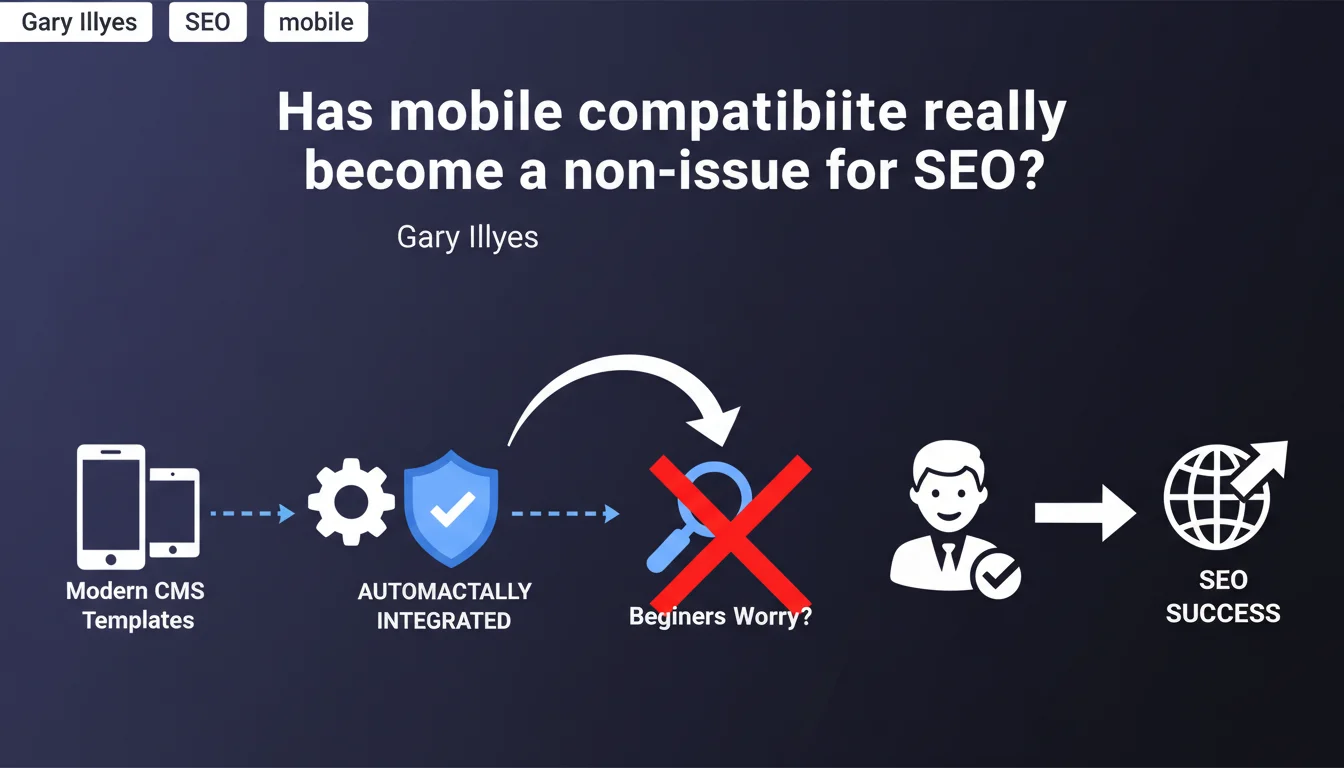
Google claims that mobile compatibility is no longer a top priority for beginners, as modern CMS platforms integrate it automatically into their templates. This statement suggests that the ranking effort required on this factor has shifted toward more refined optimizations, but does it really hold true for all web projects?
What you need to understand
Why is Google downplaying the importance of mobile compatibility now?
The answer comes down to one word: automation. Since the shift to widespread mobile-first indexing, dominant CMS platforms — WordPress, Shopify, Wix, Squarespace — natively bundle responsive themes. For a site launched on one of these systems with a standard template, mobile compatibility is effectively guaranteed from installation.
Gary Illyes is making a pragmatic observation: there's no point overwhelming beginners with technical recommendations they'll never need to apply manually. The problem is solved at the source, at the infrastructure level. This represents a notable shift in Google's official messaging.
Does this statement mean mobile compatibility no longer matters for rankings?
No. It remains a confirmed ranking factor, particularly through Core Web Vitals (CLS, LCP) which are directly impacted by mobile rendering quality. What Illyes is saying is that the basic technical challenge — having a site that displays correctly on smartphones — has been won for the majority of CMS users.
The focus has shifted: it's no longer about making a site mobile-friendly, but about optimizing the mobile user experience — speed, touch interactions, smooth navigation, removal of intrusive elements. The minimum bar has been raised.
What are the key takeaways from this position?
- Modern CMS templates have been handling responsive design automatically for years
- Google is adapting its official recommendations to this on-the-ground reality and removing mobile compatibility from beginner priorities
- This does not mean mobile is no longer a ranking criterion, but rather that the minimum threshold is met by default
- Mobile optimization now focuses on more advanced aspects: performance, ergonomics, Core Web Vitals
- This statement applies to sites built on standard CMS platforms — custom or legacy projects remain potentially at risk
SEO Expert opinion
Does this claim really reflect the diversity of the SEO landscape?
On paper, yes — WordPress represents 43% of the web, and the vast majority of recent themes are indeed responsive. But watch out for representativeness bias. This statement is explicitly directed at "beginners," meaning those using out-of-the-box solutions.
In real-world scenarios, you still regularly encounter corporate sites on proprietary CMS platforms, custom e-commerce sites poorly maintained, WordPress templates modified with inline CSS that breaks on mobile. Not to mention intranets, institutional sites frozen since 2015, or poorly configured React/Vue projects serving empty content to mobile crawlers. [To verify]: the actual proportion of non-mobile-friendly sites among those generating significant organic traffic.
Should you really stop worrying about mobile compatibility?
No. This would be a dangerous misreading of Illyes' statement. What he's saying is that new sites on modern CMS no longer need to manually code their responsiveness. But this doesn't exempt you from checking the actual rendering, especially after customization.
In practice? A WordPress theme can be responsive out of the box, but if you add heavy plugins, poorly calibrated pop-ups, unoptimized images, or custom CSS, you degrade the mobile experience. Google's mobile-friendly test might show green while your Core Web Vitals are in the red. The CMS's automation doesn't guarantee optimization.
What are the blind spots in this official position?
Google doesn't clarify exactly what it means by "modern CMS," nor from which version or configuration this automatic compatibility is guaranteed. Is a WordPress installed in 2024 with a 2017 theme covered? A Drupal 7 installation still in production? [To verify] on each project.
Another oversight: sites that mix multiple technologies (CMS-based front-end, custom application layer, external iframes). Automation only applies to the CMS-managed layer — everything else can easily break the mobile experience without the webmaster realizing it.
Practical impact and recommendations
What specifically needs to be checked on a modern CMS site?
Even if your CMS theoretically handles responsiveness, three checks remain essential. First, actual rendering across different devices — not just the Google test, but also manual navigation on iPhone, Android, and tablet. Display bugs often occur after adding third-party modules.
Next, mobile-specific Core Web Vitals via PageSpeed Insights or Search Console. A site can be technically responsive and show catastrophic LCP at 6 seconds on 4G. This is where the real battle plays out now.
Finally, analyze UX friction points: buttons too small, forms painful to fill on touchscreen keyboards, videos autoplaying and draining data, pop-ups covering the entire screen. Technical mobile-friendliness doesn't fix these annoyances.
What mistakes should you avoid despite CMS automation?
- Failing to test mobile rendering after each major change (new plugin, partial redesign, script additions)
- Assuming "responsive" means "optimized" — many themes simply show the desktop version scaled down
- Neglecting tests on slow connections (3G/4G) — that's where mobile performance problems surface
- Ignoring Search Console's mobile usability reports flagging small text or clickable elements too close together
- Forgetting to check rendering of dynamic content (accordions, tabs, carousels) that may behave poorly on touch
How can you ensure CMS automation is truly sufficient?
Set up regular monitoring: Search Console for mobile usability errors, PageSpeed Insights for Core Web Vitals, and ideally a Real User Monitoring tool to capture actual mobile visitor experiences. On-the-ground data often reveals problems invisible in automated tests.
Document your customizations. If you modify CSS, add custom JavaScript, or integrate third-party services (chatbots, marketing tools), systematically test mobile impact. It's rarely the CMS that breaks compatibility, but successive uncontrolled additions.
Automatic mobile compatibility in modern CMS is a reality for standard configurations, but it doesn't eliminate the need for vigilance. Mobile optimization remains an ongoing project, especially for high-traffic sites or those with complex conversion journeys.
These checks require technical expertise and constant monitoring of web standard evolution. If your team lacks internal resources to maintain this level of rigor, support from a specialized SEO agency can prove worthwhile — particularly to identify blind spots and prioritize optimizations with high impact on your mobile traffic.
❓ Frequently Asked Questions
Un site WordPress récent est-il automatiquement optimisé pour le mobile ?
Dois-je encore vérifier la compatibilité mobile dans la Search Console ?
Cette déclaration signifie-t-elle que Google va retirer le critère mobile du ranking ?
Les sites sur CMS propriétaires ou anciens sont-ils concernés par cette affirmation ?
Quels sont les principaux pièges malgré un thème responsive ?
🎥 From the same video 10
Other SEO insights extracted from this same Google Search Central video · published on 25/01/2024
🎥 Watch the full video on YouTube →
💬 Comments (0)
Be the first to comment.