
Official statement
Other statements from this video 12 ▾
- □ Should you trust PageSpeed Insights or Search Console to measure your site's speed?
- □ Does Google really index all of your website's content?
- □ Does Google really reject the idea of a unified SEO score for ranking?
- □ Can you safely link to HTTP websites without hurting your SEO rankings?
- □ Does Google really expect you to write 'naturally' to rank well?
- □ Should you really delete your disavow file?
- □ Is implementing Schema markup through Google Tag Manager really holding back your SEO performance?
- □ Does blocking crawl with robots.txt actually prevent deindexation?
- □ Can you safely list the same URL in multiple sitemap files without harming your SEO?
- □ How can you index embedded iframe content without indexing the source page separately?
- □ Is the HSTS preload list really a game-changer for your SEO rankings?
- □ Does a descriptive domain name really guarantee your ranking for that search query?
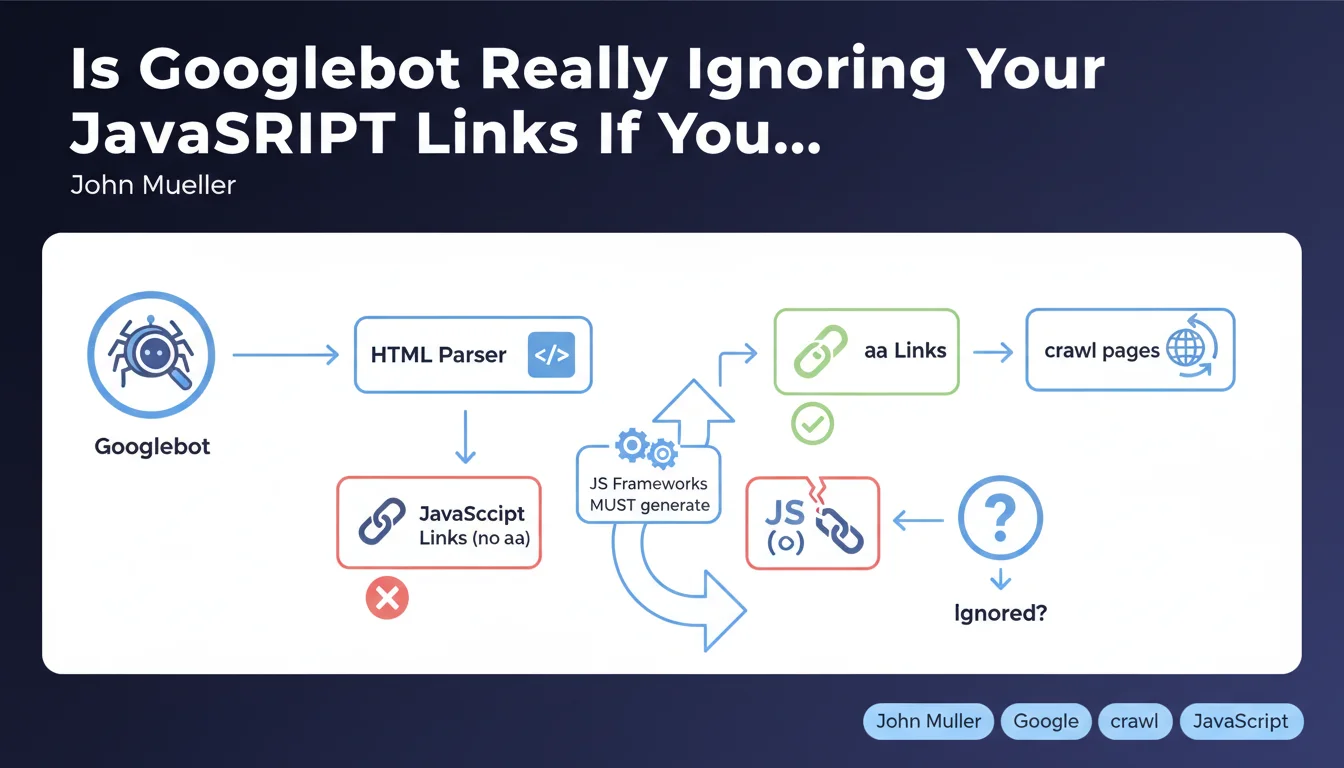
Googlebot doesn't click on interactive elements to discover your pages — it exclusively searches for classic HTML links (anchor tags with <a>). If your JavaScript framework generates links via pure JavaScript (onClick, SPA routers without HTML fallback), Google may never discover a portion of your site. The solution: ensure that every important link exists as an <a> tag with a valid href attribute.
What you need to understand
What Exactly Does Google Mean by "Normal HTML Links"?
A normal HTML link is a classic <a href="/page"> tag. Not a <div onClick="navigate()">, not a button managed by a JavaScript event listener, not a dynamically injected link added later by React or Vue.
Googlebot parses the rendered DOM — it does execute JavaScript and has been for several years — but it doesn't simulate user behavior by clicking everywhere. It searches for href attributes in <a> tags. Period.
Why Is This Distinction Crucial for Crawling?
Many modern frameworks (React Router, Vue Router, Next.js in client-side mode) generate Single Page Applications (SPAs) where navigation happens without a full page reload. If these frameworks don't expose real <a> tags in the HTML, Googlebot won't detect the links.
Concretely: you might have 500 perfectly functional pages on the user side, but if they're only accessible through JavaScript events without an <a> tag, Google will never see them — except if they appear in your XML sitemap or via external links.
Does This Only Concern JavaScript-Heavy Sites?
No. Even a classic WordPress site can fall into this trap if a menu plugin uses JavaScript to manage navigation without generating real HTML links. Or if you implement a dynamic mega-menu that loads sub-categories via AJAX without HTML anchors.
The rule is universal: Googlebot doesn't click, it reads the DOM. If there's no <a href>, there's no automatic discovery.
- Googlebot exclusively searches for
<a>tags with a validhrefattribute - It doesn't interact with clickable elements (buttons, divs, onClick events)
- Modern JavaScript frameworks must generate classic HTML links, even in SPA mode
- XML sitemaps or external links can partially compensate, but don't replace a solid internal linking architecture
- This rule applies to all types of sites, not just complex JavaScript applications
SEO Expert opinion
Is This Statement Consistent with Real-World Observations?
Yes, and it's a timely reminder. We regularly observe SPA sites where entire sections aren't indexed because developers prioritized user experience (fluid navigation, no reloads) without considering crawlability. [To verify]: Google claims to execute JavaScript "like a modern browser," but in practice, the rendering budget is limited — if your JS takes 5 seconds to load, Googlebot might not see your dynamically injected links that appear later.
Modern frameworks (Next.js, Nuxt, SvelteKit) have built this constraint into their design for years: they generate classic <a> tags even in client-side routing mode. But many custom setups or older React implementations still miss this.
What Nuances Should We Add to This Rule?
Google isn't saying JavaScript itself is a problem — it's saying that the absence of <a> tags is a problem. If your React Router generates <Link to="/page"> which transforms into <a href="/page"> in the DOM, everything works fine.
But — and this is where it gets tricky — if your menu loads lazily after a scroll or hover, and the <a> tag only appears at that moment, Googlebot might never see it. It doesn't scroll, it doesn't hover.
In What Cases Can This Rule Cause Problems?
On e-commerce sites with JavaScript filters: if filtered pages (e.g., "Red shoes size 42") are only accessible via JavaScript buttons without a dedicated URL or <a> tag, they'll never be indexed. Same logic applies to listing sites or portfolios with modal navigation.
The classic trap: a developer implements a pure JavaScript pagination system ("Load More" button without a URL) — result, only the first page gets crawled. Let's be honest: many sites lose 30 to 50% of their indexation potential because of these kinds of details.
Practical impact and recommendations
What Should You Do Concretely to Ensure Your Links Are Crawlable?
Immediate Technical Audit: inspect the rendered DOM of your key pages. Disable JavaScript in Chrome DevTools (Cmd+Shift+P > "Disable JavaScript") and verify if your main navigation links are still present. If half your menu disappears, you have a problem.
For JavaScript frameworks: use components that generate real <a> tags. React Router? <Link>. Next.js? <Link>. Vue Router? <router-link> which compiles to <a>. Avoid <div onClick={navigate}>
❓ Frequently Asked Questions
Est-ce que Googlebot exécute le JavaScript ou pas ?
Mon site en React utilise React Router, est-ce suffisant ?
Le sitemap XML peut-il compenser l'absence de liens HTML ?
Comment tester si mes liens sont crawlables par Googlebot ?
Les attributs rel=nofollow bloquent-ils la découverte des pages ?
🎥 From the same video 12
Other SEO insights extracted from this same Google Search Central video · published on 04/07/2022
🎥 Watch the full video on YouTube →
💬 Comments (0)
Be the first to comment.