
Official statement
Other statements from this video 5 ▾
- 2:24 Should you really favor 301 redirects over 302 for SEO?
- 2:58 Why does a 302 redirect hinder canonical consolidation in Google?
- 3:40 Do 302 redirects really transmit less PageRank than 301?
- 4:27 Do 307/308 redirects truly protect your POST data better than 301/302?
- 7:16 How can JavaScript redirects sabotage your SEO?
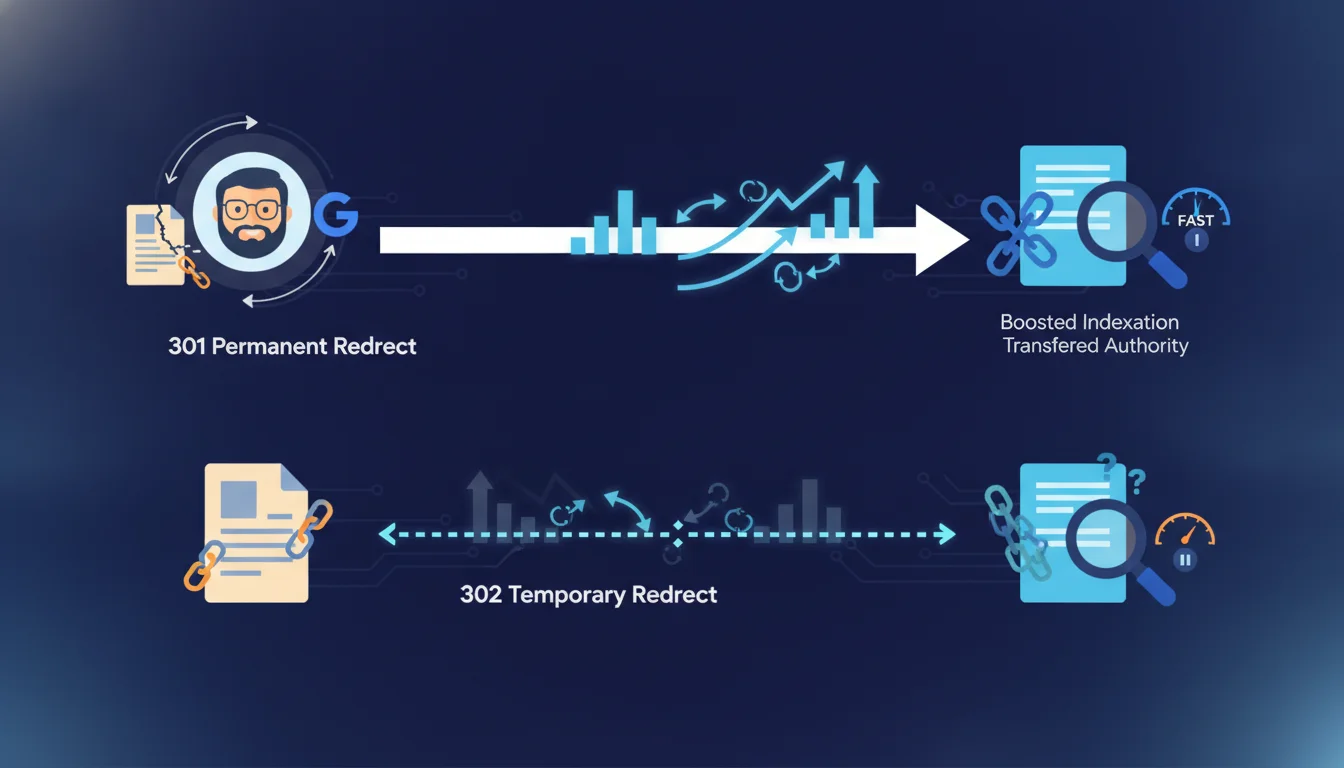
Google states that 301 redirects pass ranking signals to the new URL, while 302 redirects do not because they are meant to be temporary. For an SEO, this means that using a 302 instead of a 301 for a permanent migration results in losing accrued link equity. It remains to be seen whether this rule strictly applies in practice, as field observations sometimes suggest otherwise.
What you need to understand
What is the technical difference between a 301 and a 302?
A 301 redirect sends an HTTP code informing the browser and search engines that the page has permanently moved. The Google bot records this information and gradually transfers all ranking signals (backlinks, authority, history) to the new URL.
A 302 redirect signals a temporary move. Google interprets this status as a temporary situation: the old URL will be restored. The result? The engine keeps the old URL in its index and transfers no ranking signals to the destination.
Why does Google refuse to transfer signals on a 302?
The logic is simple: if the redirect is temporary, why assign PageRank and authority to a URL that may not exist in a few weeks? Google prefers to keep all signals on the original URL, which is likely to return.
The problem arises when a site uses a 302 when it should be using a 301. The old URL remains indexed, the new one accumulates no ranking signals, and organic traffic collapses. This is a classic mistake in site migration.
When is it legitimate to use a 302?
Temporary redirects have their usefulness: a maintenance page redirected to a temporary landing page, an A/B test using a server redirect, seasonal promotions redirecting to a dedicated page for a few weeks then returning to normal.
In these scenarios, a 302 is the right choice. It helps to preserve indexing and signals from the original URL while providing a consistent user experience. However, as soon as the change becomes permanent, it must switch to 301.
- A 301 transfers PageRank and authority to the new URL permanently.
- A 302 retains all signals on the original URL as Google anticipates its return.
- Using a 302 for a permanent migration results in losing the accrued link equity.
- 302s are reserved for truly temporary situations: maintenance, tests, short promotions.
- Google indexes the old URL with a 302, the new one with a 301.
SEO Expert opinion
Does this statement align with real-world observations?
On paper, the distinction is clear. In practice, several SEOs have observed that Google sometimes ends up transferring signals even on a 302 maintained for several months. The engine detects that the redirect is not so temporary and adjusts its behavior.
Should we count on that? No. This is an undocumented behavior, unpredictable and subject to variation. Relying on a 302 for a permanent migration remains a tactical mistake, even if Google sometimes corrects itself [To be verified].
What nuances should we add to this official rule?
The transfer of signals on a 301 is not instantaneous. Google needs to recrawl the source URLs, validate the consistency of the redirect, and then gradually consolidate the signals. This process can take several weeks for a large site.
Another nuance: not all 301s are equal. A chain of redirects (A→B→C) dilutes the PageRank transferred and slows down the crawl. Google recommends pointing directly to the final URL. If the new page has no thematic relevance to the old one, the transfer of relevance will be poor.
When does this distinction become blurry?
Client-side JavaScript redirects are neither 301 nor 302 in the HTTP sense. Google can interpret them as soft 404s or follow them as classic redirects, depending on the context. The same ambiguity applies to meta refreshes: their behavior depends on the configured delay.
Some poorly configured CMSs send 302s by default when the intention is permanent. The result? Thousands of pages lose their link equity without anyone noticing until the audit. This is a more common scenario than one might think.
Practical impact and recommendations
What should you check first on an existing site?
Start with a complete crawl using Screaming Frog or an equivalent tool. Filter all URLs returning a 302 code and cross-reference this list with your actual intentions. If the redirect is permanent, it needs to be converted to a 301 at the server level.
Also check redirect chains. A URL that goes through two or three successive 301s loses PageRank with each hop. Simplify to point directly to the final destination, even if it requires rewriting .htaccess or nginx.conf rules.
How do you manage a site migration without losing traffic?
Map each old URL to its new thematically equivalent page. No generic redirect to the home page: each page should point to the most relevant page of the new site. Set up 301s at the server level, never in JavaScript or via meta refresh.
Test the redirects in a staging environment before deploying them in production. Use a tool like httpstatus.io or curl to validate that each URL properly returns a 301 Moved Permanently. Once the migration is launched, monitor Search Console daily for 404 or soft 404 errors.
What critical mistakes must absolutely be avoided?
Never leave a 302 in place if the change is permanent. This is the number one cause of traffic drops post-migration. Do not redirect all old URLs to the home page: Google interprets this as soft 404s, causing you to lose link equity.
Avoid cascading redirects. If you have migrated multiple times, update the old rules to point directly to the current final URL. And never remove 301s too early: Google needs several months to consolidate signals, and some backlinks take years to be recrawled.
These technical optimizations can quickly become complex on a site with thousands of pages. If you lack time or internal resources, hiring a specialized SEO agency can help avoid costly mistakes and provide personalized support throughout the process.
- Crawl the site and list all current 302 redirects.
- Convert all misconfigured permanent redirects to 301.
- Eliminate redirect chains by directly pointing to the final URL.
- Map each old URL to a new thematically relevant page.
- Validate HTTP status codes in a staging environment before deployment.
- Monitor Search Console for at least 3 months post-migration to detect anomalies.
❓ Frequently Asked Questions
Une 302 peut-elle finir par transmettre du PageRank si elle reste active longtemps ?
Combien de temps faut-il maintenir une 301 après une migration ?
Les redirections JavaScript sont-elles traitées comme des 301 ou des 302 ?
Peut-on perdre du PageRank même avec une 301 bien configurée ?
Comment détecter rapidement des 302 problématiques sur un gros site ?
🎥 From the same video 5
Other SEO insights extracted from this same Google Search Central video · duration 8 min · published on 04/11/2026
🎥 Watch the full video on YouTube →
💬 Comments (0)
Be the first to comment.