
Official statement
Other statements from this video 8 ▾
- □ Les Core Web Vitals sont-ils vraiment un outil de diagnostic UX ou juste un critère de ranking ?
- □ Pourquoi Google insiste-t-il sur les données utilisateurs réels pour mesurer la performance SEO ?
- □ Pourquoi Google privilégie-t-il les données lab pour le débogage SEO ?
- □ Lighthouse est-il vraiment l'outil de référence pour diagnostiquer les problèmes de performance ?
- □ Pourquoi Lighthouse ne peut-il pas mesurer la vraie réactivité de votre site ?
- □ Pourquoi Lighthouse ne détecte-t-il pas tous vos problèmes de Core Web Vitals ?
- □ Pourquoi le performance panel Chrome DevTools change-t-il la donne pour le debug des Core Web Vitals ?
- □ Les données de laboratoire peuvent-elles remplacer les données terrain pour optimiser l'UX ?
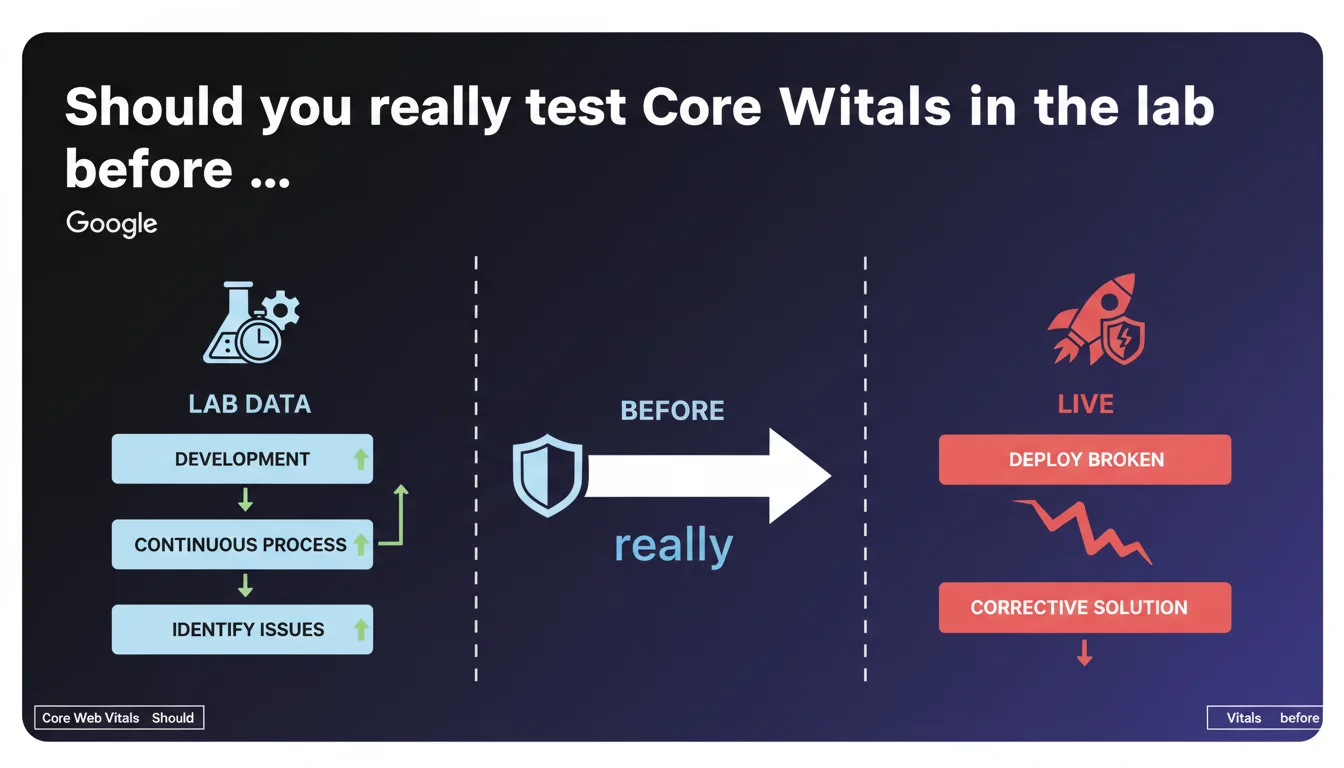
Google emphasizes the importance of lab data to identify performance issues before deployment. A preventive approach allows you to fix problems during development rather than shipping a broken site and searching for corrective solutions afterward. For SEO practitioners, this is a strong signal: synthetic measurement remains an essential pillar of optimization.
What you need to understand
Why does Google place so much value on lab data?
Lab data refers to measurements taken in a controlled environment — PageSpeed Insights, Lighthouse, WebPageTest. Unlike field data from the CrUX Report, lab data allows you to test before going live.
Google explicitly acknowledges here that this preventive approach is not only valid, but preferable. Shipping broken code and then correcting it in an emergency is costly — in time, resources, and above all in lost SERP positions if the issue persists for several days.
What does this concretely change for a live site?
Concretely? You can detect a performance regression before it impacts your real users. A poorly optimized piece of JavaScript, a blocking CSS added by mistake — these errors are visible in lab data before CrUX records them.
CrUX compiles data over 28 days. If you deploy a fix on the 15th, you'll wait until the beginning of the next month to see the full impact. Lab data, on the other hand, gives you immediate feedback.
Does lab data replace field data for Core Web Vitals?
No. Google uses field data (CrUX) for ranking. But lab data remains your diagnostic and prevention tool. It's your first line of defense before a problem becomes visible in Search Console.
- Lab data: controlled environment, immediate feedback, ideal for development
- Field data: real user measurements, data aggregated over 28 days, used for ranking
- Both approaches are complementary, not interchangeable
- Continuous testing during development prevents catastrophic deployments
SEO Expert opinion
Is this statement consistent with real-world practices?
Absolutely. Sites that have integrated automated performance testing into their CI/CD pipeline catch regressions before they reach production. Let's be honest: how many times have you seen a client deploy a new feature on a Friday evening, only to discover Monday morning that LCP has skyrocketed?
The problem — and this is where it gets tricky — is that many teams haven't set up continuous monitoring. They manually test with Lighthouse once a month, if they remember. Google is saying here in black and white that this approach isn't enough.
What nuances should be added to this narrative?
First nuance: lab data doesn't capture the diversity of real-world conditions. Lighthouse simulates a Moto G4 on throttled 4G. Your users might have an iPhone 15 on fiber or an old Samsung on Edge. Lab gives you a baseline, not absolute truth.
Second nuance: Google remains vague about what to prioritize fixing. [To verify]: does a 2.6s LCP in the lab but 2.4s in CrUX pose a problem? The statement provides no precise threshold to trigger an alarm. You need to define your own performance budgets.
In what cases does this approach show its limits?
Lab tests don't catch issues specific to certain user segments. A bug affecting only Safari 15 on iPad in portrait mode? Lighthouse lab won't necessarily detect it. Complex interactions — infinite scroll, nested modals — are hard to automate.
And that's where field data becomes essential. CrUX will tell you if your real users are suffering, even if your tests pass with flying colors. Both data sources must complement each other — never bet everything on just one.
Practical impact and recommendations
What should you concretely implement in your workflow?
Integrate automated performance tests into your deployment pipeline. Use tools like Lighthouse CI, SpeedCurve, or Calibre to block a merge if Core Web Vitals exceed your thresholds. Set budgets: LCP < 2.5s, FID < 100ms, CLS < 0.1.
Configure alerts that trigger if a Pull Request degrades metrics by more than 10%. You'll catch the culprit before it reaches production. This is the logic Google values here — continuous testing, not one-off testing.
What mistakes should you avoid when interpreting lab data?
Don't get hung up on the overall Lighthouse score (0-100). This synthetic figure often masks critical issues. Focus on individual metrics — LCP, CLS, TBT — and their evolution over time.
Also avoid comparing your lab scores with a competitor's without knowing their test environment. Network conditions, simulated device, active extensions — all of this affects results. Measure yourself against your own history, not against out-of-context benchmarks.
How do you verify that your monitoring strategy is effective?
Ask yourself these questions: how much time elapses between a deployment and detecting a regression? If the answer exceeds 24 hours, your monitoring is insufficient. Have you ever blocked a deployment because of degraded metrics? If not, your thresholds are probably too lenient.
Also check the correlation between lab and field. If your LCP in the lab is 1.8s but CrUX shows 3.2s, there's a problem with your test setup — you're not simulating the right conditions.
- Integrate Lighthouse CI or equivalent into your deployment pipeline
- Define strict performance budgets (LCP, CLS, TBT) and block merges that exceed them
- Monitor the evolution of both lab AND field metrics in parallel
- Test on multiple device and connection profiles, not just the default preset
- Automate alerts for any regression > 10% on a key metric
- Document each fix to identify recurring regression patterns
❓ Frequently Asked Questions
Les données de laboratoire suffisent-elles pour optimiser les Core Web Vitals ?
Quel outil de test en laboratoire Google recommande-t-il ?
À quelle fréquence faut-il tester les performances en laboratoire ?
Un bon score Lighthouse garantit-il un bon classement SEO ?
Comment savoir si mes tests lab reflètent bien la réalité de mes utilisateurs ?
🎥 From the same video 8
Other SEO insights extracted from this same Google Search Central video · published on 29/08/2023
🎥 Watch the full video on YouTube →
💬 Comments (0)
Be the first to comment.