
Official statement
Other statements from this video 8 ▾
- □ Les Core Web Vitals sont-ils vraiment un outil de diagnostic UX ou juste un critère de ranking ?
- □ Pourquoi Google insiste-t-il sur les données utilisateurs réels pour mesurer la performance SEO ?
- □ Lighthouse est-il vraiment l'outil de référence pour diagnostiquer les problèmes de performance ?
- □ Pourquoi Lighthouse ne peut-il pas mesurer la vraie réactivité de votre site ?
- □ Pourquoi Lighthouse ne détecte-t-il pas tous vos problèmes de Core Web Vitals ?
- □ Pourquoi le performance panel Chrome DevTools change-t-il la donne pour le debug des Core Web Vitals ?
- □ Les données de laboratoire peuvent-elles remplacer les données terrain pour optimiser l'UX ?
- □ Faut-il vraiment tester les Core Web Vitals en laboratoire plutôt qu'en production ?
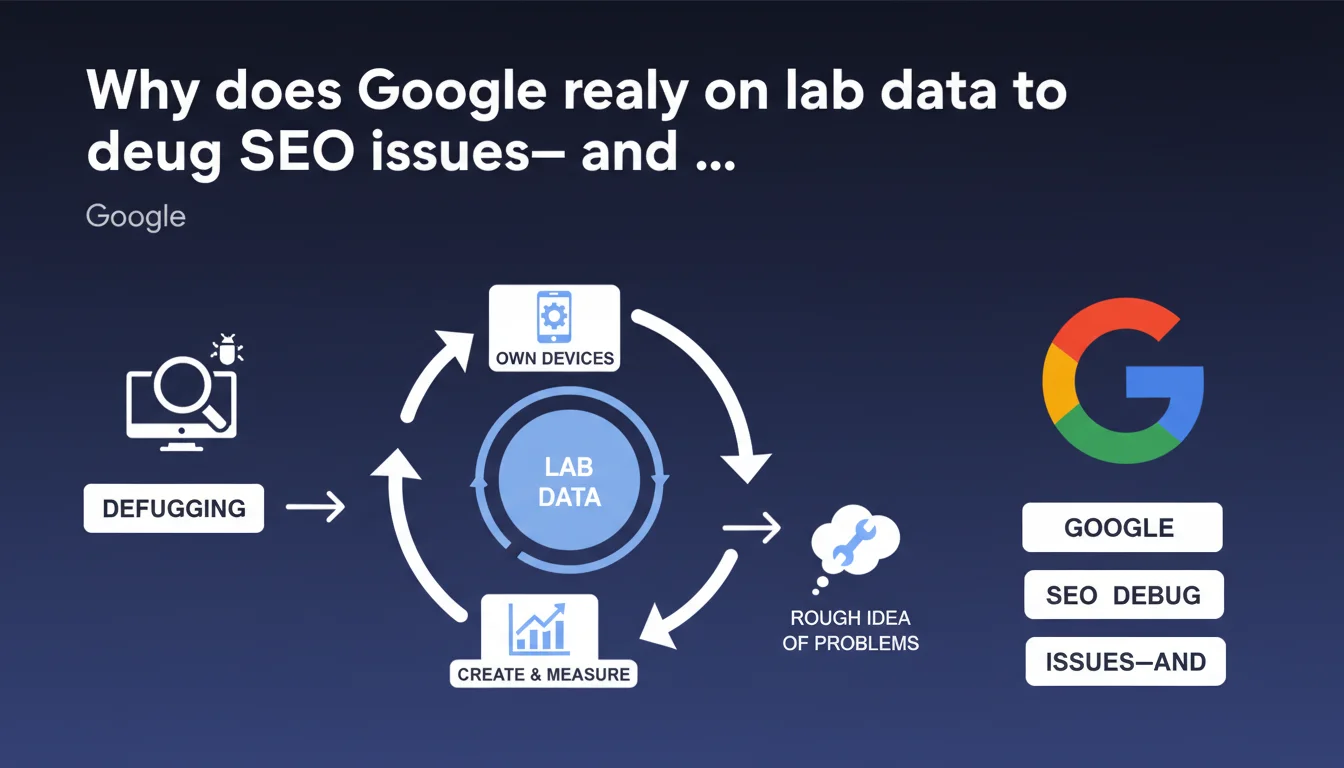
Google uses laboratory data (lab data) created and measured on its own devices to debug and identify potential issues on websites. These controlled data points provide an initial approximate analysis before deeper investigation. The approach suggests that real-world signals remain the priority for rankings.
What you need to understand
What exactly does "lab data" mean in Google's debugging context?
Laboratory data refers to measurements taken in a controlled environment, on Google's own devices and infrastructure. Unlike field data collected from millions of real users, these measurements are reproducible and isolated.
In concrete terms, Google can simulate loading a page on a specific device, with a given connection speed, and observe precisely what happens. This approach makes it possible to eliminate interference variables — a user closing their browser, an ISP running slow, a local cache skewing results.
Why does Google speak of an "approximate idea" of problems?
Google acknowledges here that lab data does not reflect the complex reality of the field. A page may seem fast in the lab and perform poorly under real-world conditions on mobile 4G in a rural area. The reverse can happen too.
The word "approximate" is critical: this data serves as a starting point, not a definitive verdict. It guides the analysis but is never sufficient on its own to settle the matter. It's an initial filter to spot obvious anomalies.
What's the distinction between lab data and field data?
Field data comes from real users navigating your site under uncontrolled conditions. The Chrome User Experience Report (CrUX) aggregates these metrics. This data is noisy, variable, but authentic.
Lab data allows you to reproduce and diagnose a problem that has been identified. Field data reveals the problem. The two complement each other — one detects, the other explains.
- Lab data are controlled measurements on Google's infrastructure to isolate issues
- They provide a useful approximation, not absolute truth about real-world performance
- Google uses them during debugging as the first step of investigation
- Field data (CrUX) remain the reference for rankings and actual user experience
- Lab and field are complementary: one diagnoses, the other detects
SEO Expert opinion
Does this statement change our approach to technical optimization?
Not really. We already knew Google combines multiple data sources. What's interesting is the implicit acknowledgment of lab data's limitations. Google doesn't say "we measure in the lab and that's enough" — it says "we get an approximate idea".
This confirms what we observe in the field: a site can have perfect Lighthouse scores (lab data) and terrible Core Web Vitals CrUX results (field data). The opposite happens too, less often. Real user experience always trumps synthetic tests.
Should we care less about lab tools like Lighthouse?
No — and this is where nuance matters. Laboratory tools remain essential for diagnosis. When you see CLS exploding in CrUX but can never reproduce the issue, Lighthouse helps isolate unstable elements.
The trap would be believing that optimizing solely for Lighthouse is enough. We still see sites with perfect 100/100 scores that crawl under real-world conditions because lab tests don't capture injected ads, third-party scripts that slow things down, poor connections.
Is this statement consistent with observed practices?
Yes, completely. We regularly find that Google tests pages under specific conditions — the Googlebot mobile simulates a specific Android device, with a defined viewport. That's lab data by definition.
The gaps between what Googlebot sees and what an iPhone user on Safari experiences can be massive. Google doesn't measure everything, all the time, everywhere. It samples, simulates, extrapolates. Hence the importance of cross-referencing sources — Search Console, CrUX, your analytics, your RUM if you have it.
Practical impact and recommendations
What should you concretely change in your debugging workflow?
Adopt a funnel approach: start with field data (CrUX, Search Console) to identify real problems, then switch to lab data (Lighthouse, WebPageTest) to diagnose and fix. Never do the reverse.
If CrUX shows poor LCP but Lighthouse displays 1.2s, you have a lab/field gap. Dig into real-world conditions: which devices? Which countries? Which connection? Google's lab data may not reflect your actual audience.
How do you verify your site isn't suffering from a lab/field gap?
Systematically compare your CrUX metrics (in Search Console or PageSpeed Insights) with your Lighthouse tests. A gap of more than 30% on any Core Web Vital indicates a real-world problem not captured in the lab.
Set up RUM (Real User Monitoring) to capture what your actual visitors experience. Free tools like the Web Vitals JavaScript library are enough to get started. You'll see variations by device, OS, geography — and you'll understand why Google talks about approximation.
What mistakes should you avoid when debugging with lab data?
- Never optimize solely for a Lighthouse score without validating impact on actual CrUX metrics
- Avoid testing on fast WiFi with a recent Mac — it doesn't reflect most mobile traffic
- Don't ignore third-party scripts and dynamic content absent during lab tests
- Stop chasing 100/100 Lighthouse if your CrUX Core Web Vitals are already green
- Always cross-reference multiple data sources before concluding a problem is fixed
- Don't overlook geographic variations — a CDN performing well in Europe may lag in Asia
❓ Frequently Asked Questions
Les lab data de Google sont-elles les mêmes que Lighthouse ?
Dois-je privilégier les données CrUX ou Lighthouse pour optimiser mon site ?
Pourquoi mon score Lighthouse est parfait mais mes Core Web Vitals Search Console sont mauvais ?
Google utilise-t-il les lab data pour le classement dans les résultats de recherche ?
Comment réduire l'écart entre mes performances lab et field ?
🎥 From the same video 8
Other SEO insights extracted from this same Google Search Central video · published on 29/08/2023
🎥 Watch the full video on YouTube →
💬 Comments (0)
Be the first to comment.