
Official statement
Other statements from this video 6 ▾
- □ Pourquoi la standardisation du robots.txt par l'IETF change-t-elle la donne pour les crawlers ?
- □ Pourquoi Google limite-t-il la taille de robots.txt à 500 Ko ?
- □ Les sitemaps XML sont-ils vraiment indispensables sans standardisation officielle ?
- □ Pourquoi robots.txt reste-t-il indispensable même pour les sites modernes ?
- □ Pourquoi Google a-t-il ouvert le code de son parseur robots.txt ?
- □ Le robots.txt et les sitemaps XML sont-ils désormais officiellement liés ?
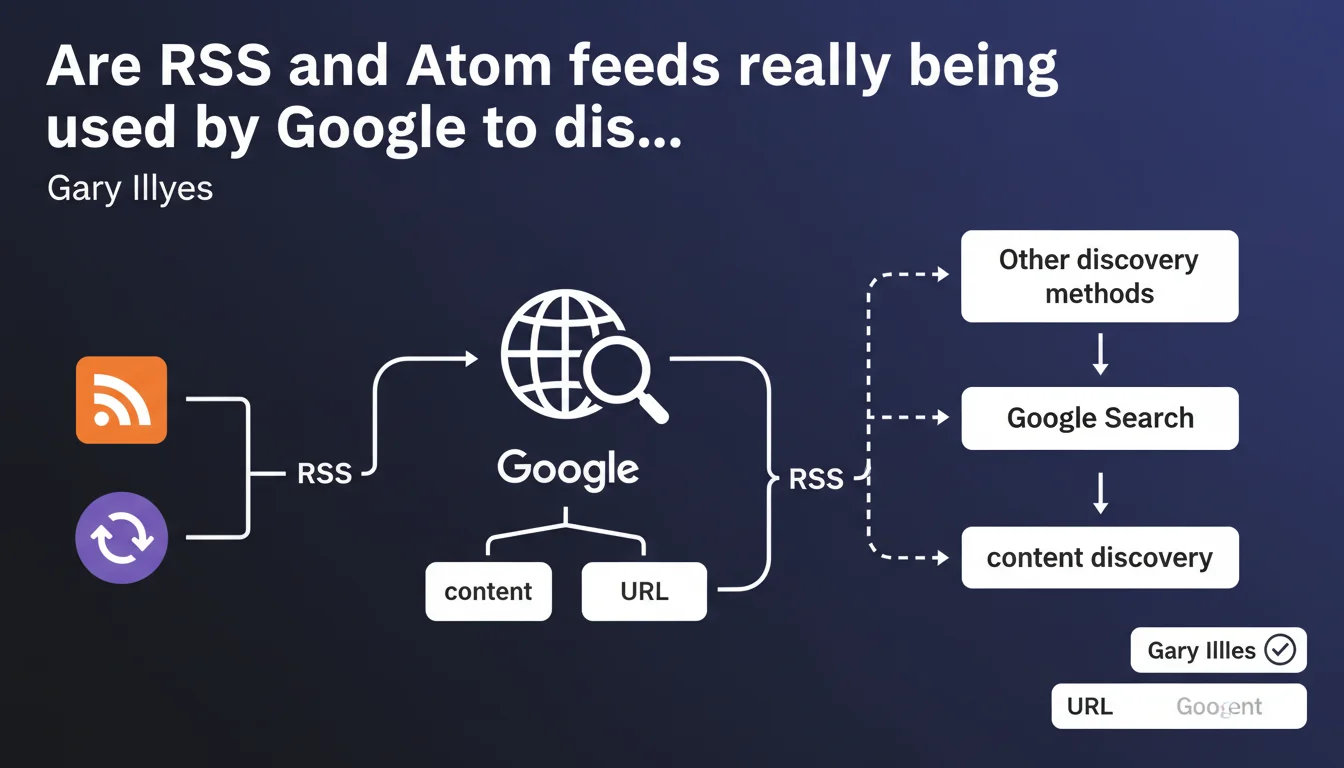
Google officially confirms that RSS and Atom feeds are part of its URL discovery sources. These technical feeds complement traditional methods (crawling, sitemaps, external links) to detect new content. Their presence can accelerate indexation, but they do not replace the fundamentals of crawling.
What you need to understand
What does this Google statement concretely mean?
Google doesn't only crawl internal and external links to discover new pages. RSS and Atom feeds constitute an additional layer in the search engine's discovery arsenal.
These structured XML feeds automatically signal newly published content on a website. When Google accesses your RSS/Atom feed, it instantly retrieves the list of freshly published URLs — without waiting for a bot to stumble upon them by chance.
Why does this method coexist with sitemaps?
XML sitemaps and RSS/Atom feeds play different roles. A sitemap references all your important pages, while an RSS feed typically contains only your recent publications (often limited to 10-50 entries).
The major difference? The RSS feed is designed to signal editorial freshness. Google can consult it regularly — daily, or even hourly for certain sites — and immediately detect that a new article has just been published.
In what context is this discovery source most relevant?
RSS/Atom feeds really shine on websites with high publication frequency: news media, news blogs, e-commerce platforms with rotating products, forums.
For a static brochure website that publishes two pages per year, the impact is obviously negligible. But for a media outlet releasing ten articles daily, a properly configured RSS feed can drastically reduce the delay between publication and indexation.
- RSS/Atom feeds are a complementary discovery source, not exclusive or priority
- Google uses them mainly to quickly detect new content on dynamic websites
- They do not replace sitemaps, internal linking, or backlinks
- Their effectiveness depends on the crawl frequency that Google allocates to your feed
SEO Expert opinion
Is this statement consistent with practices observed in the field?
Let's be honest: this confirmation surprises no one. WordPress sites have generated RSS feeds by default for twenty years, and no one has ever observed a penalty for it.
What's missing here is the actual weighting of this discovery source. Google says "we use RSS" — but how frequently? With what priority compared to other signals? [To verify]: no quantitative data is provided to measure the actual impact.
Do RSS/Atom feeds really accelerate indexation?
Empirically, yes — but with massive nuances. On high-authority sites (recognized media, established platforms), Google crawls RSS feeds very regularly, sometimes hourly. Indexation can occur within minutes of publication.
On an unknown small blog? The RSS feed will be crawled… when Google has crawl budget to allocate to it. In other words, potentially never, or once a week. In this case, an external backlink or social media share will trigger indexation much faster than a dusty RSS feed.
In which cases is this discovery source completely useless?
First situation: static sites or isolated pages. An RSS feed that never lists new content brings nothing. Google will crawl it once, observe the lack of updates, and drastically space out its visits.
Second case: sites with extremely limited crawl budget. If Google allocates 50 URLs crawled per day to your domain, it will prioritize strategic pages (homepage, categories, flagship products) rather than waste requests on a redundant RSS feed compared to your sitemap.
Practical impact and recommendations
What should you concretely do to optimize your RSS/Atom feeds?
First step: verify that your CMS automatically generates a clean RSS feed. WordPress, Shopify, Drupal do this natively — but the tags must still be properly filled.
Check your feed (usually /feed/ or /rss.xml) and ensure each entry contains: title, canonical URL, publication date, description or excerpt. No empty tags, no broken relative URLs.
Next, explicitly declare your RSS feed in Search Console if possible, or at minimum in your XML sitemap via a <link rel="alternate" type="application/rss+xml"> tag in your site's <head>.
What errors should you avoid with RSS feeds?
First common mistake: drastically limiting the number of entries. Some sites keep only the last 5 articles in their feed. If Google crawls it once a week and you publish daily, it will miss content.
Second trap: including truncated or incomplete content. Some RSS feeds contain only a headline snippet, forcing Google to crawl the complete page anyway. You might as well provide the full excerpt or complete content directly to facilitate semantic understanding.
Third error: forgetting to clean up obsolete old RSS feeds. If your site generates multiple feeds (by category, by tag, by author), Google may crawl them all — and waste crawl budget on redundant or inactive feeds.
How to verify that Google is actually crawling your RSS feeds?
Head to Search Console, Coverage statistics tab. Filter crawled URLs and search for your /feed/ or /rss.xml files. You'll see the crawl frequency and any errors encountered.
If Google never crawls your RSS feed, two hypotheses: either your site lacks authority and Google prioritizes other sources, or your feed contains technical errors (validate it with an online RSS validator).
- Verify that your CMS generates a clean and valid RSS/Atom feed
- Include at least 20-30 recent entries in the feed
- Declare the RSS feed in the
<head>with<link rel="alternate"> - Provide complete excerpts or full content in each entry
- Technically validate the feed with an online tool (FeedValidator)
- Monitor feed crawling in Search Console
- Remove redundant or inactive RSS feeds that waste crawl budget
❓ Frequently Asked Questions
Un flux RSS peut-il remplacer un sitemap XML ?
Google crawle-t-il tous les flux RSS avec la même fréquence ?
Faut-il inclure le contenu complet ou juste un extrait dans le flux RSS ?
Les flux RSS influencent-ils le classement dans les résultats de recherche ?
Mon site WordPress génère plusieurs flux RSS par défaut — est-ce un problème ?
🎥 From the same video 6
Other SEO insights extracted from this same Google Search Central video · published on 17/04/2025
🎥 Watch the full video on YouTube →
💬 Comments (0)
Be the first to comment.