
Official statement
Other statements from this video 8 ▾
- □ Does Search Console Insights really only show Google Search traffic?
- □ Is an impression in Search Console really counted every single time your link appears in search results?
- □ What truly counts as a click in Search Console?
- □ What exactly is a query in Search Console, and why is Google clarifying its definition now?
- □ Should you really analyze your SEO performance over 28 days in Search Console?
- □ How is Google's Search Console now automatically grouping your search queries into semantic clusters?
- □ What is Google's actual definition of a brand query in Search Console?
- □ Is tracking brand searches the hidden metric that's sabotaging your entire SEO strategy?
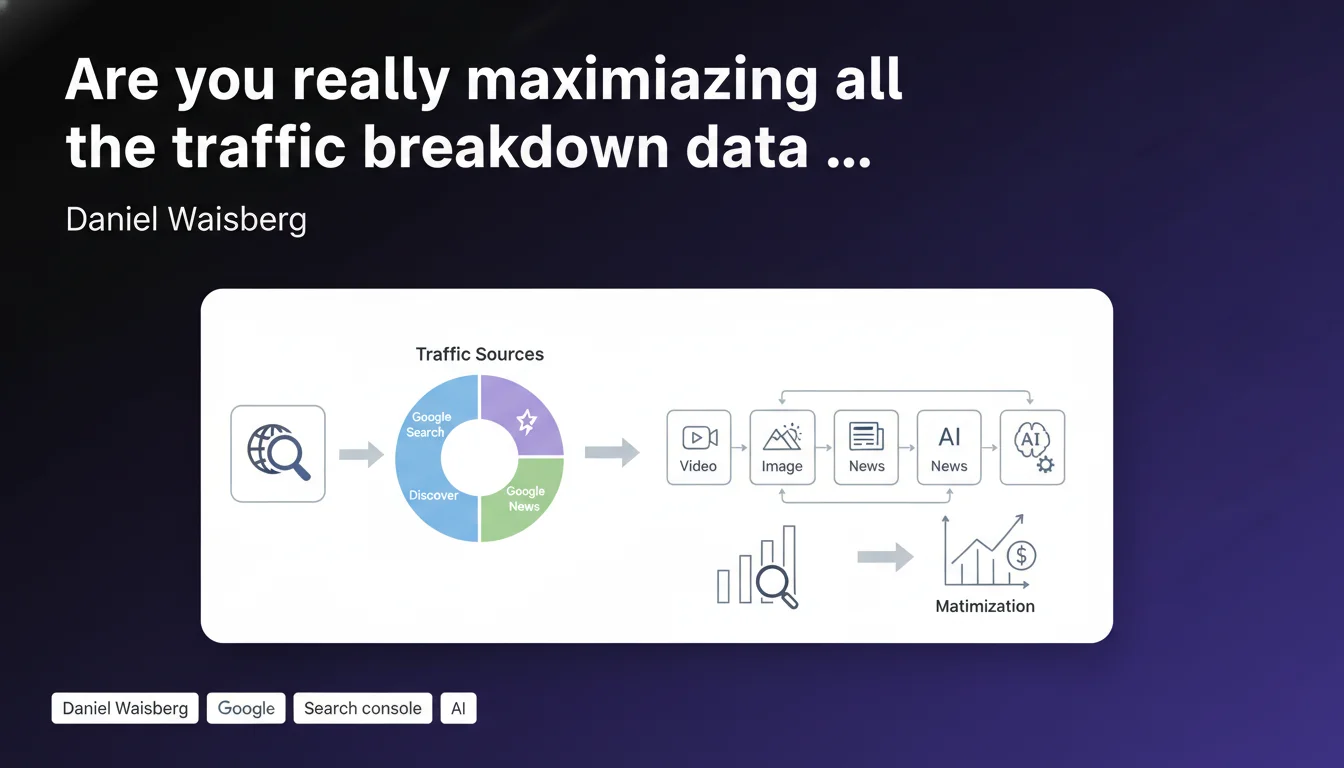
Search Console now lets you compare traffic from Google Search, Discover, and News side by side. Search traffic itself breaks down further into Video, Image, and News tabs. This segmentation is a game-changer for pinpointing exactly where your Google audience is coming from.
What you need to understand
Why does this traffic breakdown actually change everything?
Until now, most SEO professionals were treating Google traffic as one big monolithic block. But here's the reality — Google Search is just one of multiple traffic sources — Discover and News drive completely different user behaviors.
The breakdown by tabs (Video, Image, News) within Search itself reveals content consumption patterns that weren't measurable before. A site could dominate in Image Search without showing up in regular SERPs at all.
What does this actually mean for measuring your performance?
This segmentation forces you to rethink how you define organic traffic KPIs. A news site betting hard on Google News while ignoring Discover might be leaving serious traffic on the table. On the flip side, a site crushing it on Discover but neglecting traditional Search is missing out on higher-intent visitors.
The Video and Image tabs reveal the real impact of your multimedia content strategy. If you're investing in video but the Video tab shows nothing, you've found your problem.
What insights become visible that weren't before?
Comparing Search, Discover, and News lets you measure how dependent you are on each channel. A site overexposed on Discover carries algorithm risk — volatility there is way higher than in traditional Search.
Breaking down by tabs in Search uncovers hidden opportunities. An e-commerce site getting zero Image Search traffic when it sells visual products? That's a clear signal — image markup or quality issues.
- Source segmentation: Search, Discover, News — three distinct user behaviors
- Search breakdown: Video, Image, News — visibility by content type
- Comparative analysis: spot channel imbalances and missed opportunities
- Dependency measurement: assess risk from concentration on a single Google channel
SEO Expert opinion
Is this level of detail actually useful for most websites?
Let's be real — not every site qualifies for every channel. Discover favors visual and recent editorial content, News has strict eligibility requirements. For a technical B2B site, this breakdown won't tell you much — 99% of traffic comes from regular Search anyway.
But for media sites, visual e-commerce, or video content? This is goldmine territory. The catch? Most people will look at the numbers and do nothing about them. Finding out you get zero Discover traffic isn't actionable unless you know whether it's an opportunity worth pursuing or a dead end for your business model.
What's the biggest mistake people make interpreting this data?
Comparing raw traffic volumes between Search, Discover, and News without looking at traffic quality and actual conversions. Discover often drives short sessions, News brings volatile traffic, and Search attracts higher-intent users.
The other trap: trying to optimize for every tab at once. A site attempting to excel in Video, Image, and News simultaneously without the resources or editorial DNA will just spread itself thin. Pick your primary channel and dominate it instead.
When is this segmentation basically useless?
For purely transactional or technical sites without rich media, this granularity adds nothing. If your Image traffic represents 0.2% of total and you're not producing videos, analyzing these tabs is wasted effort.
Same goes for sites not indexed in Google News and producing zero Discover-eligible content — you'll just see empty columns. In that case, traditional Search performance is what matters — and that's already complex enough to optimize.
Practical impact and recommendations
How do you actually leverage this breakdown in your day-to-day analysis?
Start by identifying your current split between Search, Discover, and News. If any channel drives more than 30% of your Google traffic, it deserves its own dedicated tracking and KPIs.
Then cross-reference these numbers with your conversion rates and session duration. If a site gets 40% of traffic from Discover but only 5% of conversions, you need to either improve the post-click experience or rebalance toward traditional Search.
What priority actions should you take based on your situation?
If you have strong visual content but zero traffic from the Image tab: audit your markup (ImageObject schema, alt attributes, image sitemap). That's where the problem is.
If you produce video but get no Video tab traffic: check your VideoObject schema implementation and verify you have quality thumbnails that are crawlable.
For Discover and News, it's more structural — you need to adjust your editorial approach and meet strict eligibility criteria. No quick technical fix here.
- Analyze your Search / Discover / News split over the last three months
- Identify gaps between traffic volume and conversions by channel
- Audit schema markup for Video and Image if those tabs show nothing
- Cross-reference GSC data with Analytics to measure real traffic quality by source
- Create channel-specific KPIs instead of one blanket "Google traffic" goal
- Test your eligibility for Discover and News if your content strategy allows
- Focus on 1-2 priority channels instead of spreading yourself across everything
🎥 From the same video 8
Other SEO insights extracted from this same Google Search Central video · published on 02/12/2025
🎥 Watch the full video on YouTube →
💬 Comments (0)
Be the first to comment.