
Official statement
Other statements from this video 7 ▾
- □ Can Search Console really become your business decision-making engine?
- □ Are you actually tracking which search queries are your real traffic drivers?
- □ What backlinks is Search Console really showing you about your site?
- □ Is your mobile site hurting your search rankings without you even knowing it?
- □ Is Search Console really the best way to get your content indexed faster by Google?
- □ Does Google Search Console really catch malware and spam threats before they tank your rankings?
- □ Is regular website activity monitoring really the key to staying ahead in modern SEO?
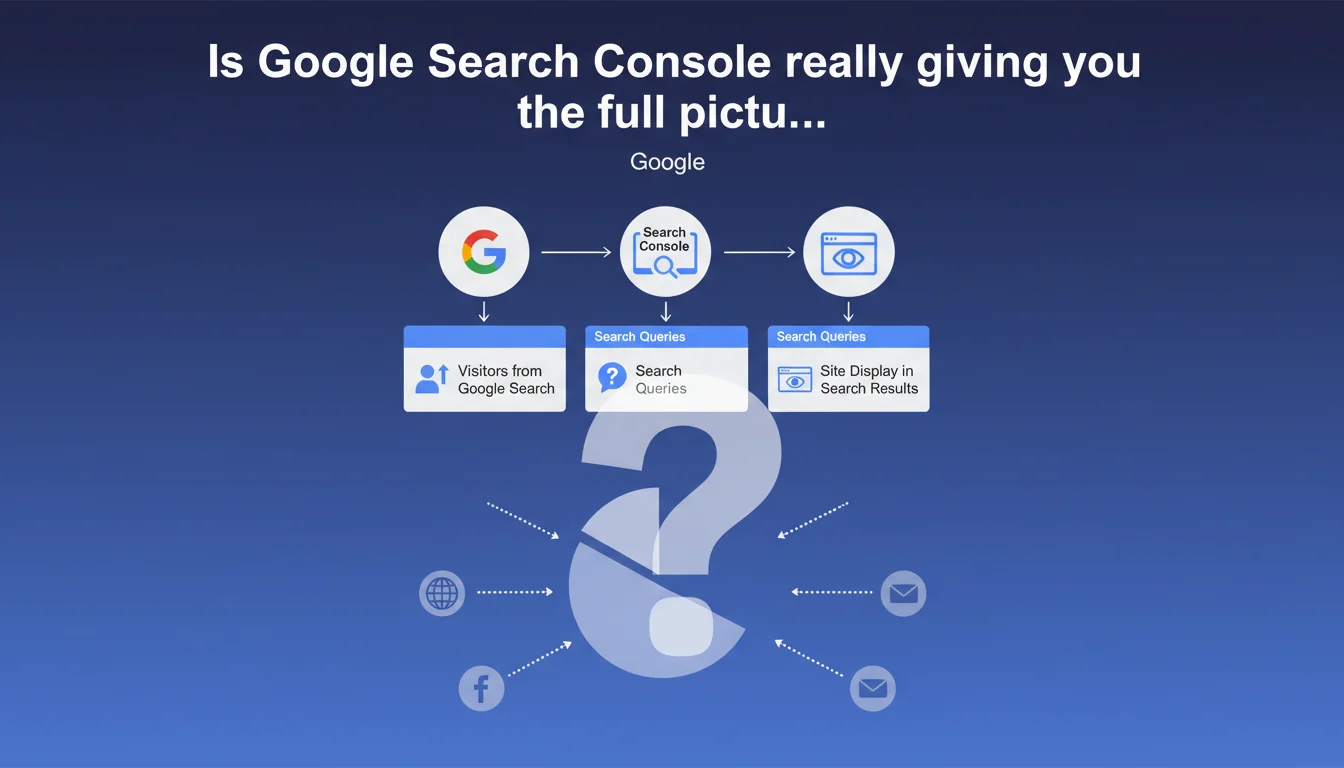
Google Search Console provides organic traffic data, click-generating search queries, and how your site appears in SERPs. The tool remains the essential starting point for any SEO diagnosis, but its sampling limitations and granularity constraints often require cross-referencing with other data sources.
What you need to understand
Does Google Search Console really limit itself to just these three functions?
Google's statement presents Search Console as a dashboard for organic performance: visitor volume from Google, traffic-generating queries, and rendering in search results. That's accurate, but it's incomplete.
GSC also offers indexation tracking, coverage reports, Core Web Vitals, separate mobile/desktop data, sitemaps, manual penalties, and link disavowal. In short, it goes far beyond a simple click counter.
Why does Google emphasize "how your site displays"?
The phrase "how your site displays" refers to rich snippets, featured snippets, and rich results. Google wants you to understand whether your structured markup is working, whether your titles are truncated, whether your meta descriptions are being replaced.
This "appearance" component is strategic: low CTR with good rankings often signals a problem with your snippet or uninspiring Title/Meta Description tags.
Are GSC data 100% reliable?
No. Google samples data when volume exceeds a certain threshold. You'll see differences between GSC and Google Analytics on organic sessions — often due to spam filters, redirects, or sessions with multiple page views.
GSC displays actual clicks, but impressions can be approximate. And some queries are hidden for privacy reasons. In short, it's an indicator, not absolute truth.
- GSC centralizes traffic, queries, and SERP appearance, but isn't limited to that
- It remains the official tool for diagnosing indexation, coverage, and penalties
- Data is sampled beyond a certain volume — always cross-reference with Analytics
- Discrepancies between GSC and Analytics are normal and explained by different counting methodologies
SEO Expert opinion
Does this statement reflect how SEO professionals actually use GSC?
Yes and no. For a beginner, GSC effectively serves to see where clicks come from and which queries perform. But an experienced SEO uses it primarily to detect indexation drops, crawl errors, Core Web Vitals issues, and manual actions.
The "search performance" section is just one component. The real value lies in the Coverage, Sitemaps, and Page Experience reports. Google undersells its own tool by reducing it to a click counter.
Can you blindly trust the queries displayed?
No. GSC masks some queries to preserve privacy — especially infrequent long-tail searches. As a result, you only see a fraction of the actual keyword spectrum generating traffic.
Another point: the average position shown is misleading. A query can fluctuate between position 3 and 15 depending on the searcher's history, geolocation, or personalization. The average smooths over these variations but masks sometimes massive disparities. [Verify this] by cross-referencing with a third-party rank tracking tool.
Should you wait for Google to fix GSC's shortcomings?
No. Google improves GSC incrementally — new reports, additional filters — but will never address certain structural gaps. Sampling, update delays (24-48 hours), and the 1,000-line CSV export limit will likely remain in place.
The winning strategy: combine GSC, Analytics, and a crawl tool (Screaming Frog, OnCrawl, Botify). Each provides a complementary layer of information. GSC alone isn't enough for a solid technical audit.
Practical impact and recommendations
What should you concretely do with GSC data?
First step: segment queries by intent (informational, transactional, navigational). Identify high-volume queries with low CTR — often a sign your snippet isn't compelling or you're positioned low on page 1.
Second action: spot pages with strong impressions but few clicks. Improve your Title and Meta Description tags to boost CTR. A 2-3% CTR increase can double your traffic without changing rankings.
What mistakes should you avoid when reading reports?
Don't confuse impression with actual visibility. An impression means your URL appeared on a results page, not necessarily that it was seen. If you're in position 18, the searcher probably never scrolled that far.
Another trap: don't focus solely on high-volume queries. Long-tail searches hidden in "other queries" often represent 40-50% of actual traffic. Dig into patterns, not just top 10 keywords.
How can you verify your site is properly leveraging GSC?
Connect all property profiles: http/https, www/non-www, and the domain version ("Domain" property type). Each can display slightly different data. The "Domain" property aggregates everything, but URL properties allow finer filtering.
Verify your XML sitemap is properly submitted and Google isn't displaying major errors in the coverage report. If more than 10% of your URLs are in error, there's a structural problem — misconfigured canonicals, redirect chains, or unintended robots.txt blocks.
- Segment queries by intent to prioritize optimizations
- Identify pages with strong impression volume but low CTR — improve snippets
- Connect all site versions (http/https, www/non-www) for a complete view
- Monitor the coverage report: over 10% errors = underlying technical problem
- Cross-reference GSC with Analytics and a crawl tool to detect orphaned pages
- Don't focus solely on top 10 queries — long-tail is hidden but carries significant weight
❓ Frequently Asked Questions
Pourquoi mes chiffres GSC diffèrent-ils de ceux de Google Analytics ?
Peut-on exporter plus de 1000 lignes de données GSC ?
Les impressions GSC incluent-elles les résultats non vus par l'utilisateur ?
Faut-il créer une propriété par version du site (http, https, www) ?
Comment interpréter la position moyenne dans GSC ?
🎥 From the same video 7
Other SEO insights extracted from this same Google Search Central video · published on 24/02/2022
🎥 Watch the full video on YouTube →
💬 Comments (0)
Be the first to comment.