
Official statement
Other statements from this video 9 ▾
- □ Was Google really prioritizing HTML over JavaScript for crawling and indexing?
- □ Can loading spinners really prevent Google from indexing your JavaScript pages?
- □ Why does Google take 3 to 6 months to index JavaScript content after crawling your site?
- □ Is your JavaScript slowing down how fast Google discovers your pages?
- □ Can JavaScript Really Be Indexed Faster Than HTML?
- □ Is your JavaScript really being rendered by Google? Here's how to verify it with the honeypot method.
- □ Is Google misleading you about JavaScript rendering, or just keeping things simple?
- □ Should you really fix your technical SEO before investing heavily in content and backlinks?
- □ Why does Google recommend testing in real conditions rather than relying solely on documentation?
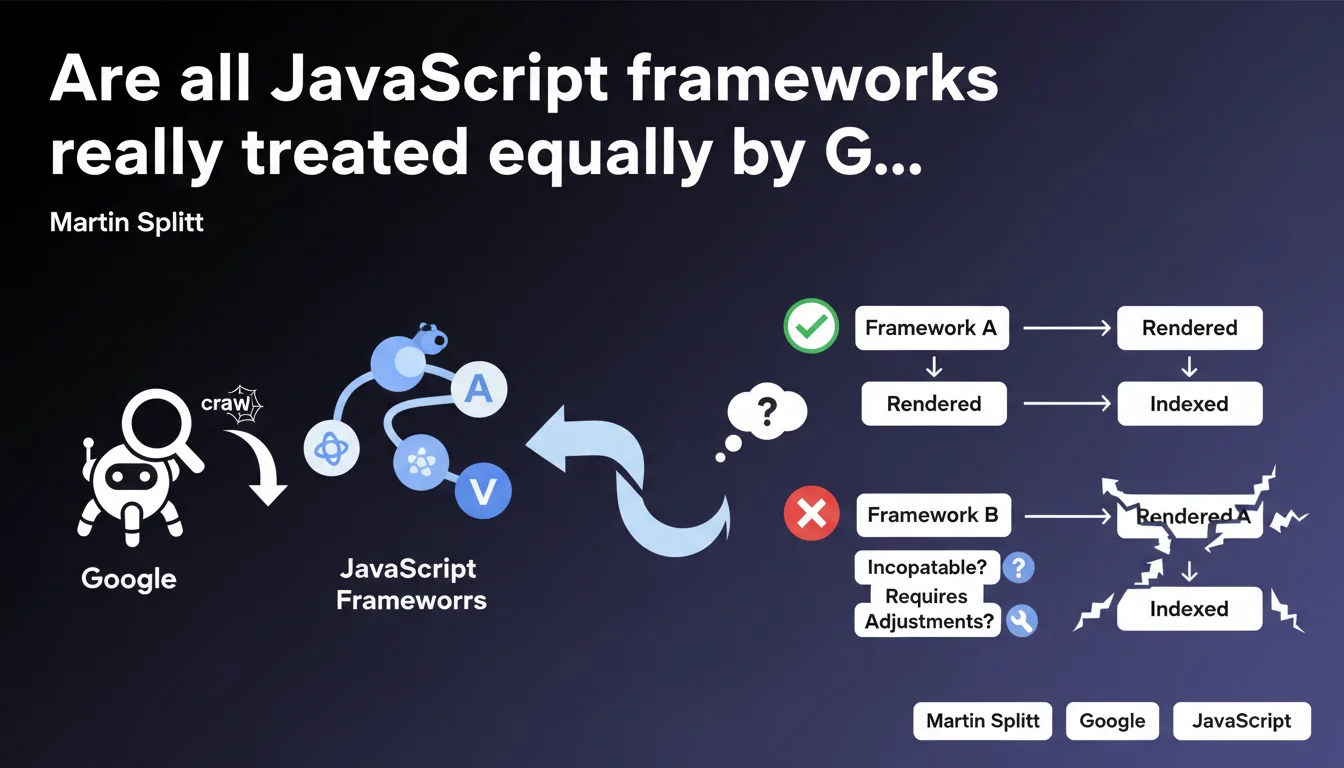
Google is the only search engine that renders JavaScript, but not all frameworks are handled the same way. Some modern frameworks pose compatibility issues or require specific adjustments to be properly indexed. In practice, your choice of technical stack is not neutral when it comes to SEO.
What you need to understand
Does Google really render JavaScript, and if so, how?
Yes, Google executes JavaScript server-side through its Web Rendering Service. This is a Google-specific capability — Bing, Yandex, and DuckDuckGo don't have this capacity at the same level.
But here's the catch: rendering JS doesn't mean all frameworks are treated equally. Some modern patterns (partial hydration, streaming SSR, Islands Architecture) can create silent incompatibilities. The bot won't necessarily return an error — it may simply fail to index part of your content.
Which frameworks are actually affected by these compatibility issues?
Splitt's statement deliberately remains vague about which frameworks are targeted. [To verify] because no official list exists.
We know that React, Vue, and Angular are generally well-supported. The real friction points emerge with more exotic approaches: Svelte with certain configurations, Astro in Islands mode, or custom implementations of client-side routing handled poorly.
- Google uses a slightly outdated version of Chrome for rendering (not always the latest stable)
- Missing polyfills or recent Web APIs may not be supported
- Frameworks relying on experimental features cause problems
- Client-side state management can create inconsistencies between initial HTML and final render
What does "specific adjustments" actually mean in practice?
In most cases, it means ensuring server-side rendering (SSR) or static pre-generation (SSG) for critical content. Pure CSR remains risky.
These "adjustments" can include: forcing synchronous rendering of critical elements, avoiding aggressive lazy-loading on main content, adding fallbacks for components that fail silently, or implementing dynamic rendering to serve static HTML to the bot.
SEO Expert opinion
Is this statement consistent with what we actually observe in practice?
Yes and no. In the field, we do observe different treatment levels depending on the framework. But Splitt's wording remains frustrating — it alerts you without providing clear directives.
What we see in practice: well-configured Next.js or Nuxt sites pass without issue, while Svelte applications or custom setups with poorly implemented client-side routing may see pages go unindexed without warning in Search Console. The problem? Google doesn't always return an explicit error.
What nuances should we add to this?
[To verify] because Google doesn't publish an official compatibility matrix. We're navigating in the dark.
The reality is that the problem rarely stems from the framework itself, but rather from implementation patterns: deferred hydration handled poorly, content injected after the first paint, event listeners modifying the DOM after initial render. Splitt mentions "frameworks," but the real issue is how you use them.
When does this rule not apply?
If your critical content is always available in the source HTML (SSR/SSG), you're safe. JavaScript rendering becomes then a "nice-to-have" for interactivity, not an indexing dependency.
Sites using Progressive Enhancement — solid base HTML, JS as an upper layer — are not affected by this issue. It's actually the safest approach, even if it's less trendy than modern full-JS stacks.
Practical impact and recommendations
What should you do concretely to secure your indexation?
First reflex: audit the source HTML of your key pages. Disable JavaScript in your browser and verify that essential content is present. If everything disappears, you have a problem.
Next, test your pages with the URL inspection tool in Search Console. Compare the raw HTML and the final render — if there's a massive gap, investigate. Look at crawl logs for timeouts or silent errors.
- Implement SSR or SSG for all strategic pages (landing pages, product sheets, articles)
- Avoid lazy-loading on critical above-the-fold content important for SEO
- Regularly test with the URL inspection tool and Mobile-Friendly Test
- Monitor Core Web Vitals — slow JS rendering penalizes doubly (UX + crawl)
- If you use an exotic framework, document implementation patterns and their SEO impact
- Plan HTML fallbacks for critical components that might fail
What mistakes must you absolutely avoid?
Never assume that "Google handles JS, so we're fine." It's true in theory, shaky in practice. Pure client-side routing (without SSR) remains a risky bet — Google may not follow your internal links correctly.
Another trap: SPAs with infinite scroll or JS pagination. If content is only accessible via user interaction, the bot may miss it. Always provide a static alternative (classic HTML pagination, sitemaps).
How do you verify your site is properly indexed despite JavaScript?
Use targeted site: queries to verify that your important pages are in the index. Cross-reference with coverage data in Search Console.
Set up monitoring for orphaned pages — if Google doesn't discover certain pages that are internally linked, it's often a JS rendering issue. Tools like Screaming Frog in "JavaScript rendering" mode can help, but nothing beats a real test with Googlebot.
Modern JavaScript frameworks are not all equal when facing Google. Prioritize SSR/SSG for critical content, systematically test with official tools, and keep an architecture that works without JS if possible.
If your technical stack is complex or if you notice indexation anomalies, these diagnostics often require specialized SEO technical expertise. Given the diversity of frameworks and Google's opacity about criteria, support from a specialized SEO agency can prove crucial to avoid costly mistakes and sustainably optimize your visibility.
❓ Frequently Asked Questions
Google peut-il crawler correctement une application React en mode CSR pur ?
Quels frameworks posent le plus de problèmes selon les retours terrain ?
Faut-il abandonner le JavaScript côté client pour le SEO ?
Comment savoir si mon framework est bien supporté par Googlebot ?
Les autres moteurs de recherche gèrent-ils mieux le JavaScript que Google ?
🎥 From the same video 9
Other SEO insights extracted from this same Google Search Central video · published on 01/02/2023
🎥 Watch the full video on YouTube →
💬 Comments (0)
Be the first to comment.