
Official statement
Other statements from this video 13 ▾
- □ Can Poor Translations Harm Your Entire Multilingual Site?
- □ Is duplicate content on product pages really harmless for your SEO?
- □ Should you translate all your pages or focus your efforts on the most strategic ones?
- □ Is it really necessary to disable geotargeting in Search Console for an international site?
- □ Does Google really index hidden text in your HTML code?
- □ Should you prefer rel=canonical over user-agent redirects for unindexed pages?
- □ Should you implement your SEO optimizations all at once instead of gradually?
- □ No Google cache on my page: Should I be worried about my indexing?
- □ Should You Really Use Google's Indexing API to Speed Up Your Content Indexing?
- □ Is the Page Experience score really essential for making it into Top Stories?
- □ Does Google really assign an EAT score to your website?
- □ Does Google really favor sequential links or multiple pages for SEO pagination?
- □ Should you be concerned about Core Web Vitals measured exclusively on Chrome?
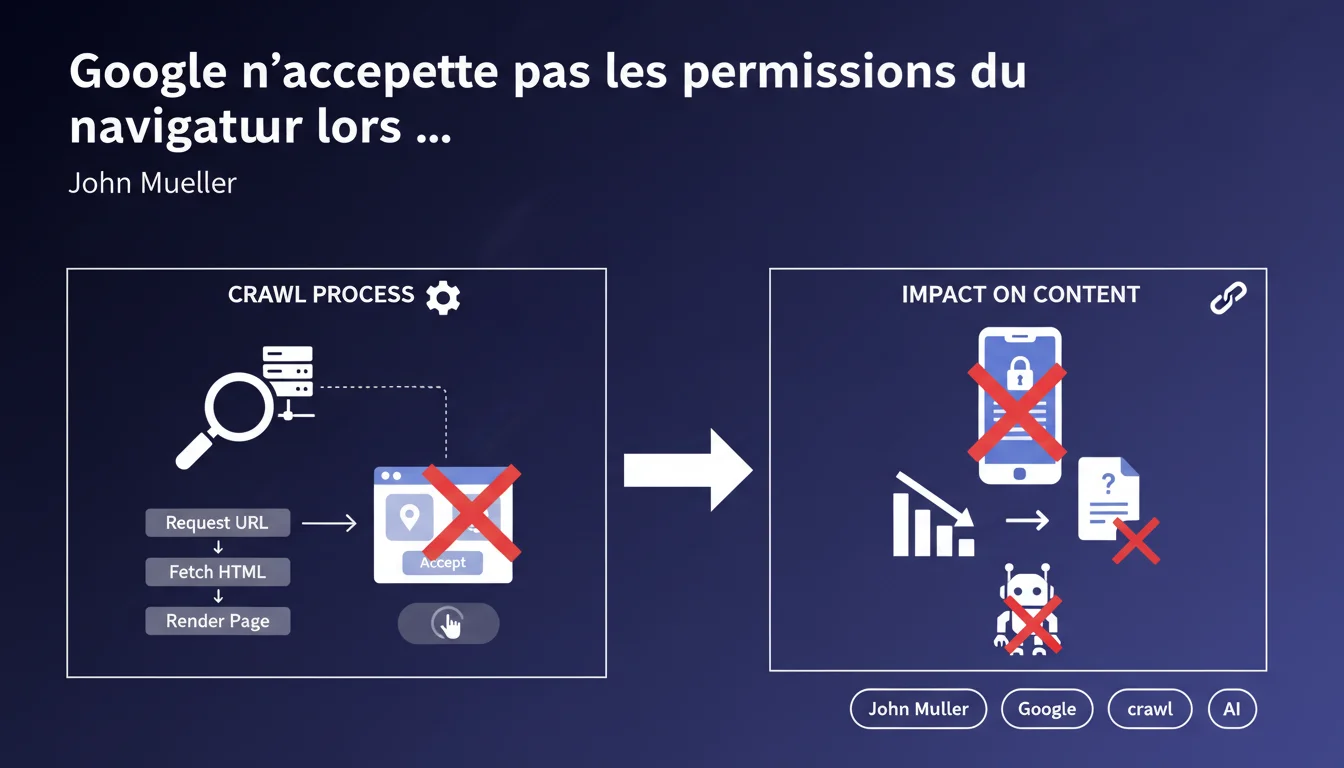
Googlebot accepts no browser permissions (geolocation, notifications, pop-ups, etc.) when rendering pages. If your content relies on these permissions or user interactions like button clicks, it remains invisible to Google. The bot cannot simulate manual acceptance.
What you need to understand
Why does Googlebot refuse browser permissions?
Google wants to understand what a user sees by default, without interaction. Permission dialogs — geolocation, push notifications, camera access — require voluntary human action. Googlebot cannot (and does not want to) simulate user consent.
Specifically? Your content should never be hidden behind a browser permission. If a critical element — title, text, image — requires the user to accept a JavaScript alert, Google will not see it.
What permissions are affected?
All those that generate a native browser dialog: geolocation, notifications, microphone/camera access, blocked pop-ups. Google systematically ignores them.
But also: buttons, forms, interactions that require a click or input. Googlebot does not activate onClick events or fill fields. If content loads only after a user click, it remains invisible.
Is JavaScript rendering enough then?
No. Just because Google executes JavaScript doesn't mean it interacts with the page. It renders the initial DOM but does not click, scroll, or fill out forms.
Do you have a site that loads content lazily via infinite scroll? Google will not scroll. Are you hiding text behind a
SEO Expert opinion
Is this statement consistent with observed practices in the field?
Yes — and it's a brutal reminder for some developers. I've seen e-commerce sites that display their catalog after a geolocation pop-up "to customize the experience." Result: zero product indexing.
Google is not lying here. The problem is that many confuse "JavaScript rendering" with "full interaction." Googlebot is not a user — it's a robot that reads the final HTML. It does not click on "Accept cookies" or "Allow geolocation.”
What gray areas should be monitored?
Mueller states that "buttons and forms requiring user interaction are generally not activated." Generally. That word matters.
In some cases, Google can trigger passive onLoad or onScroll events if the JavaScript initializes them automatically. But counting on that? Dangerous. [To be verified] on each implementation.
Should all permissions be banned from the site?
No. Permissions have their usefulness — push notifications, geolocation for a store locator. But they should remain optional and never block access to the main content.
If your content depends on a permission, you have an architectural problem. Period.
Practical impact and recommendations
What concrete steps should be taken to avoid these pitfalls?
Audit your site using Chrome DevTools in bot mode. Disable JavaScript, reload. Then enable it, but don’t click on anything. What you see is what Google sees.
Next, test with Google Search Console (URL Inspection > Test URL). Compare the rendering with the user version. Any discrepancies are an alert.
- Ensure that the main content displays without user interaction.
- Remove any dependency on browser permissions to display content.
- Replace lazy-loading via scroll with automatic mechanisms (Intersection Observer without clicks).
- Transform "See more" buttons into automatic loading or server-side rendering.
- Test each critical page with Google's testing tool (URL Inspection).
- Document blocking interactions and prioritize their technical redesign.
What mistakes should be absolutely avoided?
Never hide content behind a geolocation permission. This is the worst mistake, and it's common in retail.
Don't rely on "JavaScript hacks" to bypass this limitation. Google is constantly improving its rendering — what works today may fail tomorrow.
How can you ensure that your site adheres to these rules in the long term?
Integrate this check into your deployment workflow. Every new feature requiring interaction must pass a crawlability test.
Train your developers on SEO constraints — many do not realize that Googlebot does not click. This is not a budget issue; it’s a matter of technical understanding.
❓ Frequently Asked Questions
Googlebot peut-il cliquer sur un bouton "Accepter les cookies" ?
Le lazy-loading via scroll infini est-il indexé par Google ?
Un contenu affiché après un clic sur "Voir plus" sera-t-il crawlé ?
Peut-on utiliser la géolocalisation pour personnaliser le contenu sans nuire au SEO ?
Comment tester si mon contenu est accessible à Googlebot ?
🎥 From the same video 13
Other SEO insights extracted from this same Google Search Central video · published on 31/12/2021
🎥 Watch the full video on YouTube →
💬 Comments (0)
Be the first to comment.