
Official statement
Other statements from this video 11 ▾
- □ Does Google really index your PDFs, or does it transform them first?
- □ Does content weight really vary based on its location in HTML versus PDF?
- □ Does Google really depend on Adobe to properly index your PDFs?
- □ Does Google really index source code files the same way as regular text content?
- □ Why do raw source code files fail to rank properly in Google search results?
- □ Should you really stop storing all your PDFs in a single /pdfs/ folder?
- □ Does Google Really Never Index a Single Image Without a Hosting Page?
- □ Does Google really index images and videos separately from text content?
- □ Does Google really filter out personal data before indexing your pages?
- □ Does Google really index all your XML files?
- □ Can you really get JSON and plain text files indexed in Google search results without metadata?
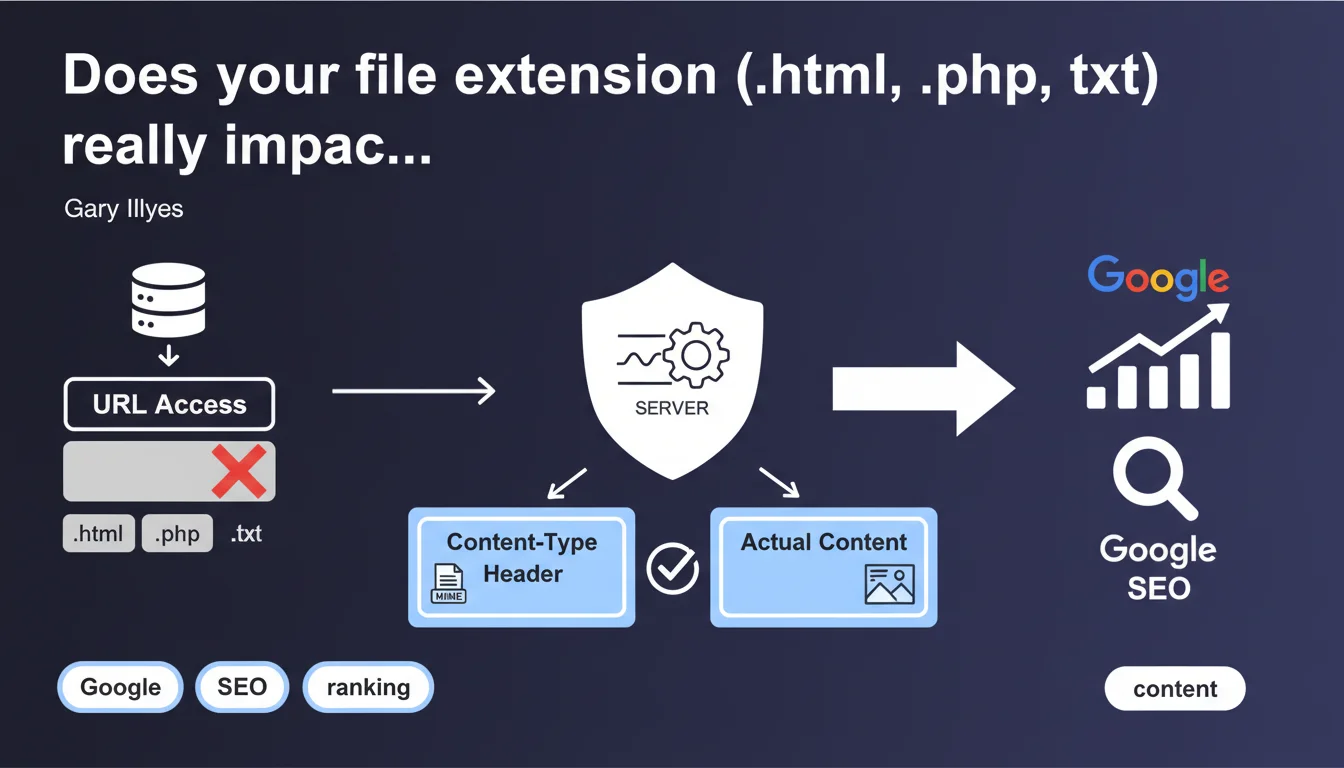
Google completely ignores file extensions in your URLs. What actually matters: the content-type header sent by your server and the actual page content. A .py file can be indexed as an HTML page if your server declares it correctly.
What you need to understand
Why does file extension seem important when it actually isn't?
A file extension (`.html`, `.php`, `.txt`, `.pdf`) is a relic of historical web architecture. It once indicated the content type or server-side language being used. Many SEOs still believe these extensions influence indexation.
Let's be honest: Google doesn't read the extension to understand your page. The search engine relies exclusively on the HTTP content-type header sent by your server in response, and the actual content returned. If your server declares `text/html` for a `.py` file, Google treats it as HTML.
What exactly is the content-type header?
The content-type header is a line of HTTP header information sent by the server that tells the browser (and Googlebot) what type of content it's receiving. Examples: `text/html` for HTML, `application/pdf` for a PDF, `text/plain` for plain text.
This declaration is what guides Google, not the `.php` or `.html` in the URL. If your server sends a content-type that conflicts with the actual content, you create confusion.
What happens if the content-type is misconfigured?
If your server declares `text/plain` for an HTML page, Google will interpret the content as plain text. Your `` tags, `` tags, links — everything will be ignored or poorly indexed.
Conversely, a file with an unusual extension (`.aspx`, `.cfm`, `.py`) will be indexed perfectly if the content-type is `text/html` and the content matches. The problem is never the extension, always the server configuration.
- Google reads the HTTP content-type header, not the file extension in the URL
- The extension (`.html`, `.php`, `.txt`) has no direct impact on indexation
- A wrong content-type can block indexation even if the extension looks correct
- The actual content returned must match the declared content-type
- This rule applies to all file types crawled by Google
SEO Expert opinion
Is this statement consistent with real-world observations?
Yes, absolutely. For years now, we've been successfully indexing URLs with no extension (e.g., `/products/shoes`) or with exotic extensions. Modern framework-based sites (React, Vue, Next.js) often generate URLs without `.html`, and Google indexes them perfectly.
What sometimes goes wrong: misconfigured servers that send incorrect HTTP headers. A poorly configured Apache server might return `text/plain` by default for unknown files, breaking indexation in the process.
Does this mean you should completely ignore extensions in your URLs?
No, and that's where nuance matters. The extension has no direct impact on crawling and indexation, but it can indirectly influence user behavior and URL perception.
A URL ending in `.pdf` clearly signals you're downloading a document. A URL like `/article.txt` might confuse the user. For UX reasons and click-through rates in search results, clean URLs without extensions or with `.html` remain preferable. This is no longer technical SEO, it's usability.
In what cases does this rule create problems?
Be careful with servers serving multiple content types through the same URL depending on the user-agent. If your server returns HTML to Googlebot but JSON to an API bot, you create a gap between what Google indexes and what other systems see. [To be verified] in your logs to avoid inconsistencies.
Another pitfall: CDNs or reverse proxies that modify HTTP headers in cache. If your origin sends the correct content-type but Cloudflare or Fastly replaces it with a generic header, Google indexes the wrong format.
Practical impact and recommendations
What should you actually check on your site?
First step: audit your HTTP headers. Use `curl -I https://yoursite.com/page` or DevTools (Network tab) to verify that each page type returns the correct content-type. An HTML page should return `text/html; charset=UTF-8`, a PDF should return `application/pdf`, etc.
Second step: verify that your static files (CSS, JS, images) also have the correct headers. CSS served as `text/plain` might not be executed properly by the browser, degrading Google's rendering.
What errors should you absolutely avoid?
Never configure your server to force a content-type based solely on the file extension visible in the URL. If you rewrite `/article` to `/article.php` internally, ensure the final HTTP header is `text/html`, not `application/x-httpd-php`.
Avoid setups where content-type varies by user-agent without valid reason. Google hates cloaking, even unintentional cloaking. If you serve different content to Googlebot and users, you risk a manual penalty.
How do you ensure optimal server configuration?
For Apache, check your `.htaccess` or `httpd.conf` file — the `AddType` directive must be consistent. For Nginx, control the `types {}` block in `nginx.conf`. For Node.js servers, Express or Fastify handle content-types automatically, but verify your custom middleware.
- Audit all content-type headers with curl or DevTools
- Fix inconsistencies between extension and HTTP header
- Test extension-less URLs to confirm they return the correct type
- Verify that internal rewrites don't break headers
- Monitor server logs to spot MIME type-related 500 errors
- Document server configuration to prevent regressions during deployments
❓ Frequently Asked Questions
Puis-je utiliser des URLs sans extension comme /produits/chaussures pour le SEO ?
Mon site affiche des fichiers .php dans les URLs, dois-je les masquer ?
Comment vérifier le content-type header envoyé par mon serveur ?
Un fichier .txt peut-il être indexé comme une page HTML ?
Que se passe-t-il si mon CDN modifie le content-type header ?
🎥 From the same video 11
Other SEO insights extracted from this same Google Search Central video · published on 08/09/2022
🎥 Watch the full video on YouTube →
💬 Comments (0)
Be the first to comment.