
Official statement
Other statements from this video 4 ▾
- □ How can you truly leverage Google Search Console's Performance Report to drive your organic visibility?
- □ Can Google Search Console really expose the hidden barriers blocking your indexation?
- □ How can you unlock hidden traffic from high-impression pages in Google Search Console?
- □ Why isn't Google showing your updated content in search results—and how do you fix it?
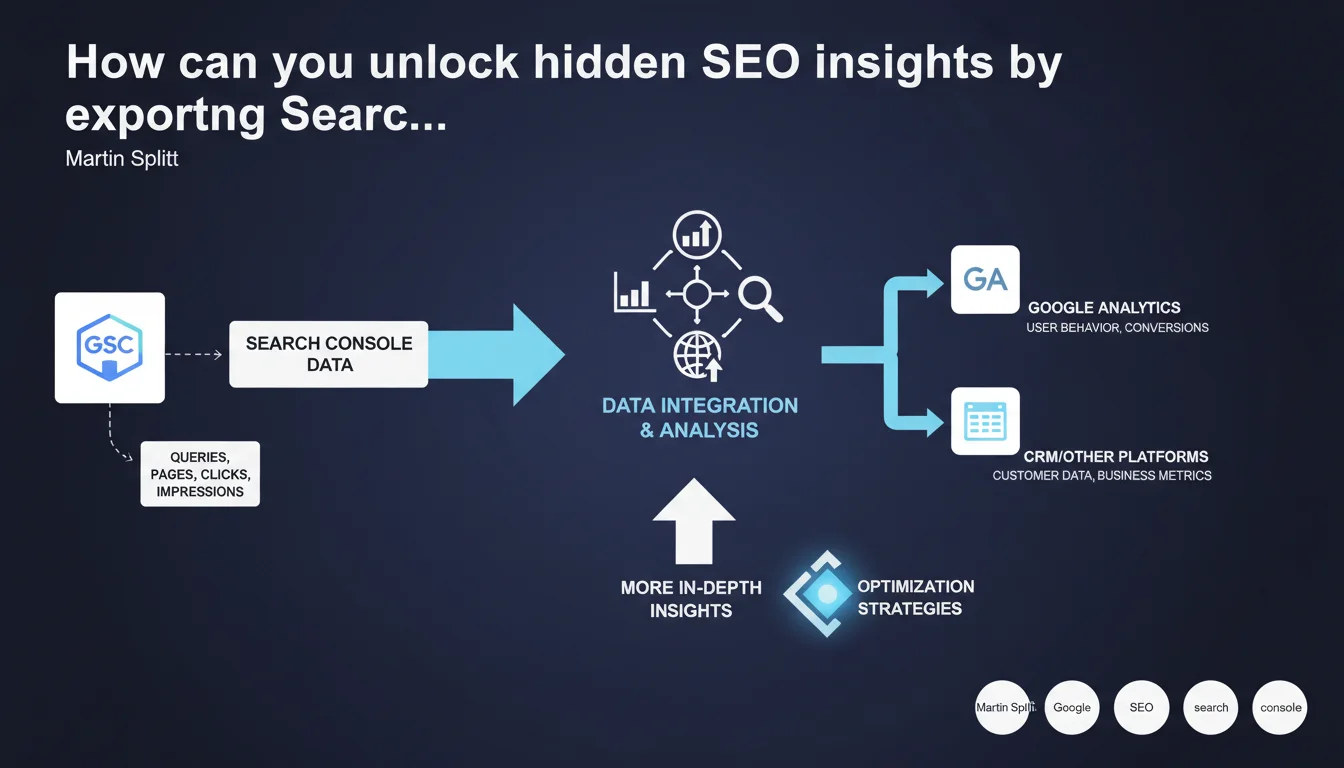
Google Search Console lets you export data to other analytics tools to cross-reference information and refine your SEO analysis. This feature opens the door to deeper correlations between SEO performance and user behavior. The real challenge: knowing which data to combine and how to interpret it correctly.
What you need to understand
Why does Google push this export feature so hard?
Google isn't just mentioning a technical option — they're actively encouraging SEO professionals to pull Search Console data and cross-reference it with other analytics platforms. The goal: enrich the context of your organic performance.
GSC data alone shows impressions, clicks, and average positions, but it tells you nothing about what happens after users land on your site. By combining it with Google Analytics, CRM tools, or BI platforms, you can connect SEO performance directly to real conversions, session duration, and navigation depth.
What export formats are available and how do you use them?
Search Console offers several export methods: direct download in CSV or Google Sheets, or integration via the Search Console API for automated workflows. CSV remains the most accessible for one-off analysis.
The API, on the other hand, lets you automatically refresh your dashboards and bypass the 1000-row display limit in the interface. This is essential for sites with high query volumes.
When does this export become truly strategic?
For a site with 50 pages and 200 organic queries per month, exporting feels like overkill. But once you're managing thousands of landing pages and tens of thousands of keywords, patterns get buried in the noise.
Cross-referencing GSC with Analytics helps you spot high-traffic queries with low conversion rates, or vice versa. You can identify pages generating impressions but few clicks — a signal of weak titles or meta descriptions.
- Combine Search Console and Google Analytics to link SEO with actual conversions
- Use the API to automate exports and avoid the 1000-row limit
- Uncover hidden patterns: high-traffic queries with poor ROI, pages with strong CTR but high bounce rates
- Export regularly to archive data beyond GSC's 16-month retention window
SEO Expert opinion
Is this statement actually useful or just a feature reminder?
Let's be honest: Martin Splitt isn't revealing anything groundbreaking here. GSC data export has existed for years. What's interesting is Google's emphasis on the topic — as if they're encouraging users not to rely solely on their interface.
In practice, this statement suggests Google knows their tool has limitations for advanced analysis. The underlying message: "Use GSC as a data source, not as your final dashboard". And that's an unusual stance for Google.
What are the undisclosed limitations of these exports?
Google doesn't clarify that exported data remains sampled and filtered. Even with API access, if you have millions of queries, you won't get 100% of the data — just a representative sample.
Another point: GSC data is grouped differently depending on context. A single query can appear across multiple pages, and clicks/impressions don't always add up linearly. [To verify]: Google doesn't clearly document how data is aggregated when the same URL appears for multiple query variations.
When can this export become a trap?
Cross-referencing too many sources can create confirmation bias. Looking for a correlation between CTR and conversion rate? You'll find one, even if it's not causal.
Another pitfall: comparing different date ranges between GSC and Analytics. Timestamps aren't always aligned — GSC records impressions, Analytics records sessions. A few hours' difference can skew analysis on short campaigns or traffic spikes.
Practical impact and recommendations
What concrete steps should you take to leverage these exports?
First step: define your business questions. Are you trying to optimize CTR? Identify high-potential pages with poor rankings? Understand why certain queries convert better than others?
Without clear objectives, you'll drown in dozens of pivot tables with zero actionable insights. Start small: one question, one export, one analysis. Then iterate.
Which tools should you use to combine data effectively?
Google Sheets with the Search Console add-on works for quick analysis. For continuous monitoring, go with tools like Looker Studio (formerly Data Studio), Power BI, or Tableau.
If you know Python, the Search Console API paired with Pandas enables deeper analysis: anomaly detection, keyword clustering, CTR prediction by rank. But be careful not to over-interpret already-sampled data.
How do you avoid common interpretation errors?
Classic mistake: comparing GSC traffic (clicks) with Analytics traffic (sessions). These aren't the same metrics. One click can generate multiple page views, or zero if the user leaves immediately.
Another trap: forgetting that GSC displays data by normalized URL. If you have UTM parameters or URL variants, Analytics will count them separately while GSC groups them. Result: unexplainable discrepancies.
- Define a specific objective before each export: don't export just to export
- Automate exports via API for sites with more than 1000 active queries
- Cross-reference GSC with Analytics by aligning dimensions: canonical URL, matching date ranges, excluding internal traffic
- Archive data beyond GSC's 16-month retention limit
- Verify data consistency: if the GSC/Analytics gap exceeds 10-15%, investigate the root causes (redirects, JavaScript, UTM parameters)
- Segment analysis by page type (category, product, blog) to identify specific patterns
❓ Frequently Asked Questions
Peut-on exporter toutes les requêtes d'un site via Search Console ?
Pourquoi y a-t-il un écart entre les clics GSC et les sessions Analytics ?
Quelle est la limite de lignes dans l'interface Search Console ?
Combien de temps Google conserve-t-il les données dans Search Console ?
Peut-on exporter les données de Google Discover via Search Console ?
🎥 From the same video 4
Other SEO insights extracted from this same Google Search Central video · published on 09/11/2023
🎥 Watch the full video on YouTube →
💬 Comments (0)
Be the first to comment.