
Official statement
Other statements from this video 7 ▾
- □ Les liens internes sont-ils vraiment traités comme des signaux UX par Googlebot ?
- □ Googlebot découvre-t-il vraiment vos pages grâce aux liens internes ?
- □ Pourquoi l'élément HTML <a> avec attribut href est-il indispensable au crawl Google ?
- □ Le texte d'ancrage significatif est-il encore un levier SEO décisif ?
- □ Pourquoi trop de liens internes peuvent-ils nuire à votre SEO ?
- □ Comment trouver le bon équilibre dans la quantité de liens internes ?
- □ Pourquoi Google insiste-t-il encore sur l'importance des liens internes pour la navigation et la découverte de contenu ?
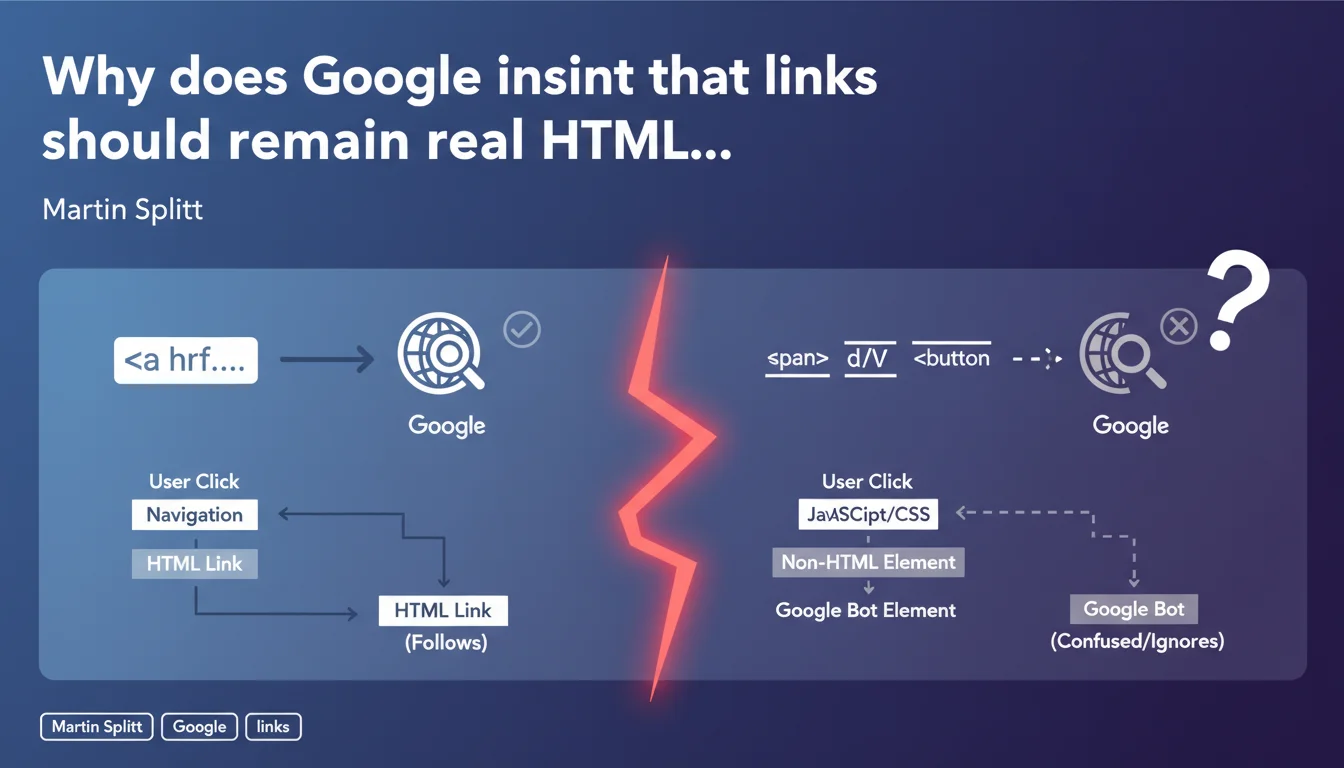
Google is asking developers to stop hacking fake links with spans, divs, or buttons. If something behaves like a link, use an <a> tag. Otherwise, Googlebot simply won't follow these elements, and you'll lose internal PageRank.
What you need to understand
Why do some developers avoid standard tags?
The reason is often purely aesthetic or technical. Modern JavaScript frameworks sometimes push developers to handle interactions via onClick events on non-standard elements. Designers sometimes want complete control over styling without fighting inherited CSS properties from links.
Other developers think they're gaining "modernity" by using styled buttons with JavaScript to trigger navigation. The problem? Googlebot won't execute your complex JS to understand that a clickable div leads somewhere.
What does Google consider an "appropriate link"?
An appropriate link is a <a href="..."> tag with a valid href attribute. Period. No onclick on a span, no disguised div link, no button with a sophisticated eventListener.
Googlebot crawls raw HTML. If your "link" requires JavaScript to work, you're risking that the bot won't follow it — or worse, it follows it poorly and wastes your crawl budget.
What are the real consequences of ignoring this advice?
First consequence: loss of discoverability. If Googlebot doesn't follow your fake links, target pages won't be crawled or will be crawled less frequently.
Second consequence: dilution of internal PageRank. Google doesn't transmit SEO juice through a span or div, even if it's clickable for the user. Your internal linking becomes invisible.
- <a href> tags are the only recognized standard for transmitting authority between pages
- Non-standard elements (span, div, button) aren't crawled as links, even with JS
- Google can technically execute JavaScript, but it's not guaranteed and wastes crawl budget unnecessarily
- A classic HTML link is accessible, performant, and universal — three qualities Google values
SEO Expert opinion
Is this statement really new or just a reminder?
Let's be honest: it's a basic reminder. Martin Splitt isn't discovering anything here — this is a rule known since the early days of the web. But the fact that Google still needs to repeat it in 2024 shows the problem persists, particularly with JS frameworks that encourage non-standard practices.
What's interesting is the tone used: "if something behaves like a link, it should be a link". Google is trying to simplify the message to reach developers who don't think SEO. And that's where the disconnect lies.
In what cases does this rule create practical problems?
There are legitimate edge cases. For example, a dropdown menu that loads dynamic content without changing the URL. Or a single-page application (SPA) where navigation is managed by the JavaScript router.
In these cases, using a classic <a href> can break the user experience. The solution? Implement hybrid navigation: a valid href for Googlebot, an eventListener to enhance UX. It's doable, but it requires work — and many developers take shortcuts.
[To verify]: Google claims Googlebot can follow certain advanced JavaScript links, but real-world testing shows this is inconsistent depending on code complexity and execution timing. Relying on this is a risky bet.
What nuances should be considered for e-commerce or SaaS sites?
On an e-commerce site, "Add to cart" buttons don't need to be links — they're actions, not navigation. No confusion there.
However, category filters or navigation menus must absolutely use <a href>. I've seen too many sites lose thousands of pages from the index because their faceted filters were managed only in JavaScript without HTML fallback.
Practical impact and recommendations
What should you audit first on an existing site?
First step: crawl your site with Screaming Frog or Oncrawl in "Googlebot" mode. Check if all your internal links appear properly in the crawl graph. If entire sections are missing, you probably have fake links.
Second step: inspect the HTML source (not the DOM after JS execution) on key pages. Look for onclick, data-href, divs with "link" or "btn-link" classes. If you find any, replace them with <a href>.
How do you migrate fake links to real ones without breaking UX?
Use the progressive enhancement technique. First create a classic HTML link. Then add JavaScript to enrich the behavior (animations, AJAX loading, etc.).
Concrete example: replace <div onclick="goTo('/page')"> with <a href="/page" class="enhanced-link">. Then add an eventListener that intercepts the click to handle advanced UX, but keeps the href intact for Googlebot.
What errors should you absolutely avoid during implementation?
Error #1: using href="#" or href="javascript:void(0)". These syntaxes render the link invalid for Googlebot. If you need to intercept behavior with JS, use preventDefault(), but keep a valid href.
Error #2: forgetting to test in no-JS mode. Disable JavaScript in Chrome DevTools and navigate your site. If certain links stop working, you have a problem.
- Audit all navigation elements with a crawler configured as Googlebot
- Replace all clickable spans, divs, and buttons with valid <a href> tags
- Verify that JS frameworks (React, Vue, Next.js) generate proper <a> tags in the HTML
- Test navigation in no-JavaScript mode to guarantee Googlebot accessibility
- Implement progressive enhancement: valid href + optional JS for UX
- Avoid href="#" or href="javascript:void(0)" which invalidates links for crawlers
- Regularly monitor page discovery rate in Search Console
❓ Frequently Asked Questions
Est-ce que Google suit les liens générés dynamiquement en JavaScript ?
Un bouton peut-il remplacer un lien pour la navigation interne ?
Comment vérifier que mes liens React ou Vue sont bien crawlables ?
Les liens avec rel='nofollow' sont-ils concernés par cette règle ?
Peut-on utiliser des divs cliquables pour des raisons d'accessibilité ?
🎥 From the same video 7
Other SEO insights extracted from this same Google Search Central video · published on 23/07/2024
🎥 Watch the full video on YouTube →
💬 Comments (0)
Be the first to comment.