
Official statement
Other statements from this video 14 ▾
- □ Do ccTLDs Really Give You a Geographic SEO Advantage?
- □ Does your domain extension really impact SEO rankings?
- □ Should you really avoid cheap domain extensions for your SEO?
- □ Why does Google treat certain ccTLDs the same way as generic domain extensions?
- □ Do .edu and .gov domains really provide an SEO advantage?
- □ Does your domain extension (TLD) really impact your search rankings?
- □ Does a .coffee or .tech domain really boost your search rankings?
- □ Should you always verify a domain's history before buying it?
- □ Why can't you detect manual actions before buying an expired domain?
- □ Do keywords in your domain name really matter for SEO rankings?
- □ Do hyphens in domain names really hurt your SEO rankings?
- □ Should you prioritize branding over exact keywords in your domain name?
- □ Does your choice between www and non-www really impact your search rankings?
- □ Should you really avoid publishing a 'Coming Soon' page on a new domain?
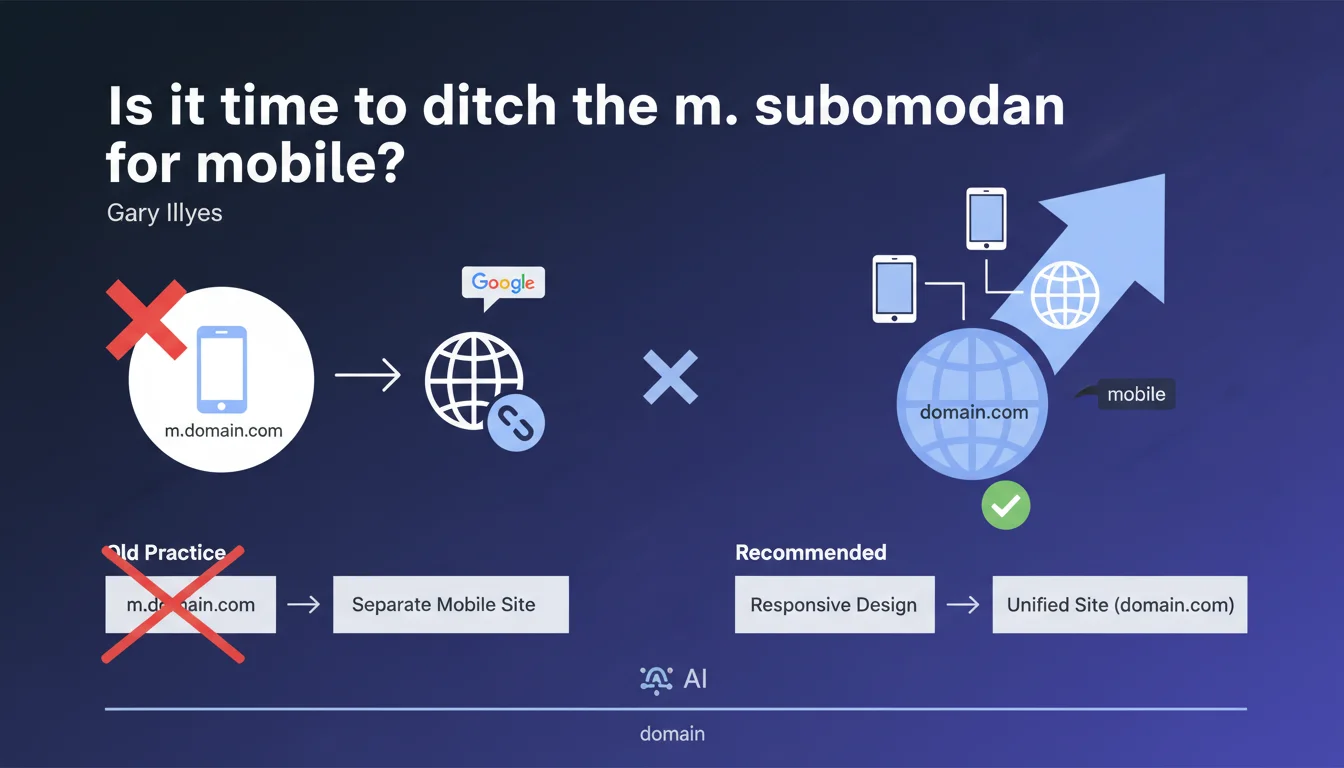
Google strongly discourages using an m.mobile subdomain (like m.domain.com) to serve a site's mobile version. This architecture, a remnant from an era before responsive design existed, unnecessarily complicates technical management and dilutes SEO signals. Responsive design or dynamic serving on the same domain remain the preferred options.
What you need to understand
Why does Google oppose m. subdomains?
Mobile subdomain architecture (m.domain.com) dates back to an era when sites didn't have adaptive versions. This approach forces you to maintain two distinct versions of the site, which doubles maintenance overhead and fragments SEO signals between two different technical entities.
Google considers this practice obsolete since the advent of responsive design. The separation creates indexing, canonicalization, and PageRank transfer problems that simply don't exist with a unified architecture.
What technical complications does this structure create?
An m. subdomain requires setting up 302 redirects (or user-agent detection) to route mobile users to the correct version. Each URL must have its exact equivalent on the subdomain, with bidirectional rel="alternate" and rel="canonical" tags.
This complexity multiplies error risks: orphaned URLs, redirect loops, out-of-sync content. Google must crawl and index two versions, which wastes crawl budget unnecessarily.
What alternatives does Google recommend?
The preferred solution remains responsive design: a single site with one URL per piece of content that automatically adapts to all screen sizes. It's the simplest architecture to maintain and most effective for SEO.
Dynamic serving is an acceptable alternative: same URL, but different HTML content depending on the user-agent. This requires the Vary: User-Agent header but avoids signal fragmentation.
- Responsive design consolidates all SEO signals into a single version
- m. subdomains fragment PageRank and complicate indexing
- Maintaining a separate architecture doubles technical error risks
- Google no longer prioritizes crawling separate mobile versions since mobile-first indexing
SEO Expert opinion
Is this recommendation really new?
Let's be honest: Google has discouraged mobile subdomains since at least 2015. It's not a revelation, but a reminder in the face of practices that still persist, particularly on legacy sites or media groups that migrated to mobile later.
The real turning point was mobile-first indexing deployment, which made this architecture not just obsolete, but potentially penalizing. Google now prioritizes indexing the mobile version—and if that version lives on a separate subdomain, technical complexity explodes.
Which sites still use this structure?
We still see m. subdomains on older e-commerce platforms, news sites that migrated gradually, or proprietary CMSs that are hard to overhaul. In some cases, migrating to responsive represents a technical project too heavy for understaffed teams.
The problem is that maintaining this architecture costs more long-term than migrating. Synchronization errors between desktop and mobile versions generate support tickets, traffic losses, and growing technical debt. [To verify]: Google claims this architecture isn't directly penalizing, but field observations show recurring indexing problems on poorly configured sites.
Are there cases where this rule might have exceptions?
Technically, with perfect implementation—all bidirectional tags in place, flawless synchronization, clean redirects—a mobile subdomain site can work. But this is extremely rare in practice.
Some argue that for complex web applications, serving a simplified mobile version on a separate subdomain allows performance optimization. This is debatable: a good responsive design with lazy loading and code splitting achieves the same results without architectural complexity.
Practical impact and recommendations
What should you do if your site still uses m.domain.com?
First step: audit the quality of your current implementation. Verify that all desktop URLs have mobile equivalents, that rel alternate/canonical tags are bidirectional and consistent, and that redirects function without loops.
If the audit reveals errors—and it almost always does—you have two options: fix the current setup while planning a migration, or accelerate your redesign timeline. Temporary fixes only delay the inevitable.
How do you plan the migration to responsive?
The migration must follow a structured process: complete URL inventory, 1:1 mapping between mobile and desktop versions, redirect plan with 301s, then phased rollout by site sections.
Test each phase in a staging environment. Use Search Console to monitor mobile-first indexing and catch errors before they impact traffic. A poorly executed migration can drop traffic by 30 to 50%.
What errors should you avoid during the transition?
The classic mistake: abruptly removing the mobile subdomain without 301 redirects to corresponding desktop URLs. Result: massive PageRank loss and 404 explosion.
Another trap: migrating without verifying that responsive is truly functional. A site that displays poorly on mobile after migration is worse than a well-configured subdomain. Test on real devices, not just Chrome's simulator.
- Audit current implementation: alternate/canonical tags, redirects, content synchronization
- Map all mobile URLs to their desktop equivalents in a redirect file
- Deploy responsive design in a test environment and validate display on all devices
- Set up 301 redirects from the m. subdomain to the main domain
- Monitor Search Console for 2-3 months to detect indexing errors
- Remove alternate/canonical tags once migration is stable
❓ Frequently Asked Questions
Un sous-domaine m. pénalise-t-il directement mon référencement ?
Puis-je garder mon sous-domaine mobile si tout fonctionne correctement ?
Combien de temps prend une migration du sous-domaine m. vers le responsive ?
Dois-je utiliser des redirections 301 ou 302 pour passer du m. au domaine principal ?
Le dynamic serving est-il une alternative acceptable au responsive ?
🎥 From the same video 14
Other SEO insights extracted from this same Google Search Central video · published on 20/07/2023
🎥 Watch the full video on YouTube →
💬 Comments (0)
Be the first to comment.