
Official statement
Other statements from this video 14 ▾
- □ Les ccTLD donnent-ils vraiment un avantage géographique en SEO ?
- □ Le choix du TLD a-t-il un impact sur le référencement naturel ?
- □ Faut-il vraiment éviter les TLD bon marché pour son référencement ?
- □ Pourquoi Google traite-t-il certains ccTLD comme des domaines génériques ?
- □ Les domaines .edu et .gov offrent-ils vraiment un avantage SEO ?
- □ Le choix du nom de domaine (TLD) a-t-il vraiment un impact sur le référencement ?
- □ Un TLD en .coffee ou .tech booste-t-il vraiment votre référencement naturel ?
- □ Pourquoi ne peut-on détecter les actions manuelles qu'après avoir acheté un domaine expiré ?
- □ Les mots-clés dans le nom de domaine sont-ils vraiment si peu efficaces pour le SEO ?
- □ Les tirets dans les noms de domaine pénalisent-ils vraiment le SEO ?
- □ Faut-il privilégier le branding aux mots-clés exacts dans le nom de domaine ?
- □ WWW ou non-WWW : votre choix de sous-domaine impacte-t-il vraiment votre référencement ?
- □ Faut-il abandonner le sous-domaine m. pour mobile ?
- □ Faut-il vraiment éviter les pages 'Coming Soon' sur un nouveau domaine ?
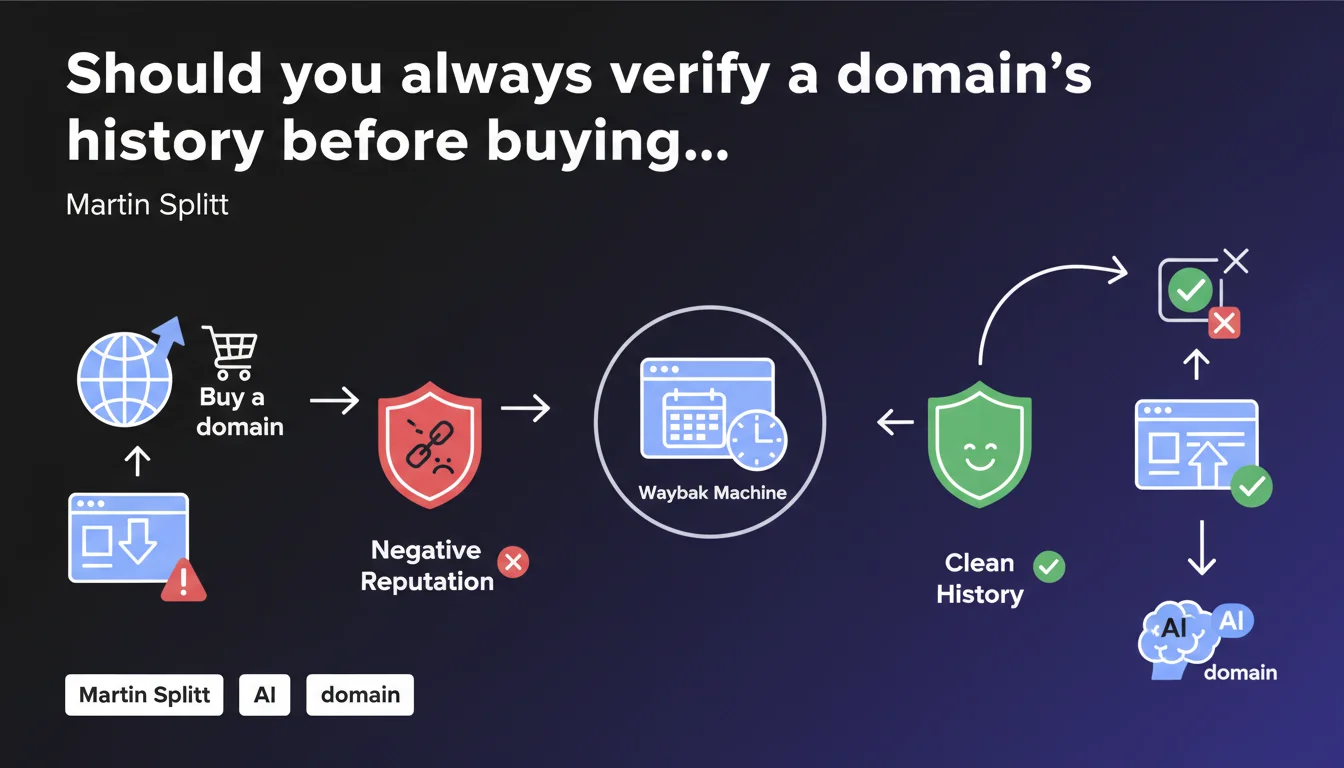
Martin Splitt recommends verifying a domain name's history using tools like Wayback Machine before any purchase. The goal: avoid inheriting negative reputation or manual actions that would cripple your SEO project from the start. An essential reflex for any practitioner considering acquiring an expired or second-hand domain.
What you need to understand
Why does Google insist on verifying a domain's history?
When you buy a domain name, you're not just acquiring a web address. You're also inheriting its past: toxic backlinks, manual penalties, spammed content, associations with questionable practices. Google doesn't reset the counters every time ownership changes.
If the domain has been sanctioned by a manual action or used for massive spam, that reputation sticks with you. Even after changing content and strategy, the negative signal can persist for months or even years. This is why auditing before purchase is so important.
What tools allow you to verify a domain's history?
Wayback Machine is the reference tool cited by Martin Splitt. It archives successive versions of a website and lets you see what was published at different times. You can spot adult content, pharmaceutical spam, link farms, or satellite pages.
Other tools complete the picture: Google Search Console (if you have access to the previous owner's data), Ahrefs or Majestic to analyze the backlink profile, SpamZilla or ExpiredDomains.net to detect toxic signals. Cross-referencing multiple sources gives you a more reliable view.
What signals should alert you during a domain audit?
- Manual actions visible in Google Search Console or mentioned in the domain's public history
- Spam spikes detected via Wayback Machine: satellite pages, suspicious redirects, auto-generated content
- Suspicious backlink profile: over-optimized anchors, links from PBNs, low-quality site networks
- Abrupt thematic changes: a domain switching from shoe e-commerce to adult content, then to finance, screams recycled domain
- History of massive redirects to other domains, a sign of use as a satellite domain
SEO Expert opinion
Is this recommendation followed by SEO practitioners?
Honestly? Not enough. Many SEOs still buy expired domains on a whim, attracted by artificially inflated metrics (high DR/DA, numerous backlinks). The wake-up call is harsh when the site never takes off, weighed down by a toxic history invisible at first glance.
The most experienced ones automate this verification with scripts that query Wayback Machine, analyze link profiles, and cross-reference data. But many agencies and consultants still miss this basic filter, out of negligence or lack of knowledge.
What are the limitations of this verification?
Wayback Machine doesn't archive everything. Some domains have never been crawled, others have gaps of several months or even years. A domain might have served as a discrete PBN without ever appearing in public archives.
Manual actions aren't always visible to a new owner. If the domain was penalized but the penalty was never lifted or publicly documented, you'll discover it too late — when your pages remain stubbornly out of index or buried on page 10. [To verify]: Google claims that some penalties are content-related and disappear with a new site, but the system's opacity makes this guarantee fuzzy.
In what cases can a domain with a history still be interesting?
A penalized domain isn't necessarily dead forever. If the manual action is documented, you can lift it via a reconsideration request after cleanup, and the backlink profile retains value (natural editorial links, authoritative domains), the game might be worth the candle.
Some SEOs deliberately buy penalized domains at steep discounts, clean them up, submit a reconsideration request, and rebuild a clean strategy. It works — but it requires time, expertise, and a risk tolerance that most projects don't have.
Practical impact and recommendations
What should you actually do before buying a domain?
First step: query Wayback Machine to view archived versions of the site. Look for suspicious content, abrupt thematic changes, massive redirects. If the domain served as a PBN or satellite site, the archives will expose it.
Next, analyze the backlink profile with Ahrefs, Majestic, or SEMrush. Look at the quality of referring domains, anchor diversity, and thematic consistency. A domain with 90% of links from Russian forums or low-quality directories is a red flag.
Finally, check for the absence of manual actions if you have access to Google Search Console. If the domain is still indexed, type site:example.com into Google: a very low number of results or complete absence may indicate deindexation.
What mistakes should you avoid when auditing a domain?
- Relying solely on Ahrefs/Moz metrics without checking historical content
- Ignoring thematic changes: a domain that switched topics 5 times in 3 years is suspect
- Failing to test current indexation: an expired domain may still be partially indexed with toxic content
- Buying a domain without checking backlink anchors: over-optimized anchors ("online casino", "cheap viagra") are a red flag
- Neglecting historical redirects visible in Wayback Machine
How can you ensure a domain is clean before launching a project?
Once purchased, clean up the backlink profile by disavowing toxic links via Google Search Console. Publish quality content consistent with the new theme and submit a new sitemap to accelerate recrawling.
Monitor performance in the SERPs over the first 3 months. If the domain doesn't rank despite solid content and flawless on-page strategy, a negative signal may persist. In that case, you're better off cutting your losses and migrating to a new domain.
❓ Frequently Asked Questions
Wayback Machine suffit-il pour vérifier l'historique d'un domaine ?
Un domaine sanctionné par une action manuelle peut-il être récupéré ?
Comment savoir si un domaine expiré a été utilisé pour du spam ?
Les métriques Ahrefs/Moz sont-elles fiables pour évaluer un domaine expiré ?
Combien de temps une pénalité peut-elle persister après changement de propriétaire ?
🎥 From the same video 14
Other SEO insights extracted from this same Google Search Central video · published on 20/07/2023
🎥 Watch the full video on YouTube →
💬 Comments (0)
Be the first to comment.