
Official statement
Other statements from this video 9 ▾
- □ How does Google actually discover your new pages?
- □ Is Google really missing pages from your site that should be indexed?
- □ How does Googlebot decide which pages to crawl on your website?
- □ Does Googlebot intentionally slow down on your site to avoid overwhelming it?
- □ Why does Googlebot ignore some of the URLs it discovers?
- □ Can Googlebot really crawl content hidden behind a login page?
- □ Does Google really struggle to see your JavaScript content without rendering?
- □ Do you really need an XML sitemap to get indexed by Google?
- □ Should you really be automating your sitemap generation?
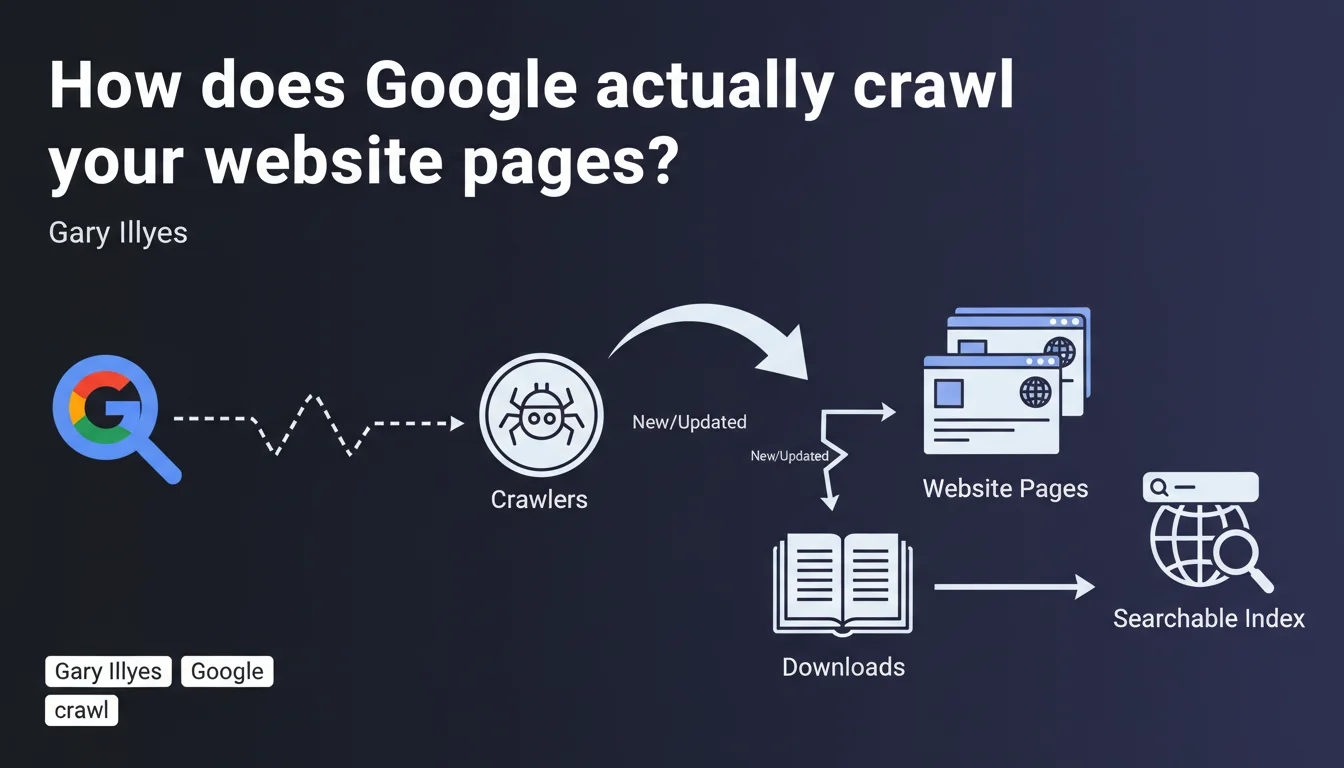
Google uses automated robots (crawlers) to discover, download, and index web pages. Crawling is the essential first step for a page to become searchable. Without crawling, there's no presence in search results.
What you need to understand
Crawling is the first building block of Google's indexation system. Before a page can appear in search results, it must be visited, downloaded, and analyzed by a robot.
This official statement reinforces a fundamental truth: Google doesn't discover your content by magic. It follows links, scans sitemaps, monitors RSS feeds, and periodically returns to URLs it already knows about.
Why does Google emphasize this distinction between crawling and indexing?
Because many practitioners confuse the two. A page can be crawled without being indexed — and that's where things get complicated.
The downloading mentioned in the statement means Google retrieves the entire HTML, CSS, and JavaScript content to analyze it. It's not just a surface-level read.
What triggers a crawler to visit a page?
Three main levers: link discovery (internal or external), submission via XML sitemap, and freshness signals (update frequency, popularity).
Google allocates a different crawl budget depending on your site's technical health, popularity, and server response speed. A slow site or one riddled with 404 errors will see its budget reduced.
What obstacles prevent effective crawling?
Several technical blocks can sabotage crawler work: an overly restrictive robots.txt file, noindex meta tags, redirect chains, excessively long server response times, poorly managed pagination.
Heavy JavaScript sites still pose problems if server-side rendering (SSR) or pre-rendering aren't properly configured. Google crawls raw HTML as a priority.
- Crawling always precedes indexing — a non-crawled page cannot be indexed
- Limited crawl budget — Google doesn't explore all your pages on each visit
- Quality signals influence frequency — a technically sound and popular site is crawled more often
- Technical obstacles (robots.txt, redirects, server errors) block or slow crawling
- Complex JavaScript can delay or prevent content discovery if poorly implemented
SEO Expert opinion
Is this statement really new or just a reminder?
Let's be honest: Gary Illyes isn't breaking new ground here. He's reformulating a fundamental SEO principle that every practitioner should have mastered years ago.
What's interesting is that Google keeps hammering home this message. Why? Because too many sites still lose traffic due to basic crawling problems — and that's verifiable in any technical audit.
What nuances should be added to this simplified view?
The reality of crawling is more complex than this definition suggests. Google uses multiple types of crawlers: Googlebot Desktop, Googlebot Mobile, Googlebot Image, and others. Each has its own priorities and limitations.
A crawler visit guarantees no indexing whatsoever. I've seen sites with millions of crawled pages but only thousands indexed — often due to duplicate content, thin content, or keyword cannibalization.
And that's where it gets tricky: Google never specifies how long it keeps a crawled page in cache before recrawling it, or how it prioritizes URLs within its budget. [To verify] through your own server logs.
In what cases doesn't this rule fully apply?
Some pages can appear in search results without being fully crawled — Google can index a URL based solely on external signals (links, anchor text) if the content isn't accessible.
Login-protected content, PDFs without HTML alternatives, dynamically generated content without SSR: these are all gray areas where classic crawling doesn't work as described.
Practical impact and recommendations
What should you concretely do to optimize your site's crawling?
First priority: analyze your server logs. No third-party tool will give you as precise a view of what Googlebot actually does on your site — which pages, how often, and with what error rate.
Next, clean up your robots.txt. Too many sites accidentally block critical resources (CSS, JS) or entire sections through ignorance. Test it in Google Search Console.
Optimize your internal linking structure to facilitate discovery. Orphan pages (with no incoming links) will never be crawled naturally — even if they're in your sitemap.
What mistakes should you absolutely avoid?
Don't overload your sitemap with non-strategic URLs. A 50,000-URL sitemap with 40,000 weak-content entries dilutes the signal and wastes crawl budget.
Avoid redirect chains (A → B → C). Each hop consumes budget and slows crawling. A direct redirect (A → C) is always preferable.
Don't neglect server speed. A TTFB (Time To First Byte) above 500ms slows Googlebot, which adjusts its aggressiveness to avoid overloading your infrastructure.
How do you verify that your site is being crawled efficiently?
Use the coverage report in Google Search Console to identify excluded URLs, crawl errors, and pages discovered but not indexed.
Compare the number of crawled pages (server logs) with the number of indexed pages (site: command or GSC). A significant gap signals a quality or structural issue.
- Install a server log analysis tool (Oncrawl, Screaming Frog Log Analyzer, etc.)
- Check your robots.txt file using Google Search Console's testing tool
- Audit your internal linking to eliminate orphan pages
- Optimize your XML sitemap by keeping only strategic and canonical URLs
- Fix all redirect chains and recurring 404 errors
- Improve TTFB and server response speed (CDN, caching, compression)
- Implement server-side rendering (SSR) for heavy JavaScript sites
- Regularly monitor the coverage report in GSC
Crawling is the invisible yet critical link in your organic visibility. Without solid technical strategy, you lose potential before Google even evaluates your content.
These optimizations — from log analysis to internal linking architecture — require specialized expertise and tools. If you don't have the time or in-house resources, hiring an SEO agency can significantly accelerate your results and avoid costly mistakes.
❓ Frequently Asked Questions
Quelle est la différence entre crawl et indexation ?
Comment savoir si Google crawle mon site régulièrement ?
Mon sitemap suffit-il pour garantir le crawl de toutes mes pages ?
Pourquoi certaines pages sont crawlées mais jamais indexées ?
Le budget de crawl est-il un problème pour les petits sites ?
🎥 From the same video 9
Other SEO insights extracted from this same Google Search Central video · published on 22/02/2024
🎥 Watch the full video on YouTube →
💬 Comments (0)
Be the first to comment.