
Official statement
Other statements from this video 10 ▾
- □ Is CLS really a full-fledged Google ranking factor you can't ignore?
- □ Are your images sabotaging your CLS without you even knowing it?
- □ Does specifying image dimensions really fix Cumulative Layout Shift?
- □ Are lab data really enough to optimize your Core Web Vitals, or do you need real user metrics?
- □ How is the Chrome User Experience Report revolutionizing the way you measure your website's actual performance?
- □ Does LCP really measure how fast your main content appears on screen?
- □ Should you really prioritize loading your hero images to improve LCP?
- □ Why is PageSpeed Insights the performance tool you should prioritize for SEO?
- □ Can HTTP/2 really boost your site's performance without major technical overhaul?
- □ Should you really convert all your images to WebP for SEO?
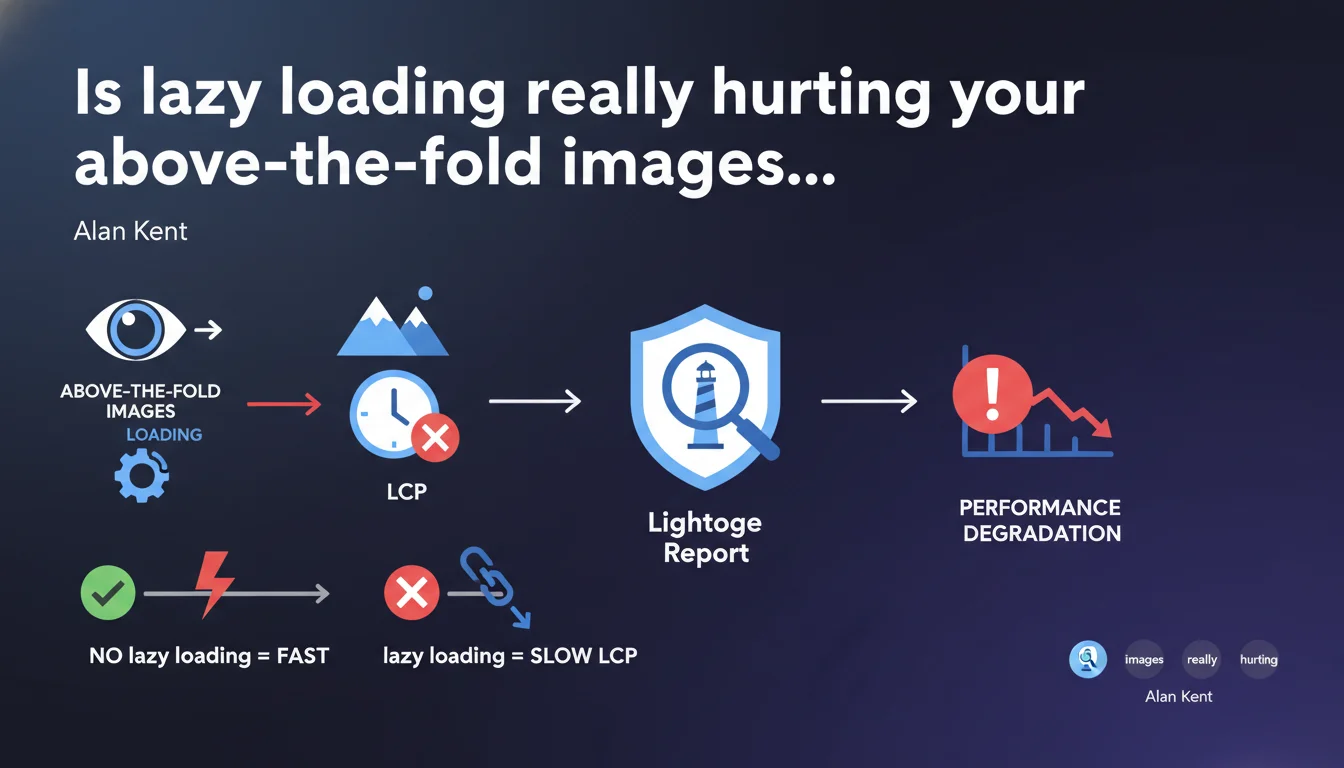
Google confirms that lazy loading applied to above-the-fold images degrades performance, particularly LCP. Lighthouse now automatically flags this common mistake. The rule is straightforward: only images below the initial viewport should be deferred loading.
What you need to understand
Why can lazy loading hurt Core Web Vitals?
Lazy loading is a technique that delays image loading until they're about to appear in the viewport. It's an excellent practice for reducing initial page weight and accelerating overall load times.
The problem emerges when this technique applies to above-the-fold images — those visible without scrolling. The browser must first parse the HTML, execute the lazy loading JavaScript, then only load the image. This delay artificially extends the Largest Contentful Paint (LCP), a critical Core Web Vitals metric.
What exactly does Lighthouse flag now?
Recent Lighthouse versions specifically detect lazy-loaded images that impact LCP. If your largest visual element — often the hero banner — is deferred loading, you'll see an explicit alert in your report.
This automatic detection simplifies diagnosis. Previously, you had to cross-reference Performance data with the DOM to identify the culprit. Now Lighthouse points directly to the problem.
What's the difference between above and below the fold?
Above the fold refers to everything visible on screen at initial load, without user interaction. Below the fold is the rest — everything requiring scrolling to be seen.
On mobile, this threshold typically sits around 600-800px in height. On desktop, around 1000px depending on screen resolutions. But beware: this boundary varies by device and configuration. An image at 700px might be above the fold on a 4K screen and below on a smartphone.
- Lazy loading on above-the-fold images: slows down LCP and degrades user experience
- Lazy loading on below-the-fold images: optimizes initial load time and reduces bandwidth consumption
- Lighthouse automatically detects lazy-loaded images impacting LCP in recent versions
- The fold position varies by device — a responsive strategy is essential
SEO Expert opinion
Is this recommendation really new?
No. SEO and webperf experts have repeated this advice since the introduction of native HTML5 lazy loading. What's changing is that Google now officially codifies the practice and Lighthouse makes it an automatic checkpoint.
In the field, I still regularly spot this error — especially on sites using CMS or builders that apply lazy loading globally without distinction. A simple loading="lazy" in a global template is enough to tank LCP.
In what cases can this rule be nuanced?
Let's be honest: the rule seems crystal clear, but implementation gets complicated once you step beyond textbook scenarios. On a page with multiple conditional layouts (mobile vs desktop), which image is truly above the fold? On a carousel that dynamically loads its visuals, how do you manage priorities?
Google's statement remains deliberately generic. It doesn't specify how to handle responsive srcset images, nor expected behavior for CSS background-image that can also impact LCP. [To verify]: does Lighthouse penalize only <img> tags or also CSS backgrounds?
What technical mistake do you see most often?
The classic pitfall: developers applying loading="lazy" via JavaScript to every DOM image at load time. Result: even the first image gets deferred. Worse, some frameworks add this directive automatically without the tech team realizing it.
Another frequent case — critical images loaded via JavaScript. The browser can't detect them during initial parsing, making preloading impossible even without explicit lazy loading. LCP explodes, and Lighthouse doesn't understand why since technically there's no loading="lazy" attribute.
Practical impact and recommendations
How do I identify above-the-fold images on my site?
Use PageSpeed Insights or Lighthouse directly in Chrome DevTools. The "Diagnostics" section precisely indicates which image is your LCP and whether it's lazy-loaded. Test across multiple resolutions — desktop, tablet, mobile.
For deeper analysis, use the "Performance" tab in Chrome DevTools. Start a recording, reload the page, then visually identify which element appears first. If you see a delay between DOM Content Loaded and your main visual appearing, it's likely a lazy loading issue.
What strategy should I adopt to fix it?
First step: remove lazy loading from hero images, primary banners, and initial visuals. Concretely, strip the loading="lazy" attribute from these elements. If your CMS adds it automatically, modify the template or use a filter to exclude certain CSS classes.
Second optimization — add a preload for the LCP image via a <link rel="preload" as="image" href="..."> tag in the <head>. This directive tells the browser to load this resource with absolute priority. Caution: preload only one image, otherwise you dilute priority.
For sites with conditional layouts, the technical solution becomes more sophisticated. You need to detect server-side or via critical JavaScript which visual will be above the fold based on device, then dynamically inject the correct preload. This type of implementation requires specialized expertise — delegating to an SEO agency specialized in webperf lets you avoid missteps and guarantee measurable results without tying up internal resources for weeks.
How do I verify the fix works?
Rerun Lighthouse after your changes. The LCP score should improve significantly if the image was the bottleneck. Target an LCP under 2.5 seconds — ideally under 1.5 seconds on mobile.
Also validate in real conditions with Chrome User Experience Report (CrUX) or Search Console's "Web Vitals" section. Lab data (Lighthouse) only reflects a controlled scenario. Field metrics show your actual users' experience.
- Audit the site with Lighthouse and identify the LCP element
- Remove
loading="lazy"from any above-the-fold images - Add a
<link rel="preload">for the main LCP image - Test across multiple resolutions (mobile, desktop, tablet)
- Verify below-the-fold images still retain lazy loading
- Measure impact with Lighthouse and validate in real conditions via CrUX
- Monitor Core Web Vitals regularly in Search Console
❓ Frequently Asked Questions
Le lazy loading natif HTML5 est-il moins performant que les solutions JavaScript ?
Faut-il également éviter le lazy loading sur les vidéos above the fold ?
Comment gérer le lazy loading sur un carrousel en above the fold ?
Est-ce que retirer le lazy loading va augmenter mon temps de chargement global ?
Lighthouse signale une erreur mais mon LCP est bon — dois-je corriger quand même ?
🎥 From the same video 10
Other SEO insights extracted from this same Google Search Central video · published on 06/05/2022
🎥 Watch the full video on YouTube →
💬 Comments (0)
Be the first to comment.