
Official statement
Other statements from this video 9 ▾
- □ How does Google actually crawl your website pages?
- □ How does Google actually discover your new pages?
- □ Is Google really missing pages from your site that should be indexed?
- □ How does Googlebot decide which pages to crawl on your website?
- □ Why does Googlebot ignore some of the URLs it discovers?
- □ Can Googlebot really crawl content hidden behind a login page?
- □ Does Google really struggle to see your JavaScript content without rendering?
- □ Do you really need an XML sitemap to get indexed by Google?
- □ Should you really be automating your sitemap generation?
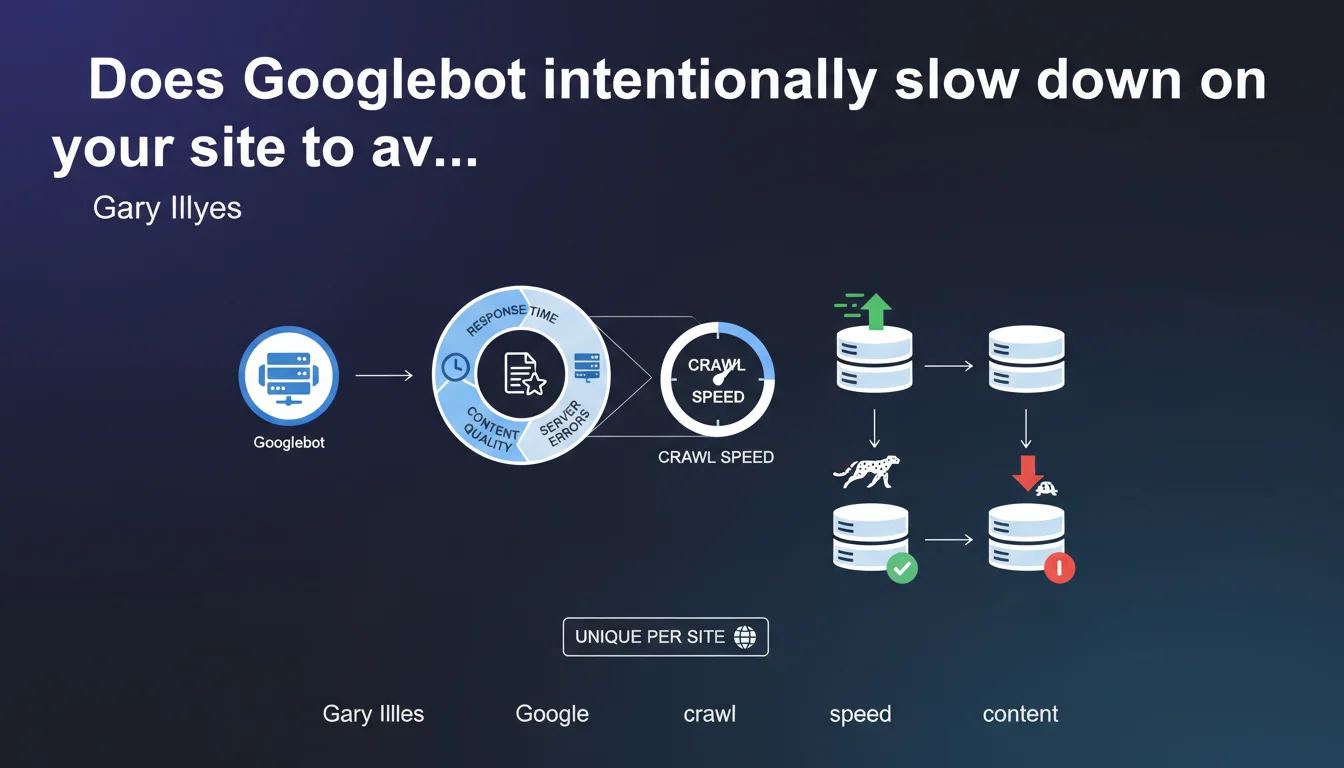
Googlebot adjusts its crawl speed on a site-by-site basis to prevent server overload. This speed depends on three factors: the server's response speed, the quality of discovered content, and the frequency of technical errors encountered.
What you need to understand
How does Googlebot decide its crawl speed on a site?
Google doesn't crawl all sites at the same pace. Each domain is assigned a personalized crawl speed, which the algorithm continuously recalculates based on three parameters: the server's ability to respond quickly, the proportion of content deemed high-quality, and the rate of technical errors (500s, timeouts, DNS failures).
In practical terms? If your server takes an average of 800 ms to respond, Googlebot will space out its requests to avoid making the situation worse. Conversely, an ultra-responsive server with regularly updated content will benefit from more aggressive crawling.
Why does this limitation exist?
Google doesn't want its bot to cause outages or slowdowns for its users. Crawl speed is throttled by default — it's not a favor, it's a technical constraint to preserve web stability.
For a small site hosted on a shared server, hundreds of simultaneous requests could saturate available resources and make the site inaccessible to real visitors. Google deliberately limits its appetite.
What are the technical criteria that influence this speed?
- Server response time: the faster your pages load, the more intensively Googlebot can crawl without risking bringing you down
- Quality of discovered content: if 80% of crawled URLs return thin content or duplicates, Google naturally slows down the pace
- Technical error rate: 5xx errors, DNS timeouts, expired SSL certificates — each anomaly sends a fragility signal that throttles crawling
- Site history: a stable domain for years inspires more confidence than a site that changes hosting every quarter
SEO Expert opinion
Is this statement consistent with field observations?
Yes — and no. In principle, it's true: Googlebot doesn't crawl full throttle without considering your infrastructure. But the phrasing remains vague about triggering thresholds. At what average response time does Google start to brake? No official metrics.
In practice, we observe that sites with a TTFB above 600-800 ms see their crawl budget seriously reduced. But Google will never admit this in black and white — it remains empirical observation. [Worth verifying] with your own server logs.
What nuances should be added to this claim?
Gary Illyes talks about "content quality" as a factor, but it remains a subjective and multifactorial criterion. A site can have objectively excellent content and still get crawled slowly if its technical architecture is poor.
Another point: crawl budget isn't just a matter of maximum allowed speed. It's also a matter of resource allocation. Google may decide to crawl slowly because your content doesn't deserve better, not necessarily because your server is fragile.
In what cases doesn't this rule apply?
On massive sites like marketplaces or content aggregators, Google allocates huge resources regardless. Their crawl budget is structurally higher — not because their server is better, but because their content is strategically important to Google.
Conversely, a perfectly optimized small WordPress blog will never see its crawl rate explode. The theoretical maximum crawl speed matters little if Google has no reason to crawl 10,000 URLs per day.
Practical impact and recommendations
What should you concretely do to optimize your crawl speed?
Reducing server response time is the absolute priority. A TTFB below 200 ms across the entire site sends a positive signal to Googlebot. Move to dedicated or cloud hosting if you're still on cheap shared hosting.
Next, clean up your sitemap and robots.txt. If Googlebot wastes time crawling unnecessary facets, redundant URL parameters, or endless paginated pages, it will consume its quota without indexing your strategic pages.
What mistakes should you absolutely avoid?
Don't artificially throttle Googlebot in your robots.txt with a Crawl-delay directive — it doesn't work with Google and can actually backfire. Google ignores this directive. If you want to regulate crawling, use Search Console instead.
Also avoid multiplying chained redirects and broken links. Each unnecessary 404 or 301 eats into crawl budget without adding value. Regular technical audits should identify and correct these friction points.
How can you verify that your site is being crawled properly?
- Analyze your server logs to measure actual crawl rate (Googlebot requests per second) and identify abnormal spikes or dips
- Check the "Crawl statistics" report in Search Console to track the evolution of pages crawled per day
- Compare the number of pages crawled to the number of crawlable pages — a significant gap signals a crawl budget problem
- Check your average TTFB with tools like WebPageTest or GTmetrix, targeting less than 300 ms
- Track 5xx errors and timeouts in your logs — a rate above 1% throttles crawling
- Ensure your strategic pages are crawled at least once per week
❓ Frequently Asked Questions
Peut-on augmenter manuellement la vitesse de crawl de Googlebot ?
Un serveur plus puissant garantit-il un meilleur crawl budget ?
Les erreurs 404 impactent-elles la vitesse de crawl ?
Comment savoir si mon site est limité par le crawl budget ?
Le passage en HTTPS améliore-t-il la vitesse de crawl ?
🎥 From the same video 9
Other SEO insights extracted from this same Google Search Central video · published on 22/02/2024
🎥 Watch the full video on YouTube →
💬 Comments (0)
Be the first to comment.