
Official statement
Other statements from this video 7 ▾
- □ Faut-il vraiment utiliser Looker Studio pour monitorer ses performances SEO ?
- □ Comment structurer vos visualisations de données SEO pour exploiter vraiment vos analytics ?
- □ Pourquoi Google recommande-t-il des visualisations simplifiées pour le monitoring SEO ?
- □ Comment exploiter pleinement le data blending pour enrichir vos analyses Search Console ?
- □ Comment analyser la performance Search Console pour Discover et Google News séparément ?
- □ Pourquoi les expressions régulières sont-elles indispensables pour analyser vos données Search Console dans Looker Studio ?
- □ Pourquoi Google insiste-t-il autant sur les clics et le CTR dans Search Console ?
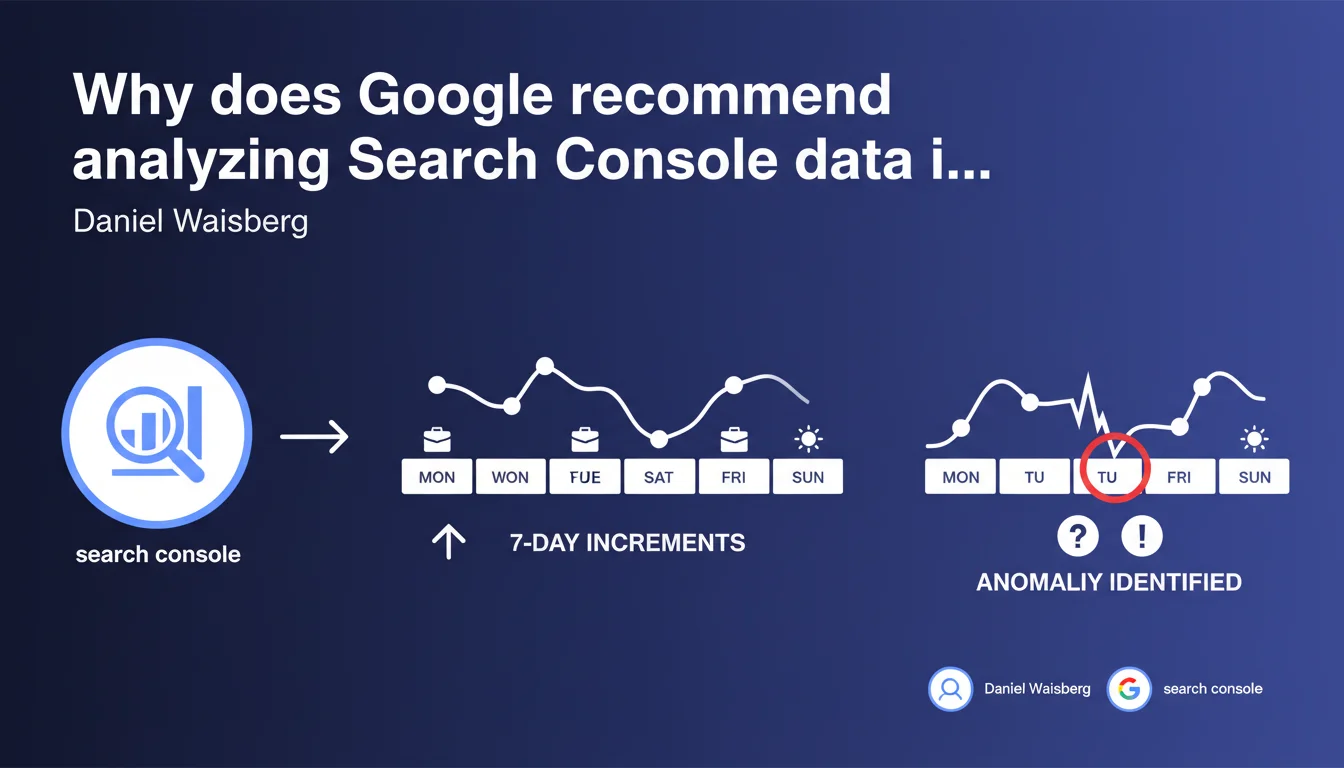
Google advises using periods in multiples of 7 days when analyzing Search Console trend graphs. Reason: search behavior patterns differ drastically between weekdays and weekends, which can mask real anomalies if you compare misaligned periods.
What you need to understand
Why do patterns differ so much between weekdays and weekends?
Search queries change completely depending on the day. A B2B site might see traffic drop 60% on Saturday — that's normal, nobody searches for business solutions on weekends. Conversely, a mainstream media outlet or consumer e-commerce site explodes on Sunday afternoons.
If you compare 15 days with 16 days, you're comparing 2 weekends against 2 weekends plus 2 extra days. The bias is massive. It's impossible to know whether a drop is due to a technical issue or just the fact that you have one fewer Saturday in the period.
What happens when you ignore this rule?
You'll see phantom anomalies. A 12% drop that's nothing but a statistical artifact. Or the opposite: a real crash masked by a record-breaking weekend. False alerts pile up, you waste time hunting for bugs that don't exist.
This is particularly insidious for short periods. Comparing 3 days with 4 days? Good luck interpreting anything if a weekend is lurking in there.
What's the concrete best practice?
- Always use 7, 14, 21, 28 days as comparison periods
- Avoid 30 or 31 day periods that break weekly symmetry
- Isolate weekends in your analyses if you want to dive deeper into these specific patterns
- Compare the same days week over week (all Tuesdays, all Saturdays)
- Account for public holidays that create additional atypical patterns
SEO Expert opinion
Is this recommendation really new?
No. Any web analyst worth their salt has been applying this principle for years — not just on Search Console, but on any analytics tool. It's a basic statistical rule as soon as you're working with cyclical data.
What's interesting is that Google takes the trouble to remind us. It signals that many SEOs are still making this mistake, probably using default periods without thinking.
In what cases is this rule not enough?
Multiples of 7 days don't solve everything. If you launch a campaign on Thursday, comparing Day -7 to Day +7 will smooth out the impact and make you miss the initial spike. In that case, day-by-day analysis for the first week is better, then return to 7-day multiples.
Another limitation: exceptional events. Black Friday, sales, breaking news that sends certain queries through the roof for 48 hours. Here too, weekly analysis smooths and masks. You need to segment: before/during/after the event, then return to normal cycles.
Does Google provide enough context in this recommendation?
Not really. The statement remains very superficial. Google says nothing about variations by site type, by industry, by geography. An international site with traffic spread across multiple time zones has even more complex patterns.
Nothing either on monthly or annual seasonality. Multiples of 7 days help with weekly cycles, but if you compare July and August without accounting for summer vacation periods, you'll still see massive fluctuations unrelated to your SEO. [To verify]: Google could provide more detail on optimal comparison periods based on business context.
Practical impact and recommendations
What needs to change in your analysis processes?
First, standardize your periods. If you produce weekly reporting, always compare week N with week N-1, then with week N-4 (same week previous month). If you do monthly, take exactly 28 days — not 30 or 31.
Next, set up smart alerts. Many SEO monitoring tools let you define variation thresholds. But if these alerts compare random periods, you'll be drowning in false positives. Force 7 or 14-day windows.
What common mistakes should you avoid?
- Never compare periods of different lengths (10 days vs 12 days, etc.)
- Don't use "calendar month" periods (1st-31st) unless you accept the weekend bias
- Don't ignore local public holidays that create mini-weekends mid-week
- Don't smooth data without understanding what granularity you're losing
- Don't automate analysis without verifying that cycles are respected
How do you integrate this logic into your dashboards?
If you use Google Looker Studio (formerly Data Studio), create pre-calculated date segments: "Last 7 days", "Last 14 days", "Last 28 days", and their N-1 equivalents. Avoid automatic "current month vs previous month" comparisons.
In your Search Console exports, filter by day of week. Create separate views for weekends and weekdays. You'll immediately see if a keyword performs better on Saturday or Tuesday — useful for tweaking your content or campaigns.
❓ Frequently Asked Questions
Est-ce que cette règle des 7 jours s'applique aussi à Google Analytics ?
Que faire si mon site a un trafic très faible et que 7 jours ne suffisent pas pour avoir des données significatives ?
Comment gérer les jours fériés qui tombent en milieu de semaine ?
Google Search Console permet-il de comparer automatiquement par multiples de 7 jours ?
Cette méthode fonctionne-t-elle pour les sites internationaux avec plusieurs fuseaux horaires ?
🎥 From the same video 7
Other SEO insights extracted from this same Google Search Central video · published on 15/03/2023
🎥 Watch the full video on YouTube →
💬 Comments (0)
Be the first to comment.