
Official statement
Other statements from this video 9 ▾
- □ Why doesn't a well-designed website generate any traffic without a discoverability strategy?
- □ Does Google Really Index Modern JavaScript Properly? Here's What You Need to Know
- □ Is Shadow DOM really holding back your multi-search engine visibility?
- □ Are SEO technical fundamentals really as critical as everyone claims they are?
- □ Is your technical SEO slowly degrading without ongoing maintenance?
- □ Does Google really believe SEO and accessibility are one and the same thing?
- □ Does Google really always reward superior content in rankings eventually?
- □ Are Core Updates secretly ruining your SEO test results?
- □ Should you really prioritize user experience over technical SEO optimization?
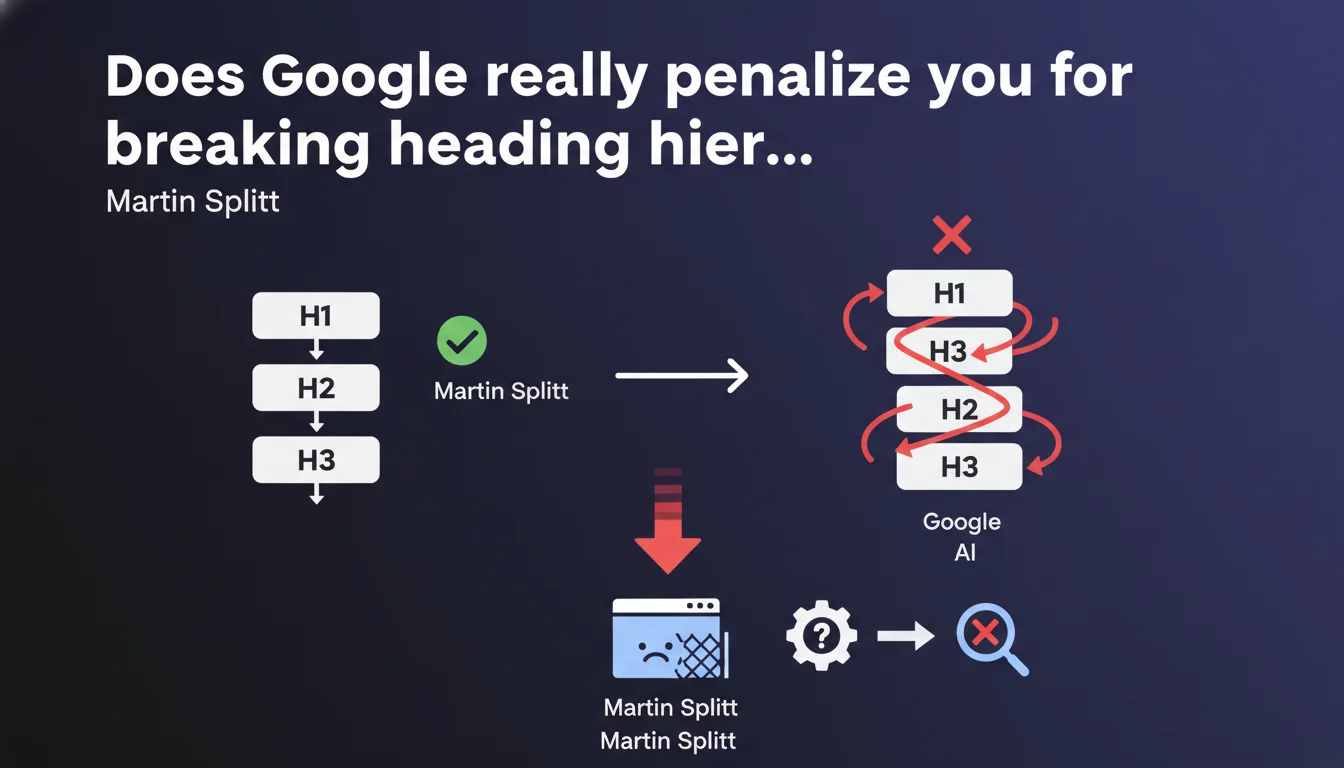
Google confirms that the hierarchical order of title tags (H1, H2, H3...) must be respected for semantic reasons, not just visual ones. CSS modifications that break this logical structure can harm search engines' understanding of your content. Practically speaking: an H3 should never precede an H2 in the source code, even if the design suggests otherwise.
What you need to understand
Why does Google insist so much on heading structure?
Heading tags aren't just formatting tools — they structure content semantically. Google uses them to understand a page's information architecture: what's the main topic (H1), what are the major sections (H2), the subsections (H3), and so on.
When this hierarchy is respected, the search engine more easily identifies relationships between concepts. This facilitates featured snippet extraction, relevant passage indexing, and display in rich results.
What's the difference between visual structure and semantic structure?
The classic mistake: using an H3 styled as a large title because it looks better visually, when it should actually be an H2. Or worse, jumping directly from H1 to H4 because the font size matches your design better.
CSS lets you separate appearance from semantics. You can style an H2 to look like an H4, but in the HTML code, the hierarchy must remain logical. Google reads the source code, not the final visual rendering.
What are the concrete risks of a broken hierarchy?
An incoherent structure confuses content understanding. Google may struggle to determine which sections are prioritized, which affects individual passage ranking and the likelihood of appearing in rich results.
It also complicates accessibility: screen readers use headings to enable quick navigation through a page. An illogical hierarchy degrades the user experience, which indirectly impacts SEO.
- Headings structure content semantically, not just visually
- Google relies on this hierarchy to identify prioritized sections and extract information
- CSS should be used for styling, not to compensate for a failing HTML structure
- A broken hierarchy harms passage indexation and rich results
- Accessibility and SEO share the same structural requirements
SEO Expert opinion
Is this statement consistent with real-world observations?
Yes and no. On well-structured sites, we do observe better performance in featured snippets and rich results. But let's be honest: tens of thousands of sites rank very well with completely broken Hn hierarchies.
The problem is that Google provides no quantified indication of how much weight this criterion carries. Is it a minor or major signal? [To verify] — large-scale A/B tests show contradictory results depending on the sector.
In what cases can this rule be relaxed?
On sites with high volume of authoritative backlinks and ultra-relevant content, a sloppy hierarchy won't sink you. Google compensates with other signals.
However, on sites in tight competition or long pages where passage extraction is crucial, neglecting Hn tags makes you lose opportunities — featured snippets, people also ask, indexing of specific sections.
And that's where it gets sticky: you never know in advance whether your page will end up in a situation where this detail makes a difference. Better to play it safe.
What nuances should we add to this recommendation?
Martin Splitt talks about modifications to "style systems" — meaning: CSS or JavaScript changes that visually alter the order or importance of headings without touching the HTML. That's the real danger.
If your H2 is styled to look like a small subsection title but remains an H2 in the code, no problem. The issue arises when you use an H4 instead because the size suits you better.
Practical impact and recommendations
What should you audit first on an existing site?
Start by identifying strategic pages: those targeting competitive keywords, those generating organic traffic, those that could appear in featured snippets. No point auditing 10,000 blog pages if 50 account for 80% of traffic.
Use a crawler (Screaming Frog, Oncrawl, Sitebulk) to extract the Hn structure of each page. Spot inconsistencies: level jumps (H1 > H4), multiple H1s, H3 before H2, etc.
How do you fix a broken hierarchy without breaking your design?
Completely separate semantics and appearance. Your H2 can have the same size as an H4 if you decide so in CSS. The important thing: respect the logical order in HTML.
If you have an H4 that should be an H2 but visually needs to stay subtle, change the tag to H2 and apply the H4 styles to it. Simple.
For WordPress sites or other CMS, watch out for page builders (Elementor, Divi) that let users choose any heading level without coherence. This often requires manual adjustments or hooks.
What mistakes should you absolutely avoid?
Never use multiple H1s on the same page — even though HTML5 technically tolerates it in certain contexts. Google prefers a structure with a single clear H1.
Avoid level jumps: jumping from H2 to H5 directly makes no semantic sense. Each level should be a logical subdivision of the level above it.
And most importantly: don't rely solely on your browser inspector. Verify the server-side rendered HTML source, especially on JavaScript-heavy sites. What Googlebot sees can differ from what you see in Chrome.
- Audit the Hn structure of strategic pages with a crawler
- Identify level jumps and logical inconsistencies
- Separate semantics (HTML) from appearance (CSS): an H2 can visually look like an H4
- Verify server-side rendered HTML on JavaScript sites
- Limit to a single H1 per page, even if HTML5 tolerates multiple H1s in certain contexts
- Monitor page builders and CMS outputs to avoid automatically generated incoherent hierarchies
- Test accessibility with a screen reader to validate navigation logic
❓ Frequently Asked Questions
Peut-on utiliser plusieurs H1 sur une même page ?
Les headings ont-ils un impact direct sur le ranking ?
Comment gérer les headings dans un site en JavaScript (React, Next.js) ?
Faut-il corriger toutes les pages d'un site ou seulement les principales ?
Les outils de page builders (Elementor, Divi) respectent-ils cette hiérarchie ?
🎥 From the same video 9
Other SEO insights extracted from this same Google Search Central video · published on 09/02/2022
🎥 Watch the full video on YouTube →
💬 Comments (0)
Be the first to comment.