
Official statement
Other statements from this video 9 ▾
- □ Why doesn't a well-designed website generate any traffic without a discoverability strategy?
- □ Does Google Really Index Modern JavaScript Properly? Here's What You Need to Know
- □ Are SEO technical fundamentals really as critical as everyone claims they are?
- □ Is your technical SEO slowly degrading without ongoing maintenance?
- □ Does Google really penalize you for breaking heading hierarchy, and why does it matter?
- □ Does Google really believe SEO and accessibility are one and the same thing?
- □ Does Google really always reward superior content in rankings eventually?
- □ Are Core Updates secretly ruining your SEO test results?
- □ Should you really prioritize user experience over technical SEO optimization?
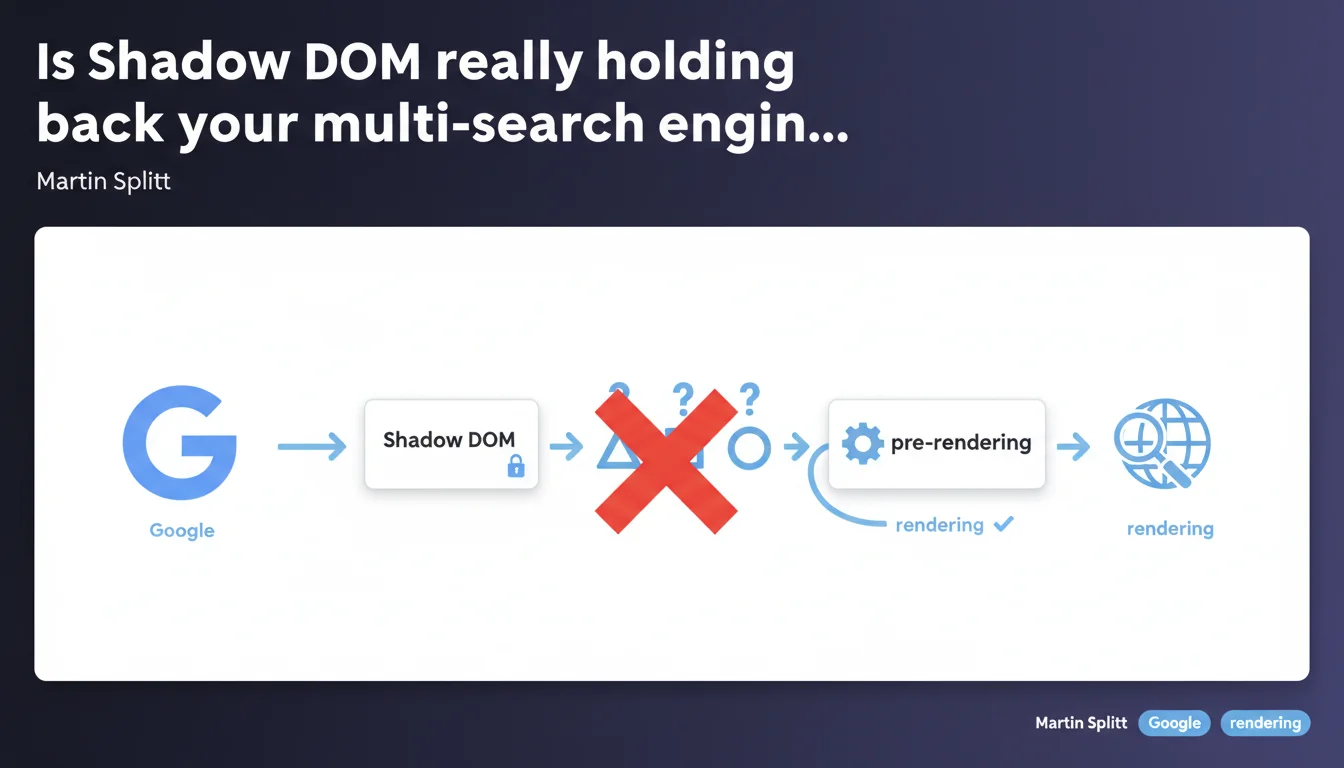
Google Search handles Shadow DOM without major issues, but other engines like Bing or Yandex can struggle to interpret this technology. If your audience relies on search engines beyond Google, pre-rendering or server-side rendering solutions become essential to guarantee optimal indexation.
What you need to understand
What exactly is Shadow DOM in the SEO context?
The Shadow DOM is a web API that allows you to encapsulate portions of HTML, CSS, and JavaScript code within an isolated component. Concretely, it enables developers to create reusable widgets or elements without their styles or behavior interfering with the rest of the page.
For search engines, the problem arises when a page's main content is trapped within this Shadow DOM. If the crawler doesn't know how to interpret this structure, it can miss entire sections of content — headings, paragraphs, internal links. It's like hiding your text in a safe deposit box that some don't have the key to.
Why does Google succeed while other engines struggle?
Google has invested heavily in its JavaScript rendering engine, which now runs on a modern version of Chromium. This allows it to handle Shadow DOM like any other dynamic content — it executes the JS, builds the complete DOM tree, and indexes what it sees.
Other engines — notably Bing, Yandex, or certain niche crawlers — don't necessarily have this advanced rendering capability. Or if they do, they may have crawl budget limitations or priorities that prevent them from systematically processing complex JavaScript.
Which technologies are affected by this risk?
Any frameworks or libraries that leverage Shadow DOM by default: native Web Components, certain implementations of Lit, Stencil, or specific configurations of frameworks like Angular or Vue with encapsulation enabled.
If your site relies on these technologies and you're targeting an international or B2B audience where Bing matters (Edge in enterprise, for example), you risk losing visibility on these engines.
- Shadow DOM encapsulates content within an isolated scope, potentially invisible to certain crawlers
- Google Search handles this technology thanks to its modern JavaScript rendering engine
- Other engines (Bing, Yandex, third-party crawlers) may struggle to extract this content
- Pre-rendering or server-side rendering (SSR) are solutions to ensure maximum compatibility
- Affected frameworks: Web Components, Lit, Stencil, Angular with ViewEncapsulation
SEO Expert opinion
Is this statement consistent with field observations?
Yes, completely. We regularly observe sites that index correctly on Google but virtually disappear from Bing or other engines when they migrate to a Shadow DOM-based architecture without precautions.
The classic case: an e-commerce site that redesigns its product page with encapsulated Web Components. Google continues indexing, but Bing loses descriptions, customer reviews, sometimes even product titles. The visibility gap on these secondary engines can reach 60-80%.
What nuances should be added to this statement?
Martin Splitt says "Google Search handles Shadow DOM," but that doesn't mean everything is 100% perfect. In some cases, particularly with highly nested architectures or long rendering times, even Google can struggle to capture everything on the first pass.
Another point: crawl budget. If your page takes 3 seconds to load and execute the JS that mounts the Shadow DOM, Google may index it, but with a delay. On a site with thousands of pages, this delay can become problematic for content freshness. [To verify]: the exact impact of Shadow DOM on crawl budget is not officially documented.
In what cases does this rule not apply?
If you only target Google — for example a French-language site or a niche where Bing accounts for less than 2% — and you don't have extreme freshness constraints, Shadow DOM can pass without issues.
Also, if you use Shadow DOM only for non-SEO-critical elements (interactive buttons, chat widgets, decorative carousels), the impact is zero. It's when main content is encapsulated that the risk emerges.
Practical impact and recommendations
What should you do concretely if your site uses Shadow DOM?
First step: audit your multi-engine visibility. Check in Google Search Console and Bing Webmaster Tools whether your critical pages are properly indexed with the right content. A significant gap between the two is a warning sign.
Next, test your page rendering with tools like Google's Mobile-Friendly Test (which shows the rendered DOM) and the Bing URL Inspection Tool. If Bing only sees an empty or partial structure, you have a problem.
What technical solutions should you deploy to maximize compatibility?
Pre-rendering is the most common solution: you generate a static HTML version of your pages during the build process, which crawlers receive directly. Tools like Prerender.io, Rendertron, or native features of frameworks like Next.js or Nuxt.
Another approach: server-side rendering (SSR). Your server executes the JavaScript and sends already-mounted HTML to crawlers. It's more robust but more complex to implement if your current stack is 100% client-side.
Final option — more radical: avoid Shadow DOM for SEO-critical content. Reserve it for purely functional components and keep your headings, text, and links in the classic DOM.
How do you verify your implementation is correct?
Implement regular monitoring of indexation across all engines you target. A dashboard that compares the number of indexed pages and content depth captured between Google, Bing, and Yandex.
Also test with third-party crawlers like Screaming Frog with JavaScript disabled: if your content disappears, your fallback strategy isn't sufficient.
- Audit visibility on both Google Search Console AND Bing Webmaster Tools
- Test rendering with Mobile-Friendly Test (Google) and Bing URL Inspection
- Implement pre-rendering (Prerender.io, Rendertron) or SSR (Next.js, Nuxt)
- Isolate Shadow DOM to non-SEO components (widgets, buttons, decorative elements)
- Regularly monitor multi-engine indexation with automated alerts
- Validate with Screaming Frog in JavaScript disabled mode to test HTML fallback
❓ Frequently Asked Questions
Le Shadow DOM ralentit-il l'indexation sur Google ?
Bing indexe-t-il vraiment moins bien les sites avec Shadow DOM ?
Dois-je abandonner les Web Components pour le SEO ?
Le pré-rendu suffit-il à résoudre tous les problèmes ?
Comment savoir si mon site utilise le Shadow DOM ?
🎥 From the same video 9
Other SEO insights extracted from this same Google Search Central video · published on 09/02/2022
🎥 Watch the full video on YouTube →
💬 Comments (0)
Be the first to comment.