
Official statement
Other statements from this video 5 ▾
- □ Is it safe to publish the same content in both HTML and PDF without triggering duplicate content penalties?
- □ How can you effectively control which version of duplicate HTML and PDF content Google indexes?
- □ Does Google Really Favor HTML Over PDF When Duplicate Content Is Detected?
- □ Should you really include a link to your website in every PDF you publish?
- □ Should you really choose between HTML and PDF based on how your audience consumes content?
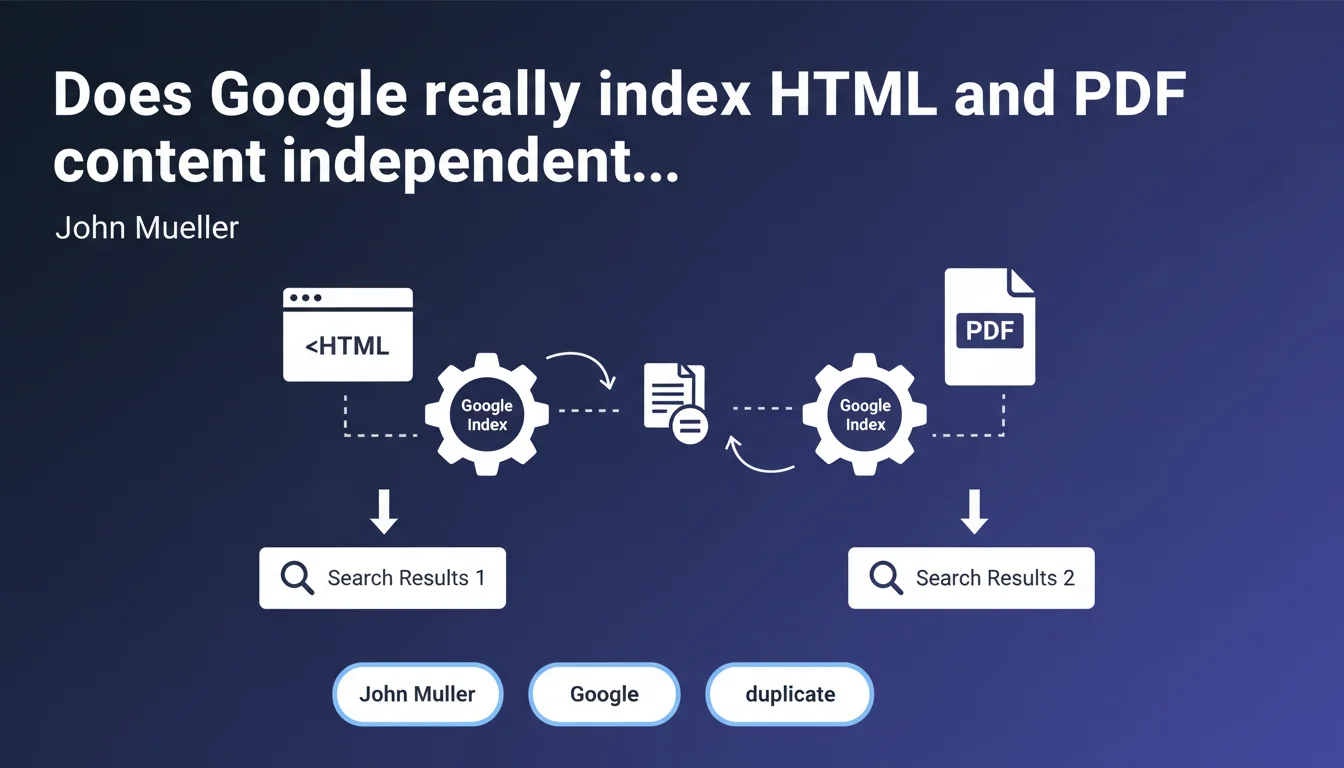
Google can index a web page and its PDF version separately, even when the textual content is strictly identical. These two formats can coexist in search results without being considered duplicate content in the classical sense. For SEO practitioners, this raises important questions about managing ranking signals and potential cannibalization.
What you need to understand
Why does Google treat HTML and PDF differently?
Google recognizes that different file formats serve distinct user intentions. A user searching for a technical guide might prefer a downloadable PDF, while another may prefer a web page for quick reading.
Google's systems therefore analyze these two containers as separate entities, even if the text is identical. The technical architecture differs: HTML markup vs PDF structure, loading speed, mobile experience, and internal linking behavior.
Does this separate indexation create a duplication problem?
No, and that's the key distinction. Google doesn't automatically penalize this coexistence because it recognizes functional legitimacy in both formats.
Unlike classical duplicate content where two identical HTML URLs cannibalize each other, here the format difference justifies the dual presence. However, Google must still choose which version to display based on the search query context.
Which ranking signals apply to each format?
The evaluation criteria diverge significantly. An HTML page benefits from mobile optimization, Core Web Vitals, structured internal linking, and schema markup.
A PDF, however, is evaluated on its document structure, metadata (title, author), extractable text quality, and domain authority signals. Backlinks pointing to one or the other independently reinforce their respective authority.
- Google indexes HTML and PDF as two distinct entities, even with identical text
- No automatic penalty for duplication between different formats
- Ranking signals (speed, mobile, backlinks) apply differently depending on format
- Display choice depends on user intent and search context
- This logic doesn't extend to other formats (DOCX, PPTX) without explicit confirmation
SEO Expert opinion
Is this statement consistent with real-world observations?
Yes, and it's not new. For years, we've observed mixed SERPs where a PDF ranked for a long informational query while the HTML version appeared for more generic searches.
What's changed is official confirmation. Previously, many SEOs applied noindex to PDFs due to cannibalization fears. Mueller validates that both can coexist without major technical risk — but without guaranteeing the absence of strategic cannibalization.
What nuances should we apply to this rule?
Google says can index separately, not will always index separately. If the PDF offers no differentiating signals (no specific backlinks, no downloads, empty metadata), Google might choose to favor only the HTML version.
Another point: [To be verified] Mueller doesn't specify if this logic applies to other office formats (DOCX, PPTX). We assume it does by analogy, but no official data supports this.
When does this approach become counterproductive?
If your content has no functional reason to exist as a PDF (no printing need, no archiving, no offline consultation), you're creating an internal competitor without benefit.
Worse: a poorly optimized PDF (scanned images, no selectable text, excessive file size) can harm user experience while siphoning clicks from SERPs. Let's be honest, nobody likes landing on an 8MB PDF by accident on mobile.
Practical impact and recommendations
What should you do concretely to manage HTML and PDF?
First step: audit your duplicate content across formats. List all identical HTML/PDF pairs, then evaluate if each format has a valid reason to exist.
If the PDF provides value (offline download capability, professional printing), optimize its metadata: title, author, keywords, description. Ensure the text is properly extractable.
If the PDF has no real use case, you have three options: noindex to prevent coexistence, complete removal, or 301 redirect to HTML. Don't leave phantom content lying around just because Google can index it.
How can you avoid cannibalization between both versions?
Should you use canonical tags? No, those don't work between different formats. The solution involves a targeted backlink strategy: actively direct external links to the version you want to prioritize.
Internally, if you offer both formats, place the PDF as a secondary download (button like "Download as PDF") rather than as an equivalent link. This sends a clear signal about content hierarchy.
Monitor Search Console: if the PDF drains traffic from your strategic keywords at the expense of your better-optimized HTML, that's a cannibalization symptom to fix.
Which technical errors should you absolutely avoid?
Don't block PDF crawling in robots.txt if you want them indexed. Verify that your PDFs are accessible without authentication — Google doesn't crawl behind login walls.
Avoid PDFs generated dynamically with complex parameter URLs that change on each visit. Google will treat them as different pages, creating indexation chaos.
Banish PDFs made only of scanned images without OCR text layer. Google can extract text via OCR, but quality is unpredictable and you lose all semantic control.
- Audit all existing duplicate HTML/PDF content
- Optimize PDF metadata (title, author, description) if you keep them indexable
- Noindex or remove PDFs without clear functional value
- Direct backlinks toward the priority version (typically HTML)
- Place PDFs as secondary downloads rather than equivalent links
- Monitor Search Console to detect traffic cannibalization
- Guarantee accessibility and text extractability for all indexed PDFs
- Avoid dynamic URLs and image-only PDFs
❓ Frequently Asked Questions
Dois-je systématiquement bloquer l'indexation des PDF pour éviter le duplicate content ?
Les backlinks vers un PDF sont-ils aussi efficaces que vers du HTML ?
Cette règle s'applique-t-elle aux fichiers DOCX, PPTX ou autres formats bureautiques ?
Comment savoir si mes PDF cannibalisent mes pages HTML dans les résultats de recherche ?
Faut-il optimiser les métadonnées des PDF comme on le fait pour les balises meta HTML ?
🎥 From the same video 5
Other SEO insights extracted from this same Google Search Central video · published on 12/12/2023
🎥 Watch the full video on YouTube →
💬 Comments (0)
Be the first to comment.